I spent the past year paying for almost every AI coding tool available, including GitHub Copilot and Claude Code. As prices kept rising, programming started to feel less like development and more like a subscription plan with shrinking value.
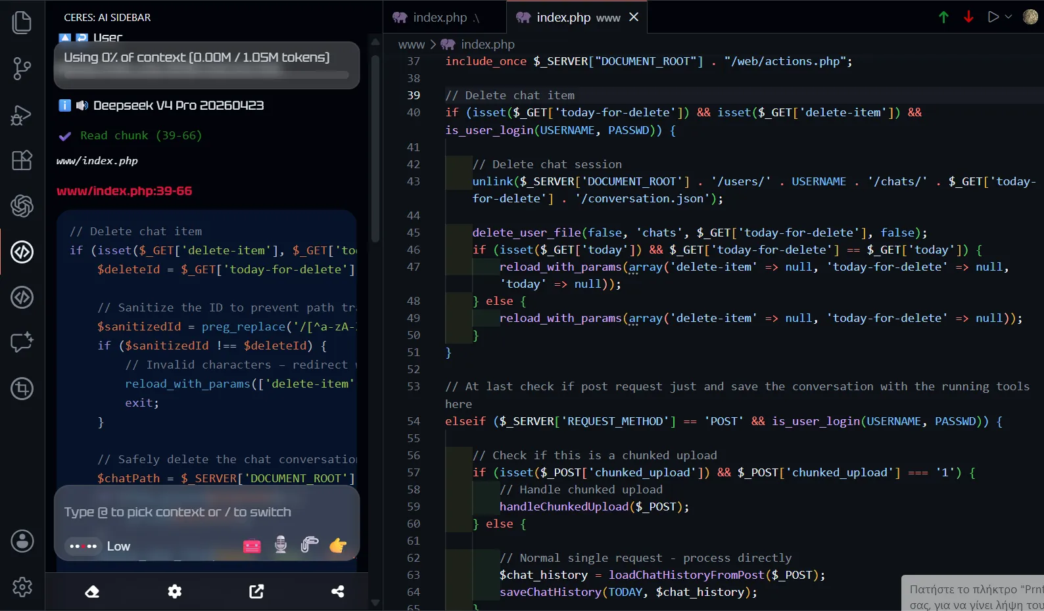
Looking for a lighter alternative, I found Ceres, an AI assistant that lives directly inside the code editor.
The idea is simple. Bring your preferred language model into your editor and get coding help without the rising costs.
Unlike other AI agents that run heavy background processes for project scanning and reasoning, Ceres works through direct communication. I ask it a question, and it starts printing code right away, so I can review it, regenerate it, or apply it.
The results have been impressive. Over the past month, I spent less than $0.50 using the DeepSeek API, all while staying in full control of my code.
One small but genuinely useful feature is voice-to-prompt. When I don’t feel like typing, I can say something like “make a user’s endpoint for my database,” and the prompt is ready to send. It turns coding into a natural back-and-forth.
One thing to keep in mind: Ceres is not an autonomous agent that writes and debugs code on its own. It builds on your existing knowledge rather than replacing it. If you understand the fundamentals of what you are building, Ceres can help without taking over your repository.
Bottom line
Ceres is a lightweight code assistant now available for VS Code and JetBrains IDEs, built for developers who want lower token usage and lighter demands on their computer’s resources.
If you are tired of bloated AI tools, a lightweight, user-friendly setup like Ceres is worth trying. The quality of its code generation may surprise you.