
Alright, let’s talk about the 2025 ASUS ROG Strix G16. Buying a gaming laptop these days can feel like a gamble, right? You either spend way too much for power you don’t really need, or you end up with something that struggles with the new games. This 16-inch machine aims to hit that sweet spot, packing the latest tech without completely breaking the bank. We’re looking at a serious contender here, so let’s see if the ASUS ROG Strix G16 review unit lives up to the hype and if it’s actually worth your hard-earned cash.
Key Takeaways
- The ASUS ROG Strix G16 (2025) offers a great balance of performance and price, making it a solid choice for serious gamers looking for an upgrade.
- Featuring the NVIDIA GeForce RTX 5060 and a powerful Intel Core i7-14650HX, this laptop handles modern games at 1080p and 1440p with ease.
- The 16:10 display provides more screen space for both gaming and everyday tasks, and the 165Hz refresh rate keeps things smooth.
- Cooling is handled well with ROG Intelligent Cooling, keeping the laptop from overheating during long gaming sessions.
- While battery life is average for a gaming laptop, the RAM and storage are upgradeable, and Wi-Fi 7 support means it’s ready for the future.
A Powerful Gaming Machine
This laptop really packs a punch when it comes to gaming hardware. ASUS has loaded the ROG Strix G16 with some seriously beefy components that make it a contender for one of the best gaming machines out there right now. It’s not just about throwing in the latest parts; ROG has clearly put effort into tuning everything to work together, aiming for top-tier performance.
Next-Generation Graphics
The graphics card options here are pretty impressive. You can get it with up to an NVIDIA® GeForce RTX™ 5080 Laptop GPU, which is a beast. ROG has managed to push this GPU to a massive 175W power envelope with Dynamic Boost. This means it can really stretch its legs during long gaming sessions, giving you smooth frame rates even in the most demanding titles. Plus, with features like DLSS 4, the AI capabilities are off the charts, helping to boost performance even further.
Desktop-Class Processing
Under the hood, the Strix G16 sports some serious CPU power. Depending on the configuration, you’re looking at processors like the AMD Ryzen™ 9 9955HX3D or the Ryzen™ 9 8940HX. These chips come with plenty of cores and threads – 16 cores and 32 threads, to be exact – making them great for both gaming and heavy multitasking. The processors can handle up to a 75W TDP, and with ROG’s tuning, they can really perform. This kind of processing power means you won’t be held back in CPU-intensive games or applications.
Blazing Fast DDR5 Memory
To keep up with the powerful CPU and GPU, the Strix G16 uses cutting-edge DDR5 memory. We’re talking speeds of 5600MT/s, which is a noticeable jump from older 4800MT/s kits. This faster memory makes the whole system feel more responsive. Whether you’re loading into a massive game world or just switching between applications, everything feels snappier. It’s a small detail that makes a big difference in the overall user experience, especially when you’re trying to get every bit of performance out of your system. This setup is comparable to what you might find in other high-end machines, like the HP Omen 16.
Performance and Cooling

ROG Intelligent Cooling
This laptop really tries to keep things cool, which is important when you’re pushing the hardware hard. ASUS put a lot of thought into the cooling system, using a vapor chamber, two big fans, and even a smaller one in the middle. They also packed in a huge heatsink that runs along the back edge. What’s neat is that they use these super thin copper fins, only 0.1mm thick. They’re half the size of normal ones, so they can pack more of them in, which helps move heat away faster and lets air flow better. It’s a big step up from older models that just used heat pipes.
Unleashed GPU Power
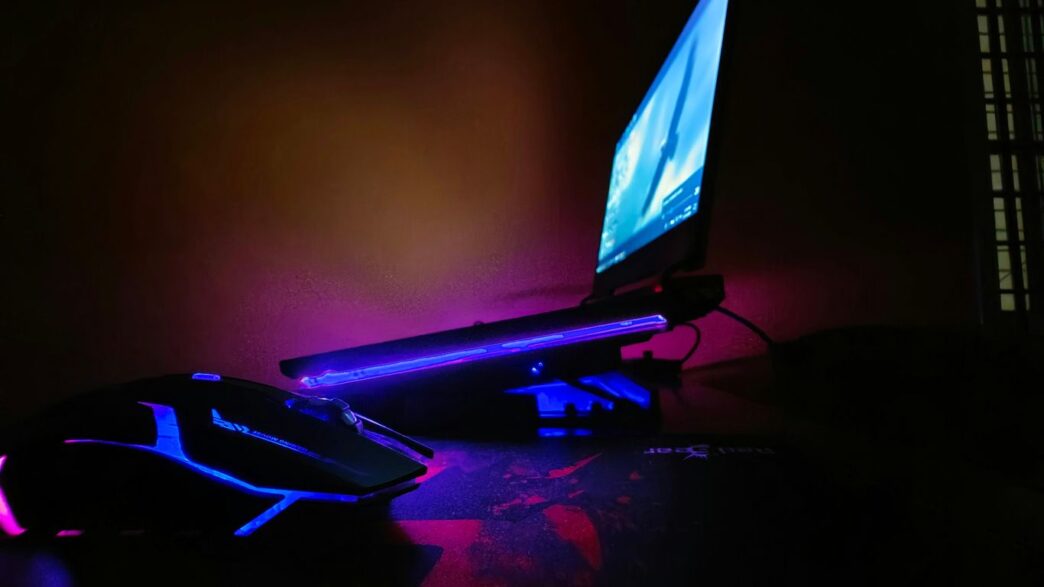
When you’re gaming or doing heavy tasks, the system can really let the GPU do its thing. In Turbo mode, the CPU can hit around 135W and the GPU can get up to 175W with Dynamic Boost. This means you get top-tier performance, but it does get warm. We saw CPU temps around 85-90°C and GPU temps around 77-82°C during intense use, especially on Turbo mode. Putting the laptop on a stand helps a bit with airflow. There are different modes, though. Performance mode is a bit more reserved, and Silent mode keeps things much quieter and cooler, though you won’t get the absolute maximum power.
MUX Switch and Advanced Optimus
This laptop has a MUX switch and Advanced Optimus. Basically, this lets the graphics signal go directly from the dedicated GPU to the display, bypassing the integrated graphics. This can make a noticeable difference in frame rates, especially in fast-paced games. Advanced Optimus means it can switch between the integrated and dedicated graphics automatically without you needing to restart the laptop, which is pretty convenient for everyday use versus gaming.
Connectivity and Features
Future-Proof Wi-Fi 7
This laptop is ready for whatever the internet throws at it. It comes with Wi-Fi 7 support, which is pretty neat. This means you get access to a new, less crowded wireless band. If your router supports it, you should see faster speeds and a more stable connection, especially when other devices are hogging the Wi-Fi. It also has a good old-fashioned Ethernet port for those times when you absolutely need a wired connection, which is still a lifesaver for competitive gaming. A stable connection is key, and this machine makes it easy to get one.
Comprehensive Port Selection
When it comes to plugging things in, the Strix G16 doesn’t mess around. You’ve got a good mix of ports to handle most situations.
- HDMI 2.1: Great for hooking up to the latest 4K 120Hz or even 8K 60Hz displays and TVs. Bandwidth gets a big boost here.
- USB4 Type-C (x2): One of these supports DisplayPort for video output, and the other also handles power delivery, so you can charge your laptop with it if you have a compatible USB-C charger.
- USB 3.2 Gen 2 Type-A (x2): Standard USB-A ports for your mice, keyboards, external drives, and other accessories.
- RJ45 Ethernet Port: For that reliable wired internet connection.
- Audio Jack: For your headphones or external speakers.
- Power Port: For the included AC adapter.
It’s nice to see a good variety here, meaning you probably won’t need a dongle for most of your gear. Plus, the inclusion of USB4 is a good sign for future compatibility.
Upgradeability and Battery Life
Accessible RAM and Storage
So, you’ve got this beast of a gaming laptop, and you’re wondering if you can tweak it later on. Good news! ASUS made it pretty straightforward to get inside the Strix G16. You don’t even need a screwdriver for the basic stuff. Just slide a little latch, and the bottom panel pops off. Inside, you’ll find the RAM slots and the M.2 SSD slots. They even use these neat Q-latches for the SSDs, so no tiny screws to lose. This means upgrading your RAM or adding more storage is a breeze. You can easily swap out the existing DDR5 memory or add a second NVMe drive. While you can’t get to the motherboard or the main cooling system without more disassembly, the parts that most people want to upgrade are right there.
Average Battery Performance
Now, about battery life. Let’s be real, this is a high-performance gaming machine. It’s packing some serious power, and that means it’s going to drink battery juice when you’re pushing it. For everyday stuff like typing up documents or browsing the web, you can expect around 5 to 7 hours, depending on how bright you have the screen and what you’re doing. Watching videos might get you a bit less. But when you fire up a game? Don’t expect to get very far from an outlet. Gaming will likely drain the 90Wh battery in about an hour. It’s pretty standard for a laptop this powerful, but it’s definitely not an all-day machine for gaming on the go. You’ll want to keep that charger handy, though ASUS does offer a smaller 100W USB-C charger if you want something more portable for non-gaming use.
Value and Alternatives
Price and Configuration Options
So, let’s talk about the money. The ASUS ROG Strix G16 G615 comes in a bunch of different setups, which can be a bit confusing if you’re not paying close attention. You’re mostly picking based on the graphics card, and then you might get a choice between a couple of different processors and one of two screen types. Generally, the cheaper models get older processors and the standard screen, while the pricier ones pack the latest Ultra 9 processor and the better screen. Honestly, that upgraded screen is worth the extra cash, in my opinion.
For example, the top-tier model with an Intel Core Ultra 9 275HX, RTX 5080, 32GB RAM, 1TB SSD, and that nice 2.5K 240Hz display is going to set you back around $2600 to $2900 in the US. That’s a pretty penny, but it’s usually a few hundred bucks cheaper than the fancier Scar 16 model with similar specs. If you drop down to the RTX 5070Ti version, you’re looking at about $2000 in the US. Cheaper options exist with an Ultra 7 processor and sometimes the lower-res screen. You can even find models with an i7-14650HX, RTX 5060, 16GB RAM, and a 2K 165Hz display for around $1300-$1500. Just be sure to check the exact specs, especially on the lower-end models, as they might include older processors or a less impressive display.
There’s also the Ryzen version, the Strix G614, which uses AMD processors and can be a bit more affordable, especially if you’re eyeing an RTX 5070Ti. A Ryzen 9 8940HX with an RTX 5070Ti can be found for about $1600 in the US, though usually with the 2K screen. There are plenty of choices, and prices tend to drop later in the year, so keep an eye out for deals.
Competitive Landscape
When you look at other 16-inch gaming laptops out there, the Strix G16 G615 sits in a pretty good spot. It’s definitely less expensive than its sibling, the Strix Scar 16, which offers a slightly better keyboard and that fancier display. Right now, it feels like it’s kind of in the middle of the pack. You can find some laptops that are cheaper, like certain Lenovo Legion Pro 7i, HP Omen MAX 16, or MSI Vector 16 models. On the flip side, some are pricier, such as the Acer Predator Helios 16 or Alienware 16 Area 51.
Here’s a quick look at how it stacks up:
- ASUS ROG Strix G16 G615: Offers a strong balance of next-gen features and performance, often at a better price than the Scar line. Good for gamers wanting modern tech without the absolute top-tier price tag.
- ASUS ROG Strix Scar 16 G635: The more premium option. Expect a slightly better screen, keyboard, and some extra aesthetic flair, but at a higher cost.
- Lenovo Legion Pro 7i: Often a strong contender, sometimes offering a full numpad and potentially better cooling solutions depending on the configuration.
- HP Omen MAX 16: An interesting choice, especially if you’re looking for something competitive on a tighter budget.
- Alienware 16 Area 51: Known for its robust cooling systems, which can be a big plus for sustained performance.
What really sets the Strix G16 apart is its solid performance, especially with the higher-end GPUs, and its inclusion of newer tech like Wi-Fi 7. However, if you absolutely need a numpad on your keyboard or demand an OLED screen for super vibrant colors, you might need to look at competitors like the Legion Pro 7i or the Alienware 16 Area 51. For most people, though, the Strix G16 hits a sweet spot.
So, Is the ASUS ROG Strix G16 Worth Your Cash?
Alright, let’s wrap this up. If you’re coming from an older gaming laptop, like something from the 20-series or 30-series, the 2025 ASUS ROG Strix G16 is going to feel like a total speed demon. ASUS really hit a sweet spot by putting the RTX 5060 together with one of those powerful Intel HX processors. It’s basically the perfect everyday machine for anyone who’s serious about gaming. You’re getting those high frame rates, games load up super fast, and the cooling system keeps things chill so you can keep playing for a long time. Sure, 16GB of RAM is fine for now, but you might want to think about upgrading to 32GB later if you’re always juggling a bunch of apps. And yeah, that power brick is pretty chunky, but that’s pretty standard for these kinds of laptops. Overall, for what you get, especially if you’re upgrading from something older, this Strix G16 is a solid choice that should keep you happy for years to come.
Frequently Asked Questions
Can I upgrade the RAM and storage on this laptop?
Yes, you can! The ASUS ROG Strix G16 makes it pretty easy to open up the bottom. You can add more RAM or another storage drive later if you need to.
How long does the battery last when I’m not gaming?
Since this is a powerful gaming machine, the battery life is just okay for everyday tasks. Expect about 5 to 6 hours for things like browsing the web or watching videos. You’ll need to plug it in for gaming sessions, though.
Does this laptop have a MUX Switch?
Yes, it does! It also has something called Advanced Optimus. This helps your games run faster by sending graphics directly to the screen with less delay.
Is the screen good for more than just gaming?
Absolutely. The screen is taller than usual, which is great for playing games and also makes it easier to work on projects or browse the web.
Is the laptop good for someone upgrading from an older gaming computer?
If you’re coming from an older gaming laptop, this ASUS ROG Strix G16 will feel incredibly fast. It’s designed to handle new games smoothly for a long time.
Is the cooling system effective during long gaming sessions?
Yes, the laptop has a special cooling system, including liquid metal, that helps keep it from getting too hot, even when you’re playing for hours.