So, you’re thinking about grabbing a new PlayStation 5, but you’re a bit confused about the PS5 Pro vs PS5 Slim options? Yeah, it’s a common question. Sony’s released a couple of different versions, and figuring out which one is right for you can feel like a puzzle. Let’s break down what makes them tick and help you decide if it’s time to upgrade your setup.
Key Takeaways
- The PS5 Slim Optical Drive version is a solid choice if you still buy physical games or have a collection of older discs. It fits better in most entertainment centers than the original PS5.
- Performance-wise, the PS5 Slim models offer the same core gaming power as the original PS5. Don’t expect a big jump in frame rates or graphics quality just because it’s a ‘Slim’.
- Backward compatibility is fully supported on the PS5 Slim. Your old controllers, headsets, and PS4 games will work just fine, so you won’t lose access to your existing gear.
- Audio gets a nice boost with the PS5 Slim, especially the Digital Edition. You can get pretty immersive sound without needing a fancy surround sound system.
- When deciding between the PS5 Slim and potentially a future PS5 Pro, consider how you game. If you’re happy with current performance and want a smaller console, the Slim is great. If you’re chasing the absolute best graphics and speed, you might want to wait and see what a ‘Pro’ model could offer.
Decoding the PS5 Pro vs PS5 Slim
Alright, let’s get down to brass tacks. You’re probably wondering what the big deal is between the PS5 Pro and the PS5 Slim, right? It’s not just about a new coat of paint or a slightly smaller box. Sony’s been busy tweaking things, and understanding these differences is key to figuring out if you actually need to upgrade.
Understanding the Core Differences
So, what separates these two? Think of the PS5 Pro as the souped-up version, aiming for higher performance and maybe some graphical bells and whistles. The PS5 Slim, on the other hand, is more about refinement – a more compact design and, for many, a more accessible price point. The Pro is built for those who want the absolute bleeding edge, while the Slim is for the everyday gamer who appreciates a sleeker package. It’s not always about raw power; sometimes, it’s about how well a console fits into your life and your entertainment setup.
Performance Benchmarks and Expectations
This is where things get interesting, and honestly, a bit speculative for the Pro until we see more concrete data. We expect the PS5 Pro to push frame rates higher and potentially handle more complex graphical effects, like advanced ray tracing, with greater ease. The Slim, however, uses the same core architecture as the original PS5. This means you’re getting the same fantastic gaming experience, just in a smaller chassis. Don’t expect massive leaps in raw processing power from the Slim over the launch model; its improvements are more about efficiency and size. For the Pro, we’re talking about potential gains that could make games look and run noticeably better, especially at higher resolutions. It’s a different kind of upgrade path.
Design and Form Factor Comparisons
Let’s talk looks and size. The PS5 Slim is, well, slim. It’s significantly smaller than the original, making it a much better fit for media consoles that aren’t exactly cavernous. It also offers both a disc drive and a digital-only version, giving you options. The PS5 Pro, while not officially detailed in terms of its final design, is generally anticipated to be larger than the Slim, possibly accommodating more robust cooling solutions needed for its enhanced performance. If space is a concern, the Slim is the clear winner here. If you’re prioritizing the most powerful hardware, you might have to make room for the Pro.
Key Features of the PS5 Slim
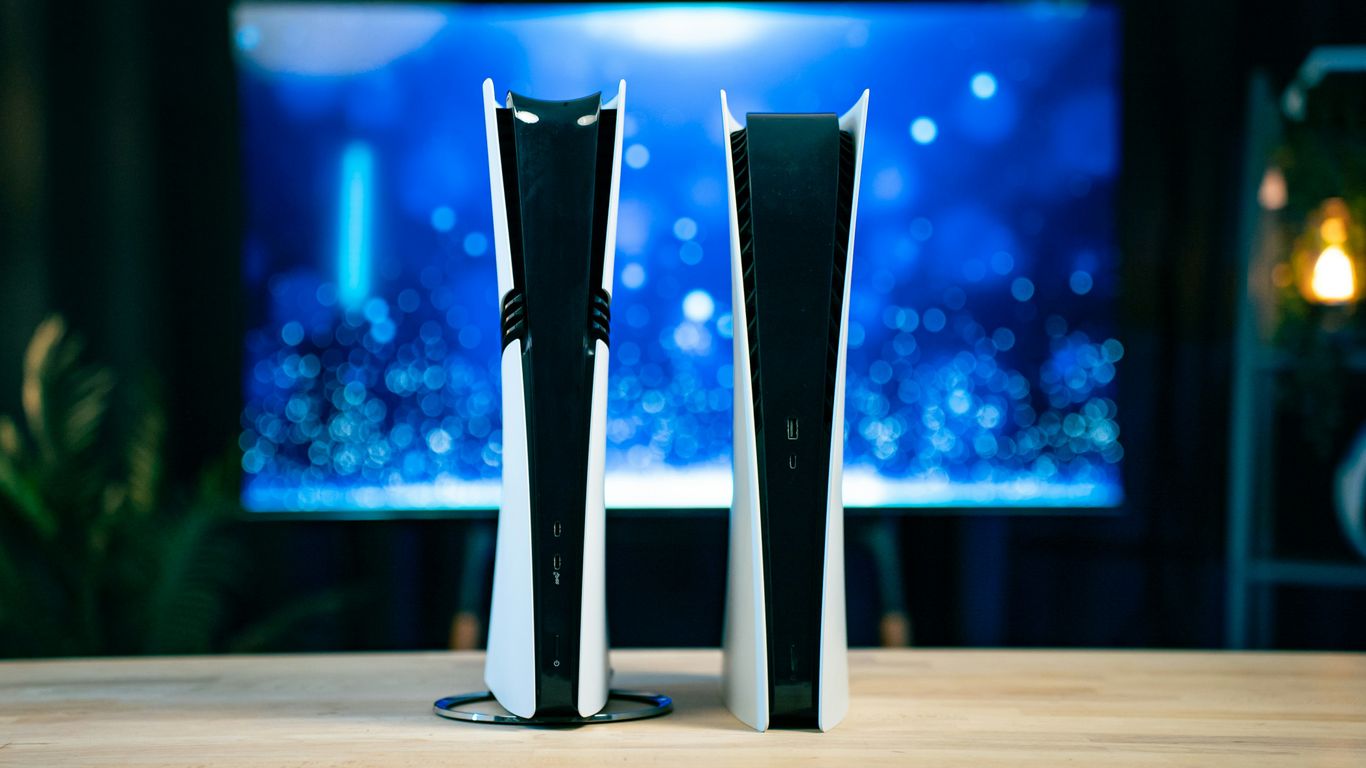
So, you’re looking at the PS5 Slim and wondering what’s actually new under the hood, right? Well, it’s not just about a smaller box. Sony really tweaked things to make this version a bit more practical for everyday use. The biggest change is how it handles your game library, especially if you’re still rocking physical discs.
Optical Drive vs. Digital Edition
This is a big one for a lot of people. The PS5 Slim comes in two main flavors: one with a built-in Ultra HD Blu-ray drive, and a Digital Edition that, well, doesn’t. If you’ve got a stack of PS4 or PS5 games on disc, or you like picking up new releases physically because they’re often cheaper than digital codes, the version with the optical drive is the way to go. It means you can still play all those games and watch Blu-ray movies without any fuss. The Digital Edition is for those who have gone fully digital and don’t plan on buying physical media anymore. It’s a bit sleeker without the drive, but you lose that disc-based flexibility. It’s a trade-off, for sure.
Internal Storage and Expandability
Good news here: the PS5 Slim doesn’t skimp on storage. Both the disc and digital versions come with a 1TB NVMe SSD right out of the box. That’s a decent chunk of space for a good number of games, which is great because games these days are huge. If you find yourself running out of room, you can still expand the internal storage using an M.2 SSD. You’ll need to make sure it meets Sony’s speed and size requirements, but it’s a pretty straightforward process. It’s nice that they kept this option open, so you’re not locked into just the initial 1TB. You can find compatible SSDs online to boost your storage capacity.
Connectivity and Port Layout
Sony also paid attention to the little things with the port layout. The PS5 Slim is about 30% smaller than the original, and they managed to keep the essential ports accessible. You’ve still got your USB-C port and a USB-A port on the front, which is handy for charging controllers or plugging in accessories quickly. On the back, you’ll find two more USB-A ports, an HDMI 2.1 port for all that 4K goodness, and the power connector. The placement seems to be pretty standard, so if you had a specific setup with your original PS5, you probably won’t need to rearrange your entire entertainment center. It’s designed to fit more easily into various setups, making it a more portable option for some.
Audio and Visual Enhancements
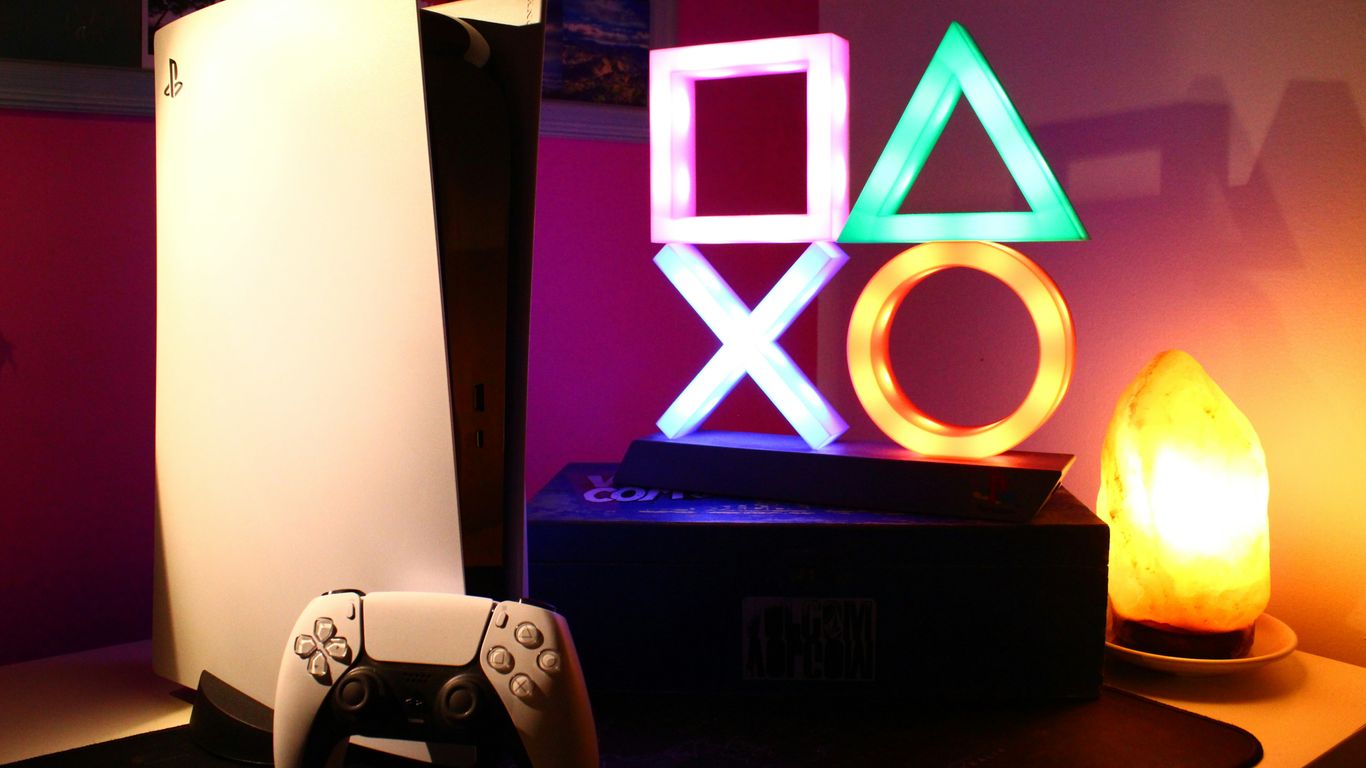
When it comes to making games look and sound amazing, both the PS5 Slim and the PS5 Pro have some tricks up their sleeves, though the Pro does push things a bit further. It’s not just about prettier graphics; it’s about how sound and visuals work together to pull you into the game.
Tempest 3D AudioTech Capabilities
Sony’s Tempest 3D AudioTech is a big deal for immersive sound, and it’s available on all PS5 models, including the Slim. This tech aims to make sounds feel like they’re coming from specific directions around you, even if you’re just using headphones. It’s like having a surround sound system built right into your ears. The goal is to make you feel like you’re actually in the game world, hearing footsteps creep up behind you or the roar of a dragon overhead. While the PS5 Pro doesn’t fundamentally change how Tempest 3D Audio works compared to the Slim, it does support Dolby Atmos, which can complement the 3D audio experience if you have a compatible sound system [46fc].
Visual Fidelity and Ray Tracing
This is where the PS5 Pro really starts to show its muscle. While the PS5 Slim already offers impressive visuals with features like ray tracing (which makes lighting, shadows, and reflections look super realistic), the Pro takes it up a notch. Expect higher resolutions, smoother frame rates, and more advanced graphical effects in games designed to take advantage of its power. For example, games might run at a higher native resolution or use more sophisticated ray tracing techniques on the Pro. The Slim still provides a fantastic visual experience, but the Pro is built for those who want the absolute best graphical fidelity.
Immersive Soundscapes Without Extra Gear
One of the coolest things about the PS5’s audio is how good it sounds even with just a standard pair of headphones. Tempest 3D AudioTech is designed to work wonders without needing a fancy, expensive surround sound setup. You can get a real sense of directionality and depth in games. For instance, hearing an enemy’s reload behind you or the subtle rustle of leaves to your left really adds to the atmosphere. The PS5 Slim, in particular, is great at this, offering a rich audio experience that doesn’t require a big investment in speakers. It’s all about smart processing making the most of what you have. If you’re looking to upgrade your audio setup, consider a soundbar with HDMI eARC for the best results [dfad].
Backward Compatibility and Peripherals
So, you’re thinking about upgrading, but what about all your old gear? It’s a fair question. Nobody wants to buy a new console and then realize their favorite controller or headset is suddenly useless. Thankfully, Sony has kept things pretty straightforward with the PS5 Slim.
Maintaining Access to Legacy Hardware
One of the biggest reliefs is that your existing PlayStation 4 controllers, racing wheels, and headsets should all work just fine with the PS5 Slim. I was a bit worried about this myself when I upgraded from my PS4 Pro. I had a couple of DualShock 4 controllers, a trusty Logitech steering wheel, and my go-to gaming headset. After setting up the new Slim, I just plugged them in, and everything was recognized instantly. It felt like no time was lost at all. This means you can keep using your familiar accessories without needing to buy a whole new set. It’s a big win for keeping costs down and avoiding setup headaches. The PS5 Slim is compatible with a huge library of PS4 games, so all those discs you own aren’t going to waste.
Controller and Accessory Support
When it comes to specific accessories, Sony has done a good job of making sure most things you already own will continue to function. This includes:
- DualShock 4 Controllers: Your standard PS4 controllers will work for playing PS4 games and navigating the PS5 menu.
- Third-Party Controllers: Many officially licensed PS4 controllers from brands like Hori or Nacon are also supported.
- Headsets: Wired and wireless headsets that connect via USB or the controller’s 3.5mm jack should work without issue.
- Racing Wheels and Fight Sticks: Most PS4-compatible wheels and fight sticks are recognized by the PS5 Slim, especially for playing PS4 titles.
It’s always a good idea to check Sony’s official website for a full list of compatible accessories, but generally, if it worked on the PS4, it’s likely to work on the PS5 Slim for backward compatible games. For PS5 games, you’ll obviously want to use the new DualSense controller to get the most out of features like haptic feedback and adaptive triggers.
User Interface Navigation Adjustments
While most peripherals will work as expected, you might notice a few minor differences in how you navigate the user interface, especially if you’re coming from a different console ecosystem. The PS5’s menu system is designed around the DualSense controller’s unique features. However, for basic navigation and playing PS4 games, the transition is usually quite smooth. If you’re used to a certain button layout on another system, it might take a few days to get used to the PS5’s layout, but it’s not a steep learning curve. Most people find they adapt pretty quickly, and the benefits of the new system, like faster loading times and access to exclusive PS5 titles, make the adjustment well worth it.
Making Your Next Upgrade Decision
So, you’re staring at the PS5 Pro and the PS5 Slim, wondering which one is going to be your next gaming buddy. It’s a fair question, especially with the price of consoles these days. Let’s break down how to figure out which one makes the most sense for you.
Evaluating Your Gaming Habits
Think about how you actually play games. Are you someone who needs the absolute best graphics and the highest frame rates, even if it means spending a bit more? Or are you more about just jumping into games and having a good time without worrying too much about the nitty-gritty technical stuff? The PS5 Pro is definitely the powerhouse, designed for those who want that top-tier visual experience and are chasing every possible performance boost. It’s the kind of machine that makes games look and feel as smooth as possible. On the other hand, the PS5 Slim is still a fantastic console that plays all the latest games beautifully. It’s more about getting that next-gen experience without the premium price tag. If you’re not constantly comparing frame rates or obsessing over ray tracing details, the Slim is probably going to hit the sweet spot. It’s a solid choice for most gamers who just want to play their favorite titles without any fuss. For a look at how the Pro stacks up, you can check out this guide on pricing and performance.
Considering Your Entertainment Setup
Your living room setup plays a big part too. Do you have a fancy 4K TV that can really show off the graphical improvements the Pro might offer? Or maybe you’re still rocking a solid 1080p or 1440p display? If your TV isn’t pushing the highest resolutions, you might not see a huge difference between the Pro and the Slim. The Slim is already incredibly capable of outputting stunning visuals. Also, think about space. The PS5 Pro is a bit larger than the Slim model, so if you’ve got a tight spot for your console, the Slim’s more compact design could be a real advantage. It’s easier to fit into entertainment centers without looking out of place. Plus, if you’re using older audio equipment, make sure it’s compatible with the output you’re planning to use. While both consoles support advanced audio, the way you connect your sound system might matter.
When to Choose the PS5 Slim
Honestly, for a lot of people, the PS5 Slim is the way to go. It’s the more accessible option, offering a fantastic gaming experience that’s a huge leap from previous generations. You get all the benefits of the current-gen PlayStation ecosystem, including access to a massive library of games, without the higher cost associated with the Pro. It’s perfect if you’re upgrading from a PS4 or even an older model PS5 and just want a reliable, powerful console that plays everything you throw at it. The Slim is also a great choice if you’re on a tighter budget but still want that PlayStation 5 experience. It represents a really good balance of price and performance. Plus, with its smaller size, it’s a more practical option for many living spaces. You can find out more about the PS5 Pro’s power if you’re still weighing the options, but don’t underestimate the Slim’s capabilities.
So, Which PS5 is Right for You?
Alright, we’ve broken down the PS5 Pro and the PS5 Slim, and hopefully, it’s a little clearer now. The Slim is definitely the way to go if you want a more compact console that still packs all the gaming punch you expect, especially the version with the disc drive if you’ve got a game collection. It fits better, feels a bit more refined, and honestly, it just works. The Pro, well, it’s for those who absolutely need that extra graphical oomph and don’t mind the bigger size or the higher price tag. Think of it as the enthusiast’s choice. For most people just looking to jump into the current generation or upgrade from an older system, the Slim offers that sweet spot of performance, features, and value. It’s a solid, reliable machine that gets the job done without any fuss. Your next upgrade really just comes down to whether you need the absolute best visuals or a more practical, everyday gaming experience.
Frequently Asked Questions
What’s the main difference between the PS5 Pro and the PS5 Slim?
Think of the PS5 Pro as a souped-up version, maybe like a sports car, designed for top-notch gaming speed and graphics. The PS5 Slim is more like a stylish, smaller version of the original PS5, fitting better in your entertainment center without losing much power. It’s a bit more compact and often a bit lighter.
Will my old games and controllers work with the PS5 Slim?
Yes, absolutely! Your PS5 Slim can play almost all your old PS4 games. Plus, your existing PlayStation controllers and accessories, like headsets and steering wheels, should work just fine with the new Slim model.
Does the PS5 Slim have better graphics or sound than the original PS5?
The PS5 Slim offers pretty much the same awesome graphics and sound experience as the original PS5. It uses the same powerful technology to make games look amazing and sound super immersive with its 3D AudioTech, even without extra speakers.
Is the PS5 Slim faster than the original PS5?
In terms of pure speed and how fast games load or run, the PS5 Slim is very similar to the original PS5. While the PS5 Pro is expected to be faster, the Slim focuses more on making the console smaller and more convenient while keeping the core performance strong.
Which PS5 version should I get if I have a lot of physical game discs?
If you have a large collection of game discs or like buying physical copies, you’ll want the PS5 Slim model that includes an optical disc drive. There’s also a Digital Edition that doesn’t have a disc drive, so make sure you pick the right one for your needs.
Is the PS5 Slim worth upgrading to if I already have a PS5?
If your current PS5 works great and you like its size, you might not need to upgrade just for the Slim. But, if you want a smaller console that fits better in your setup, or if you’re buying a new PS5, the Slim is a fantastic, modern choice that keeps all the great features.