Thinking about getting a Microsoft Python certification? It’s a smart move, honestly. Python is everywhere these days, from building websites to crunching numbers and even making AI do cool stuff. Getting certified shows you know your stuff, and with Microsoft backing it, it means something to employers. This guide breaks down what you need to know to get that certification and start using your Python skills for a better career.
Key Takeaways
- Python is super flexible and used in lots of different tech jobs, like web development and data science.
- The Microsoft Python certification covers important Python concepts and how to use them, especially with Azure cloud services.
- You’ll get hands-on practice with projects to build real applications, which is great for your resume.
- Microsoft provides lots of learning resources, including videos and self-paced modules, to help you prepare.
- The certification process includes an exam, and there are training options with features like live sessions and retakes to help you succeed.
Mastering Python for Career Advancement
Python. It’s everywhere these days, isn’t it? You hear about it for web stuff, for crunching numbers, for making computers do smart things. And honestly, it’s not just hype. Python is a really useful tool for a lot of different jobs in tech. It’s known for being pretty easy to read, which means you can get going with it faster than some other languages. This makes it a great choice if you’re looking to switch careers or just add a solid skill to your resume.
Understanding Python’s Versatility
So, what makes Python so popular? Well, it’s like a multi-tool for programmers. You can use it for building websites, analyzing huge amounts of data, automating boring tasks, and even working with artificial intelligence. This flexibility is a big reason why so many companies are looking for people who know Python. It’s not just for one specific type of job; it opens doors to many different areas.
Here’s a quick look at where Python shines:
- Web Development: Building the back-end of websites and web applications.
- Data Science: Cleaning, analyzing, and visualizing data to find patterns.
- Machine Learning & AI: Creating smart applications that can learn and make predictions.
- Automation: Writing scripts to handle repetitive tasks, saving time and reducing errors.
Leveraging Python for Web Development
When it comes to building websites and web apps, Python has some great frameworks like Django and Flask. These tools help you build things faster and more efficiently. You can create everything from simple blogs to complex e-commerce sites. Plus, when you combine Python with cloud services like Azure, you can easily deploy your web applications so people all over the world can use them. It makes the whole process smoother, from writing the code to getting it live.
Exploring Data Science and Machine Learning with Python
This is where Python really gets interesting for many people. Libraries like Pandas, NumPy, and Scikit-learn make it possible to work with large datasets, perform complex calculations, and build machine learning models. You can use Python to predict customer behavior, identify trends in sales data, or even create systems that recognize images. It’s a powerful combination that’s driving a lot of innovation right now.
Your Path to Microsoft Python Certification
So, you’re thinking about getting that Microsoft Python certification? That’s a smart move. Python is everywhere these days, and having a Microsoft certification to back up your skills is a big deal. It’s not just about learning a language; it’s about proving you can use it effectively.
Embarking on a Python Skilling Journey
Getting started with Python might seem a bit daunting, but honestly, it’s more accessible than you think. Think of it like learning a new recipe – you start with the basics, then add more ingredients and techniques as you go. Microsoft has put together some great resources to help you along the way. This journey is designed to build your confidence step-by-step. You’ll find modules that cover everything from writing your first lines of code to building more complex applications. It’s all about practical application, not just memorizing facts. You can find a good starting point with their Python for beginners learning path.
Key Concepts Covered in the Certification
What exactly will you learn? Well, the certification focuses on practical skills. You’ll get into things like:
- Understanding Python syntax and how to structure your code.
- Working with different data types, loops, and functions – the building blocks of any program.
- Object-Oriented Programming (OOP) concepts, which are pretty standard in professional development.
- Handling files and managing your code with modules.
- Troubleshooting and debugging – because let’s face it, code rarely works perfectly the first time.
Hands-On Projects and Applied Learning
This isn’t just about reading books or watching videos. The real learning happens when you start building things. The certification program emphasizes project-based learning. You’ll be working on actual projects that mimic real-world scenarios. This hands-on approach is super important for solidifying what you’ve learned and preparing you for the actual exam. It’s about applying Python to solve problems, which is what employers are really looking for. You’ll also get a chance to explore how Python works with cloud services, like operationalizing machine learning solutions on Azure.
Achieving Your Microsoft Python Certification
So, you’ve decided to go for the Microsoft Python certification. That’s a solid move. It shows you’ve got the skills employers are looking for. Let’s break down what getting that certificate actually involves.
Understanding the Certification Exam
The Microsoft Python certification exam, like the PCAP Certified Associate Python Programmer exam, is designed to check if you can actually write and fix Python code. It’s not just about knowing the theory; they want to see you can handle things like object-oriented programming, working with files, and putting your code into modules. Passing this exam is your ticket to a verified credential. It’s a good way to prove your abilities to potential employers.
Resources for Exam Preparation
Getting ready for the exam doesn’t have to be a shot in the dark. Microsoft provides a bunch of learning paths and resources. You can find self-guided modules and videos that cover the key concepts. Plus, there are often live, project-based training sessions available. These can really help solidify what you’re learning. Don’t forget about the class recordings and the option for free retakes if you need a second shot at a module or the whole program. It’s all about giving you the best chance to succeed.
Earning Your Verified Certificate
Once you’ve passed the exam, you’ll earn a verified certificate. This isn’t just a piece of paper; it’s a digital credential you can share. You’ll get a link to download it, which you can then post on your LinkedIn profile or share with your network. It’s a tangible result of all the hard work you put in to master Python and prepare for the certification.
Building Real-World Applications with Python
So, you’ve got the Python basics down, and maybe you’re even thinking about that Microsoft certification. That’s awesome! But what do you actually do with all that Python knowledge? You build stuff, of course! And when it comes to building practical, useful applications, Python paired with cloud tools like Azure is a pretty sweet combo.
Developing Serverless APIs with Azure Functions
Think about needing a small piece of code that does one specific job, like processing an order or sending a notification. Instead of setting up a whole server just for that one task, you can use Azure Functions. It’s like renting a tiny bit of computing power only when you need it. You write your Python code for the function, and Azure handles all the messy server stuff. This means you can build APIs – ways for different software to talk to each other – without a lot of overhead. It’s efficient and cost-effective, especially when you’re just starting out or have tasks that don’t run constantly.
Integrating AI Capabilities with Azure Cognitive Services
Want your application to understand speech, recognize images, or even translate text? That’s where Azure Cognitive Services comes in. These are pre-built AI tools that you can plug right into your Python applications. For example, you could build a system that takes customer feedback submitted via text and uses a Cognitive Service to analyze the sentiment – is the customer happy, angry, or neutral? Or maybe you want an app that can identify objects in photos uploaded by users. Connecting these AI services with your Python code is surprisingly straightforward, letting you add some really smart features without needing to be an AI researcher yourself.
Deploying Applications on Cloud Platforms
Once you’ve built your amazing Python application, you need a place to run it so others can use it. Cloud platforms like Azure are perfect for this. You can deploy your web applications, your APIs, or even your machine learning models directly to Azure. They offer various services, like Azure App Service for web apps or Azure Kubernetes Service for more complex setups. This means your application can be accessed from anywhere, and the cloud platform can automatically scale up if lots of people start using it, or scale down if things get quiet. It takes the headache out of managing servers yourself.
Accelerate Your Learning with Azure Resources
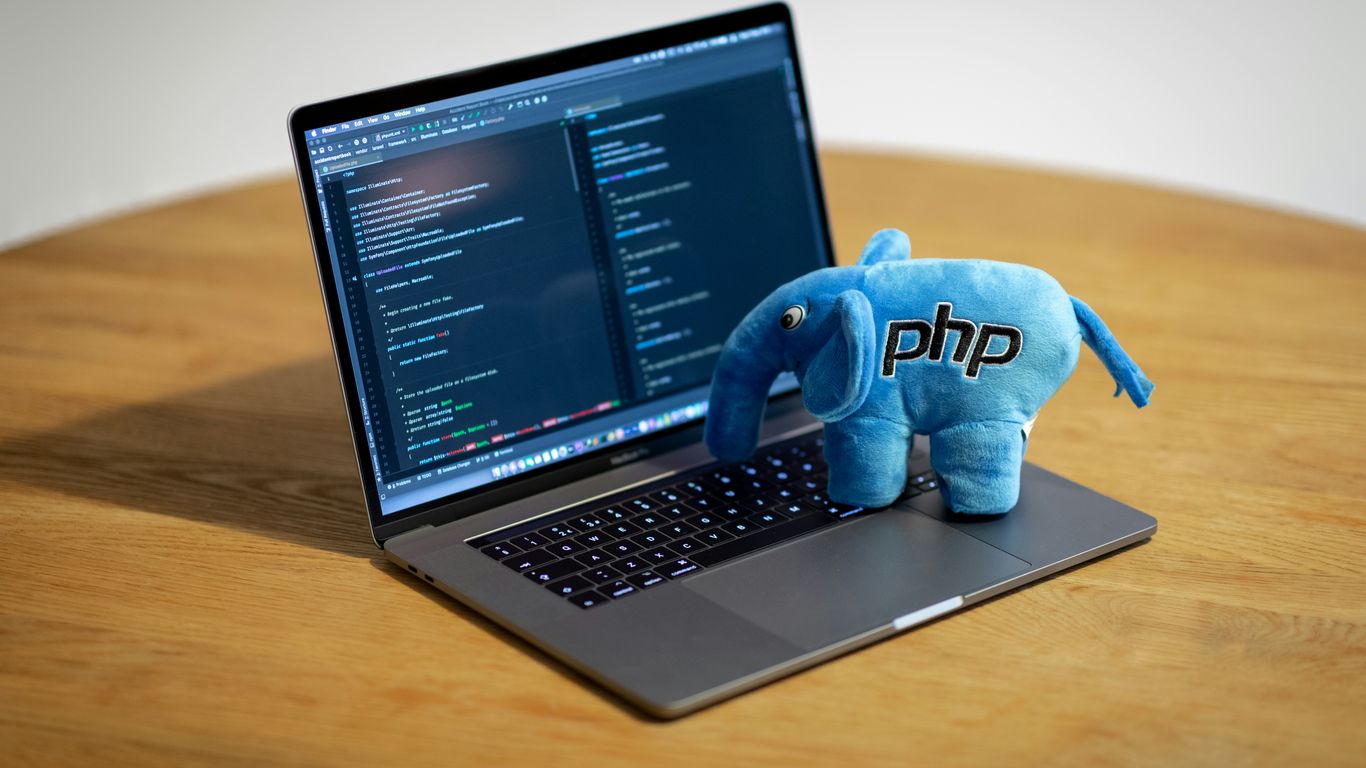
So, you’re ready to really get going with Python and maybe even snag that Microsoft certification? That’s awesome. Luckily, Microsoft has put together a bunch of resources on Azure that can seriously speed things up. Think of it as a shortcut to getting good at Python, especially when you want to use it for cloud stuff.
Self-Guided Learning Modules and Videos
Azure has a ton of free learning paths and videos. Seriously, whether you’re just starting out with Python or you’ve been coding for a while and want to pick up new skills, there’s something here for you. They’ve got modules that break down Python basics, like how to work with lists and loops, and others that show you how to build actual applications. There’s even a short module on using GitHub Copilot with Python, which is pretty neat for getting code suggestions as you type. It’s a great way to learn at your own pace without feeling overwhelmed. You can find modules on everything from basic Python syntax to more complex topics like creating computer vision solutions.
Featured Video Series for Developers
Beyond the modules, there are some really helpful video series. The ‘Azure Enablement Show’ is a good one for general cloud advice and best practices. But if you’re focused on Python, check out the ‘Azure Developer Python Day 2023’ series. It covers the latest Azure features specifically for Python developers, which can save you a lot of time and effort. They also have a ‘Python for Beginners’ series that starts with everyday code examples and moves into more advanced topics like calling APIs. It’s a solid way to see Python in action on Azure.
Utilizing GitHub Copilot for Python Development
This is a big one. GitHub Copilot acts like an AI pair programmer. As you write Python code, it suggests lines or even whole blocks of code. It’s not magic, but it can really speed up writing repetitive code or help you remember syntax. There are specific learning modules on Azure that walk you through how to use Copilot effectively with Python. Learning to use these AI-assisted tools can make you a much more efficient developer. It’s all about working smarter, not just harder, and Copilot is a prime example of that. Getting comfortable with tools like this is a good step towards understanding modern development practices, and it’s a skill that’s becoming more expected in the industry. You can even find modules that show you how to count moon rocks using Python, which is a fun way to practice basic programming concepts.
Comprehensive Training for Python Mastery
Live, Project-Based Training Sessions
Getting your Microsoft Python certification isn’t just about memorizing facts; it’s about actually using Python. That’s why our program focuses heavily on hands-on projects. You’ll spend about 33 hours in live training sessions, working through real-world scenarios with expert instructors. We cover everything from basic syntax to more complex topics like data analysis with libraries such as Pandas and creating visualizations. The goal is to build your confidence by doing, not just listening. You’ll get to practice writing code, debugging it, and seeing how it all fits together.
Personalized 1-on-1 Bonus Training
Sometimes, you just need a little extra help on a specific concept or project. That’s where the 1-on-1 bonus training comes in. After your main sessions, you get a dedicated hour to go over anything you’re struggling with. Maybe you want to revisit a tricky part of object-oriented programming, or perhaps you need guidance applying a new skill to a personal project. This personalized session is designed to address your unique learning needs and make sure you’re truly grasping the material. It’s a great way to get unstuck and move forward with your learning.
Access to Class Recordings and Free Retakes
Life happens, right? You might miss a live session, or maybe you just want to review a topic again before the exam. No problem. We provide access to recordings of all your class sessions for a month after they happen. This way, you can catch up or refresh your memory whenever it’s convenient. Plus, if you don’t pass the certification exam on your first try, you get a free retake within a year. We want you to succeed, and these resources are here to help make that happen. It’s all part of making sure you have the best possible chance to earn your verified certificate.
Ready to Code?
So, you’ve seen what Python can do and how getting certified can really help your career. It’s not just about learning a new skill; it’s about opening doors to new jobs and opportunities. Whether you’re looking to switch careers or just get better at what you do, this certification is a solid step. There are tons of resources out there, like the ones we talked about, to help you get there. Don’t wait around – start learning and get that certification. You’ve got this.
Frequently Asked Questions
What is Python and why is it useful?
Python is a super popular computer language that’s easy to learn and use. Lots of people use it for making websites, working with data, and even creating smart computer programs. It’s like a handy tool for many different tech jobs.
What will I learn in the Microsoft Python Certification program?
You’ll learn the basics of Python, how to build cool projects, and how to use it for things like making websites and understanding data. You’ll also get to try out real-world tasks to get you ready for a job.
Do I need to know Python before starting?
Nope! This program is great for beginners. You’ll start with the simple stuff and build up your skills step-by-step. No prior experience is needed to begin your Python adventure.
What kind of projects will I work on?
You’ll build projects that are like the ones people do in real tech jobs. This includes writing code, fixing problems, looking at information, and even making smart programs that can learn.
What happens after I get certified?
Once you earn your Microsoft Python Certification, you’ll have a special certificate to show off. This can help you get a better job in tech, as it proves you have valuable Python skills.
Are there extra resources to help me learn?
Yes! You can watch videos, use online guides, and even get one-on-one help from teachers. Plus, you can practice with tools like GitHub Copilot to make coding easier and faster.