

HR and payroll software can help ensure your team is paid correctly and on time, without the admin headaches.
Whether you’re hiring globally, managing remote employees, or simply need a tool that takes payroll and compliance off your plate, today’s HR software does more than process paychecks. The right platform connects your people data, automates repetitive tasks, and helps you stay compliant, freeing you up to focus on running your business.
Below, we rounded up five of the best HR and payroll software options for small businesses. Our picks cover global support, automation, affordability, and ease of use.
Best HR and payroll software services for small businesses
Best overall HR platform: HiBob
Best for simplicity: Gusto
Best for global payroll: Deel
Best for all-in-one automation: Rippling
Best for scaling teams: Paylocity
Best overall – HiBob

Cost: Custom pricing based on headcount and region
Standout features: All-in-one HR platform with employee records and org charts; performance tracking and compensation planning; engagement surveys and culture tools; integrates with global payroll providers like ADP, Deel, CloudPay, and PayFit; self-service employee portal; time and attendance tracking; analytics dashboards for retention and productivity; mobile app for hybrid and remote teams; compliance alerts for visas and contracts.
Availability: Web, iOS, Android
Pros
- Intuitive, modern HRIS designed for growing teams
- Robust analytics and performance management tools
- Native payroll in UK and US
- Integrates with leading payroll systems like ADP, Deel, and PayFit
Cons
- Payroll not fully native in every market
- Pricing available only on request
Who’s this for?
HiBob (also known as “Bob”) is designed for small to mid-sized businesses that operate across multiple countries or manage remote teams. It centralizes employee data, automates core HR workflows, and offers flexible integrations for local and global payroll.
Standout benefits:
HiBob excels at people analytics and engagement tools that help leaders understand trends in morale, retention, and productivity. If you’re building a culture-first company with international reach, this is the system to beat.
Best for simplicity: Gusto
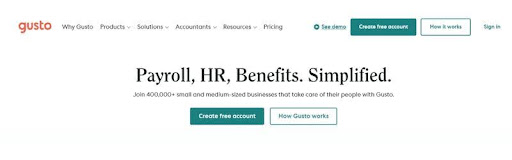
Cost: From $40/month base + $6 per person
Standout features: Built-in payroll, benefits administration, and hiring tools in one simple dashboard
Availability: Web, iOS, Android
Pros
- Exceptionally easy to set up and run payroll
- Includes tax filing and compliance support
- Integrates with major accounting platforms like QuickBooks and Xero
Cons
- Limited global support
- Some advanced HR tools require higher-tier plans
Who’s this for?
Gusto is ideal for small U.S.-based businesses that want a straightforward HR and payroll system that “just works.” It automates employee onboarding, tax filings, and direct deposit, freeing up valuable time each pay cycle.
Standout benefits:
With its guided setup, Gusto can have your payroll running in an hour — making it perfect for owners who’d rather focus on growing their business than managing admin.
Best for global payroll: Deel
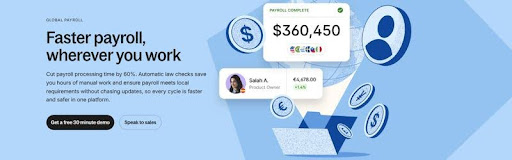
Cost: From $49 per contractor per month; employee pricing varies by country
Standout features: Hire and pay employees or contractors in 150+ countries; handle global compliance automatically
Availability: Web, iOS, Android
Pros
- Handles global payroll and EOR services
- Built-in contracts, visa support, and benefits management
- Transparent pricing per worker
Cons
- Costs can add up with large global teams
- Limited HR analytics compared to full HRIS tools
Who’s this for?
Deel is built for companies that hire across borders. It simplifies hiring, onboarding, and paying international talent while staying compliant with local labor laws.
Standout benefits:
With Deel, you can hire contractors or employees in over 150 countries without setting up local entities. It’s an excellent choice for small teams expanding globally for the first time.
Best for all-in-one automation: Rippling
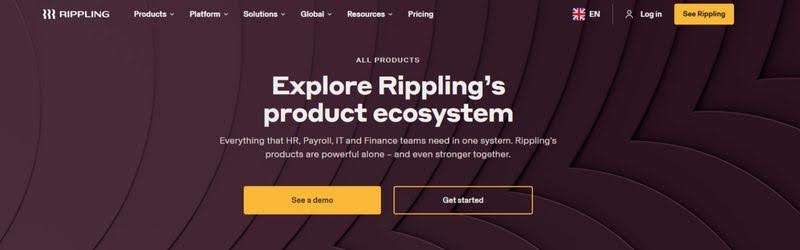
Cost: From $8 per user per month (core HR); payroll add-on available
Standout features: Unified HR, IT, and finance management in one platform
Availability: Web, iOS, Android
Pros
- Combines HR, payroll, and device management in one system
- Automates onboarding, benefits, and app provisioning
- Scales easily with your organization
Cons
- Can feel complex for smaller teams
- Add-ons increase total cost
Who’s this for?
Rippling is best for small businesses that want an all-in-one solution to manage both people and technology. Its unified dashboard gives you full visibility into employees, devices, and payroll, without juggling multiple logins.
Standout benefits:
Rippling automatically syncs employee data across systems, so when someone is hired or leaves, payroll, benefits, and access permissions all update instantly.
Best for growing local teams: Paylocity
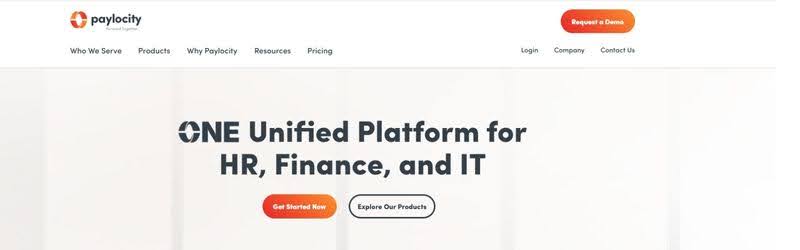
Cost: Custom pricing based on business size and selected features
Standout features: Full-service payroll, time and attendance management, employee self-service tools, and advanced workforce analytics
Availability: Web, iOS, Android
Pros
- Simplifies HR, payroll, and time tracking in one connected platform
- Scales easily with growing teams and evolving needs
- Offers powerful analytics and reporting dashboards
Cons
- Pricing not publicly listed
- Some advanced configurations may require setup assistance
Who’s this for?
Paylocity is ideal for small and midsize businesses that are expanding their teams and need a flexible system to manage payroll, HR, and employee engagement in one place. It provides reliable automation and strong data insights that help business owners make informed decisions as they grow.
Standout benefits:
Paylocity’s platform combines payroll accuracy with workforce analytics, giving leaders a clear view of labor costs, compliance risks, and employee satisfaction. Its intuitive mobile tools also make managing HR tasks easier for both managers and staff on the go.
FAQs
What’s the difference between HR software and payroll software?
HR software focuses on managing people, including employee records, performance, onboarding, and engagement. Payroll software specifically handles salaries, tax deductions, benefits, and compliance. Many modern platforms combine both functions into one system, allowing you to manage people and payments together.
How much does HR and payroll software typically cost for small businesses?
Most small-business HR and payroll tools use a subscription model that starts at around $6–$10 per employee per month, plus a small base fee. All-in-one systems with advanced analytics or global payroll may cost more, but most providers offer free trials or tiered pricing based on company size.
What should small businesses look for when choosing HR and payroll software?
Important factors include ease of use, accuracy, integration with accounting tools, and local compliance support. If you plan to expand internationally, global payroll capabilities and multi-currency support are especially valuable. Always choose software that can scale as your business grows.
Can I switch HR and payroll software mid-year?
Yes, most providers let you import historical data such as pay runs, employee details, and tax documents. However, it’s best to make the switch at the start of a new quarter or fiscal year to keep records clean and avoid compliance issues.
Why trust this guide
Our goal is to help small-business owners make confident, informed decisions when choosing software that supports their people and operations. Every recommendation in this guide is based on careful research, hands-on testing, and expert analysis of real-world business needs. We prioritize transparency, accuracy, and practical insights that genuinely help you save time and avoid unnecessary complexity.
Our methodology
To identify the best HR and payroll software for small businesses, we evaluated a range of providers across several key factors, including:
- Pricing and scalability for small teams
- Payroll accuracy and compliance support
- Integration with accounting and HR tools
- User experience and customer support quality
- Global coverage and remote team features
- Reporting and analytics capabilities
We then categorized our top picks based on their strengths, such as ease of use, automation, global payroll, or affordability. Prices and product features may change over time, so we always recommend checking with each provider for the most up-to-date information.
Editorial note: The opinions, analyses, and recommendations in this article are based solely on independent research and editorial judgment. This content has not been reviewed, approved, or endorsed by any external parties or product providers.