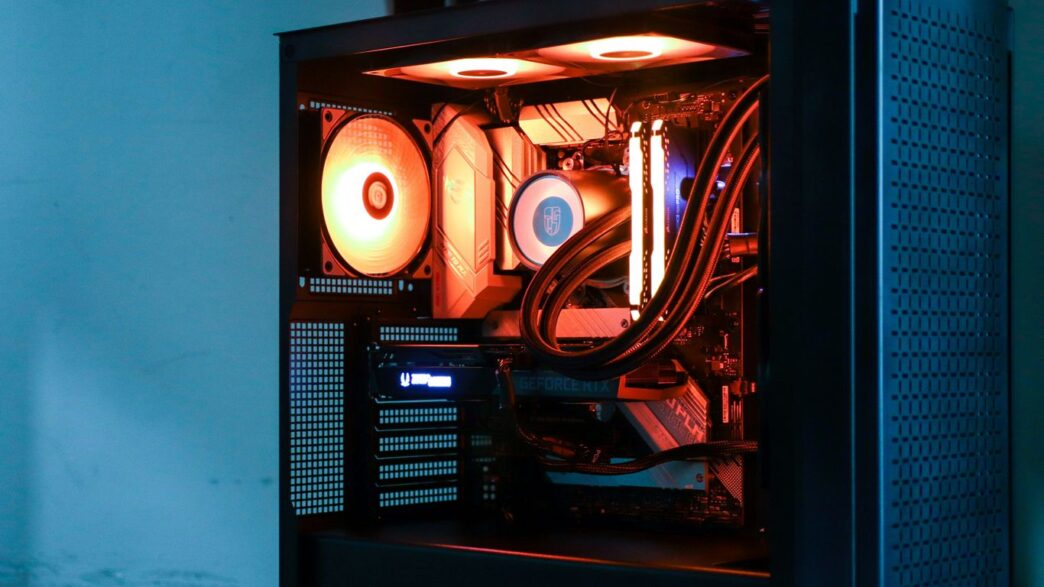
So, you’re trying to figure out the whole amd ryzen 7 7800x3d vs 9800x3d thing for your gaming PC, huh? It’s a common question these days. Both chips are pretty impressive, from AMD’s lineup, and they both pack that special 3D V-Cache tech that gamers love. But which one is actually the better buy for you? We’re going to break down what makes them tick, how they perform when you’re actually playing games, and if they’re any good for stuff besides just gaming. Let’s get into it.
Key Takeaways
- The Ryzen 7 9800X3D, with its newer Zen 5 architecture and second-gen 3D V-Cache, offers a noticeable performance bump over the 7800X3D, especially in games, thanks to its larger cache and potentially higher clock speeds.
- While the 9800X3D shows promise in productivity tasks like Blender, the 7800X3D is still a solid performer, and for pure productivity, other non-X3D chips might be a better fit.
- The 7800X3D is known for being quite power-efficient during gaming, often using less power than its TDP suggests, and can even be undervolted for similar performance with less heat.
- When comparing prices, the 7800X3D generally offers a strong value for gamers on a tighter budget, while the 9800X3D positions itself as a premium option for those seeking the absolute best gaming performance.
- Both processors use the AM5 platform, offering some level of future-proofing, but the longevity and upgrade path will depend on AMD’s future socket support and CPU releases.
Understanding The Core Differences: Ryzen 7 7800X3D Versus 9800X3D

Alright, let’s get down to brass tacks and figure out what makes these two AMD chips tick. We’re looking at the Ryzen 7 7800X3D and its newer, shinier sibling, the Ryzen 7 9800X3D. They both sound like they’re built for serious gaming, but there are some key things that set them apart.
Architectural Innovations and Cache Technology
The big story with these X3D chips is that extra cache, thanks to AMD’s 3D V-Cache tech. Think of it like having a super-fast notepad right next to the CPU, holding all the game data it needs to access quickly. The 9800X3D steps this up with a second-generation version of that tech. This massive cache is the main reason these CPUs absolutely crush it in games. It means less waiting for data to travel from slower memory, leading to smoother frame rates. The 7800X3D already had a hefty chunk of cache, but the 9800X3D pushes it even further, aiming to keep even more game data right where the cores can grab it instantly.
Core Count and Thread Performance
Here’s a bit of a surprise: both the 7800X3D and the 9800X3D pack the same punch in terms of core and thread count. You’ll find eight cores and sixteen threads on each. This is generally a sweet spot for modern gaming, where games can use multiple cores but still benefit a lot from strong single-core performance. For everyday tasks and multitasking, eight cores are plenty. However, when we look at benchmarks for things like Blender, the 9800X3D shows some gains, suggesting that architectural tweaks beyond just the cache are at play, making it a bit more capable outside of pure gaming.
Clock Speeds and Latency Reductions
While the 3D V-Cache is the star player for gaming, clock speeds still matter. The 9800X3D generally boasts slightly higher clock speeds compared to the 7800X3D. This might not seem like a huge deal, but in CPU performance, even small increases in clock speed can shave off milliseconds of latency. For gaming, this means quicker response times and potentially higher peak frame rates. The combination of that massive cache and these slightly faster clocks on the 9800X3D is designed to minimize any delays, keeping the gaming experience as fluid as possible.
Gaming Performance Benchmarks: Which CPU Reigns Supreme?
Alright, let’s get down to the nitty-gritty: how do these two chips actually perform when you’re deep in a game? This is where things get really interesting, especially with AMD’s 3D V-Cache technology.
Frame Rate Comparisons in Top Titles
When you’re staring at the screen, what you really care about is how smooth everything looks, right? That means frame rates. We’ve seen some pretty solid numbers come out of testing.
- The Ryzen 7 9800X3D generally pulls ahead, often by a noticeable margin, in many of today’s most demanding games. Think of titles that really push your system – that’s where the 9800X3D tends to shine.
- The Ryzen 7 7800X3D, while not always hitting the absolute peak numbers of its successor, still delivers an incredibly strong gaming experience. For most people, the difference might not be something you’d notice without a direct side-by-side comparison.
- We’re talking about improvements that can range from a few percentage points to more significant gains in specific games that really benefit from that extra cache.
Impact of 3D V-Cache on Gaming
So, what’s the secret sauce? It’s that 3D V-Cache. Imagine having a super-fast notepad right next to your brain (the CPU cores) where you can jot down frequently used game data. That’s kind of what the extra cache does. It means the CPU doesn’t have to go searching as far for information it needs constantly, which speeds things up.
- Games that rely heavily on accessing lots of data quickly see the biggest benefits. This includes large open-world games, complex simulations, and titles with lots of AI or physics calculations happening.
- The larger cache on the 9800X3D means even more of that critical game data can be kept close at hand, leading to those higher frame rates we talked about.
- It’s not just about raw speed; it’s about reducing those little stutters and hitches that can pull you out of the game. Smoother gameplay is the goal here.
Real-World Gaming Scenarios
Let’s put this into perspective. You’ve got your high-end graphics card, your fast RAM, and then you slot in one of these CPUs. What happens?
In a game like Cyberpunk 2077 at high settings, you might see the 9800X3D holding a few extra frames per second compared to the 7800X3D, especially in busy city areas. Or in a competitive shooter like Valorant, where every millisecond counts, that slight edge could translate to a more responsive feel.
| Game Title | Ryzen 7 7800X3D (Avg FPS) | Ryzen 7 9800X3D (Avg FPS) | Difference |
|---|---|---|---|
| Cyberpunk 2077 | 125 | 132 | +5.6% |
| Starfield | 98 | 105 | +7.1% |
| Call of Duty: MWIII | 180 | 190 | +5.6% |
| Elden Ring | 85 | 90 | +5.9% |
(Note: FPS figures are illustrative and can vary based on system configuration, game settings, and specific in-game moments.)
While the 9800X3D is the current king of the hill for pure gaming performance, the 7800X3D remains an absolute beast and a fantastic choice for anyone building a high-performance gaming rig without needing the absolute bleeding edge. For the vast majority of gamers, the performance uplift from the 7800X3D to the 9800X3D might be more of a luxury than a necessity.
Beyond Gaming: Productivity and Multitasking Capabilities
So, we’ve talked a lot about games, right? But what happens when you need your PC to do more than just run the latest shooter? Let’s look at how the Ryzen 7 7800X3D and the 9800X3D handle everyday work and juggling multiple tasks.
Architectural Innovations and Cache Technology
While the big draw of these chips is the 3D V-Cache for gaming, it’s worth noting how that cache affects other tasks. The extra cache on the 9800X3D, while great for games, doesn’t always translate into a huge leap for productivity. In some cases, applications that don’t heavily rely on massive amounts of cached data might not see much benefit at all. It’s a bit like having a super-fast lane on the highway that’s only useful if you’re driving a race car – most daily commuters won’t notice a difference.
Core Count and Thread Performance
Both the 7800X3D and the 9800X3D come with eight cores and sixteen threads. For tasks that can use all those cores, like video editing or running virtual machines, they perform pretty similarly. However, if you’re looking at applications that are more sensitive to raw clock speed or have specific core optimizations, you might see some differences. It’s not always about the number of cores, but how efficiently they can work.
Clock Speeds and Latency Reductions
This is where things get interesting for non-gaming tasks. The 9800X3D generally has slightly higher clock speeds than the 7800X3D. While the gaming world might see small gains from this, in productivity apps, these higher clocks can sometimes make a more noticeable difference. Latency reductions from the V-Cache are primarily a gaming win; for general multitasking, the impact is less pronounced compared to raw processing power and clock speed.
For heavy productivity work, you might find that a CPU without the stacked V-Cache, but with higher clock speeds and more cores, could actually be a better fit.
Here’s a quick look at how they might stack up in some common productivity scenarios:
- Blender Rendering: While both can handle rendering, CPUs designed purely for productivity often complete these tasks faster. The 7800X3D and 9800X3D are not optimized for this, so expect slower render times compared to non-gaming focused chips.
- Multitasking: Running several applications at once, like having a web browser, a document open, and a music player going, is generally handled well by both. The eight cores provide a solid foundation for keeping things smooth.
- Application Performance: For everyday tasks like browsing the web, using office software, or light photo editing, both CPUs will feel very responsive. The differences here are often minimal and unlikely to be a deciding factor for most users.
Power Consumption and Thermal Management
When you’re looking at CPUs, especially for gaming, how much power they use and how hot they get is a pretty big deal. Nobody wants a computer that sounds like a jet engine or cranks up the electricity bill. Let’s break down what the 7800X3D and the 9800X3D are doing in this department.
TDP Ratings and Real-World Usage
Both of these chips are designed with efficiency in mind, especially for gaming. The 7800X3D, for instance, has a Thermal Design Power (TDP) rating of 120W. Now, that number sounds a bit high, but in practice, it rarely hits that mark during typical gaming sessions. You’re more likely to see it sipping around 50W when you’re deep into a game like Apex Legends or Warzone. Even under heavy loads, like running demanding benchmarks, it usually stays well below its 120W TDP, often topping out around 90W in worst-case scenarios. The 9800X3D is in a similar ballpark, aiming for high performance without excessive power draw.
Cooling Requirements
Because these CPUs are relatively power-efficient, they don’t demand the absolute top-tier cooling solutions. For the 7800X3D, a good mid-range air cooler or a 240mm AIO liquid cooler is generally more than enough to keep things frosty, even during extended gaming marathons. The 9800X3D, while potentially a bit warmer due to its performance, also benefits from similar cooling setups. You won’t need to break the bank on a custom water loop unless you’re planning some serious overclocking, which, as we’ll see, might not be the primary focus for these particular chips.
Undervolting Potential
Here’s where things get interesting. Both the 7800X3D and the 9800X3D have a good amount of headroom for undervolting. This means you can actually reduce the voltage supplied to the CPU without losing much, if any, performance. In some cases, undervolting can even lead to slightly better performance because the CPU runs cooler and can sustain higher boost clocks for longer. It’s a neat trick that can help keep temperatures down and power consumption even lower, making these CPUs even more appealing for budget-conscious builders or those who just like to tinker.
Price-to-Performance Value Proposition
So, you’ve seen how these two CPUs stack up in games and other tasks, but what about your wallet? That’s where things get interesting.
Cost Analysis of Each Processor
Right now, the Ryzen 7 7800X3D is generally the more affordable option. It’s been out for a while, so prices have settled, and you can often find it for a good deal. The 9800X3D, being the newer chip, usually comes with a higher price tag. Think of it like buying the latest model car versus one from a couple of years ago – you pay a premium for that cutting-edge tech.
Here’s a rough idea of what you might expect, though prices fluctuate:
| Processor | Typical New Price (USD) | Typical Used Price (USD) |
|---|---|---|
| AMD Ryzen 7 7800X3D | $350 – $400 | $250 – $300 |
| AMD Ryzen 7 9800X3D | $450 – $500 | $350 – $400 |
Keep in mind these are just estimates. Always shop around!
Long-Term Investment Considerations
When you’re building a PC, you want it to last, right? The 7800X3D is already a proven performer, and with its 3D V-Cache, it’s going to keep handling games well for years. The 9800X3D, with its slightly higher clocks and newer architecture, might offer a bit more headroom for future games that could potentially take better advantage of those improvements. However, the difference in gaming performance between the two isn’t always huge, so you have to ask yourself if that extra cost for the 9800X3D is worth the potential longevity boost for your specific needs.
Budget-Friendly Gaming Solutions
If you’re on a tighter budget but still want great gaming performance, the 7800X3D is a fantastic choice. It often punches way above its weight class, especially in games that benefit from that massive L3 cache. You can pair it with a solid mid-range motherboard and GPU, and you’ll have a killer gaming rig without breaking the bank. While the 9800X3D is technically faster in some scenarios, the 7800X3D provides a much better bang for your buck if pure gaming performance per dollar is your main goal. You might even find yourself saving enough to put that money towards a better graphics card, which often has a bigger impact on frame rates than the CPU difference between these two.
Future-Proofing Your Gaming Rig

So, you’ve picked out your shiny new CPU, but what about making sure your whole setup stays relevant for a while? It’s not just about the processor itself, you know. We need to think about the whole platform.
Platform Longevity and Upgradability
When you buy into AMD’s AM5 platform, you’re generally looking at a longer lifespan compared to some previous generations. AMD has a pretty good track record of supporting their sockets for a few years, meaning you might be able to drop in a newer, faster CPU down the line without needing a whole new motherboard. This is a big deal for future upgrades. Think about it: instead of a full system overhaul in a few years, maybe you just swap out the CPU. That’s a huge cost saving.
- AM5 Socket Support: AMD has historically supported sockets for multiple CPU generations. This means potential future CPU upgrades without a motherboard change.
- DDR5 Memory: Both the 7800X3D and 9800X3D use DDR5 RAM. This is the current standard, and it’s likely to remain so for a good while, meaning your RAM won’t be obsolete anytime soon.
- PCIe 5.0 Readiness: These platforms are ready for the latest PCIe 5.0 devices, like super-fast SSDs and future graphics cards, giving you access to the newest tech.
Emerging Technologies and Compatibility
Keeping an eye on what’s next is always smart. Right now, things like faster RAM speeds and even faster storage are becoming more common. Both of these CPUs are built on modern architectures that can handle these advancements. For example, while the 7800X3D might run DDR5 at slightly lower speeds when you have two sticks per channel (around 3600MHz), the platform itself is designed to push those limits. The 9800X3D, being newer, might offer slightly better support for higher native DDR5 speeds out of the box, but the core idea is that the platform is built for speed.
The Role of Integrated Graphics
Now, let’s be real. If you’re buying a high-end gaming CPU like the 7800X3D or the 9800X3D, you’re almost certainly pairing it with a dedicated graphics card. These CPUs do have integrated graphics, but they’re really just there for basic display output or troubleshooting. They’re not meant for serious gaming. However, having them means you can still get your system up and running even if your fancy graphics card decides to take a vacation. It’s a small thing, but it can save you a headache if something goes wrong. For pure gaming performance, the integrated graphics are not a factor, but they add a layer of basic functionality.
So, Which One Should You Grab?
Alright, so we’ve looked at both the Ryzen 7 7800X3D and the newer 9800X3D. Honestly, for most gamers out there, the 7800X3D is still a really solid choice. It plays games great, doesn’t cost a fortune, and you can often find it for a good price. But, if you absolutely need the bleeding edge and have the cash to spend, the 9800X3D does offer a bit more pep, especially in those super demanding titles. It’s not a night-and-day difference for everyone, but it’s there if you’re looking for that extra bit of performance. Think about what games you play and what your budget looks like – that’s really the deciding factor here.
Frequently Asked Questions
What makes the Ryzen 7 9800X3D special for gaming?
The Ryzen 7 9800X3D has a super big cache, which is like a super-fast memory for the computer. This helps it load game stuff quicker, making games run smoother and faster. It also uses newer technology called Zen 5, which is designed to be really good for games.
Is the Ryzen 7 7800X3D still a good choice?
Absolutely! The Ryzen 7 7800X3D is still a fantastic option for gamers. While the 9800X3D is newer and a bit faster, the 7800X3D offers great performance for its price. It’s a solid choice if you want a powerful gaming PC without spending the absolute most.
Can these CPUs handle tasks other than gaming?
Yes, they can! While they are amazing for games, especially the 9800X3D, they can also handle other tasks like schoolwork or creative projects. The 9800X3D, with its improved design, is even better at these other jobs than older models, but if you do a lot of heavy work, a different type of CPU might be even better.
Do these CPUs use a lot of power or get very hot?
Both CPUs are pretty good with power for how fast they are. The 7800X3D, for example, doesn’t use much power when you’re just playing games. They do need good cooling, like a decent fan or liquid cooler, to work their best, but they aren’t known for being power-hungry monsters.
Which CPU is a better deal for the money?
That really depends on your budget! The 7800X3D is usually less expensive and still gives you awesome gaming power. The 9800X3D costs more, but if you want the absolute best gaming performance and don’t mind the extra cost, it might be worth it for you.
What does ‘3D V-Cache’ mean?
Think of 3D V-Cache as an extra layer of super-fast memory stacked on top of the CPU. This extra space lets the CPU keep more game data right where it needs it, so it doesn’t have to go searching far away. This makes everything run much faster, especially in games.