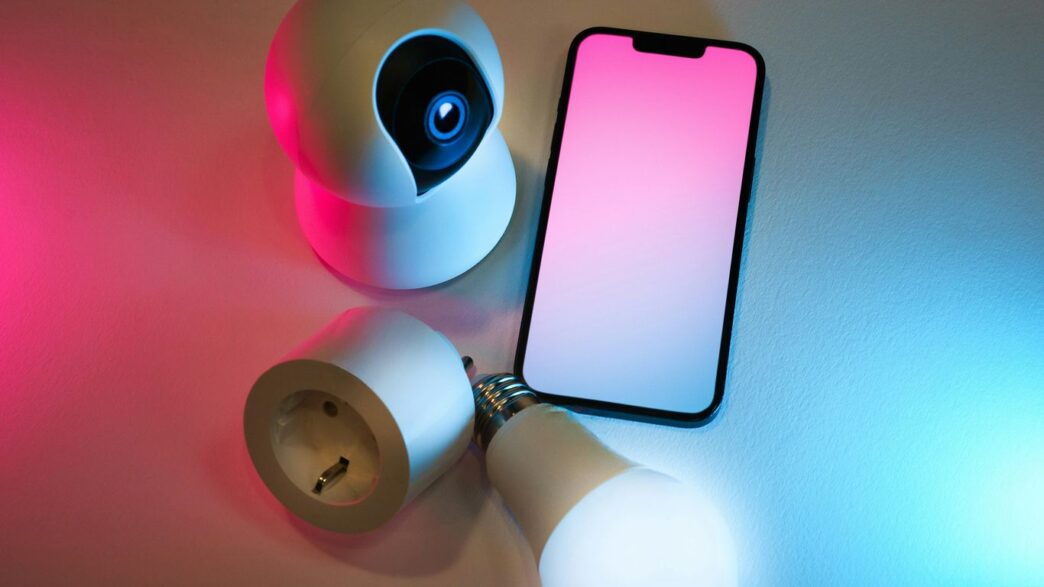
Got an old Android phone lying around? Instead of letting it gather dust, you can actually turn it into a pretty decent security camera. Seriously, it’s easier than you might think and can save you some cash. We’ve looked into a bunch of apps that let you do this, and some are way better than others. This article is all about finding the best free security camera app for Android to get your old phone working for you.
Key Takeaways
- AlfredCamera is a popular, free security camera app for Android that lets you repurpose old phones.
- Setting up AlfredCamera is straightforward, usually involving installing the app on two devices and pairing them via a QR code.
- Key features often found in these apps include live streaming, motion detection with alerts, and two-way talk.
- Some apps offer cloud storage options, either built-in or through services like Google Drive and Dropbox.
- Placement of your repurposed phone camera is important for effective monitoring, considering Wi-Fi signal and desired viewing angles.
AlfredCamera
AlfredCamera is a really popular choice for turning old phones into security cameras, and honestly, it’s easy to see why. It’s been downloaded millions of times, and people seem to like it a lot. The setup is pretty straightforward – you just install the app on two devices, your old phone becomes the camera, and your current phone or tablet becomes the viewer. You pair them up with a quick QR code scan, and boom, you’re basically done. It’s a neat way to give an old device a new purpose.
What’s cool is that the free version actually does a lot. You get motion detection, which means it only records when something happens, saving you from sifting through hours of nothing. Plus, there’s a low-light filter that helps you see better when it’s dark, which is handy if you’re monitoring a baby or just want to keep an eye on things at night. They also have a two-way talk feature, so you can actually speak through the camera device, which is great for calming a pet or telling off a delivery person.
Here are some of the main things you get with AlfredCamera:
- Motion Detection: Get alerts and recordings only when movement is spotted.
- Low-Light Filter: Improves visibility in dim conditions.
- Two-Way Talk: Communicate through the camera device.
- Live Streaming: Watch the camera feed in real-time from anywhere.
- Siren: A built-in siren to scare off unwanted visitors.
They do have a premium version too, which adds things like AI person detection, higher quality video, and longer cloud storage. But for most people just looking to keep an eye on their home or pets without spending money, the free version is a solid option. The only minor hassle is figuring out how to prop up your old phone so it stays put and points in the right direction, but that’s a small price to pay for a free security system.
AtHome Camera
AtHome Camera has been around for a while, building up a pretty solid user base over the last decade. What they’ve done is combine the usual motion detection stuff with some smarter AI. This means it’s supposed to be better at not sending you alerts for every little thing, like a leaf blowing past the window. You get the standard features like cloud storage, live streaming 24/7, and even a two-way talk function. They also have this neat time-lapse recording feature that condenses a whole day of footage into just a few minutes, which can be handy for quickly reviewing events. It’s available on both the App Store and Google Play, and while the App Store rating is a bit lower, Google Play users seem to like it more. It’s a decent option if you’re looking for something that’s been around and refined over time. You can check out their Google Play rating for more details.
WardenCam
WardenCam is another solid option if you’re looking to give an old phone or tablet a new life as a security camera. It’s available on both the App Store and Google Play, which is nice for wider accessibility.
What you get with WardenCam includes the basics you’d expect, like motion detection that sends push notifications right to your phone, and a low-light filter to help you see better when it’s dark. It’s pretty straightforward to set up, just like most of these apps.
One of the standout features for WardenCam is its cloud storage integration. You can connect it to Google Drive or Dropbox to save your footage, which is a handy way to keep your videos safe without filling up your phone’s storage. It’s a good choice if you want a reliable way to monitor your space without a lot of fuss.
SeeCiTV
SeeCiTV is another app that aims to give your old phones a new life as security cameras. It’s available on Google Play, and the big draw here is its bi-directional streaming. What does that mean? Well, it lets you use both the front and back cameras at the same time. This could be super handy if you’re trying to keep an eye on a larger area, like a living room, or maybe your pets when they’re running around. You can store your footage using Google Drive, which is pretty convenient. It’s a solid option if you want to repurpose devices you already own. While it offers a free version, there’s also a premium option if you need more features. It’s worth checking out if you’re looking for a straightforward way to set up a basic surveillance system without buying new hardware. For parents looking to keep an eye on things, features similar to those found in AirDroid Parental Connector might be appealing, though SeeCiTV focuses more broadly on general security.
BabyCam
If you’re expecting a new arrival or already have a little one, turning an old smartphone into a dedicated baby monitor is a smart move. While many apps can do the job, BabyCam specifically highlights features geared towards parents. It lets you set up an old device in your baby’s room for round-the-clock virtual supervision.
What’s neat is that you can also keep an eye on things from a PC, not just another phone. This app even includes options to play lullabies to soothe your baby and a flash feature for when it’s time to wake them up.
Of course, any of the apps we’re discussing can function as a baby monitor, but BabyCam puts that specific use case front and center. It aims to give parents peace of mind, knowing they can check in on their little ones from anywhere.
Key features often found in apps like this include:
- 24/7 Live Streaming: Watch your baby in real-time.
- Motion and Sound Alerts: Get notified if there’s any disturbance.
- Two-Way Audio: Speak to your baby through the app.
- Remote Control: Adjust settings or activate features from your viewing device.
- Night Vision/Low-Light Filter: See clearly even in dim conditions.
Live Stream
One of the main draws of using your phone as a security camera is the ability to check in on things remotely. Most of these apps let you see a live video feed from your old phone’s camera right on your current device. It’s pretty neat, honestly. You can just pull up the app and see what’s going on at home, whether you’re at work, on vacation, or just in another room.
This constant connection means you’re always aware of your surroundings. It’s not just about catching something suspicious; it’s also about peace of mind. You can check if the dog is behaving, if the kids got home okay, or even just see if you left the lights on.
Here’s a quick look at what you can expect:
- Video Quality: Most apps aim for a clear picture, but the actual quality can depend on your old phone’s camera and your internet connection. Some offer HD streaming, especially with premium versions.
- Accessibility: You can usually access the live feed from anywhere with an internet connection, using your smartphone, tablet, or even a web browser.
- Connectivity: The stream works over Wi-Fi, and often 3G or LTE, so you’re not limited to just your home network. This is handy if you’re traveling and want to keep an eye on things.
While the idea of a free live stream is appealing, it’s worth noting that some apps might push you towards paid upgrades for features like higher-definition video or longer viewing times. For instance, one app user mentioned in November 2025 that the live streaming feature, while good, was no longer entirely free. It’s a common model to get you hooked with the basics and then offer more for a fee. You can find more details on specific app features on their official website.
Motion Detection
One of the most useful features in any security app is motion detection. It’s basically the app’s way of knowing when something interesting is happening, so it doesn’t just record all the time. When motion is picked up, the app can send you an alert right away. This is super handy because you don’t have to sift through hours of blank footage.
Most apps will let you adjust how sensitive the motion detection is. You can often set it so it only picks up bigger movements, or you can make it really sensitive to catch even small changes. This helps cut down on those annoying false alarms, like when a car drives by or a pet walks past the camera. Some apps even have advanced options, like AI-powered person detection, which means it can tell the difference between a person and, say, a tree branch swaying in the wind.
Here’s a quick look at how motion detection works in some apps:
- AlfredCamera: This app sends instant alerts when motion is detected. You can even use the app to scare off intruders by speaking through the camera device. This feature really helps with immediate responses to detected activity.
- WardenCam: Offers motion detection with push notifications, so you’re always in the loop.
- AtHome Camera: Also includes motion detection to notify you of any movement.
It’s important to find a balance. You want the motion detection to be sensitive enough to catch what you need, but not so sensitive that you’re constantly getting alerts for nothing. Experimenting with the settings is key to getting it just right for your setup.
Two-Way Talk
Being able to talk through your security camera app is a pretty neat feature. It means you can not only see what’s going on but also speak to whoever is there. Think about it – if you’re using your old phone to watch your pet, you can tell them to stop chewing the furniture. Or, if you’re checking in on your kids, you can call out to them.
Most apps that offer this let you use your current phone as a sort of walkie-talkie. You’ll see a microphone icon on the viewing screen. Tap and hold it, and whatever you say into your phone comes out of the speaker on the camera phone. It’s not exactly crystal clear, like a phone call, but it’s usually good enough to get your message across.
Here’s what you can typically do with two-way talk:
- Communicate with people or pets in the room being monitored.
- Deter intruders by making your presence known, even when you’re not physically there.
- Give simple instructions or comfort someone remotely.
It’s a handy addition that makes your phone-based security system feel a lot more interactive. The audio quality can vary, so don’t expect perfect conversations, but it’s definitely useful for quick messages or alerts.
Cloud Storage
When you’re using your phone as a security camera, having a place to store your video footage is pretty important. You don’t want to miss anything, right? Most of these apps offer some form of cloud storage, which is super handy. This means your recordings are saved online, safe from your phone being lost, stolen, or damaged.
Think about it: if something happens, like a break-in or even just a funny moment with your pet, you’ll want that video evidence. Cloud storage lets you access these clips whenever you need them, from any device. You can usually play them back, download them to your computer, or even share them with others if necessary.
Here’s a quick look at what cloud storage typically offers:
- Accessibility: Access your footage from anywhere with an internet connection.
- Safety: Your videos are backed up off-site, protecting them from local device issues.
- Sharing: Easily share important clips with family, friends, or even the authorities.
- Playback & Download: Review past events and save important recordings permanently.
Some apps offer unlimited cloud storage for free, which is a big deal. Others might have limits on how much you can store or how long they keep recordings unless you upgrade to a paid plan. It’s worth checking the specifics for each app to see what fits your needs. For example, AlfredCamera provides unlimited cloud storage for recorded events, which is a pretty generous feature for a free app. If you’re looking for a robust system, you might want to check out options like EseeCloud which also focuses on video management.
Low-Light Filter
Sometimes, the action happens when the lights are down. Whether it’s a pet exploring the living room after midnight or a baby stirring in their crib, you don’t want to miss it just because it’s dark. That’s where the low-light filter comes in. This feature uses software to brighten up the video feed, making it easier to see what’s going on even when there’s not much natural light. It’s like giving your old phone’s camera a little boost for those shadowy moments.
Most apps that offer this capability have it enabled by default, but it’s always a good idea to check the settings. You might find options to adjust the intensity of the filter, though often the default setting works pretty well. It’s not going to turn night into day, of course, but it can make a noticeable difference in clarity.
Here’s what to look for:
- Improved Visibility: See details you’d otherwise miss in dimly lit areas.
- Automatic Adjustment: Many apps apply the filter automatically when low light is detected.
- Software Enhancement: It’s a digital trick, not a hardware upgrade, so it works on most phone cameras.
- Night Vision Alternative: While not true night vision, it’s a helpful step up for basic surveillance in the dark.
Wrapping Up Your DIY Security System
So, there you have it. Turning an old Android phone into a security camera is totally doable, and honestly, pretty smart. Apps like AlfredCamera make it simple to get started without needing to buy any fancy new gear. You can keep an eye on things at home, check in on pets, or just have an extra layer of security. It’s a great way to give old tech a new purpose and save some cash. Give it a shot – you might be surprised at how useful it is.
Frequently Asked Questions
Can I really use my old phone as a security camera for free?
Yes, absolutely! Apps like AlfredCamera let you turn an old phone into a security camera without spending any money. You just need the app on two devices – one to watch and one to record.
How do I set up my old phone as a camera?
It’s super simple. First, download the app on both your old phone (the camera) and your current phone (the viewer). Then, you’ll usually scan a QR code to link them. That’s it!
Do I need Wi-Fi for my phone security camera to work?
Most apps work over Wi-Fi, which is best for a stable connection. However, some apps can also use your phone’s mobile data (like 4G or 5G) if Wi-Fi isn’t available.
What features can I expect from these free apps?
You’ll often get cool features like live video streaming, motion detection alerts that notify you right away, and even a two-way talk feature so you can speak through the camera phone.
Can these apps see well in the dark?
Many of these apps have a special ‘low-light filter’ or night vision mode. This helps the camera see better even when it’s pretty dark, so you don’t miss anything.
Where should I place my phone camera for the best security?
Think about what you want to watch. Placing it in a corner can give you a wider view. Make sure it’s close enough to your Wi-Fi signal and consider if you want it plugged in to charge all the time.