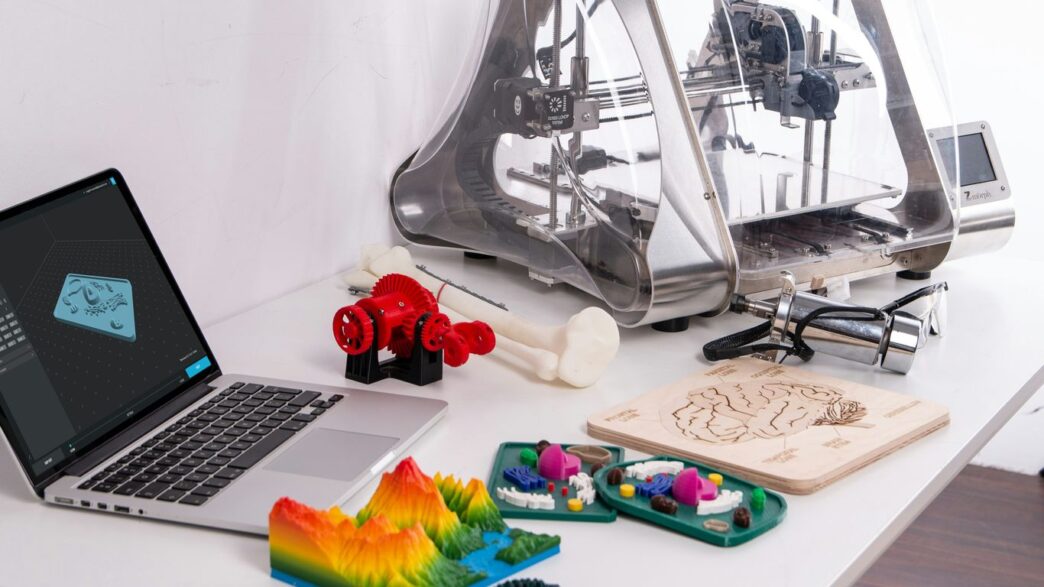
Thinking about getting a 3d printer for home use? It’s a cool idea, but honestly, there are so many options out there now, it can feel a bit overwhelming. Like, where do you even start? You want something that works well, doesn’t break the bank, and actually lets you make the stuff you imagine. This guide is here to help cut through the noise and figure out what really matters when you’re picking out your first (or next) 3D printer.
Key Takeaways
- Figure out why you want a 3d printer for home use and what kinds of things you plan to make. This helps narrow down your choices a lot.
- Decide between filament (FDM) and resin (MSLA) printers. FDM is usually easier for beginners and safer, while resin can offer more detail for things like miniatures.
- Think about the size of prints you want to make. A printer’s build volume will limit how big your projects can be.
- Consider features like heated beds, auto-leveling, and filament sensors. These can make printing easier and improve your results.
- Don’t forget about support. A good community or helpful manufacturer can make a big difference when you run into problems.
Understanding Your 3D Printing Needs
So, you’re thinking about getting a 3D printer for your place? That’s awesome! But before you get lost in all the specs and fancy features, let’s take a step back. The most important thing is figuring out what you actually want to do with it. It sounds simple, but honestly, it makes all the difference.
Defining Your Purpose for a 3D Printer
Why do you want a 3D printer in the first place? Are you looking to tinker with new gadgets as a hobby? Maybe you’re an engineer who needs to whip up quick prototypes for work, or perhaps an artist who wants to bring intricate designs into the real world. Your main reason for buying will really help narrow down the options. Hobbyists usually want something user-friendly with lots of material choices. Engineers might need printers that can make really accurate, functional parts. Artists might care more about how well the printer handles different textures and finishes.
Identifying Your Ideal Project Types
Next, think about the actual stuff you want to print. Are we talking about tiny figurines for your desk, or maybe larger architectural models? Are you more interested in making practical items that you can use around the house, or just cool decorative pieces? Knowing this helps you figure out what size printer you’ll need and what kind of quality you should expect.
Here’s a quick rundown of common project types and what they might mean for your printer choice:
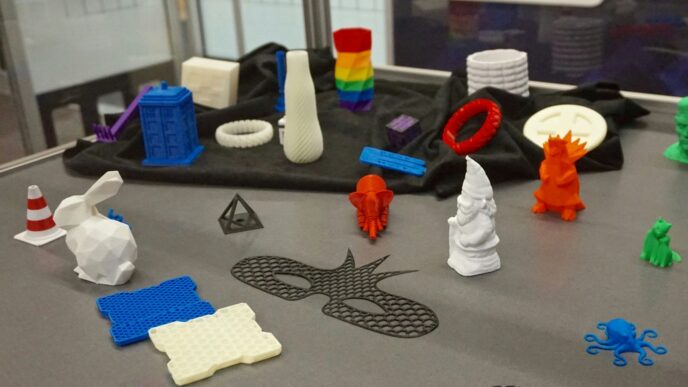
- Small Figurines & Miniatures: These usually don’t need a huge build area and benefit from high detail. Look for printers with good layer resolution.
- Functional Parts & Tools: These need to be strong and accurate. You’ll want a printer that can handle tougher materials and has a decent build volume.
- Cosplay Props & Large Models: This is where build volume really matters. You’ll need a bigger printer, and potentially one that can print faster or with more durable materials.
- Household Items & Organizers: These can range from small clips to larger boxes. A medium-sized printer with a good balance of speed and quality is often a good fit.
Assessing Your Skill Level and Experience
Be honest with yourself here. Are you a complete beginner who’s never touched a 3D printer before? Or are you someone who’s dabbled a bit and knows your way around basic troubleshooting? If you’re new to this, you’ll probably want a printer that’s known for being easy to set up and use, maybe with features like automatic bed leveling. If you’re more experienced, you might be comfortable with printers that require a bit more tinkering to get perfect results, and you might even prefer the flexibility of an open-source machine.
Key Considerations for Your 3D Printer
Alright, so you’re looking to get a 3D printer, which is pretty cool. But before you click that buy button, there are a few things you really need to think about. It’s not just about picking the prettiest one on the shelf, you know? We’ve got two main types of printers to talk about, and they work quite differently.
Filament FDM Versus Resin MSLA Printers
Basically, most home printers fall into two camps: FDM (Fused Deposition Modeling) and MSLA (Masked Stereolithography Apparatus), which is often just called resin printing. FDM printers are the ones that melt plastic filament and lay it down layer by layer. Think of it like a super-precise hot glue gun. They’re generally easier to use, cheaper to get started with, and can handle a wider range of materials, including tougher ones like ABS or PETG. They’re great for functional parts, prototypes, or larger items.
Resin printers, on the other hand, use a liquid resin that’s hardened by UV light. They’re known for producing incredibly detailed prints, which is why they’re popular for things like miniatures, jewelry, or highly detailed models. However, they can be messier, require more post-processing (like washing and curing the prints), and the resins themselves can be a bit more hazardous to handle. Plus, the build volume on resin printers is often smaller.
Here’s a quick rundown:
- FDM Printers:
- Uses plastic filament.
- Good for larger, functional prints.
- Generally easier to use and maintain.
- Wider material options.
- Resin Printers:
- Uses liquid resin.
- Excellent for fine details and smooth surfaces.
- Requires more post-processing and safety precautions.
- Often smaller build volumes.
Evaluating Print Quality and Layer Resolution
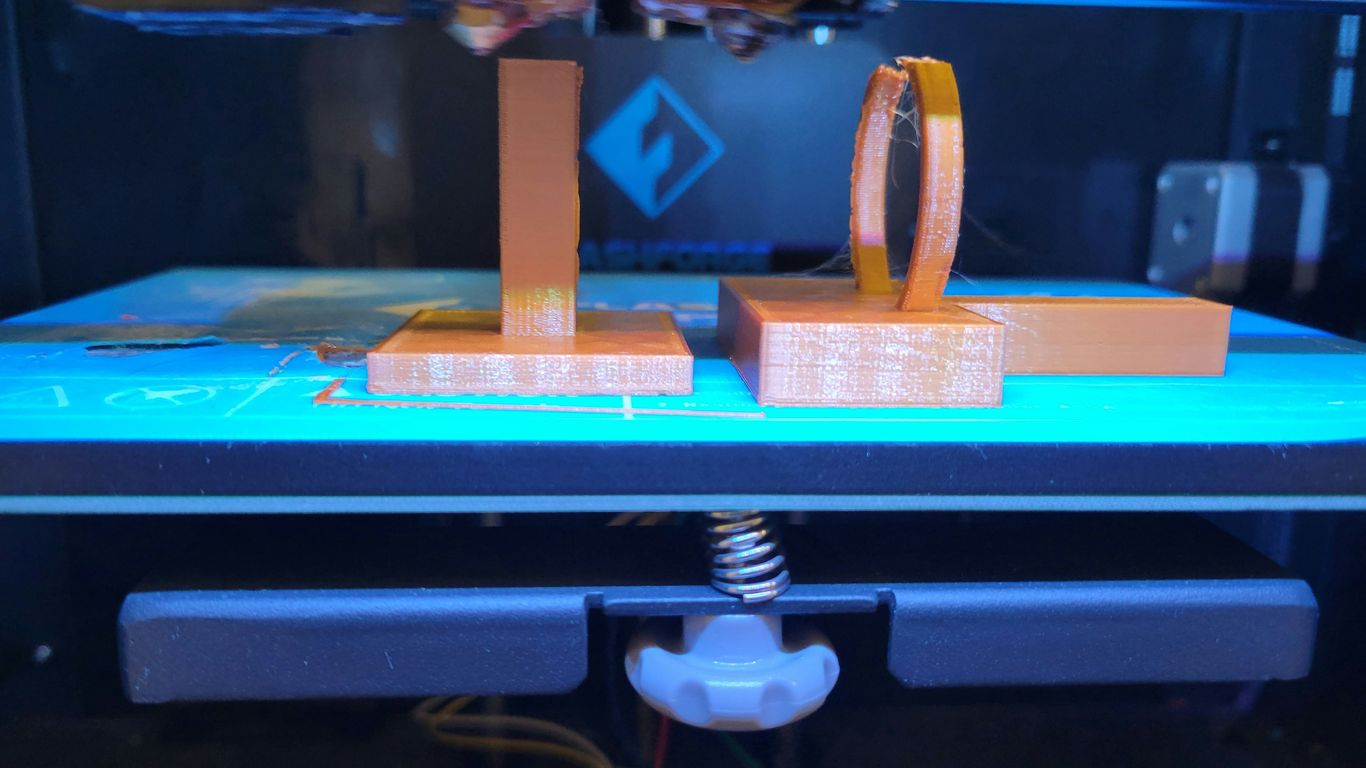
When we talk about print quality, we’re mostly talking about how smooth and detailed your finished object is. This is often measured by the "layer height" – how thick each individual layer of plastic or resin is. Thinner layers mean more detail, but they also mean longer print times. A common layer height for FDM printers might be around 0.1mm to 0.2mm, while resin printers can go much finer, sometimes down to 0.02mm or even less. You’ll want to look at sample prints, like the classic "3D Benchy" boat, to see how well a printer handles curves, small details, and overhangs. If you see a lot of "stringing" (wisps of plastic), rough surfaces, or visible layer lines on a Benchy, that’s a sign the printer might struggle with quality.
Understanding Build Volume and Printer Size
This one’s pretty straightforward: the build volume is the maximum size of the object you can print. It’s usually given in millimeters (mm) for length, width, and height (e.g., 220x220x250mm). Think about what you actually want to print. If you’re just making small figurines or trinkets, a smaller build volume might be perfectly fine and save you desk space. But if you have dreams of printing cosplay props, larger household items, or multiple small parts at once, you’ll need a printer with a bigger build volume. Just remember, bigger printers usually cost more and take up more room, so it’s a trade-off.
Exploring Printer Features and Technology
When you’re looking at 3D printers, you’ll notice a bunch of different features that can really change how you use the machine. It’s not just about the brand or the price; these details matter.
Open Versus Enclosed Printer Designs
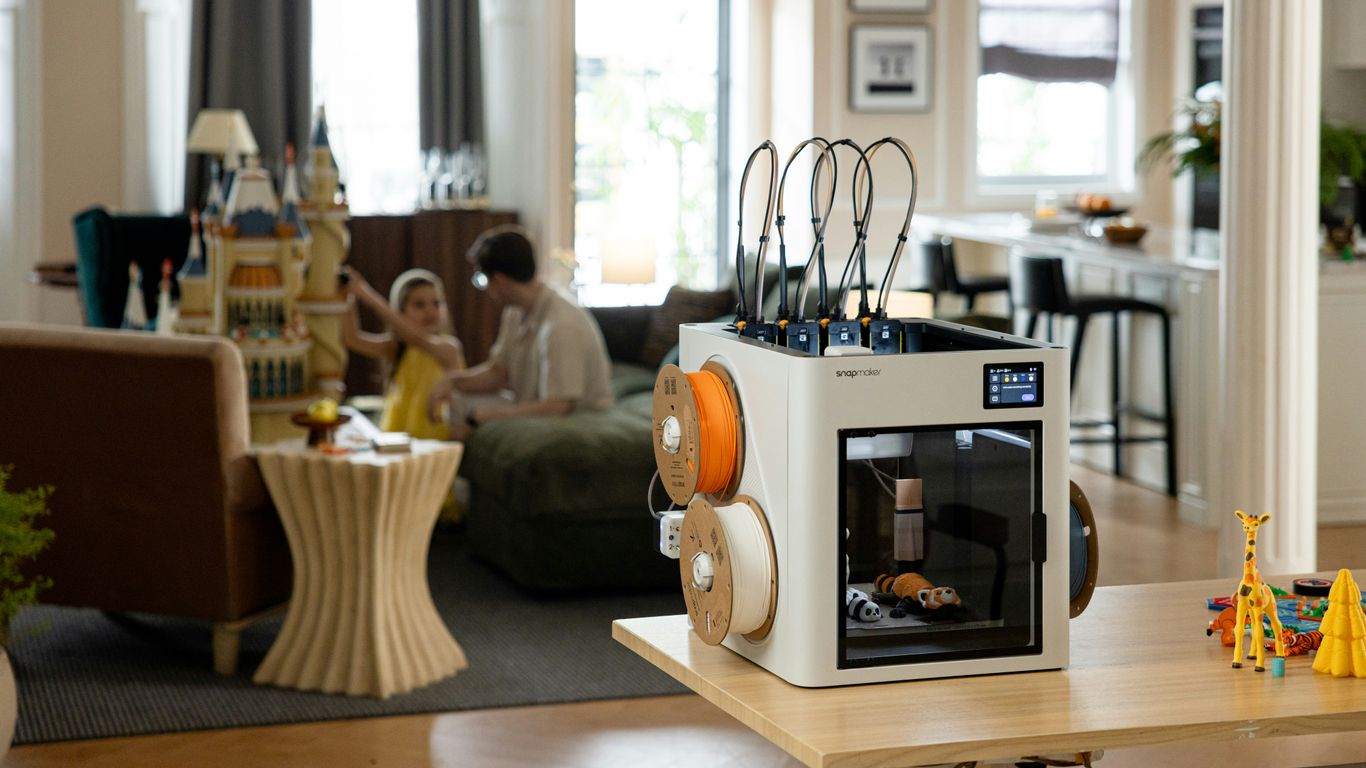
Think about where you’ll put your printer. Open designs are usually simpler and cheaper. They’re great if you’re just printing basic stuff and don’t mind a bit of noise or smell. They’re also easier to access for quick fixes. However, they don’t control the temperature inside as well, which can affect print quality, especially with certain materials. Plus, they’re not as safe if you have pets or curious kids around.
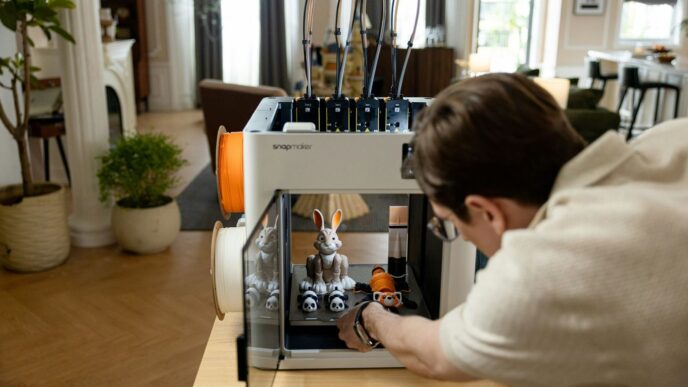
Enclosed printers, on the other hand, have a box around them. This keeps the temperature steady, which is a big deal for materials like ABS that warp easily. It also cuts down on noise and keeps fumes contained. These are generally better for more advanced users or those printing with trickier plastics. The downside is they can be more expensive and take up more space. Some models even have fancy features like built-in cameras for remote monitoring.
The Importance of Heated Beds
Almost all decent 3D printers these days come with a heated bed. This might sound like a small thing, but it’s super important. The heated bed helps the first layer of your print stick down properly. If that first layer doesn’t stick, the whole print can fail, turning into a spaghetti mess. Different materials need different temperatures, so a good heated bed is adjustable. For example, PLA usually likes around 50-60°C, while ABS might need 90-110°C. A printer that can handle these higher temperatures is more versatile. You can find some great options for entry-level printers that include this feature.
Assessing Auto-Leveling and Filament Sensors
Setting up a 3D printer used to be a real pain, especially getting the bed perfectly level. Luckily, many printers now have auto-leveling features. This uses a sensor to measure the bed’s surface and automatically adjusts the nozzle height. It saves a lot of frustration and leads to much better prints. It’s a feature that really makes a difference, especially for beginners.
Another handy feature is a filament sensor. This little gadget detects when you’re running low on filament or if the filament breaks. The printer will pause automatically, letting you swap out the spool or fix the break without ruining your print. It’s a lifesaver for long prints. Here’s a quick look at some common features:
- Auto-Leveling: Uses sensors to adjust nozzle height for a perfect first layer.
- Filament Sensor: Pauses printing if filament runs out or breaks.
- Heated Bed: Improves first layer adhesion and supports various materials.
- Enclosure: Controls temperature, reduces noise, and contains fumes.
Material Compatibility and Print Performance
So, you’ve got your eye on a 3D printer, but what about the stuff it actually prints with? That’s where material compatibility comes in, and it’s a pretty big deal for what you can actually make. Different printers are built to handle different types of materials, and each material has its own quirks.
Common Filament Types and Their Properties
Most home 3D printers use filaments, which are basically plastic threads wound onto a spool. The most common ones are:
- PLA (Polylactic Acid): This is your go-to for beginners. It’s easy to print with, doesn’t warp much, and comes in tons of colors. It’s a bit brittle, though, and doesn’t do well with heat.
- ABS (Acrylonitrile Butadiene Styrene): Think LEGO bricks – that’s ABS. It’s tougher and more heat-resistant than PLA, but it’s trickier to print. It can warp, and it gives off fumes, so you’ll want good ventilation.
- PETG (Polyethylene Terephthalate Glycol): This one’s a bit of a middle-ground. It’s stronger and more flexible than PLA, and easier to print than ABS. It’s also food-safe in some formulations, which is neat.
- TPU (Thermoplastic Polyurethane): If you need something flexible, like phone cases or rubbery parts, TPU is your guy. It can be a bit challenging to print because it’s so bendy.
Choosing Printers for Specific Material Needs
When you’re looking at printers, check what materials they’re designed to handle. Some printers are pretty basic and only handle PLA well. Others have features that let them print more advanced materials.
- Heated Bed: This is almost a must-have for anything beyond basic PLA. It helps the first layer stick and stops the print from warping as it cools.
- Enclosure: For materials like ABS that warp easily or give off fumes, an enclosed printer is a big plus. It keeps the temperature inside stable and contains the fumes.
- Nozzle Temperature: Some materials, like certain nylons or polycarbonate, need much higher temperatures to melt properly. Make sure the printer’s hot end can reach these temps.
Considering High-Temperature Material Capabilities
If you’re thinking about printing parts that need to withstand heat, like engine components or functional prototypes, you’ll need a printer that can handle high-temperature materials. These often require:
- All-Metal Hot Ends: These can reach temperatures well over 250°C, which is what materials like Nylon or PC need.
- Heated Build Chambers: Some advanced printers have heated chambers to keep the entire print at a consistent, high temperature, preventing warping and improving layer adhesion for these tough materials.
The type of material you plan to use most often should be a major factor in your printer choice. Trying to print ABS on a printer that’s only really good for PLA is just going to lead to frustration. So, think about your projects and pick a printer that’s up for the job.
Budgeting for Your 3D Printer Investment
Okay, so you’ve figured out what you want to print and maybe even what kind of printer you’re leaning towards. Now, let’s talk about the money part. Because, let’s be real, 3D printers can range from "wow, that’s cheaper than a fancy coffee maker" to "whoa, is that a down payment on a car?"
Entry-Level Printer Price Ranges
If you’re just dipping your toes into the 3D printing world, you don’t necessarily need to break the bank. You can find perfectly capable printers for beginners starting around $200 to $400. These machines are great for learning the ropes, printing out fun little trinkets, or testing out simple designs. They might not have all the bells and whistles of the high-end models, and you might find yourself doing a bit more tinkering to get prints just right, but they’re a solid way to get started without a huge commitment. Think of it like buying your first bike – good enough to learn on, but maybe not winning any races.
Mid-Range and High-End Printer Costs
As you move up the ladder, the prices climb. Mid-range printers, often found between $500 and $1,500, usually offer better build quality, more advanced features like auto-leveling and filament runout sensors, and larger build volumes. These are the printers for folks who are getting serious, printing more complex projects, or maybe even looking to produce functional parts. Then you have the high-end and professional machines. These can easily go from $2,000 into the tens of thousands. We’re talking industrial-grade stuff here, with massive build areas, incredible precision, and the ability to print with advanced materials. Unless you’re running a small business or doing some serious engineering work, you probably won’t need to look this far up the price scale.
Calculating Total Cost of Ownership
Don’t just look at the sticker price of the printer itself. You’ve got to think about the ongoing costs too. This includes:
- Filament or Resin: This is your printing material, and you’ll go through it. Different materials cost different amounts.
- Replacement Parts: Things like nozzles, build plates, or even fans can wear out over time and need replacing.
- Tools and Accessories: You might need a scraper, pliers, isopropyl alcohol (for resin printers), or even a dedicated workspace.
- Electricity: Printers use power, especially heated beds and enclosed chambers.
- Software: While many printers come with free software, some advanced options or upgrades might cost money.
So, when you’re budgeting, add up not just the printer but also a reasonable estimate for these consumables and potential replacements over the first year or so. It helps paint a more realistic picture of what 3D printing will actually cost you.
Ensuring a Smooth 3D Printing Journey
So, you’ve picked out your printer, and it’s sitting there, ready to go. Awesome! But getting those perfect prints isn’t always as simple as hitting ‘print’ and walking away. There’s a bit more to it, and honestly, knowing what to expect can save you a lot of headaches.
The Value of Community and Manufacturer Support
When you hit a snag – and you will, it’s part of the fun – having people to turn to makes a huge difference. A good online community, like a dedicated forum or a Facebook group for your printer model, is gold. You can find answers to common questions, see what others are printing, and get tips on tweaking settings. It’s like having a whole bunch of experienced friends ready to help out.
If the community isn’t super active, then the manufacturer’s support becomes way more important. Can you actually get a hold of someone when you need help? Do they have clear troubleshooting guides? Look for brands that offer both a helpful user base and solid customer service.
Safety Features for Home Use
3D printers can get hot, and they deal with melted plastic, so safety is a big deal, especially if you have kids or pets around. Some printers have enclosed designs, which helps contain fumes and keeps curious fingers away from moving parts. Good ventilation in the room where you’re printing is also a smart move. Always check the printer’s specs for any safety certifications or features.
Essential Maintenance Practices for Longevity
Just like any machine, your 3D printer needs a little TLC to keep running well. It’s not complicated, but it does require a bit of attention.
Here’s a quick rundown of what you’ll likely need to do:
- Cleaning: Regularly wipe down the build plate and the printer’s exterior. Dust bunnies can get everywhere!
- Lubrication: Moving parts, like the rods or screws that guide the print head, often need a bit of grease or oil every so often. Check your printer’s manual for specifics.
- Nozzle Care: The nozzle can get clogged. You might need to clean it out or even replace it if it’s seen better days.
- Belt Tension: Make sure the belts that move the print head are snug but not too tight. Loose belts can lead to wobbly prints.
Doing these simple things will help your printer last longer and produce better prints. It’s way better than having to buy a new one because you neglected it!
Wrapping It Up
So, picking out a 3D printer for your place isn’t as complicated as it might seem at first. Think about what you actually want to make, how big your projects will be, and how much cash you’re looking to spend. Whether you’re after super detailed little figures or bigger, more practical items, there’s a printer out there for you. Don’t get too caught up in all the fancy tech talk; focus on what makes sense for your own projects and your budget. Take a little time to look around, maybe ask some questions online, and you’ll find the right machine to start bringing your ideas to life. Happy printing!
Frequently Asked Questions
What’s the main difference between filament (FDM) and resin (MSLA) 3D printers?
Filament printers work by melting plastic threads (filaments) and laying them down layer by layer. They’re generally easier to use and safer for homes. Resin printers use a liquid plastic (resin) that hardens when exposed to light. They can create very detailed prints, like tiny game pieces, but require more careful handling of chemicals and extra steps to clean and harden the prints.
How big of a 3D printer do I need?
The size you need depends on what you want to make. Small printers are great for tiny items like jewelry. Most people find a medium-sized printer works well for a variety of projects. If you plan to print big things like costume parts, you’ll need a larger printer, but these take up more space and cost more.
Do I really need a heated bed on my 3D printer?
A heated bed helps your first layer of plastic stick to the printer’s surface and prevents prints from warping (bending up at the edges) as they cool. If you’re only printing with basic materials like PLA, it’s helpful but not always essential. However, if you want to use tougher materials like ABS or PETG, a heated bed is highly recommended for better results.
How much does a good 3D printer cost?
You can find basic 3D printers for around $200 to $400, which are great for beginners. More advanced printers with extra features can cost anywhere from $1,000 up to $10,000 or more for professional use. Your budget really depends on what you want to do with it.
What does ‘build volume’ mean for a 3D printer?
Build volume refers to the maximum size of an object that the 3D printer can create. It’s usually measured in millimeters (mm) for length, width, and height. You’ll want to make sure the printer’s build volume is large enough for the projects you have in mind.
Why is community support important for 3D printers?
Having a community of other users, like online forums or social media groups, is super helpful, especially when you’re starting out. You can get tips, find solutions to problems, and learn new tricks from people who have experience. Good customer support from the company that made the printer is also important if you run into bigger issues.