Picking the right bank of america credit card machine for your business can feel like a lot. There are so many options out there, and you just want something that works without a ton of hassle. This guide breaks down what Bank of America offers so you can make a smart choice for your company. We’ll look at the hardware, the software, and what you can expect in terms of costs and support.
Key Takeaways
- Bank of America offers various bank of america credit card machine solutions, including countertop terminals, portable devices, and mobile options, to fit different business needs.
- Their software solutions range from basic payment processing to industry-specific tools for retail and restaurants, plus e-commerce options.
- Pricing plans are designed to be straightforward, with potential discounts available through the Preferred Rewards for Business program.
- Security is a focus, with features like encryption and tokenization included, and 24/7 technical support is available.
- Integrating your merchant services with your Bank of America banking accounts can streamline operations and potentially improve cash flow with fast funding options.
Understanding Bank of America Credit Card Machine Solutions
What Is A Point Of Sale System?
A point of sale (POS) system is basically the setup that lets your business take payments from customers. Think of it as the checkout counter, but way more advanced. It’s a combination of hardware, like a card reader or a tablet, and software that helps you process transactions. It’s not just about swiping a card anymore; these systems can manage inventory, track sales, and even help with customer loyalty programs. Essentially, a POS system is the hub for all your sales activity. If you’re not sure what kind of setup fits your business best, Bank of America has specialists who can walk you through the options.
Key Features Of Bank Of America Merchant Services
Bank of America’s Merchant Services come with a few things that make them stand out. For starters, they focus on security. You get end-to-end encryption and tokenization, which helps keep customer data safe during transactions. This meets PCI data security standards, and it doesn’t cost you extra. They also offer fast access to your funds. Depending on your account, you might get same-day funding, which can really help with cash flow. Plus, they have a pretty straightforward pricing structure, so you generally know what you’re paying without a lot of surprises. And if you’re already a Bank of America customer, you can often manage your merchant account right alongside your business banking.
Here’s a quick look at some common features:
- Security: Built-in encryption and tokenization to protect data.
- Funding Speed: Options for same-day or next-day fund transfers.
- Pricing: Clear, simplified plans with no hidden fees.
- Support: 24/7 technical help is available.
Payment Types Accepted
When you’re running a business, you want to be able to take payments from pretty much anyone who walks in the door or visits your website. Bank of America’s systems are set up to handle most of the common ways people pay these days. This includes all the major credit cards like Visa, Mastercard, American Express, and Discover. They also accept debit cards, which are super popular. Beyond that, they support mobile payment options, so customers can use their phones or smartwatches to pay. Think Apple Pay, Google Pay, and Samsung Pay. This wide acceptance means fewer missed sales because a customer couldn’t pay the way they wanted.
Choosing The Right Bank Of America Credit Card Machine Hardware
So, you’re looking at getting a credit card machine, huh? It’s not as simple as just grabbing the first one you see. Bank of America has a few different hardware options, and what works for one business might not be the best fit for another. Let’s break down what’s available.
Countertop Payment Terminals
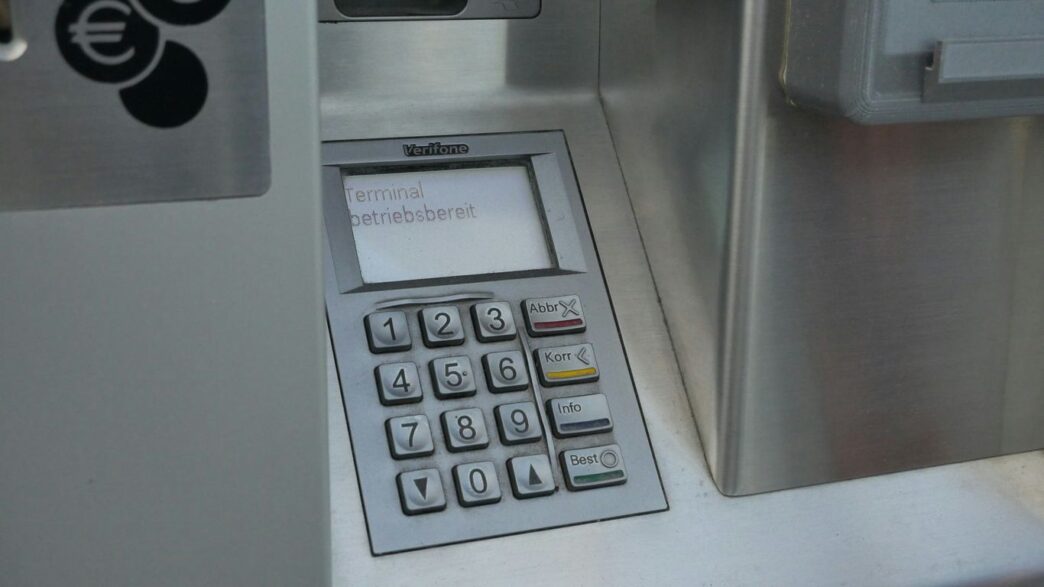
These are your classic, stay-put machines. They usually sit right on your counter and are great for businesses with a fixed location, like a retail store or a restaurant’s host stand. They’re generally pretty robust and can handle a lot of transactions without a fuss. Think of the A80 model – it’s a solid choice for businesses that need a reliable, always-ready payment station.
Portable Payment Devices
Now, if your business involves moving around – maybe you’re a caterer, a food truck operator, or you do a lot of trade shows – you’ll want something portable. Devices like the A920 are designed for this. They’re basically mini computers that can take payments anywhere you have a signal. This gives you a lot more flexibility to serve customers wherever they are, not just at a fixed checkout.
Essential Accessories For Your Machine
Don’t forget the little things that make your payment system work smoothly. Depending on your setup, you might need things like receipt printers so customers can get a paper copy of their transaction, or barcode scanners if you’re in retail and need to quickly ring up items. Some businesses might even need scales integrated into their system. These accessories help tailor the hardware to your specific workflow, making everything run a bit more efficiently.
Exploring Bank Of America’s Software Solutions
Bank of America offers a range of software solutions designed to help your business run more smoothly. It’s not just about taking payments; it’s about managing your operations more effectively. They have options that can fit different business types, from a simple setup to something more specialized.
Basic Payment and Mobile Point of Sale Solutions
If you’re just starting out or have a smaller operation, the basic payment and mobile point of sale (POS) solutions might be what you need. These are generally straightforward and easy to get up and running. They handle the core functions of processing transactions, whether that’s through a countertop device or a mobile reader you can use on the go. Think of it as the essential toolkit for accepting payments without a lot of fuss. These systems can often handle basic reporting too, giving you a look at your sales.
Industry-Specific Software for Retail and Restaurants
For businesses with more complex needs, like retail stores or restaurants, Bank of America has developed specialized software. The Retail Solution, for example, helps with things like managing inventory, tracking sales by item or category, and even setting up employee commission plans. It can help you classify your stock with up to six subcategories, making it easier to see what’s selling well. Restaurants might find features for managing orders by seat, setting gratuity rates, and handling split payments particularly useful. These industry-specific tools are built to address the unique challenges these businesses face daily.
Virtual Terminal and E-commerce Options
What if you need to take payments when a physical card isn’t present, or you want to sell online? Bank of America provides a virtual terminal and e-commerce solutions for that. The virtual terminal lets you process payments right from your computer, which is handy for phone orders or invoicing. If you have a website, their e-commerce options can help you integrate payment processing directly into your online store. This opens up your business to customers beyond your physical location. You can track processing activity and manage transactions through their online banking platform, which is part of the Merchant Services Online Banking system. These options are key for businesses looking to expand their reach and sales channels.
Navigating Pricing And Rewards With Bank Of America
Okay, so you’ve looked at the machines and the software, but what about the cost and any perks you can get? This is where things can get a little tricky, but Bank of America has a few ways to make it clearer and potentially save you some money.
Understanding Simplified Pricing Plans
Bank of America offers what they call "Simplified Pricing Plans." The idea here is to make it easier to understand what you’re paying for. Instead of a bunch of different fees that change all the time, these plans usually have a straightforward rate for different types of transactions. Think of it like this:
- Swipe, Dip, and Tap: This is for when a customer physically uses their card in your machine. The rate is typically around 2.65% plus a small fee of 10¢ per transaction.
- E-commerce: For online sales, where the card isn’t present, the rate is a bit higher, usually 2.99% plus 30¢.
- Keyed-In: If you have to manually type in card details (like over the phone), this usually has the highest rate, around 3.50% plus 15¢.
The big plus with these plans is that they often come with no long-term contracts, no hidden fees, and no early termination fees. That means you’re not locked into something that doesn’t work for your business anymore.
Leveraging Preferred Rewards for Business
Now, if you’re already a Bank of America customer with a business checking account, you might be able to get even better rates through their Preferred Rewards for Business program. It’s free to join. Depending on how much you have with Bank of America, you can get discounts on your merchant processing rates. It works in tiers:
- Gold Tier: Get a 0.05% discount.
- Platinum Tier: Get a 0.07% discount.
- Platinum Honors Tier: Get a 0.10% discount.
So, if you’re using the Simplified Pricing Plan and you’re in the Platinum Honors tier, that 0.10% discount can add up over time, especially if you have a lot of sales. It’s a nice way to get a little something back for being a loyal customer.
Transparent Pricing Structures
Beyond the simplified plans, Bank of America aims for transparency. This means they want you to know what you’re paying for. They generally don’t have a lot of those sneaky extra fees that other providers might tack on. You won’t find yourself scratching your head wondering where that extra charge came from. Plus, for qualified account holders, they offer same-day funding at no extra cost. This can really help with your business’s cash flow, getting your money faster so you can pay bills or reinvest in your business without waiting days for the funds to clear.
Security And Support For Your Bank Of America Machine
When you’re running a business, the last thing you want to worry about is whether your payment system is safe or if you can get help when you need it. Bank of America gets that. They’ve put some pretty solid measures in place to keep your transactions secure and have support systems ready to go.
Data Security Features
Keeping customer data safe is a big deal, and Bank of America’s merchant services are built with that in mind. They use what’s called end-to-end encryption. Basically, this scrambles your customer’s card information from the moment it’s entered until it reaches the bank, making it really hard for anyone to intercept and read. On top of that, they use tokenization. Instead of storing actual card numbers, your system uses a unique code, or token, which is useless if stolen. This all helps meet strict industry standards like PCI data security, and the best part? You don’t pay extra for these security layers.
24/7 Technical Support Availability
Things happen, right? Maybe your terminal glitches, or you’re just not sure how to process a certain type of payment. Bank of America offers technical support around the clock, every single day. This means if you run into a problem at 2 AM on a Saturday, you can get help. Their support team is based right here in the U.S., and they’re trained to help you sort out any issues you might have with your machine or software. It’s good to know someone’s there if you need them.
Accessing Merchant Services Information
Beyond just calling for help, Bank of America provides a resource center for merchants. It’s like a digital library where you can find guides, FAQs, and other information on how to use your equipment and services. If you’re trying to figure out how to set up a new feature or troubleshoot a common problem yourself, this is usually the first place to look. It’s a good way to get answers quickly without having to wait for a support call, especially for those everyday questions.
Optimizing Your Business With Bank Of America Merchant Services
So, you’ve got your Bank of America credit card machine picked out. That’s great! But the machine itself is just one piece of the puzzle. The real magic happens when you start using Bank of America’s Merchant Services to really make your business run smoother. It’s not just about taking payments; it’s about how quickly you get that money and how well everything connects.
Improving Cash Flow With Fast Funding
One of the biggest headaches for any business owner is waiting around for money to show up in your account. Bank of America gets this. They offer some pretty fast funding options, which can make a huge difference, especially if you’re trying to manage inventory or payroll. For qualified account holders, you can get your funds the same business day, with no extra fees. For everyone else, next-day funding is still pretty speedy.
Here’s a quick look at how fast you might get your money:
- Same-Day Funding: Available for qualified account holders. This means money from today’s sales could be in your account tomorrow morning.
- Next-Day Funding: Standard for all merchants. You’ll get your funds by the next business day.
This kind of quick access to your cash means you can pay bills on time, restock supplies without delay, and generally keep your business operations humming along without that constant worry about when the money will actually arrive.
Customizing Your Payment System
Your business isn’t like any other, right? So why should your payment system be generic? Bank of America lets you tailor your merchant services setup. You can pick the hardware, the software, and even the pricing plan that makes the most sense for your specific needs. Maybe you’re a small shop that just needs to take cards and mobile payments. Or perhaps you’re a restaurant that needs something more complex, with features for splitting checks and managing orders by seat. They have different software solutions, like:
- Basic Payment Solutions: Good for simple transactions.
- Mobile Point of Sale (mPOS) Solutions: Great for businesses on the go or for adding flexibility.
- Industry-Specific Software: Tailored for retail or restaurants, with features designed for those environments.
- Virtual Terminal & E-commerce: For processing payments online or over the phone.
This ability to customize means you’re not paying for features you’ll never use, and you’re getting the tools that actually help you do your job better. Plus, if you’re part of their Preferred Rewards for Business program, you might even get a discount on your processing rates, which is always a nice bonus.
Seamless Integration With Banking Accounts
It’s a real pain when your payment processing system feels like a separate entity from your main business bank account. Bank of America aims to make this connection smoother. By linking your merchant services account with your Business Advantage 360 online banking, you can often see your sales data and your banking information all in one place. This makes it way easier to track your finances, reconcile your accounts, and get a clear picture of your business’s financial health. No more jumping between different websites or logging into multiple systems just to see what’s going on. It simplifies the bookkeeping and gives you more time to focus on actually running your business, not just managing the paperwork.
Wrapping It Up
So, picking the right Bank of America credit card machine really comes down to what your business does day-to-day. Think about how many customers you see, what kinds of payments they use, and if you need fancy software for inventory or just simple payment processing. Bank of America has a bunch of options, from basic readers to more complex systems. Don’t forget about things like their 24/7 support and how quickly you get your money. Taking a little time to figure out your needs now will save you headaches later. It’s all about finding that sweet spot that makes taking payments smooth and easy for you and your customers.
Frequently Asked Questions
What exactly is a point-of-sale (POS) system?
Think of a POS system as the checkout counter for your business, but way smarter! It’s a combination of hardware (like a card reader or tablet) and software that helps you accept different kinds of payments from customers. It also helps you keep track of sales and manage your business more smoothly.
What types of payments can I accept with Bank of America’s machines?
You can accept most of the popular ways people pay these days! This includes regular credit and debit cards, as well as mobile payment options like Apple Pay, Google Pay, and Samsung Pay. So, you won’t miss out on sales because you can’t take a certain payment type.
How quickly will I get my money after a customer pays?
Getting your money fast is super important for any business. Bank of America offers same-day funding with no extra fees for eligible businesses. If that doesn’t apply, you’ll typically get your funds by the next business day. This helps your cash flow stay healthy.
Is my customer data safe with these machines?
Absolutely! Bank of America uses top-notch security features like encryption and tokenization. This means customer payment information is scrambled and protected, making transactions much safer. Plus, they meet strict security standards, and it doesn’t cost you extra.
What if I need help with my machine or software?
Don’t worry, help is always available! You can get 24/7 technical support from people based right here in the U.S. They also have experts who can help you figure out the best solutions for your specific business needs.
Can I get a discount on the processing fees?
Yes, you can! If you’re part of Bank of America’s Preferred Rewards for Business program, you can get a discount on your processing rates. This program offers other benefits too, and it’s a great way to save money while running your business.