Building your own computer can seem like a big task, right? Especially when you’re aiming for something powerful for gaming. This guide is here to break down how to put together a solid AMD Ryzen build for 2026. We’ll cover picking the parts, putting it all together, and making sure it runs great. It’s about getting a machine that does what you need it to do, without all the confusing tech talk. Let’s get your ultimate gaming rig sorted.
Key Takeaways
- When putting together an AMD Ryzen build, pick a processor and motherboard that work well together. AM5 motherboards with DDR5 RAM support are a good bet for newer Ryzen chips.
- For gaming, a strong graphics card like the AMD Radeon RX 7900 XTX is recommended, especially for higher resolutions. Don’t forget a good cooling system to keep things from getting too hot.
- Aim for at least 32GB of DDR5 RAM and a fast NVMe SSD for quick game loading and smooth multitasking. A reliable power supply unit (PSU) of 750W or 850W with an 80 Plus Gold rating is usually sufficient.
- When assembling your AMD Ryzen build, prepare your workspace carefully. Install the CPU, cooler, RAM, and storage before mounting the motherboard and graphics card into the case.
- After building, install your operating system and drivers. Consider some light overclocking and tune settings for better performance, while also managing cables for good airflow to keep your system running cool and stable.
Choosing Your Ultimate AMD Ryzen Build Components
Alright, so you’re looking to build a killer AMD Ryzen PC in 2026. That’s awesome! Building your own rig means you get exactly what you want, no compromises. It’s like picking out all your favorite ingredients for the perfect meal, but for gaming. You get to decide on every single part, making sure it’s just right for how you play, whether that’s diving into the latest AAA titles at super high resolutions or maybe streaming your gameplay to your friends.
Selecting the Ideal AMD Processor
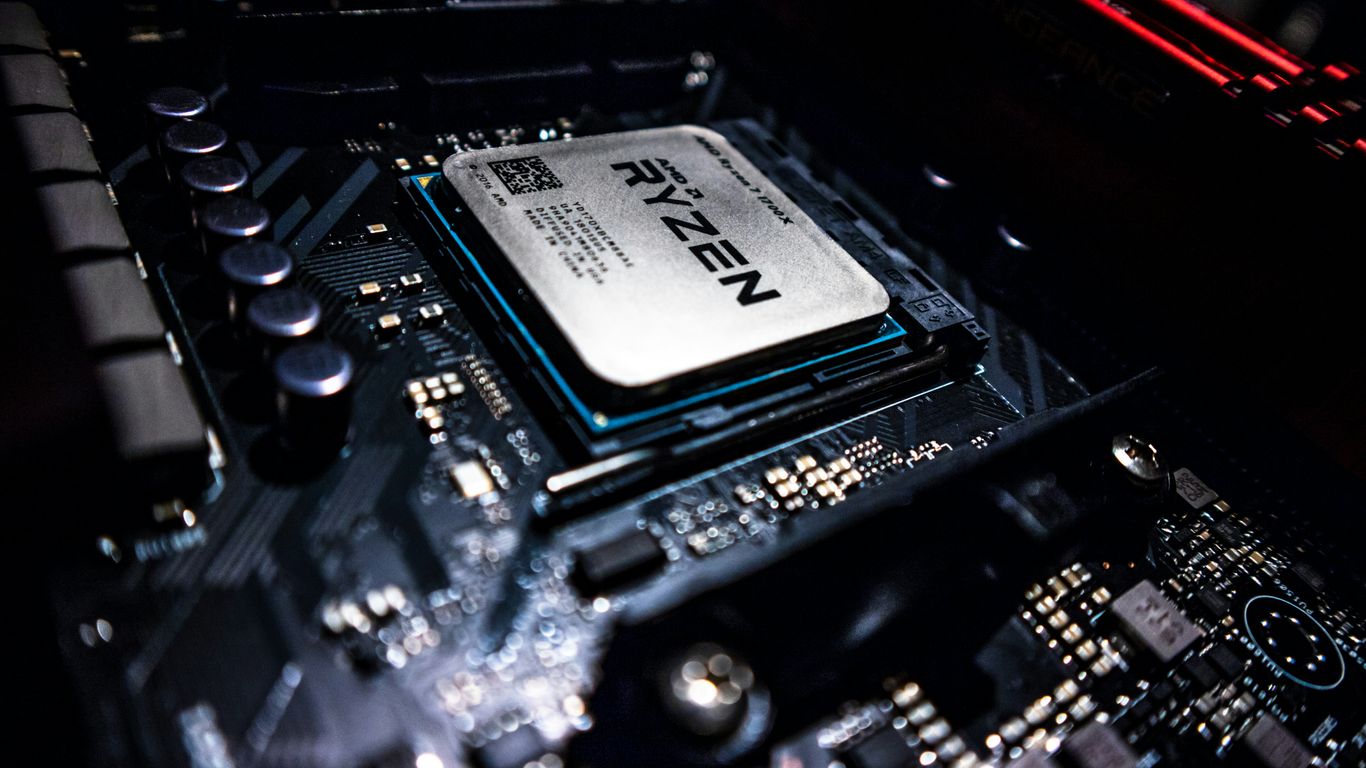
The processor, or CPU, is basically the brain of your whole operation. For an AMD Ryzen build, you’ve got some seriously good options. We’re talking about chips that can handle pretty much anything you throw at them. When you’re picking one out, think about what you’ll be doing most. Are you just gaming, or do you also do video editing or run a bunch of programs at once? The Ryzen 9000 series, for example, offers some really fast options that are great for gaming and multitasking.
Pairing the Right Motherboard
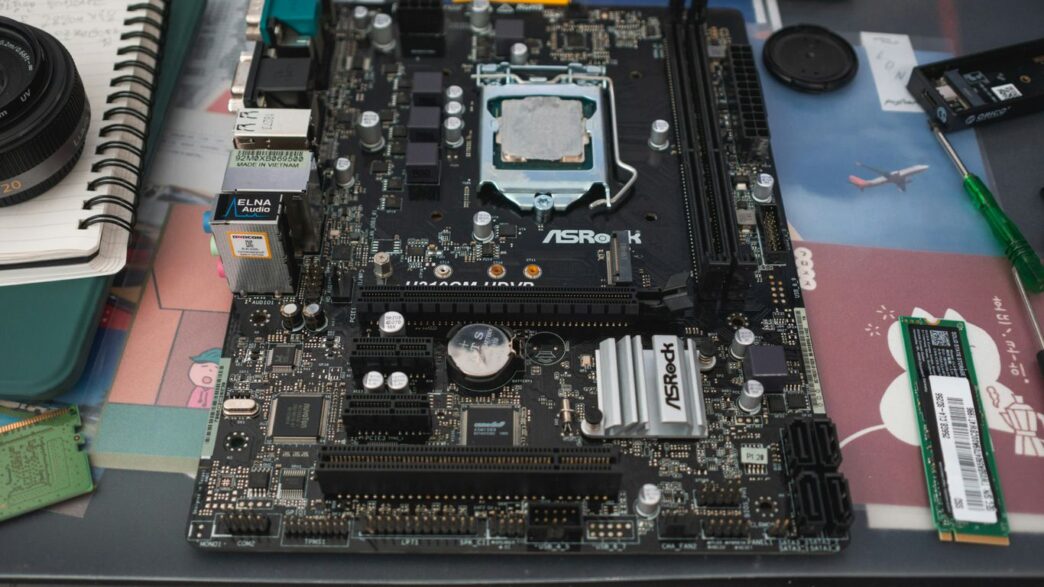
Your motherboard is like the central nervous system, connecting everything together. It’s super important to get one that plays nice with your chosen CPU. For the newer Ryzen processors, you’ll likely be looking at motherboards with the AM5 socket. Make sure it supports the latest tech like DDR5 RAM and PCIe 5.0 if you want to get the most out of your components and have room for future upgrades. It’s not just about fitting the parts; it’s about making sure they can all talk to each other efficiently.
Graphics Card and Cooling System Essentials
Now, the graphics card, or GPU, is what makes all those pretty game worlds actually look good on your screen. If you’re aiming for high-resolution gaming with smooth frame rates, you’ll want a powerful AMD Radeon card. Don’t forget about cooling, though. These powerful components can get pretty warm, especially when they’re working hard. A good cooler, whether it’s a beefy air cooler or a liquid cooling setup, is key to keeping things running smoothly and preventing performance drops. Good airflow in your case helps a ton too, so think about that when you’re picking out your case.
Essential Components for Your AMD Ryzen Build
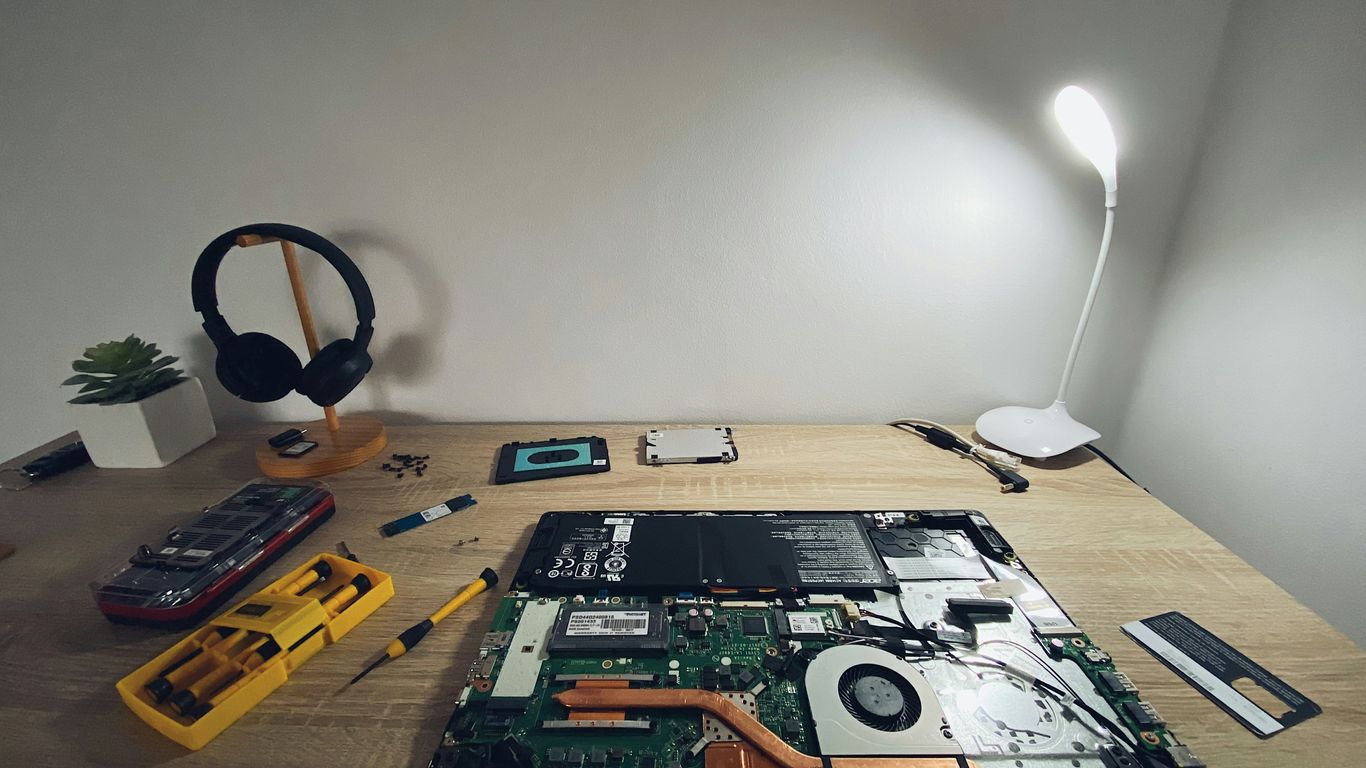
Alright, so you’ve picked out your shiny new AMD Ryzen processor, and that’s a great start. But a PC isn’t just about the CPU, right? You need a whole bunch of other bits and pieces to make it all work together. Think of it like building a really cool Lego set – you need all the different bricks, not just the main engine block.
Memory and Storage Considerations
When it comes to RAM, or memory, you want enough to keep things running smoothly. For most gaming in 2026, 32GB of DDR5 RAM is the sweet spot. It’s plenty for playing the latest games at high settings and even for multitasking, like streaming your gameplay or having a bunch of browser tabs open. Too little RAM, and you’ll start seeing slowdowns, especially in newer, more demanding titles. Getting enough RAM is often more impactful than you might think for overall system responsiveness.
For storage, you’ll definitely want a fast NVMe SSD. These are way quicker than older SATA drives, meaning your games and applications will load up in a flash. For a solid gaming setup, aim for at least 1TB, but 2TB is even better if your budget allows. This gives you plenty of space for your operating system, a good chunk of your game library, and all your other files. You can always add more storage later if you need it, but starting with a decent-sized SSD is key.
Power Supply Unit Selection
Don’t skimp on the power supply unit (PSU). This is the heart of your PC, providing electricity to all the components. A good quality PSU not only keeps everything running but also protects your hardware. For a typical AMD Ryzen gaming build, especially one with a mid-range to high-end graphics card, you’ll want something in the 750W to 850W range. Look for a PSU with an 80 Plus Gold rating or higher. This rating means it’s more efficient, which can save you a little on your electricity bill over time and also means it runs cooler. A reliable PSU is a smart investment for the longevity of your entire system.
Top AMD Ryzen Processors for Gaming in 2026
Alright, let’s talk about the brains of your new gaming rig. Picking the right AMD Ryzen processor in 2026 is a big deal, and honestly, it can feel a little overwhelming with all the options out there. But don’t sweat it, we’ll break down some of the best choices for different budgets and performance needs.
Best Budget AMD Processor Options
If you’re trying to keep costs down but still want a solid gaming experience, the AMD Ryzen 5 5600 is a fantastic starting point. It’s part of the older Ryzen 5000 series, but it still packs a punch for its price. It offers great single-core speed, which is super important for most games. Plus, it’s a six-core, 12-thread chip, so it can handle some background tasks while you’re gaming without breaking a sweat. It’s a noticeable step up from even older Ryzen chips, and if you can find one, it’s a smart buy.
Value-Oriented AMD Ryzen Choices
Moving up a bit, we’re looking at processors that give you more bang for your buck, especially for gaming. The AMD Ryzen 5 7500X3D is a really interesting option here. It uses AMD’s newer AM5 platform and requires DDR5 RAM, but the big deal is that 3D V-Cache technology. This cache boost makes a real difference in how games run, often beating out CPUs with more cores but no X3D tech. It’s a great way to get a taste of high-end gaming performance without the highest-end price tag. It’s a step up from the 5600, offering a smoother experience in many titles.
High-End AMD Processors for Peak Performance
Now, if you’re aiming for the absolute best and don’t want to compromise, the AMD Ryzen 7 9800X3D is pretty much the king of the hill for gaming in 2026. This processor is built for pure gaming speed. It uses the same AM5 platform and DDR5 RAM as the 7500X3D, but it cranks things up a notch with more cores and that impressive 3D V-Cache. In many games, especially those that are really demanding on the CPU, this chip can deliver frame rates that are noticeably higher than anything else out there. It’s the go-to if you want the smoothest, fastest gaming possible, and it’s surprisingly efficient too. While there’s a slightly newer model, the 9850X3D, the 9800X3D often hits that sweet spot of performance and price, making it a top pick for serious gamers.
Assembling Your AMD Ryzen Gaming PC
Alright, so you’ve picked out all your shiny new parts – the Ryzen CPU, the motherboard, that beast of a graphics card. Now comes the fun part: putting it all together. It might seem a little intimidating at first, like trying to assemble IKEA furniture without the instructions, but honestly, it’s pretty straightforward if you take it step-by-step. Just remember to stay calm, and don’t force anything.
Workspace Preparation and Processor Installation
First things first, find a good spot to work. You want a clean, well-lit area, and it’s a good idea to avoid carpet if you can, just to cut down on static electricity. Static is the enemy of delicate computer parts, so maybe touch a metal object before you start handling anything. Get all your tools and components laid out so you know where everything is.
Now, let’s get that Ryzen processor into its home on the motherboard. Carefully open the CPU socket lever on the motherboard. You’ll see little arrows on the processor and the socket – line those up. Gently place the CPU into the socket; it should just drop in without any pressure. Once it’s seated, close the lever back down. This is a critical step, so make sure it’s aligned perfectly before you close the lever.
Mounting the Cooler and Installing RAM/Storage
Next up is the cooler. Whether you’ve got a beefy air cooler or a sleek liquid cooler, follow the instructions that came with it. Usually, this involves applying a small amount of thermal paste to the top of the CPU (if it’s not pre-applied to the cooler) and then securing the cooler. This keeps your processor from getting too hot, which is super important for performance and longevity.
With the cooler out of the way, it’s time for the RAM and storage. Your motherboard has slots for DDR5 RAM. Look for the notches on the RAM sticks and the slots, and push down firmly on both ends of the RAM until the clips on the sides snap into place. For your NVMe SSD, find the M.2 slot on the motherboard, slide the drive in at an angle, and then secure it with the small screw provided. It’s like a tiny puzzle, but way more rewarding.
Motherboard Installation and Graphics Card Setup
Now, carefully place your motherboard into the PC case. Make sure the standoffs in the case line up with the screw holes on the motherboard. Screw it in gently but securely. Don’t overtighten these screws; you don’t want to damage the board.
Finally, the graphics card. Find the top-most long PCIe slot on your motherboard. Remove the corresponding expansion slot covers from the back of your case. Align the graphics card with the slot and push it down firmly until it clicks into place. You’ll usually secure it to the case with a screw or two. Connect any necessary power cables from your power supply to the graphics card. You’re almost there!
Post-Assembly Optimization for Your AMD Ryzen Build
Alright, so you’ve got all the parts in place, the case is closed up, and it’s starting to look like a real PC. But we’re not quite done yet. Think of this stage like tuning up a race car after it’s been built – you want to make sure everything runs as smoothly and quickly as possible. This is where we get your new AMD Ryzen rig singing.
Operating System and Driver Installation
First things first, you need an operating system. For most gamers in 2026, Windows 11 is still the go-to. It plays nice with the latest games and has features like DirectStorage that can really speed up loading times, especially with an NVMe SSD. If you’re feeling adventurous or have specific needs, Linux is an option, but game compatibility can be a bit of a headache.
Once Windows is up and running, don’t skip this part: drivers. You’ll want to head over to the AMD website for your specific motherboard and graphics card (like a Radeon RX 7900 XTX, perhaps?) and download the latest drivers. These aren’t just minor updates; they’re key to getting the best performance and stability out of your hardware. Think of them as the instructions your PC needs to talk to its parts properly. After that, you can start installing your game launchers like Steam or Epic Games, and maybe some handy software like AMD’s own Adrenalin utility. This tool is pretty neat for keeping an eye on your system and tweaking settings.
Overclocking and Performance Tuning
Now for the fun part for some: pushing your hardware a little further. Both AMD Ryzen processors and Radeon graphics cards often have some extra performance tucked away that you can access through overclocking. AMD’s Ryzen Master software is your friend here for the CPU, and the Radeon Software Adrenalin can help with the GPU. Be warned though, this isn’t for the faint of heart and requires careful monitoring.
Before you start cranking up clock speeds, it’s a good idea to get a baseline. Run some benchmarks or demanding games and keep an eye on your temperatures. You can use tools like HWMonitor or the built-in monitoring in AMD’s software. If you decide to overclock, do it in small steps. Increase the clock speed a bit, test for stability (run a game or a stress test for a while), and check temperatures. If it’s stable and temps are okay, try a little more. If it crashes or gets too hot, back off. It’s a balancing act between more speed and keeping things cool and stable.
Cable Management and Airflow Optimization
This might not sound like it directly impacts performance, but good airflow is super important, especially if you’re gaming for long stretches or pushing your components. Messy cables inside your case can block fans and create hot spots. Take some time to tidy things up. Use zip ties or Velcro straps to bundle cables together and route them behind the motherboard tray if your case allows. It makes your build look cleaner, sure, but more importantly, it helps cool air get to your components and hot air get out.
Think about how air moves through your case. Generally, you want fans pulling cool air in from the front and sides, and exhausting hot air out the back and top. Making sure your fans are oriented correctly and that there aren’t too many obstructions will help keep your system running at its best, preventing overheating and potential performance throttling. It’s a simple step that pays off in the long run.
Troubleshooting and Future-Proofing Your AMD Ryzen Build
So, you’ve put together your awesome AMD Ryzen rig. That’s fantastic! But what happens when things don’t run quite as smoothly as you’d hoped, or you’re thinking about what’s next? Don’t sweat it. Most issues can be sorted out with a bit of patience, and planning for the future is easier than you might think.
Addressing Common Performance Issues
Sometimes, your PC might act up. Maybe it’s stuttering during intense gaming sessions, or perhaps temperatures are creeping up higher than you’d like. First things first, check your drivers. Outdated drivers are a super common culprit for all sorts of weird behavior. Head over to the AMD website and grab the latest ones for your graphics card and motherboard. Also, give your cooling system a once-over. Is that CPU cooler seated properly? Are your case fans spinning freely and pushing air the right way? Good airflow is key, so make sure nothing is blocking the intake or exhaust vents. If you’re still seeing performance dips, try closing down any background applications you don’t need while gaming. Sometimes, just lowering a few in-game settings can make a big difference, especially if you’re pushing a demanding title.
Overclocking and Performance Tuning
If you’re feeling adventurous and want to squeeze every last drop of performance out of your components, overclocking is an option. AMD Ryzen Master software makes this pretty straightforward for your CPU, and the Radeon Software Adrenalin utility can help with your GPU. However, always monitor your temperatures closely when you start tweaking clock speeds. Overheating is the enemy of stability and can even damage your hardware if you’re not careful. Before you go wild with the sliders, run some stress tests to see how your system handles the extra load. It’s a balancing act between speed and keeping things cool and stable. You might find that a modest overclock provides a nice boost without risking your hardware.
Cable Management and Airflow Optimization
This is something you should really pay attention to right after assembly, but it’s never too late to tidy things up. Messy cables aren’t just ugly; they can actually get in the way of airflow. Try to route cables behind the motherboard tray or use zip ties and Velcro straps to bundle them neatly. This not only looks cleaner but also helps ensure that cool air can reach your components and hot air can escape efficiently. Good airflow means lower temperatures, which is always a good thing, especially during those marathon gaming sessions. Think of it like this: you want a clear path for air to move through your case, like a gentle breeze, not a tangled mess that chokes the system.
Wrapping It Up
So, you’ve made it through the guide on building your ultimate AMD Ryzen rig for 2026. It’s a pretty cool feeling, right? Putting together your own computer, especially one powered by AMD’s latest tech, means you’ve got a machine that’s really yours. Whether you went for a top-tier processor like the Ryzen 9 9800X3D or focused on a balanced build, the goal was always to get a system that plays your favorite games smoothly. Remember to keep things clean, update your drivers now and then, and don’t be afraid to tweak settings if you want a bit more out of it. Happy gaming!
Frequently Asked Questions
What’s the best way to pick parts for my AMD gaming computer?
To build a great AMD gaming PC, you’ll want to choose a strong processor, like a Ryzen 7000 or 9000 series chip. Then, find a motherboard that works with it, like an AM5 board. For gaming, a powerful graphics card, such as an AMD Radeon RX 7000 series, is super important. Don’t forget fast memory (RAM) and quick storage (SSD) for smooth gameplay and fast loading times.
Which AMD Ryzen processors are best for gaming in 2026?
For top-notch gaming in 2026, the AMD Ryzen 7 9800X3D is a fantastic choice because it’s super fast. If you’re looking for something a bit more budget-friendly but still great, the Ryzen 5 7600X or Ryzen 7 7700X are solid options. For heavy multitasking or creative work alongside gaming, a Ryzen 9 processor like the 9950X offers tons of power.
How much RAM and storage do I really need for gaming?
For most gaming today and into the near future, 16GB of RAM is the minimum, but 32GB is even better for smoother performance, especially if you play demanding games or multitask. For storage, a fast NVMe SSD is a must. Aim for at least 1TB, as games are getting bigger, and you’ll want space for your operating system, games, and other files to load quickly.
Is it hard to put together an AMD gaming PC?
Putting together a PC can seem a little daunting at first, but it’s actually quite manageable, especially with guides like this! Think of it like building with advanced LEGOs. You connect the main parts like the processor, RAM, and graphics card to the motherboard, then put it all in the case. Taking your time and following instructions makes it a rewarding experience.
What should I do after I finish building my PC?
Once your PC is physically built, you’ll need to install an operating system, like Windows 11. After that, it’s crucial to install the latest drivers for your motherboard and graphics card from AMD’s website. This makes sure all your components work correctly and give you the best performance. You might also want to tweak some settings for optimal gaming.
How can I make my AMD gaming PC last longer and perform well?
To keep your AMD gaming PC running smoothly for years, regular cleaning is key. Dust can make parts overheat, so clean out dust from fans and components every few months. Always keep your software and drivers updated. Also, keep an eye on your system’s temperature to prevent damage from overheating. Planning for future upgrades, like a new graphics card, can also extend its life.