Whether on a flight during a business trip or at a remote project site with limited connectivity, professional users urgently need a document tool that can keep working on the desktop. CamScanner recently launched a strengthened desktop application, with offline editing at its core, building a complete document workflow from scanning and editing to conversion and collaboration. This helps users maintain efficient output on any device, in any network state.
The desktop workflow is designed to remain reliable even when connectivity is limited. Built as a professional offline PDF editor,the platform supports local processing, enabling users to open, annotate, convert, reorganize, merge,split and finalize PDFs, Office files, scanned documents, and images directly on desktop without relying on Wi-Fi or mobile networks, ensuring consistent productivity in real-world work conditions.
Expanding beyond its origins as a mobile scanning app, CamScanner is transforming into a comprehensive cross-device document workspace designed for the realities of today’s professional users.This shift is driven by a significantly strengthened desktop version, which integrates key capabilities such as offline editing, giving users a consistent and powerful environment for document processing, regardless of location, connectivity, or device.
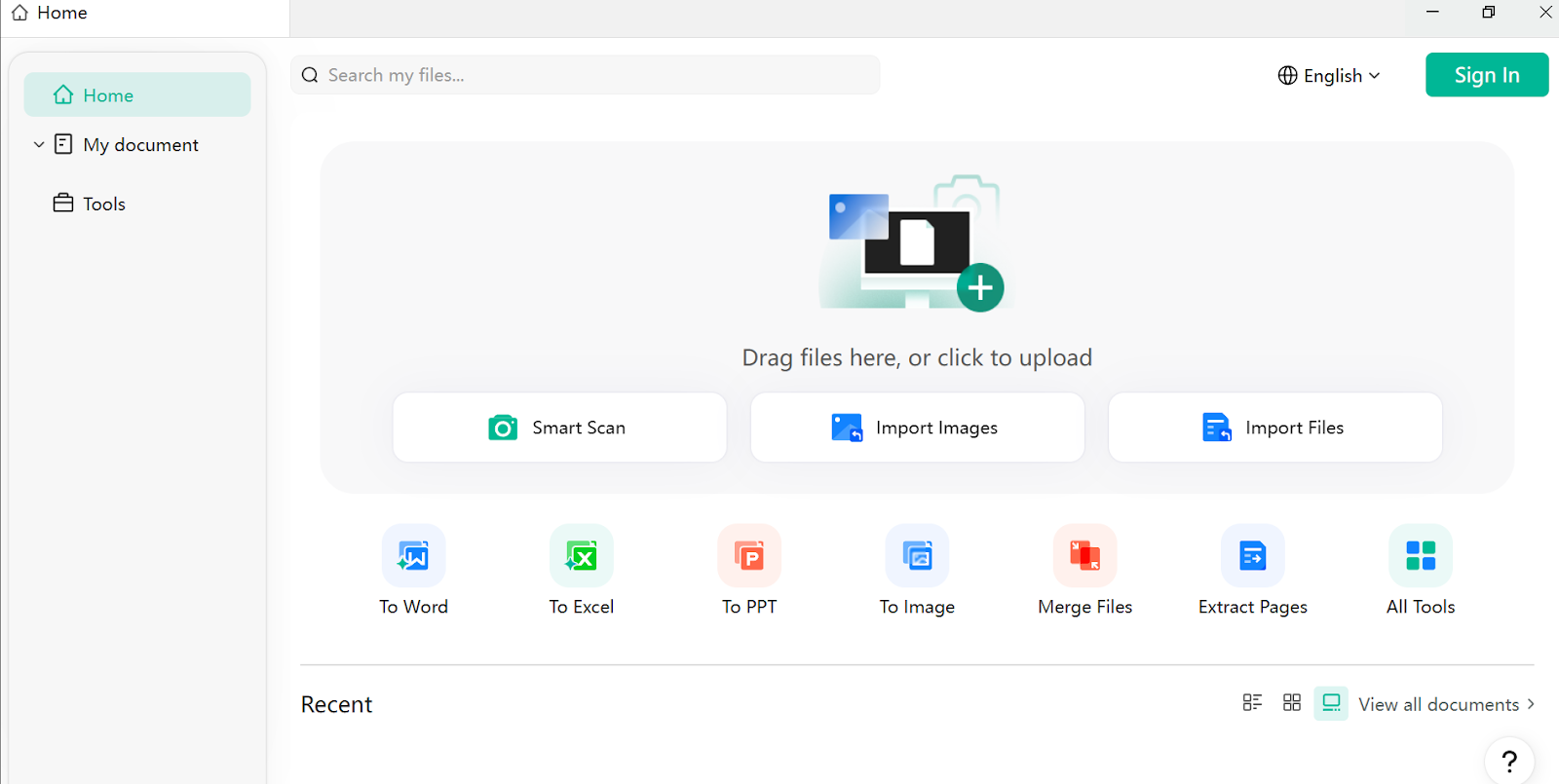
The CamScanner desktop home screen: a central hub for cross-device document management
The desktop environment is optimized for more demanding tasks. Professionals benefit from refined editing tools, accurate text and object adjustments, customizable layouts, and high-performance bulk operations that significantly reduce manual workload. The platform also supports smooth file format conversions, enabling users to convert PDFs to Word, Excel, PowerPoint, image files, as well as convert images to PDFs and more— without relying on third-party software.Powered by CamScanner’s integrated AI capabilities, converted documents intelligently preserve original formatting and layout—addressing one of the most common pain points in PDF-to-Word conversion and making files immediately ready for professional use.

Easily convert PDFs to Word while preserving original layouts and formatting
The enhanced desktop version now offers a fully integrated document workflow that covers every stage of professional document handling, including scanning, editing, organizing, converting, and exporting. Users can capture documents or images on their mobile devices and sync them instantly through the cloud or local connection, or import files and images directly from a local computer for immediate processing. They can then continue editing on desktop with far greater precision and control, before sharing files via flexible link-based options, with or without access codes, depending on security needs.
This is particularly valuable for those who frequently work on airplanes, trains, overseas trips, remote project sites, and in confidential or high-security environments where network access may be limited or restricted. Offline editing ensures smooth business continuity and prevents workflow interruptions during critical moments. For users searching “Which software can be used to edit documents offline?” or looking for recommended offline document editing apps, CamScanner provides a reliable solution: document editing that truly works anytime and anywhere.
This evolution extends CamScanner from its mobile-first foundation into a more complete document editing ecosystem, with the desktop version serving as a powerful extension that completes the workflow for professional users.For users frequently searching “Which software should I use for document editing on a computer?” “orHow to convert pdf to word on a computer”or”How to covert images on computers to PDFs”, the answer is now clearer than ever: CamScanner provides a complete, professional-grade document workflow built for desktop productivity and cross-device collaboration.
Security remains a core priority. CamScanner complies with international standards including ISO27001 and ISO27701, ensuring that user data is protected through stringent governance and technical safeguards. All scanned or imported content is transcoded and stored using encrypted formats rather than original files, minimizing risks of leakage or unauthorized access. A dedicated Security & Compliance Management Committee continuously monitors and updates policies to meet global security expectations.
Built for document-intensive roles, CamScanner integrates a range of functional tools that streamline complex workflows. Features such as OCR, PDF-to-Word conversion, annotation tools, page management, and batch operations help reduce repetitive tasks while ensuring professional, high-quality output.

A powerful set of integrated tools designed to streamline complex professional workflows.
These capabilities make the CamScanner PC version ideal for consultants, lawyers, educators, administrators, operations teams, and freelancers who rely on consistent, stable environments for editing and reviewing documents.
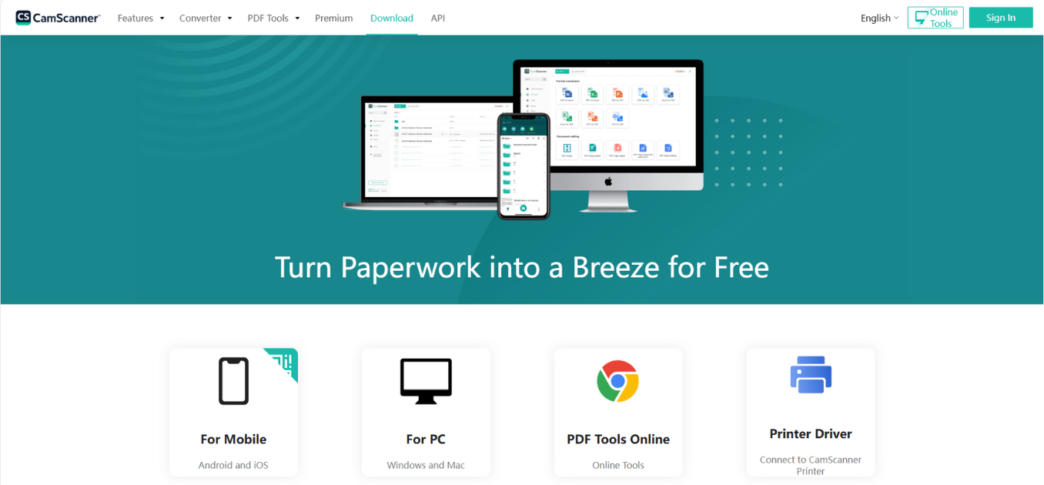
Media and professional users are invited to explore how CamScanner’s enhanced desktop version and offline editing capabilities elevate workplace productivity across devices and complex work scenarios. Download the desktop version at camscanner, and follow CamScanner on X, YouTube, Facebook and Instagram for the latest product updates and feature releases.