
The world of cryptocurrency can be exciting, but it also comes with risks. You might have heard about the Crypto.com hacks, and it’s natural to wonder how safe your digital money really is. This article breaks down what happened, what the risks are, and most importantly, how you can keep your crypto safe on platforms like Crypto.com. We’ll look at practical steps you can take, from strong passwords to understanding new security measures put in place after past incidents.
Key Takeaways
- In early 2022, Crypto.com experienced a security breach where hackers accessed accounts and made unauthorized withdrawals, though the company covered the losses for affected users.
- While Crypto.com has improved its security, risks like potential interception of 2FA codes via SIM swapping and the importance of not missing email notifications remain.
- Crypto.com is not FDIC-insured, meaning user funds are not protected by the government in case of bankruptcy, although the platform does have its own insurance policy.
- Users should implement strong password practices, use multi-factor authentication effectively, and secure seed words or private keys to protect their assets.
- Advanced strategies like using cold wallets, VPNs, and keeping software updated can significantly boost the security of your crypto holdings.
Understanding the Crypto.com Hack of 2022
Details of the Security Breach
Back in January 2022, something pretty alarming happened over at Crypto.com. Hackers managed to get into the system and steal a significant amount of money. We’re talking about around $30 million worth of cryptocurrency that went missing. The way they did it was by finding a way around the two-factor authentication (2FA) codes that are supposed to keep accounts safe. It seems they were able to initiate withdrawals from compromised accounts without needing those codes. In total, about 483 user accounts were affected by this breach. It was a serious wake-up call for everyone involved.
Impact on Users and Crypto.com’s Response
When the hack came to light, Crypto.com acted pretty quickly. They immediately stopped all withdrawals to prevent further losses. Then, they required all users to reset their 2FA codes, which is a standard security step after something like this. The good news for users is that Crypto.com decided to cover all the losses themselves. They credited the stolen crypto back to the affected users’ accounts, meaning no one actually lost any of their own funds or cash. Withdrawals were back up and running a few hours later. It was a stressful period, for sure, but the company absorbed the financial hit.
Lessons Learned from the Incident
This whole event really highlighted a few important things. For starters, it showed that even with security measures in place, breaches can still happen. Crypto.com learned from this and put some new rules in place. These included:
- A mandatory 24-hour delay for withdrawals to new addresses.
- Moving to a new, supposedly more secure, 2FA system.
- Bringing in outside security experts to give the whole platform a thorough check.
It also served as a reminder that while exchanges have their own security, users also play a part. If a hack happens because of user error, reimbursement isn’t guaranteed. So, it’s a shared responsibility to keep things secure.
Key Security Risks Associated with Crypto.com
Even though Crypto.com has put a lot of effort into security, it’s not completely foolproof. It’s good to know about the potential weak spots so you can be extra careful.
Vulnerabilities in Two-Factor Authentication
Two-factor authentication (2FA) is a big step up from just a password, but it’s not perfect. A common trick hackers use is to contact your mobile carrier and convince them to switch your phone number to a SIM card they control. Once they have your number, they can intercept text messages, including those 2FA codes sent by Crypto.com. If they also manage to get your email password, they could potentially gain access. While Crypto.com requires a PIN on top of this, making it harder, it’s still a point of concern.
Risks of Email Notifications and Delays
Crypto.com does have a safety feature: if someone tries to withdraw funds from your account, they’ll send you an email and put a 24-hour hold on the withdrawal. That sounds good, right? The problem is, these emails can easily get buried in your inbox or end up in the spam folder. If you don’t see that email quickly, a hacker could potentially get away with your crypto before you even know something’s wrong. It really highlights how important it is to check your email, especially the spam folder, regularly.
Understanding FDIC Insurance and Other Protections
This is a big one: Crypto.com is not FDIC-insured. What does that mean for you? Well, if Crypto.com were to go bankrupt and couldn’t pay back the crypto it owes its users, the FDIC wouldn’t step in to cover your losses like they would with a traditional bank account. While Crypto.com does have a significant private insurance policy, it’s not the same as government-backed FDIC insurance. This means that in a worst-case scenario, you could lose all the crypto held on the platform. It’s a risk inherent to many crypto exchanges, but it’s definitely something to keep in mind when deciding how much to keep on the platform versus in your own personal wallet.
Essential Security Measures for Crypto.com Users
Keeping your crypto safe on any platform, including Crypto.com, really comes down to a few key practices. It’s not rocket science, but it does require a bit of attention to detail. Think of it like locking your house – you wouldn’t just leave the door wide open, right? The same applies here.
Implementing Strong Password Practices
First off, passwords. This is your first line of defense. You need a password that’s tough to guess. Don’t use your birthday, your pet’s name, or ‘password123’. Seriously, people still do that. A good password mixes uppercase and lowercase letters, numbers, and symbols. The longer and more random, the better. It might be a pain to remember, but password managers can help with that. Also, don’t reuse passwords across different sites. If one site gets hacked, they won’t be able to use that password to get into your Crypto.com account.
Leveraging Multi-Factor Authentication Effectively
Next up is multi-factor authentication, or MFA. This is like having a second lock on your door. Crypto.com offers this, and you absolutely should use it. While SMS-based codes can be intercepted (more on that later), using an authenticator app like Google Authenticator or Authy is a much safer bet. These apps generate codes on your phone that change every 30-60 seconds. So, even if someone gets your password, they still need that code from your phone, which they likely won’t have.
Here’s a quick rundown of what to do:
- Use an authenticator app: Ditch SMS codes for MFA if possible. Authenticator apps are more secure.
- Set a strong PIN: Crypto.com uses a PIN for certain actions. Make sure it’s not something obvious like ‘1234’ or your birth year.
- Enable the Anti-Phishing Code: This is a code that Crypto.com will include in their official emails. If you get an email without that code, you know it’s fake.
- Activate the 24-Hour Withdrawal Lock: This feature delays any withdrawals to newly added addresses for 24 hours, giving you time to react if something looks fishy.
Securing Your Seed Words and Private Keys
This is probably the most important part, especially if you ever plan to move your crypto off the exchange into your own wallet. Your seed words (or recovery phrase) and private keys are like the master keys to your crypto kingdom. If anyone gets these, they have full control. Never share your seed words or private keys with anyone, ever. Don’t type them into websites, don’t email them, and don’t store them digitally where they could be accessed by hackers. The best practice is to write them down on paper and store them in a secure, physical location, like a safe or a safety deposit box. Think of it as the ultimate backup, but also the ultimate risk if mishandled.
Advanced Strategies to Protect Your Crypto Assets
Beyond the basics, there are some more involved ways to keep your digital money safe. It’s like putting extra locks on your digital vault. One of the most talked-about methods is using a cold wallet. Think of it as a physical storage device, like a USB drive, that keeps your crypto offline. This makes it incredibly difficult for online hackers to get to your funds. It’s a big step up from keeping everything on an exchange, which is essentially a hot wallet connected to the internet. Understanding the distinctions between hot and cold cryptocurrency wallets is key here.
Here are a few extra layers of security you might want to consider:
- Cold Wallets: As mentioned, these store your private keys offline. This is a great option if you plan to hold onto your crypto for a long time and don’t need to trade frequently. It’s a bit like putting cash in a safe deposit box instead of carrying it all in your pocket.
- VPNs (Virtual Private Networks): When you connect to the internet, especially on public Wi-Fi, a VPN encrypts your traffic. This means it scrambles your data, making it unreadable to anyone trying to snoop on your connection. It adds a layer of privacy and security to your online activities, including when you’re managing your crypto.
- Software and Device Updates: This might sound simple, but it’s super important. Developers release updates to fix security holes that hackers could exploit. Always make sure your operating system, browser, and any crypto-related apps are updated to the latest version. It’s a small step that can prevent big problems.
Keeping your software and devices updated is a constant battle against new threats. It’s not a one-time fix, but a continuous process. Think of it like patching holes in a boat; you need to keep doing it to stay afloat. For those holding significant amounts of crypto, the added security of a cold wallet is often seen as a worthwhile investment in peace of mind.
Recognizing and Avoiding Common Crypto Scams
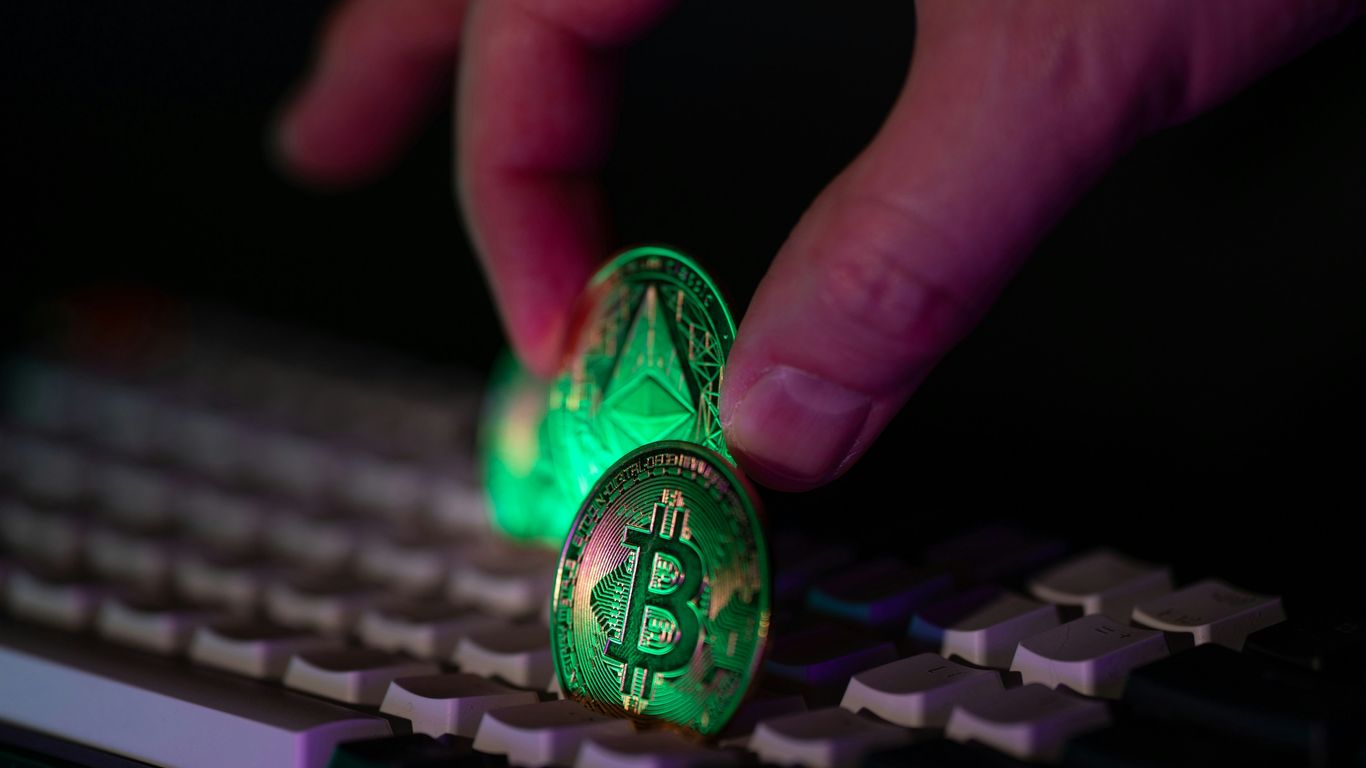
Look, nobody wants to get ripped off, especially when it comes to their hard-earned crypto. Scammers are out there, and they’re getting pretty good at what they do. They’re not just random people trying their luck; often, these are organized groups using slick tools to pull off their schemes. The main trick they use is called phishing. It’s basically tricking you into giving up sensitive info or doing something risky, like clicking a bad link. They pretend to be legit companies, like your bank or, yes, even Crypto.com, sending emails, texts, or messages that look totally real.
Identifying Phishing Attempts
Phishing can come at you from a few different directions. You might get an email that looks like it’s from Crypto.com, telling you to ‘verify your account’ or ‘reactivate access.’ Or it could be a text message (that’s ‘smishing’) or even a phone call (‘vishing’). The goal is always the same: get your login details, your bank info, or even your wallet recovery phrases. Always be suspicious of messages that push you to act fast.
Here’s a quick checklist to spot a fake:
- Check the sender: Look super closely at the email address or social media handle. Is it exactly right, or is there a weird extra word or typo? Scammers love to use domains that look similar but aren’t quite the same.
- Hover over links: Before you click anything, just move your mouse over the link. Does the actual web address that pops up match where it’s supposed to go? If it looks fishy, don’t click.
- Watch for errors: While not always a dead giveaway, lots of spelling mistakes or weird grammar can be a red flag. Real companies usually have people proofread their messages.
- Anti-phishing codes: If Crypto.com offers an anti-phishing code feature, use it! This code will appear in official emails. If it’s missing or doesn’t match, it’s a big warning sign. You can set this up in your account settings.
- Unsolicited contact: Legitimate companies usually don’t reach out to you first via direct message on social media. If someone messages you out of the blue claiming to be support, be very careful. It’s better to go to the Crypto.com website yourself or use their in-app support if you need help.
Understanding Social Engineering Tactics
These scammers are masters of manipulation. They play on your emotions, like fear or greed. You might see an offer that sounds too good to be true – like guaranteed high returns on an investment. That’s a classic social engineering tactic. They want you to get excited and forget to think critically. Another common trick is impersonation. They might create fake social media profiles of popular crypto projects or even impersonate Crypto.com support staff. They might add you to unofficial Telegram groups without your permission, then ask for your login details or seed phrases. Remember, real projects will publish their official links and expect you to find them, not the other way around.
Being Wary of Suspicious Links and Communications
It’s not just emails and texts. Scammers also use fake websites that look identical to the real ones. They might even pay for ads that show up at the top of search results, leading you to their fake site. Always double-check the URL. Look for tiny typos, extra characters, or letters that look similar but are from different alphabets. If you’re ever unsure about a message or a link, the best thing to do is stop. Don’t click, don’t reply. Instead, go directly to the official Crypto.com app or website by typing the address yourself. It might seem like a hassle, but it’s way better than losing your crypto. Staying vigilant is key in this space.
Crypto.com’s Security Enhancements Post-Hack

After the security incident in early 2022, Crypto.com didn’t just sit back. They made some pretty big changes to try and stop anything like that from happening again. It wasn’t just a quick fix; they really looked at what went wrong and tried to build a stronger system.
New Withdrawal Policies and Delays
One of the first things they did was put a hold on withdrawals to new addresses. This 24-hour delay gives you a window to catch any suspicious activity. If someone tries to move your crypto to a place it’s never been before, you get an alert and have time to react. It’s like a built-in pause button for potentially bad transactions. They also send out email notifications for these delayed withdrawals, so you should get a heads-up.
Upgrades to Authentication Systems
They also revamped their authentication methods. While they already used multi-factor authentication (MFA), they moved to a new system that’s considered more robust. This means attackers have an even harder time getting past the security layers, even if they manage to get some of your information. It’s about adding more locks to the digital doors.
Third-Party Security Audits
To get an outside perspective, Crypto.com brought in external security experts. These teams did a thorough review of the platform’s security. Think of it like hiring a professional inspector for your house to find weak spots you might have missed. These audits help identify potential vulnerabilities before they can be exploited, adding another layer of confidence in the platform’s safety measures.
Wrapping Up: Staying Safe in the Crypto World
Look, crypto can be exciting, but it’s not like buying groceries. Things happen, like that big Crypto.com hack back in 2022. While Crypto.com stepped up and covered the losses for users that time, it’s a good reminder that no platform is totally foolproof. You’ve got to be smart about it. Using strong passwords, turning on all the security features they offer, and maybe even keeping some of your crypto offline in a cold wallet are all good ideas. Basically, don’t just set it and forget it. Keep an eye on things, stay aware of the risks, and take steps to protect your own digital money. It’s your responsibility to keep your crypto safe, and a little bit of effort goes a long way.
Frequently Asked Questions
What happened in the Crypto.com hack in 2022?
In January 2022, hackers found a way to take money out of some Crypto.com accounts without using the special security codes. About 483 accounts were affected, and around $30 million was lost. Crypto.com stopped withdrawals for a bit, fixed the problem, and gave the money back to the users who were affected. They covered the cost themselves, so no users lost their own money.
Does Crypto.com have insurance like a bank?
No, Crypto.com is not insured by the FDIC, which is what protects money in regular banks. However, Crypto.com does have its own insurance policy for $150 million to help cover losses. It’s important to remember that if Crypto.com were to go out of business, your crypto might not be protected like money in a bank.
How can I make my Crypto.com account more secure?
You can protect your account by using a very strong and unique password that you don’t use anywhere else. Also, make sure you set up and use two-factor authentication (2FA) correctly, like using an authenticator app instead of just text messages. Keep your login info, like your password and any secret recovery phrases, very private.
What are ‘cold wallets’ and why are they safer?
A cold wallet is a way to store your cryptocurrency offline, meaning it’s not connected to the internet. Think of it like keeping your money in a safe deposit box instead of carrying it all in your pocket. Because it’s offline, hackers have a much harder time reaching it and stealing your crypto.
What should I do if I get a suspicious email or message about my Crypto.com account?
Be very careful! Hackers often send fake emails or messages that look real to trick you into giving them your login details or clicking on bad links. This is called phishing. If you get anything that seems strange, don’t click on any links or give out any information. Go directly to the official Crypto.com app or website to check your account.
What security changes did Crypto.com make after the 2022 hack?
After the hack, Crypto.com put new security rules in place. They added a 24-hour waiting period for sending crypto to new addresses, improved their security systems for logging in, and hired outside experts to check their security thoroughly. These steps were taken to make the platform safer for everyone.