

Understanding AI Presentation Tools
What Makes AI Presentation Makers Different
So, what’s the big deal with these AI presentation tools? They’re not just fancy versions of PowerPoint or Google Slides. Traditional software gives you the building blocks, but you’re the architect, designer, and builder. AI presentation makers, on the other hand, act more like a helpful assistant. They use artificial intelligence to automate a lot of the heavy lifting, from suggesting content to designing layouts. Think of it like this: instead of picking out every single brick and tile yourself, you tell the AI what kind of house you want, and it starts laying the foundation and putting up walls for you. This means you can go from a blank page to a nearly finished presentation much faster.
The Evolution of AI in Slide Creation
It feels like just yesterday we were all amazed by basic spell check, and now we’ve got AI that can practically write and design a presentation for us. The journey started with simple automation, like suggesting the next word in a sentence. Then came tools that could help with grammar and style. Now, AI is getting really good at understanding context and intent. It can take a block of text and figure out the main points, then arrange them into slides with appropriate visuals. Some tools are even built from the ground up with AI at their core, designed specifically to handle complex business presentations, while others just added AI features later to keep up with the trend. It’s a pretty big leap from just checking spelling!
Key Features of AI Presentation Generators
These AI tools come with a bunch of features that make creating presentations way easier. Here are some of the main ones you’ll find:
- Text-to-Presentation: You give the AI a topic or some text, and it generates a whole presentation for you. It’s like magic, but with algorithms.
- Document Import: Got a Word doc, PDF, or even just some notes? The AI can often take that existing content and turn it into slides, saving you from retyping everything.
- Template Variety: While AI can create unique designs, most tools also offer a library of pre-made templates. You can pick one that fits your style or the occasion.
- Smart Design Suggestions: The AI doesn’t just put text on a slide; it suggests layouts, images, and even charts that fit your content, making your slides look professional.
- Brand Consistency Tools: Some advanced tools can automatically apply your company’s colors, fonts, and logos to ensure everything looks on-brand without you having to manually adjust each slide.
Effortlessly Create Presentations with AI
So, you need to make a presentation, and the thought of staring at a blank slide for hours makes you want to take a nap? Yeah, I’ve been there. Thankfully, AI presentation tools are here to make that whole process way less painful. These tools can take your ideas and turn them into actual slides in just a few minutes. It’s pretty wild.
Generating Presentations from Text Prompts
This is probably the most straightforward way to get started. You know that topic you need to present on? Just type it in. Think of it like telling a friend what you want to talk about, and they start sketching out the slides for you. You can be pretty specific, like "2024 Marketing Strategy for a new coffee shop," and the AI will usually come up with an outline covering things like target audience, social media plans, and budget. It’s not always perfect, but it gives you a solid starting point, saving you from that dreaded "blank page" syndrome.
Transforming Documents into Engaging Slides
Got a long report or a bunch of notes that you need to turn into a presentation? Instead of copy-pasting everything slide by slide, some AI tools can actually read your document (like Word files or PDFs) and automatically create slides from it. This is a huge time-saver, especially if you already have the content written down. The AI figures out the main points and structures them into a presentation format. You might still need to tweak things, but it’s way faster than starting from scratch.
Leveraging Templates for Instant Design
Even with AI generating the content, you still want your presentation to look good, right? Most AI tools come with a bunch of pre-made templates. These aren’t just basic designs; they’re often quite professional and cover different styles – think business, creative, educational, you name it. You pick a template that fits your topic and your style, and the AI applies it to the slides it created. You can usually swap out templates easily if you don’t like the first one, or if you want to try a different look. It’s like having a designer on call, but without the designer’s hourly rate.
Customizing Your AI-Generated Decks
So, the AI has done its magic and spit out a presentation. Pretty neat, right? But it’s probably not perfect straight out of the digital oven. That’s where the real fun begins – making it yours. Think of the AI as your super-fast assistant who gets the basics down, but you’re the director who adds the final polish.
Editing Content and Layouts On-the-Fly
This is where you get to tweak things. The AI might have put a sentence here or there that doesn’t quite hit the mark, or maybe the flow feels a little off. Most AI tools let you jump right in and edit text like you would in any regular program. You can rephrase sentences, add more detail, or even delete entire sections if they don’t fit your message. The layout is usually adjustable too. If a block of text looks too cramped or an image is awkwardly placed, you can often drag and drop elements or choose from a few different arrangement options the tool suggests. It’s about making sure the information is clear and easy for your audience to follow.
Applying Brand Consistency Automatically
This is a big one, especially if you’re presenting for a company. You don’t want your slides looking like a random collection of colors and fonts. Good AI tools can help here. You can usually upload your company’s logo, define your brand colors, and set your preferred fonts. Once that’s done, the AI can apply these to the slides it generates, or you can tell it to update existing slides. This saves a ton of time compared to manually changing every single element. It means your presentation looks professional and keeps your brand front and center, without you having to hunt down hex codes for every slide.
Enhancing Slides with Visuals and Data
Text is important, but visuals make things stick. AI can help suggest images or icons that fit your content, but you’ll often want to add your own. Maybe you have specific photos from a project, or you need to include charts and graphs to show off some numbers. Most AI presentation builders allow you to easily upload your own images, videos, or even embed charts created in other programs. If you’re dealing with data, look for tools that can help you visualize it effectively. Turning raw numbers into a clear, impactful chart can make all the difference in getting your point across.
Streamlining Collaboration and Sharing
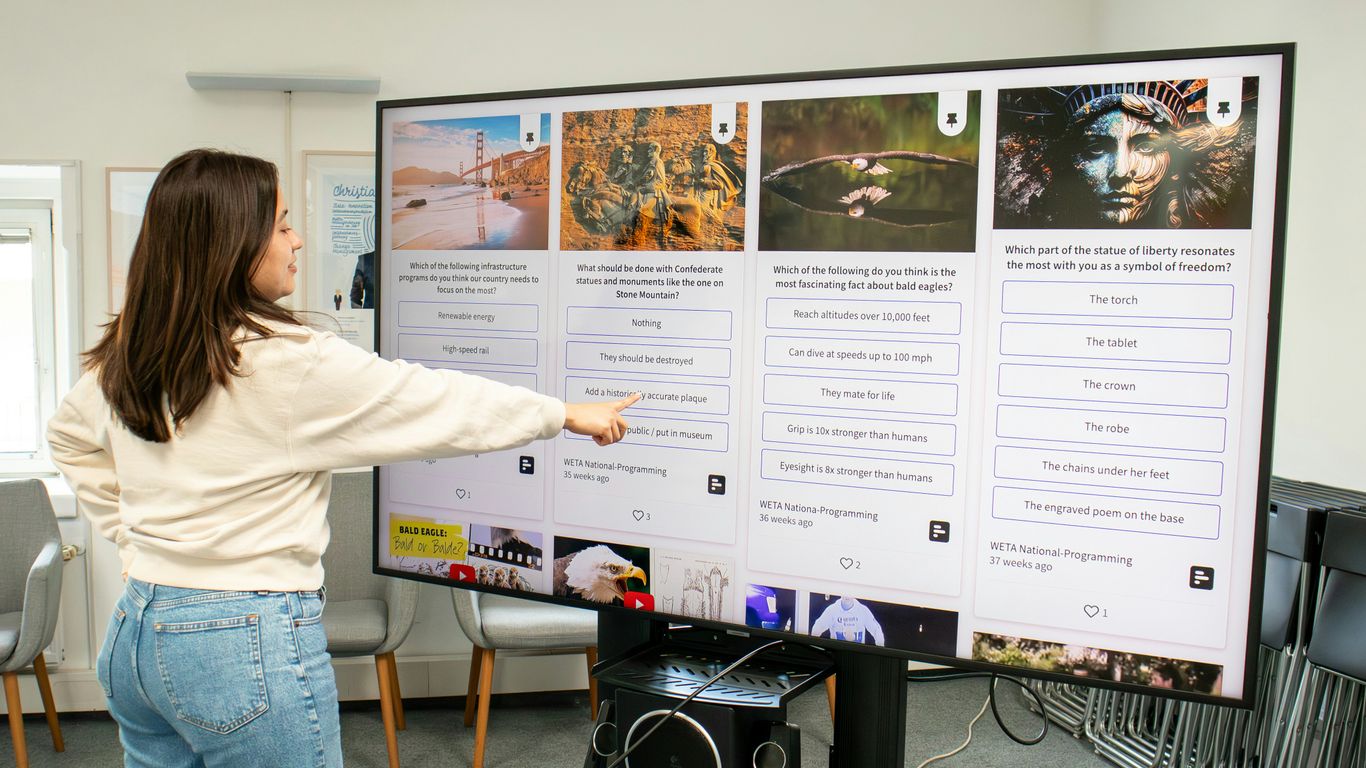
Working with a team on presentations can get messy, fast. You know, the usual back-and-forth emails, trying to figure out who has the latest version, and then someone accidentally overwrites the whole thing. It’s a headache we’ve all dealt with. But AI tools are changing that game. They’re built to make it easier for everyone to jump in, contribute, and get things done without all the usual chaos.
Teamwork Without the Chaos
AI presentation makers often come with built-in collaboration features that are way better than just emailing files around. Think real-time editing, where multiple people can work on the same slide at once, and you can actually see who’s doing what. Some tools even let you leave comments directly on slides, so feedback is organized and easy to track. This means fewer misunderstandings and less time spent trying to merge different versions of your work. It’s like having a shared whiteboard, but for your entire presentation.
Sharing Presentations Seamlessly
Once your presentation is ready, getting it to the right people shouldn’t be a chore. AI tools usually offer simple ways to share your work. You can often generate a shareable link that allows others to view the presentation online, no software download needed. Some platforms also let you control permissions, so you can decide if people can only view, or if they can also edit or comment. This makes it simple to get your ideas in front of stakeholders, clients, or your colleagues quickly and efficiently.
Exporting for Universal Compatibility
While many AI tools let you share directly, you’ll still need to export your presentation sometimes. Maybe you need to present offline, or your company uses a specific software. Good AI tools make this easy. They can export your slides into common formats like PowerPoint (.pptx) or PDF. The trick is finding a tool that exports well, meaning your design, fonts, and layout stay intact. Some tools are better than others here; you don’t want to spend hours fixing a broken export. The goal is to get a polished file that looks just as good as it did in the AI editor, ready for any situation.
Choosing the Right AI Tool for Your Needs

So, you’ve seen how AI can whip up presentations pretty fast. But not all AI tools are created equal, and picking the wrong one can lead to more headaches than it solves. It’s like picking a tool for a DIY project – you wouldn’t use a butter knife to hammer a nail, right? Let’s break down what to look for.
Evaluating AI-Native Platforms
This is a big one. Some tools just slapped an "AI" sticker on their old software when ChatGPT got popular. A truly AI-native platform was built from the ground up with AI in mind. Think of it like a custom-built race car versus a regular car with a spoiler added. The AI-native ones understand presentation flow and design principles better. They’re not just filling in blanks; they’re thinking about how to make your message land.
- Check the core: Can you still use the tool if you turn the AI off? If it falls apart, the AI is just a gimmick. A good AI tool should have a solid foundation that works with or without the AI features.
- Look at the ‘why’: Was the tool designed to solve a specific presentation problem, like turning a long report into a concise pitch, or is it a general design tool with AI bolted on?
- Test the output: Does it just generate text, or does it structure content for impact? Does it suggest layouts that actually make sense for the information?
Understanding Content Ownership and Security
This is where things can get a bit murky, and you really need to read the fine print. Some companies might claim rights to the content you create on their platform. That’s not ideal if you’re building something important for your business.
- Who owns your work? Always check the terms of service. Look for clear statements that you retain ownership of all your creations.
- Data security: If you’re putting sensitive company information into a presentation, you need to know it’s safe. Look for tools that mention encryption and secure storage. Certifications like SOC 2 Type II are a good sign that a platform takes security seriously.
- Privacy policies: Understand how your data is used. Is it just to make your presentation, or are they using it for other purposes?
Assessing Export Quality and Usability
This is where many AI presentation tools stumble. You might create a beautiful deck in the AI tool, but when you export it to a common format like PowerPoint, it looks like a mess. Fonts are broken, images are out of place, and layouts are ruined. It’s like baking a perfect cake only to have it fall apart when you take it out of the oven.
- Test the export: Before committing, create a test presentation with some complex layouts and your brand colors. Export it to PowerPoint and see if it holds up. Does it require hours of cleanup?
- Brand consistency: Can the tool automatically apply your brand colors, fonts, and logos? Or do you have to manually adjust everything after it’s generated?
- Ease of use: Even with AI, the tool should be intuitive. You shouldn’t need a manual the size of a phone book to figure out how to make simple edits. The goal is to save time, not create a new learning curve.
Maximizing Your Presentation Impact
So, you’ve used AI to whip up a presentation. Pretty neat, right? But just having slides isn’t the same as having slides that actually do something. We’re talking about making people listen, making them remember, and maybe even making them act. That’s where maximizing impact comes in.
From Idea to Stunning Slides in Minutes
Remember the days of staring at a blank screen, trying to figure out where to even start? AI tools change that game. You can go from a rough idea, or even just a few keywords, to a full draft of slides in what feels like no time at all. Think about it: you type in "Q3 Marketing Performance," and boom, you’ve got sections on key metrics, campaign breakdowns, and future plans. It’s not about replacing your thinking, but about getting the basic structure down so you can focus on the real message.
Saving Time and Resources with AI
Let’s be honest, how much time do you spend fiddling with fonts, aligning text boxes, or searching for the right image? AI takes a lot of that busywork off your plate. Instead of hours spent on design, you might spend minutes. This means you can get more presentations done, or spend that saved time actually practicing your delivery or digging deeper into your subject matter. It’s a big win for anyone juggling multiple projects.
Here’s a quick look at how time can be saved:
- Initial Draft Creation: AI can generate a full presentation outline and content in under 5 minutes.
- Design & Formatting: Applying consistent branding and layouts can take seconds, not hours.
- Content Refinement: AI suggestions can speed up editing and proofreading.
Delivering Professional Presentations Effortlessly
What does "professional" even mean when it comes to presentations? It means clear, well-organized content that looks good and is easy to follow. AI tools help with this by:
- Structuring Information Logically: AI often organizes points in a way that makes sense, guiding the audience through your topic.
- Suggesting Visuals: Many tools can recommend or even generate relevant images and charts, making your slides more engaging.
- Maintaining Consistency: From colors to fonts, AI helps keep everything looking uniform, which makes a big difference in how polished your presentation appears.
Ultimately, using AI means you can spend less time worrying about the technical side of slide creation and more time on what truly matters: connecting with your audience and sharing your ideas effectively.
Wrapping It Up
So there you have it. Using AI to make your presentations doesn’t have to be some complicated tech thing. It’s really about making your life easier and getting your ideas out there looking good, without all the usual fuss. Whether you’re trying to impress your boss, explain something to your team, or just get your thoughts down on slides, these tools can really help. Give one a try and see how much time and headache you can save. You might be surprised at what you can create.