Understanding the NAO Robot by Aldebaran
So, you’re curious about the NAO robot from Aldebaran? It’s a pretty interesting little machine, designed to be a humanoid robot that people can interact with. Think of it as a platform for learning, research, and even just for fun. It’s not quite a sci-fi android, but it’s a step towards making robots more approachable.
Overview of the Aldebaran NAO Robot
NAO stands about 58 cm tall and weighs around 5.6 kg. It’s built with a lot of moving parts – 25 degrees of freedom, to be exact. This means it has joints in its legs, arms, and head that let it walk, wave, and turn its head. It’s got microphones and speakers, plus cameras, which are its main ways of sensing the world around it. Aldebaran designed it to be programmable, so people can teach it new things or make it do specific tasks. It connects via Wi-Fi or a cable, so it can work on its own or be controlled from afar.
Key Features and Specifications
When you look at NAO, you’ll notice a few things that make it stand out:
- Physical Build: Standing 58 cm tall and weighing 5.6 kg, it’s a manageable size. It has 25 degrees of freedom, with 12 in the legs, 5 in the arms, and 2 for the head, allowing for a range of motion.
- Sensors: It’s equipped with four directional microphones and two cameras. These help it hear, see, and process its surroundings.
- Communication: NAO can speak using text-to-speech for about 20 languages and can also recognize speech. It can also detect and recognize faces.
- Connectivity: It can connect wirelessly (Wi-Fi) or via a wired connection, which is handy for different setups.
Evolution of the NAO Robot Platform
NAO hasn’t always been the robot it is today. It’s gone through several updates over the years. Early versions, like NAO V3 back in 2008, supported fewer languages and had less advanced cameras and microphones. Newer versions, such as V6, have improved on these aspects, offering better language support and more capable sensors. This evolution shows Aldebaran’s commitment to refining the platform based on feedback and technological advancements, making it more useful for various applications.
Programming and Interacting with the NAO Robot
So, you’ve got a NAO robot, or you’re thinking about getting one. That’s cool! But how do you actually get it to do stuff? It’s not like you can just plug it in and expect it to start doing chores. You’ve got to tell it what to do, and that’s where programming comes in. Aldebaran, the company behind NAO, made a few ways to get hands-on with your robot.
The NAOqi Programming Framework
At its core, NAO runs on something called NAOqi. Think of it as the robot’s operating system. It’s what lets you control everything from its motors and sensors to its camera and microphones. You can interact with NAOqi in a few ways. For more advanced users, there’s a Python SDK. This means you can write scripts in Python to make NAO do pretty much anything you can imagine. It’s pretty powerful stuff, letting you get really specific with its movements and reactions. You can even access its internal data, like sensor readings, to make decisions in your code. It’s a bit like being a mad scientist, but with a cute robot.
Choregraphe: A Graphical Programming Tool
Now, not everyone wants to dive headfirst into coding. That’s where Choregraphe comes in. This is Aldebaran’s visual programming tool. Instead of writing lines of code, you drag and drop blocks and connect them to create behaviors. It’s way more intuitive, especially if you’re new to robotics or programming. You can create sequences of actions, like making NAO walk, talk, or wave. It’s designed to make programming accessible to a wider range of people, from educators to hobbyists. You can even test your programs directly on the robot or in a simulator before deploying them. It’s a really neat way to see your ideas come to life without getting bogged down in syntax.
Robot Operating System (ROS) Integration
For those who are already deep into the robotics world, NAO also plays nice with ROS, or Robot Operating System. ROS is a big deal in robotics research. It’s a flexible framework that provides tools and libraries for building complex robot applications. Integrating NAO with ROS opens up a whole new universe of possibilities. You can use all the existing ROS packages and tools with your NAO robot. This means you can connect it with other robots, use advanced mapping and navigation algorithms, or tap into a huge community of developers. It’s a bit more complex to set up than Choregraphe, but if you’re serious about robotics research or development, ROS integration is a game-changer for what you can achieve with NAO.
Applications and Research with the NAO Robot
The NAO robot from Aldebaran has found its way into a lot of different research projects and real-world applications. It’s not just a fancy toy; people are actually using it to learn more about how humans and robots can work together. This has made NAO a popular choice for studies looking into human-robot interaction (HRI).
NAO in Human-Robot Interaction Studies
Researchers love NAO because it’s pretty capable and, compared to some other robots, it’s not outrageously expensive. This means more labs can get their hands on it. They use it to test all sorts of ideas, like how people react to a robot that can talk, move, and even recognize faces. It’s been used in studies where NAO acts as a tutor, a companion, or even just a way to see how people respond to a physical, interactive presence. A lot of these studies focus on making interactions feel more natural, trying to get the robot to understand social cues and respond appropriately. It’s a big step towards robots that can actually be helpful in our daily lives.
Educational and Therapeutic Uses of NAO
NAO has really made a splash in education and therapy. In classrooms, it can be used to teach programming concepts in a fun, hands-on way. Kids can learn to make NAO dance, tell stories, or even play games. It’s a great way to get them interested in STEM fields. In therapy, especially for children with autism, NAO has shown promise. Its predictable behavior and ability to engage can help children practice social skills in a safe environment. Therapists use it to help kids with communication, emotional recognition, and social interaction. It’s not a replacement for human therapists, of course, but it can be a really useful tool in their toolkit.
RoboCup and Competitive Robotics
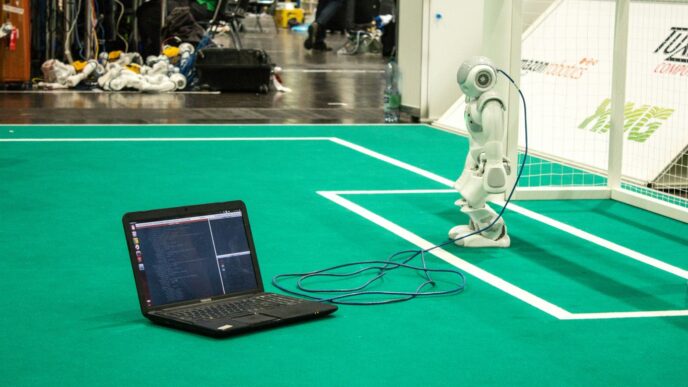
NAO robots have also been a big part of the RoboCup competition, specifically in the ‘RoboCup@Home’ league. This is where robots are challenged to perform tasks that you might see in a real home environment, like fetching items, cleaning up, or interacting with people. Teams of students and researchers program their NAO robots to compete against each other. It’s a fantastic way to push the boundaries of what these robots can do and to develop new algorithms for navigation, manipulation, and human interaction under pressure. Winning isn’t the only goal; it’s about the innovation and the shared learning that comes from these intense competitions.
NAO Robot Capabilities and Limitations
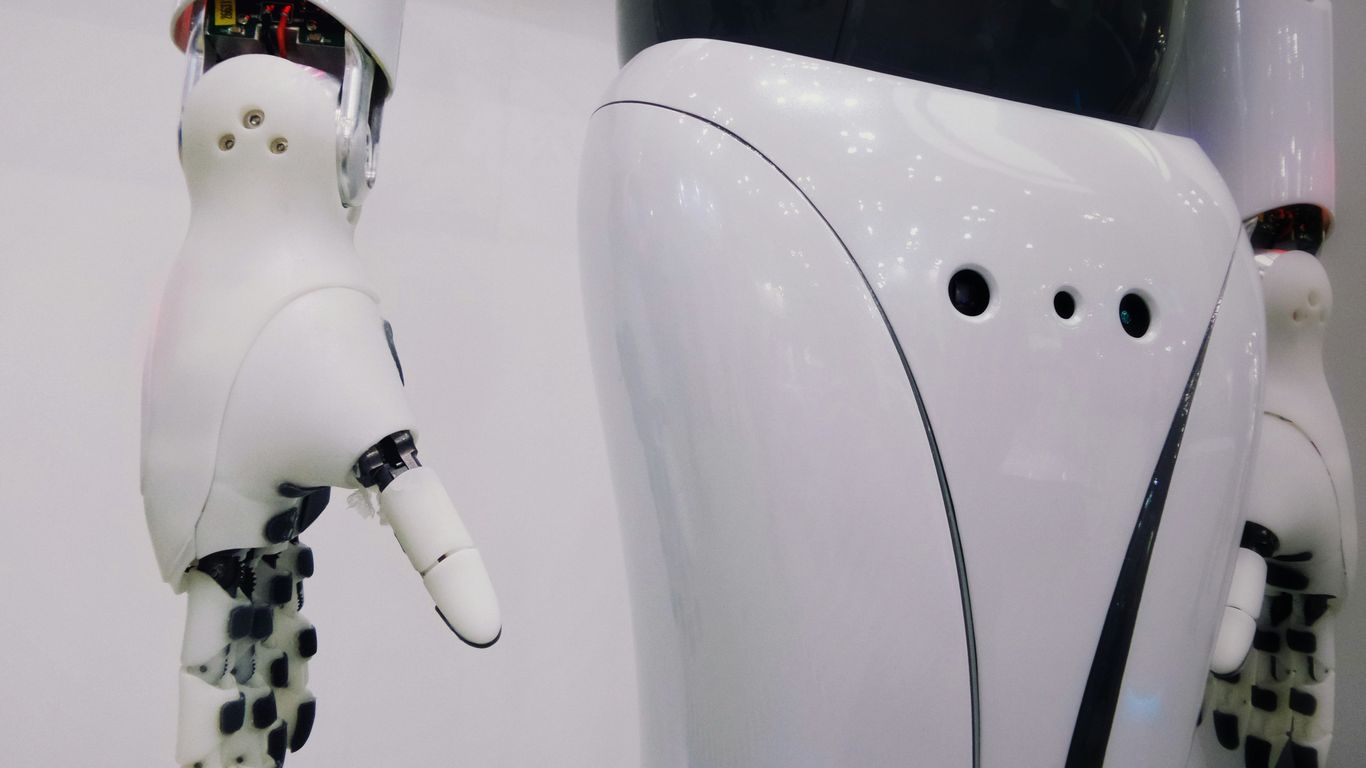
Let’s talk about what NAO can actually do, and where it sometimes falls short. It’s a pretty neat piece of tech, but like anything, it has its strong points and its weak spots.
Sensory Input and Perception
NAO has a couple of cameras and microphones built-in, which are okay for basic stuff. It’s better at seeing things up close, like faces, than things far away. Honestly, those internal cameras aren’t super high-res, so don’t expect it to do complex visual tasks on its own. Researchers often hook it up to better cameras or even depth sensors to get more out of its vision. The microphones are decent for picking up sound, but it can struggle in noisy places. Also, understanding speech, especially from kids or older folks, can be a real challenge for NAO. It’s not always great at figuring out what people are saying, particularly if the environment isn’t quiet.
Here’s a quick look at its built-in sensors:
- Cameras: 2 built-in cameras (low resolution).
- Microphones: 4 directional microphones.
- Touch Sensors: Located in its hands.
- Infrared Sensors: For detecting obstacles.
- Gyrometer & Accelerometer: For balance and movement.
Mobility and Environmental Interaction
NAO is designed to walk on two legs, which is pretty cool. It can move around pretty well on flat, hard surfaces like a typical floor. However, it’s not the most stable robot out there. Throw some carpet or a rug into the mix, and it can get wobbly pretty fast. It needs a pretty predictable environment to move around without issues. Think of it like trying to walk in high heels on a gravel path – not ideal. Researchers are always trying to make its movements smoother and more robust, but it’s a tough problem to solve.
Key points about its movement:
- Walking: Bipedal, works best on hard, flat surfaces.
- Stability: Can be an issue on uneven or soft surfaces (like carpets).
- Degrees of Freedom: 25 joints allow for a range of motion in its arms, legs, and head.
- Environmental Needs: Prefers clear, unobstructed spaces for reliable movement.
Speech Recognition and Natural Language Processing
NAO can understand and speak about 20 languages, which is a lot! It has built-in tools for text-to-speech and speech recognition. But, as mentioned, it’s not perfect. Background noise can really mess with its ability to hear and understand. And human speech is complicated – accents, speed, and age all play a role. It’s particularly tricky for NAO to understand younger children’s speech. Sometimes, people use external services, like cloud-based speech recognition, to help NAO understand better. It’s a work in progress, and while it can follow commands, having a full-blown conversation can be hit or miss.
The Aldebaran NAO Robot in Real-World Settings
Global Reach and Deployment of NAO
It’s pretty wild to think about how many places NAO robots have ended up. We’re talking about over 13,000 of them spread across more than 70 countries. That’s a lot of little robots out there doing their thing! They’ve been used in all sorts of projects, from helping kids learn to assisting in research. It really shows how adaptable this platform is. You see them in universities, research labs, and even some specialized care facilities. The fact that they’re programmable and have a friendly look makes them a go-to choice for many different kinds of work.
User Experience and Engagement
So, how do people actually feel about interacting with NAO? Generally, folks find it pretty approachable. Its smaller size makes it less intimidating, especially for kids, and many users describe it as friendly and sociable. It’s got that human-like appearance, which helps a lot, and people appreciate that it doesn’t judge. However, it’s not all perfect. Some users wish it could show more emotion, have a more natural voice, or gesture more expressively. Think about it: you want a robot to feel like a real partner, not just a machine. Sometimes, when people know a robot is being controlled remotely, they might think it’s less intelligent, which is an interesting point about how we perceive technology.
Affordability and Accessibility
One of the big reasons NAO became so popular, especially in research, is its price point. Compared to some other advanced robots, NAO is more accessible. This allowed many more universities and research groups to get their hands on a programmable humanoid robot. It’s not exactly cheap, mind you, but it’s within reach for many institutions that might not be able to afford much more expensive systems. This accessibility has really helped push forward research in areas like human-robot interaction and education. It means more people can experiment and contribute to the field without needing a massive budget.
Here’s a quick look at some general specs that contribute to its accessibility:
- Height: 58 cm
- Weight: 5.6 kg
- Degrees of Freedom: 25 (allowing for a good range of motion)
- Connectivity: Wired and Wi-Fi (for flexible deployment)
While it has its limitations, especially in complex environments or with very young children’s speech, its overall package makes it a practical choice for many real-world applications.
Wrapping Up Our Look at NAO
So, after digging into what makes the NAO robot tick, it’s pretty clear why it’s been a go-to for so many researchers. It’s not perfect, sure – sometimes it struggles with noisy rooms or tricky speech, and you might need extra gear for it to really see things well. But its friendly look, how easy it is to move around, and the fact that it’s not outrageously expensive have made it a solid choice for tons of projects. From helping kids learn to assisting in therapy, NAO has shown it can do a lot. While there’s always room for improvement, especially in making interactions smoother and more natural, NAO has definitely made its mark in the world of robots that work with people. It’s been a valuable tool, and it’s exciting to think about what the next steps will be for robots like it.