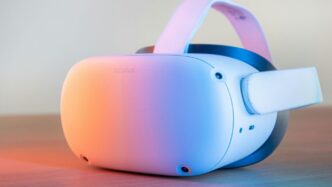
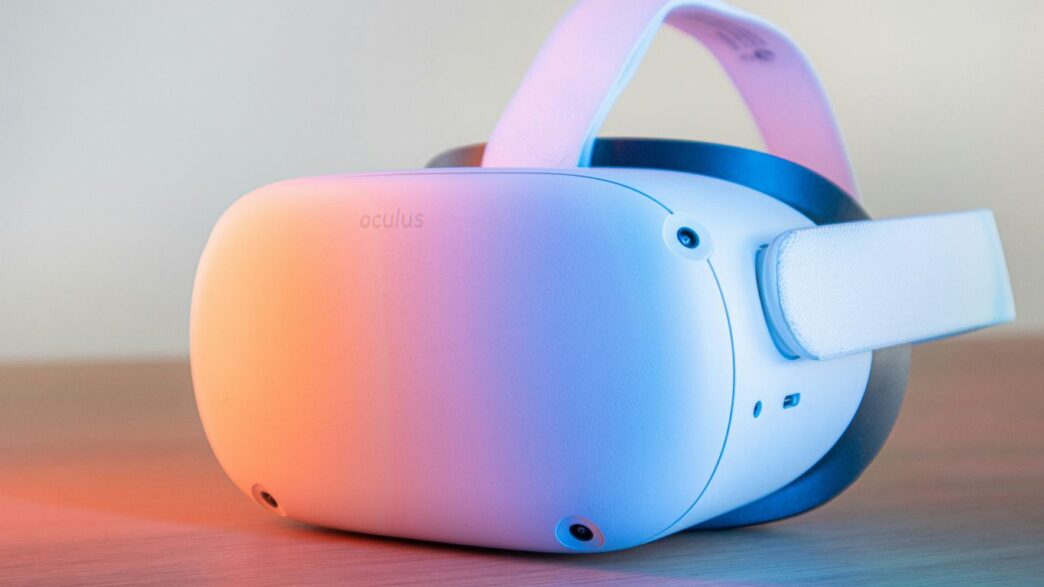
So, you’re looking into the Pico Neo 3, huh? It’s a pretty interesting VR headset that’s been around for a bit, and it’s still a solid choice for a lot of people, especially if you’re not all-in with Meta’s ecosystem. Originally, it was seen as a direct competitor to the Quest 2, and honestly, it holds its own. We’re going to break down what makes the Pico Neo 3 tick, who it’s good for, and whether it’s still worth picking up in today’s VR landscape. Let’s get into it.
Key Takeaways
- The Pico Neo 3 uses a Snapdragon XR2 chip and has a high-resolution display, offering good performance for its price.
- Its design focuses on comfort with balanced weight and an adjustable strap, making it suitable for longer VR sessions.
- Running on Android, the Pico Neo 3 allows for easier sideloading of apps and more freedom compared to more locked-down systems.
- This headset is a good fit for gamers, fitness users, and even for business or educational purposes due to its versatility.
- While it has great PC VR streaming capabilities and no mandatory account login, its native app library is smaller than some competitors.
Understanding The Pico Neo 3 Hardware
Let’s get down to the nitty-gritty of what makes the Pico Neo 3 tick. When you’re looking at VR hardware, it’s all about the display, the power under the hood, and how it tracks your movements. The Pico Neo 3 packs some solid specs that put it in good company with other popular headsets.
Display And Visuals
The screen is where you’ll be spending all your time, so it needs to be good. The Pico Neo 3 uses a LCD panel that puts out a resolution of 1832 x 1920 pixels for each eye. That’s pretty sharp, meaning you should get clear images without too much of that screen-door effect people sometimes complain about. It can also run at either 72Hz or 90Hz, which helps make motion look smoother. A higher refresh rate generally means a more comfortable experience, especially during fast-paced games. For those who want the absolute best visual quality, especially for PC VR, the Pico Neo 3 Link offers a DisplayPort connection.
Processor And Performance
Inside this headset is a Qualcomm Snapdragon XR2 processor. This is the same chip you’ll find in some other well-known VR devices, and it’s a capable piece of hardware. It’s designed for VR and AR tasks, so it should handle most standalone apps and games without breaking a sweat. This processor is a step up from older mobile chips, helping to keep things running smoothly and reducing those annoying long load times. You also get a decent amount of RAM, usually 6GB, which helps with multitasking and keeping apps responsive.
Tracking And Controllers
How the headset tracks your head and hands is super important for feeling immersed. The Pico Neo 3 uses an inside-out tracking system with four cameras. This means it can track your position in the room and your controller movements without needing external sensors. The controllers themselves are also tracked in 6DoF (six degrees of freedom), so they can move naturally with you in virtual space. They feel pretty good in the hand and have haptic feedback to add a bit more realism to your interactions.
Design, Comfort, And Ergonomics
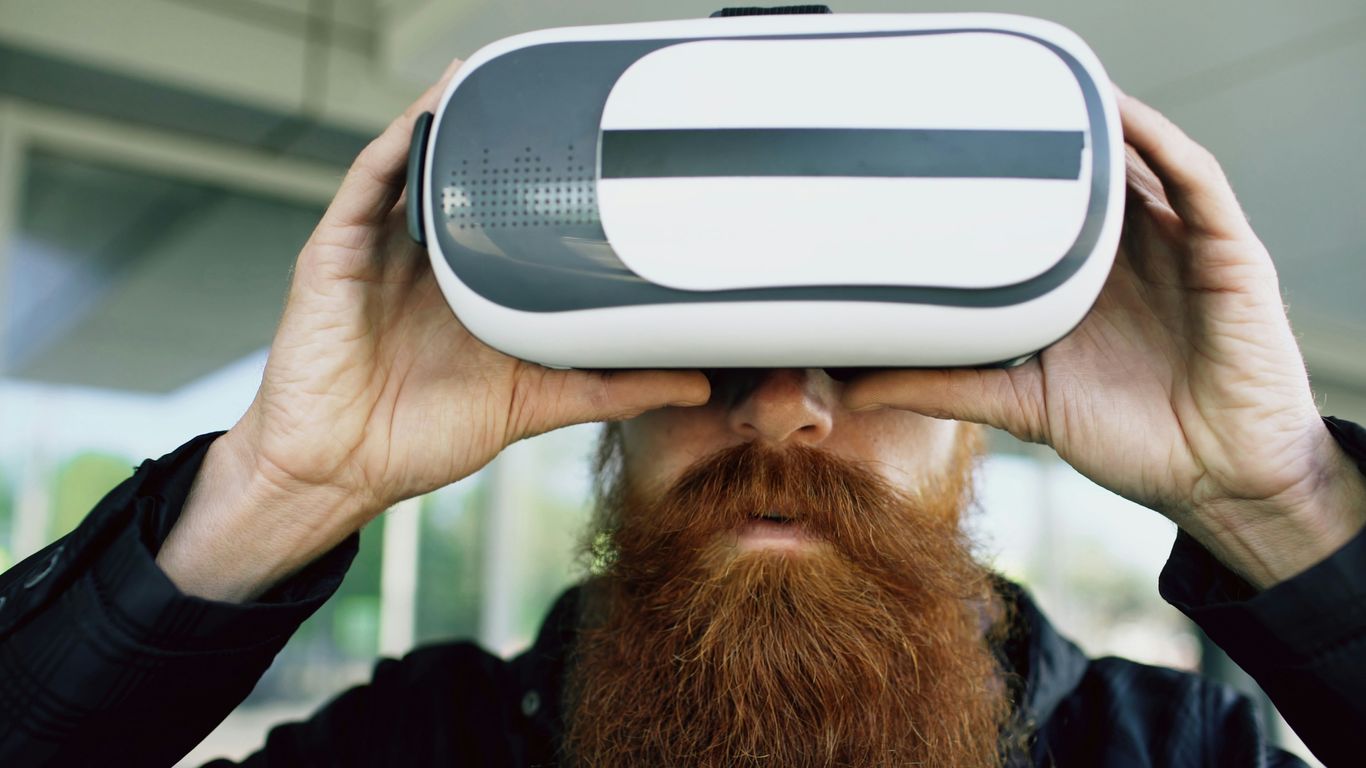
When you’re strapping on a VR headset, the last thing you want is for it to feel like a brick strapped to your face. The Pico Neo 3 gets a lot of things right here, focusing on making it comfortable enough for longer sessions. It’s not exactly a fashion statement, but it feels pretty solid.
Balanced Weight Distribution
One of the big wins for the Neo 3 is how it handles its weight. Instead of putting all the heft on the front, they’ve put the battery pack in the rear strap. This really helps balance things out, so it doesn’t feel like it’s constantly pulling your face forward. This thoughtful design makes a noticeable difference, especially when you’re moving around in VR. It’s a simple idea, but it works well to keep things from feeling too front-heavy, which is a common complaint with some other headsets.
Adjustable Head Strap
Getting the fit just right is key, and the Neo 3 offers a decent adjustable head strap. You can tighten or loosen it to get a snug fit without it feeling like a vise. There’s also some padding in there, which helps prevent those annoying pressure points on your forehead and cheeks. It’s not the most luxurious padding out there, but it does the job. Plus, the three-level interpupillary distance (IPD) adjustment means you can tweak the lens spacing to match your eyes, which is great for reducing eye strain and getting a clearer picture.
Hygiene And Maintenance
Keeping things clean is pretty straightforward with the Pico Neo 3. The face padding is removable, which is a big plus. You can just take it out and give it a wipe down with some disinfectant wipes or even wash it if needed. The PU leather material used for the facial interface is also easy to clean, meaning you can keep it fresh even if you’re sharing the headset or just want to maintain it properly. This is super handy, especially if you plan on using it a lot or letting friends try it out.
Pico Neo 3 Software And Ecosystem
The Pico Neo 3 runs on a familiar operating system, which is a big plus for many users. It’s built on Android, and this open system gives you a lot more flexibility than you might find elsewhere. This means you can do things like sideload apps, which is pretty neat if you’re into custom setups or want to try out software not officially in the store.
Android Operating System Advantages
Because it’s an Android device, the Neo 3 is quite adaptable. For businesses, this means you can set it up in ‘kiosk mode’. This is handy for training or public demonstrations where you want to limit what users can do, like disabling certain buttons or restricting access to specific apps. It’s a simple way to keep things focused and secure for a particular task. The system also allows for easy updates and integration with other Android-based tools you might already be using.
Sideloading And Custom Apps
One of the standout features for tech enthusiasts is the ability to sideload applications. If you’re a developer or just like to tinker, you can install APK files directly onto the headset. This opens up a world of possibilities beyond the official Pico Store. You can experiment with beta software, run specialized tools, or even access content that might not meet the store’s guidelines. It’s this kind of freedom that appeals to a lot of people looking for more control over their hardware. For those interested in pushing the boundaries, this is a key reason to consider the Pico Neo 3.
Pico Store Content
While sideloading is great, the Pico Store itself is where you’ll find a good chunk of your content. It’s got a growing library of games and applications. You’ll find popular VR titles, productivity tools, and some unique experiences. It might not be as massive as some other VR stores out there, but it’s steadily expanding. Plus, the ability to use it for PC VR streaming means you’re not limited to just the standalone content. You can access your SteamVR library, which is a huge plus for PC gamers. This dual approach to content access makes the Pico Neo 3 a pretty versatile device for entertainment and beyond. If you’re looking for a headset that plays well with your PC, the Pico Neo 3 is a strong contender.
Who Is The Pico Neo 3 For?

So, who exactly is this Pico Neo 3 headset aimed at? It’s not really a one-size-fits-all kind of deal, but it definitely hits the mark for a few different groups of people. If you’re on the fence, let’s break down who might get the most out of it.
Gamers and VR Enthusiasts
If you’re looking for a solid standalone headset that can also play PC VR games, the Neo 3 is a pretty good pick. Its performance is right up there with the Quest 2, but you get more freedom with app choices and don’t have to deal with a mandatory Meta account. This means you can jump into SteamVR or other PC VR platforms without as many hoops to jump through. For gamers who want a versatile headset that doesn’t lock them into one company’s ecosystem, the Pico Neo 3 is a strong contender.
Fitness and Active Users
Want to get your sweat on in virtual reality? The Neo 3 works well for that. Pair it with a VR fitness app, and you’ve got an immersive way to work out. It’s not too heavy and feels pretty balanced on your head, which is important when you’re moving around a lot. The ability to easily clean the face padding also helps keep things hygienic after a tough session.
Enterprise and Educational Use
This is where the Pico Neo 3 really shines for some. Because it runs on an open Android system, businesses and schools can tweak it for specific needs. Think about setting up kiosks where users can only access certain apps, or using it for virtual training simulations. It’s flexible enough for these kinds of specialized jobs. Plus, the ability to easily clean the headset makes it suitable for shared use in an office or classroom setting.
Developers and Tinkerers
If you like to mess around with software and build your own VR experiences, the Neo 3 is a good platform. Its open architecture and support for SDKs mean you can develop and load custom apps more freely. This is a big plus compared to more closed-off systems where getting your own creations onto the headset can be a real pain. You can also sideload APKs, which gives you a lot of freedom to experiment.
Pico Neo 3 Comparisons
Pico Neo 3 Versus Meta Quest Lineup
When you look at the Pico Neo 3 and the Meta Quest 2, it’s like looking at two peas in a pod, hardware-wise. Both use that same Snapdragon XR2 chip, and the screen resolution is pretty much identical. So, performance-wise, they’re in the same ballpark. Meta’s got a bigger game library, no doubt about it, but Pico gives you more freedom if you’re into PC VR or just don’t want to be tied to a Meta account. It’s a trade-off: Meta’s vast content versus Pico’s openness.
Now, comparing the Neo 3 to the Quest 3 is a different story. The Quest 3 is newer, with better mixed reality features and a more advanced chip. But if you’re looking for something that’s more budget-friendly and perhaps better suited for business or training setups, the Neo 3 still holds its own. It’s not trying to be the flashiest headset on the block; it’s more about practical use.
Pico Neo 3 Versus Other VR Headsets
Thinking about how the Pico Neo 3 stacks up against other headsets out there really puts things in perspective. For instance, compared to something like the Apple Vision Pro, which is way up there in price and focuses more on augmented reality, the Neo 3 is a VR-first, affordable option. It’s a completely different category of device.
Then there’s the PlayStation VR2. If you’ve got a PS5, the PS VR2 can offer some seriously impressive graphics, but it’s tethered to your console. The Pico Neo 3, on the other hand, is a standalone unit that you can also connect to a PC. This flexibility is a big deal for a lot of people. It means you’re not locked into one system and can jump between different experiences more easily. The Pico Neo 3’s strength lies in its versatility and its more open approach compared to some of its competitors.
Here’s a quick look at how it generally compares:
- Standalone Capability: Pico Neo 3 is fully standalone.
- PC VR: Supports PC VR streaming.
- Content Ecosystem: Pico has a growing library, but Meta often has more exclusive titles.
- Openness: Pico generally offers more freedom for sideloading and custom apps.
- Price Point: Often positioned as a more budget-conscious alternative to high-end headsets.
Maximizing Your Pico Neo 3 Experience
So, you’ve got your Pico Neo 3, and you’re ready to really get the most out of it. That’s awesome! It’s a pretty neat piece of tech, and there are definitely ways to make it even better. Let’s talk about how you can really get it working for you, whether that’s connecting it to your PC or just making sure it lasts as long as possible between charges.
PC VR Streaming Setup
Want to play those big PC VR games on your Pico Neo 3? You can! It’s not quite as simple as plugging it in, but it’s totally doable. You’ll need a good Wi-Fi connection, ideally 5GHz, and your PC needs to be on the same network. Pico has its own software for this, called Pico Link. You’ll install it on your PC, and then use the app on your headset to connect.
Here’s a quick rundown:
- Install Pico Link Software: Download and install the Pico Link application on your computer. Make sure your PC meets the requirements for the games you want to play.
- Connect to Wi-Fi: Ensure both your PC and your Pico Neo 3 are connected to the same Wi-Fi network. A strong, stable connection is key here.
- Launch and Connect: Open the Pico Link app on your PC and then launch the Pico Link app within your headset. Follow the on-screen prompts to pair them up.
- Launch SteamVR: Once connected, you should be able to launch SteamVR from within the headset and start playing your PC VR library.
It might take a little fiddling to get it perfect, but when it works, it’s pretty great not being tethered to a PC.
Optimizing Battery Life
Nobody likes running out of juice mid-game. The Pico Neo 3 generally gets about 2.5 to 3 hours of use, which is decent, but you can stretch that a bit.
- Lower Screen Brightness: Just like your phone, a brighter screen uses more power. Try turning the brightness down a notch or two if you can. You might not even notice the difference.
- Disable Unused Features: If you’re not using Wi-Fi or Bluetooth for something specific, turn them off. Background processes can eat up battery.
- Close Background Apps: Make sure you’re closing out of apps you’re not actively using. They can still run in the background and drain power.
- Consider a Battery Pack: For longer sessions, especially if you’re using it for work or extended gaming, a portable USB battery pack can be a lifesaver. Just make sure it’s compatible and you have a way to strap it on comfortably.
Essential Accessories
While the Pico Neo 3 is good on its own, a few accessories can really make your experience better. Think about what you’ll be using it for most.
- Comfort Strap/Headband: The default strap is okay, but many people find aftermarket head straps much more comfortable for longer play sessions. They often offer better weight distribution.
- Facial Interface/Cushion: For hygiene and comfort, a replacement facial interface can be a good idea. Some are made of PU leather, which is easy to wipe down, while others might offer a softer feel.
- Controller Grips/Straps: These can help prevent you from accidentally throwing your controllers and also make them more comfortable to hold for extended periods.
- Carrying Case: If you plan on taking your headset anywhere, a dedicated case will protect it from bumps and scratches.
Getting these little extras can make a big difference in how much you enjoy using your Pico Neo 3 day-to-day.
Pros And Cons Of The Pico Neo 3
So, you’re thinking about picking up a Pico Neo 3? It’s a solid piece of kit, no doubt, but like anything, it’s got its good points and its not-so-good points. Let’s break it down so you know exactly what you’re getting into.
Key Advantages
First off, the Pico Neo 3 is pretty great for PC VR. You can hook it up with a cable, or even stream wirelessly, which is a big plus if you want to play those more demanding PC VR games. It uses the same Snapdragon XR2 chip as the Quest 2, so the performance is right there with it. Plus, you don’t have to deal with a mandatory Meta account, which a lot of people appreciate. It runs on Android, making it easier to load up your own apps and games if you’re into that sort of thing. The headset itself is also designed to be pretty comfortable, with the battery pack at the back helping to balance the weight, making it feel less front-heavy during longer sessions. The face cushion is removable, which is handy for keeping things clean.
Here’s a quick rundown of the good stuff:
- Great PC VR support: Whether wired or wireless, it handles PC VR well.
- No forced Meta account: More freedom for users.
- Android OS: Opens the door for sideloading and custom apps.
- Comfortable design: Good weight distribution helps with long playtimes.
- Easy to clean: Removable face padding is a nice touch.
Potential Drawbacks
Now, for the flip side. The biggest thing is the native app library. It’s just not as big as what you’ll find on other platforms, especially Meta’s Quest store. While you can sideload, it’s not the same as having a huge selection readily available. Also, it doesn’t have built-in hand tracking, which is becoming more common on newer headsets. Availability can also be an issue, especially if you’re in North America; it’s not as widely distributed there. Some people also mention that the materials feel a bit more plasticky compared to some of the more premium headsets out there. And, like many standalone VR headsets, battery life is just okay – you’re looking at around 2.5 to 3 hours before needing a recharge, which can cut your sessions short if you’re not plugged in or near a charger. It also lacks a dedicated display port, which might be a dealbreaker for some PC VR setups that prefer a direct wired connection over streaming. This headset offers a good balance, but these points are worth considering.
So, Is the Pico Neo 3 Still a Good Buy?
Alright, so we’ve gone through a lot about the Pico Neo 3. It’s not the newest kid on the block anymore, that’s for sure. But honestly, it still holds up pretty well. For the price, you get a solid VR experience, especially if you’re looking to connect to your PC for SteamVR games or just want a standalone headset that doesn’t tie you down to one company’s account. It’s comfortable enough for longer sessions, and the fact that you can sideload apps is a big plus for anyone who likes to tinker. If you’re just getting into VR or need a reliable headset for work or gaming without breaking the bank, the Pico Neo 3 is definitely still worth a look. It might not have all the bells and whistles of the latest models, but it gets the job done and then some.
Frequently Asked Questions
What makes the Pico Neo 3 good for gaming?
The Pico Neo 3 is great for games because it has a sharp screen that makes everything look clear and a fast refresh rate so things move smoothly. It can also connect to a computer to play PC VR games, giving you lots of options.
Can I use the Pico Neo 3 for things other than games?
Absolutely! Many people use the Pico Neo 3 for working out, watching 3D movies, or even for school and work training. Its comfy design makes it good for moving around a lot.
Is it hard to set up the Pico Neo 3?
Not really! It uses cameras on the headset itself to track where you are, so you don’t need extra sensors around your room. This makes setting it up much simpler.
Can I put my own apps on the Pico Neo 3?
Yes! Since it runs on Android, you can add apps that aren’t in the official store. This is super handy if you like to try out new or custom programs.
How does the Pico Neo 3 compare to other VR headsets like the Meta Quest?
The Pico Neo 3 has similar tech to the Quest 2, like the same main chip and screen quality. However, the Pico Neo 3 offers more freedom for adding apps and doesn’t require you to log in with a Meta account.
How long does the battery last on the Pico Neo 3?
The battery usually lasts about 2.5 to 3 hours when you’re just using the headset by itself. To make it last longer, you can try turning on a low power mode or avoid using it for really demanding tasks for too long.