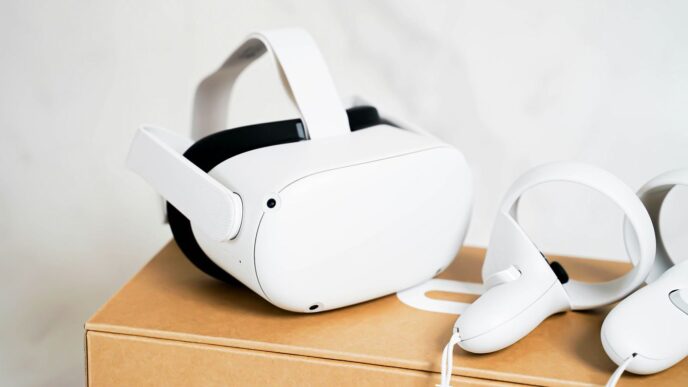
Remember when Google Earth VR first came out? It was pretty mind-blowing, letting you zip around the globe from your living room. That was for PC VR, though. Now, with the Meta Quest 3, we’re seeing some really cool apps that bring that same feeling to standalone VR. It’s not quite the same as the original Google Earth VR, but these new apps get pretty close, and some even add their own neat features. Let’s check out what’s out there for exploring the world on your Quest 3.
Key Takeaways
- Apps like Fly, EarthQuest, and Wooorld let you explore the world in VR on the Meta Quest 3, using Google’s 3D map data.
- Fly is designed to be easy for beginners, with a comfortable flying experience that helps reduce motion sickness.
- EarthQuest offers lots of settings for graphics and how you see the world, including Street View and scale adjustments.
- Wooorld focuses on social exploration and has many features, including AI interactions and multiplayer options.
- While these apps are great, they aren’t a direct replacement for the original Google Earth VR on PC, which still has a simpler interface, but the Quest apps do add features like multiplayer.
Experiencing Google Earth VR on Meta Quest 3

It feels like ages ago that Google Earth VR first came out, and honestly, it was pretty amazing back then. You could just float around the planet, seeing places from way up high or zipping through city streets. It gave you a sense of scale and depth that regular maps just can’t match. But, that was for PC VR headsets, and it never really made its way to the standalone Quest headsets. That is, until now. With the Meta Quest 3, we’re seeing a new wave of apps that bring that globe-trotting magic right to your living room, no PC required.
The Evolution of Virtual Globe Exploration
For years, exploring the Earth in VR meant you needed a powerful computer and a tethered headset. It was a cool experience, but it wasn’t exactly accessible for everyone. The original Google Earth VR app, while groundbreaking, was limited to that setup. Now, thanks to advancements in standalone VR technology and Google opening up its 3D map data, developers are creating apps that offer a similar, and in some ways, even better experience directly on the Quest 3. It’s a big step from just looking at a flat screen to actually feeling like you’re there.
Standalone VR’s Leap Forward
The Quest 3 represents a significant jump for virtual reality, especially for experiences like exploring the world. Being able to jump into a virtual globe without being tied to a PC is a game-changer. This means more freedom to move around and a simpler setup. You can literally pick up your headset and start exploring anywhere on Earth in minutes. This accessibility is what makes the Quest 3 so exciting for virtual travel.
Immersion Beyond Conventional Maps
What really sets these VR apps apart is the feeling of presence. You’re not just looking at a map; you’re in it. You can fly over mountains, hover above famous landmarks, or even get down to street level. Some apps even let you walk around using a treadmill, giving you a truly physical connection to the virtual world. It’s a completely different way to learn about and see the planet, offering a sense of scale and detail that flat screens simply can’t replicate. You can explore the globe virtually with your Meta Quest 3 and really get a feel for different places.
Fly: A Beginner-Friendly Virtual Journey
If you’re new to VR or just want a simple way to see the world, ‘Fly’ is a really good starting point. It feels like you’re piloting a little futuristic craft, complete with a dashboard in front of you. This setup is designed to help with that weird feeling some people get when moving around in virtual reality, which is pretty thoughtful. You can even turn off those visual aids if you’re feeling brave and want a more open experience.
Piloting Your Virtual Drone
Getting around in ‘Fly’ is pretty straightforward. You mostly use the thumbstick on your controller, kind of like playing a video game. The app keeps your movement speed pretty low, which is another way it tries to keep things comfortable. It’s not about zipping around at top speed; it’s more about a relaxed tour of wherever you choose to go. This slower pace really lets you take in the sights without feeling rushed or queasy.
Controls and Navigation
‘Fly’ makes it easy to get where you want to go. You point and click, or use your controller’s stick to guide your virtual vehicle. It’s designed so you don’t have to think too hard about the controls. You can also adjust settings to make movement feel more natural, like turning your body to change direction. The goal here is to let you focus on the view, not on figuring out how to move.
Dynamic Day/Night Cycles
One of the cool things about ‘Fly’ is how it handles time. You can watch the world change from day to night right before your eyes. This adds a lot to the atmosphere, making familiar places look completely different as the sun sets or rises. It’s a small detail, but it makes the virtual world feel much more alive and real. The transitions are smooth, and you can go from ground level all the way up to the edge of space, with the world loading in quickly as you explore new areas.
EarthQuest: Feature-Rich Exploration
EarthQuest really goes for users who want to tweak every little setting. If you’re someone who likes to get into the nitty-gritty of graphics and customization, this might be your jam. It lets you mess with things like the resolution, how detailed the terrain looks, and how many 3D bits load at once. You can really prioritize what looks best to you, though it can sometimes make the whole experience a bit choppy if you push it too hard.
The app also includes a neat day/night cycle, letting you see places at dawn or dusk, though sometimes the glow effect can make things look a bit fuzzy. It supports Google Street View, and honestly, it seems to handle it better than some others. You get a little preview on your hand, and then you can jump right into the 360-degree views. It’s pretty slick.
Here’s a quick rundown of what you can adjust:
- Render Resolution: How sharp the image looks.
- Terrain Detail: How much texture and shape the ground has.
- 3D Tile Loading: How many pieces of the world load around you.
EarthQuest also lets you change the scale of everything. You can shrink yourself down to feel like a giant exploring a miniature world, or see things at a more realistic size. Flight controls are pretty standard, using your hand to point where you want to go. If all that movement makes you feel a bit queasy, there’s a tunnel view option to help. It’s not quite the same as the PC version of Google Earth VR, but for a standalone Quest app, it’s pretty impressive. You can even save your favorite spots to visit again later, which is handy. If you’re looking for a more advanced way to explore, check out EarthQuest on the Horizon Store.
Wooorld: Social and Immersive Discovery
Wooorld really leans into the social side of exploring our planet in VR. It’s not just about looking at places yourself; it’s about sharing that experience with others. Think of it as a virtual hangout spot where the whole world is your playground. You can invite friends, chat using your voice, and even see each other as 3D avatars that react to your movements. It feels like you’re actually there together, pointing out landmarks or planning your next imaginary trip.
Fully Immersive Map Exploration
One of the coolest things about Wooorld is how it pulls you right into the map. Instead of looking at a flat screen or a tabletop model, you’re in it. The app lets you get right down to street level, or zoom out to see entire cities spread out below you. It’s a big change from just seeing borders on a screen. You can grab the map with your hands, move it around, and zoom in and out. It makes exploring feel much more natural and engaging.
AI-Powered Interactions
Wooorld also has some neat tricks up its sleeve with AI. There’s an AI assistant you can talk to. Ask it questions about places you’re looking at, and it can give you answers. It can even take you to different locations just by you asking. They also have a trivia game called ‘Where in the Wooorld?’ which is surprisingly fun and can be quite challenging. It’s a different way to learn about geography, using your voice to interact with the world around you.
Social World Exploration Features
Beyond just chatting, Wooorld has features built for group fun. You can visit famous landmarks, natural wonders, and cities all over the globe in detailed 3D. It’s great for planning trips or just dreaming about them with friends. The app also has a camera mode, letting you take pictures of your surroundings or even selfies with your avatar. It adds a personal touch to your virtual travels. Plus, they’re always adding new stuff, so there’s usually something fresh to check out. It’s a platform that’s constantly growing, aiming to be the go-to spot for shared virtual adventures.
Comparing Google Earth VR Alternatives on Quest 3
So, Google Earth VR on PC is pretty amazing, right? But what if you want that globe-trotting experience without being tethered to a computer? That’s where the Quest 3 comes in, and there are a few apps trying to fill that gap. It’s not quite the same as the original, mind you. The standalone headsets just don’t have the same horsepower, so you won’t get that same level of detail or super-smooth performance across the board. Still, some apps get surprisingly close and even add features Google’s own app doesn’t have.
Key Strengths of Each Application
Each of these apps has its own thing going for it. It really depends on what you’re looking for in a virtual trip.
- Fly: This one is super easy to get into. If you just want to jump in and start flying around without a lot of fuss, Fly is a good pick. It’s built for beginners, so the controls are straightforward. You can change the time of day, which is a nice touch, and it has comfort options like snap turning. It’s a solid, no-frills way to see the world.
- EarthQuest: If you’re into tweaking settings and getting the best possible visuals, EarthQuest might be your jam. You can mess with graphics settings, change the scale of everything (making yourself a giant or a tiny ant), and it has a pretty good Street View integration. It feels like it’s trying to pack in a lot of options, sometimes to the point where the menus can look a bit clunky, but the core experience is strong.
- Wooorld: This app leans heavily into being a social experience. It’s like a virtual hangout spot where you can explore the globe with friends. It’s packed with features, maybe even a bit too many for some, with AI tours and games. The map interface is pretty decent, and it’s great if you want to plan trips or just explore with others.
Navigating User Interfaces
This is where things can get a little bumpy. Google Earth VR on PC has a really clean, intuitive interface. The Quest alternatives? Not so much.
- Fly: Generally pretty simple. You point and move your hands to steer. Easy peasy.
- EarthQuest: This one can be a bit of a mixed bag. It’s functional, but the design isn’t exactly pretty. You’ll find what you need, but it might take a moment to figure out where everything is.
- Wooorld: This app has a lot going on, and the menus can feel a bit overwhelming. They’re often presented as flat, 2D screens, which doesn’t always feel natural in VR. It’s feature-rich, but sometimes that means a steeper learning curve for the interface.
Performance and Visual Fidelity
Let’s be real, running complex 3D environments on a standalone headset is tough. So, don’t expect the same level of graphical polish as the PC VR version.
| App | Visual Detail | Smoothness | Street View | Extra Features | Price |
|---|---|---|---|---|---|
| Fly | Good | Very Good | Basic | Day/Night | $10 |
| EarthQuest | Very Good | Good | Enhanced | Scale Control | $9 |
| Wooorld | Good | Good | Basic | Social, AI | Paid |
Overall, there’s no single ‘best’ app; it’s about what you prioritize. If you want simplicity, Fly is great. If you like tweaking settings and better graphics, EarthQuest is a strong contender. And if you’re all about social exploration, Wooorld is the way to go. They’re all still being updated, so hopefully, they’ll keep getting better.
The Future of Virtual Earth Exploration
It’s pretty wild to think about how far virtual globe exploration has come, especially with standalone headsets like the Quest 3. The original Google Earth VR on PC was a game-changer, but now we’re seeing apps that bring that same sense of wonder, and even more, right to our living rooms without needing a powerful computer. This is just the beginning, though.
Continuous App Development
We’re already seeing a steady stream of updates for apps like Fly and EarthQuest. Developers are constantly tweaking things, adding new features, and trying to make the experience smoother and more detailed. It feels like every few months, there’s something new to check out. This ongoing work means the apps we have now will only get better. Expect more realistic textures, faster loading times, and maybe even entirely new ways to interact with the virtual world. It’s a good sign that these apps aren’t just one-and-done projects.
Google’s Role in Third-Party Apps
While Google’s own Earth VR app hasn’t made the jump to standalone headsets, they seem to be playing a role, at least indirectly, with some of these new Quest apps. Apps like Fly mention using Google Earth’s data and tiles. This kind of partnership, or at least access to the data, is probably going to continue. It makes sense – Google has the maps, and developers have the VR know-how. This collaboration could lead to even more impressive applications down the line, perhaps with features closer to what the original PC VR app offered.
Advancements in Standalone VR Headsets
And let’s not forget the headsets themselves. The Quest 3 is already pretty capable, but what’s coming next? We’re likely to see standalone headsets with even more processing power, better displays, and improved tracking. This means apps like EarthQuest could push their graphical settings even further without stuttering. Imagine exploring the planet with higher resolutions and more complex environmental details, all without being tethered to a PC. The combination of better apps and better hardware is what’s really going to make virtual earth exploration feel truly next-level.
Wrapping Up Our Virtual Travels
So, after checking out these different ways to explore the globe in VR on the Quest 3, it’s pretty clear we’ve got some cool options. While none of them are exactly the same as the original Google Earth VR on PC, they each bring something neat to the table. ‘Fly’ is super easy to jump into, ‘EarthQuest’ has a ton of settings to play with, and ‘Wooorld’ feels more like a social hangout spot. It’s awesome that these apps keep getting better, and it’s exciting to think about what might come next. For now, though, strapping on the headset and seeing the world from a new perspective is a pretty amazing experience, no matter which app you pick.
Frequently Asked Questions
What is Google Earth VR on the Meta Quest 3?
Google Earth VR on Meta Quest 3 lets you explore the entire planet right from your virtual reality headset. Instead of just looking at a flat map, you can fly around cities, visit famous landmarks, and see places from a bird’s-eye view, making it feel like you’re really there.
What are the best apps for exploring Earth in VR on Quest 3?
Some top apps are ‘Fly,’ ‘EarthQuest,’ and ‘Wooorld.’ ‘Fly’ is great for beginners and has a cool drone-like feel. ‘EarthQuest’ offers lots of settings to change how you see the world, like making things look like miniatures. ‘Wooorld’ is more social and lets you explore with friends.
Can I use Google Street View in these VR apps?
Yes, most of these apps, like ‘EarthQuest,’ let you dive into Google Street View. You can see places as if you were walking on the street, offering a different perspective than just flying high above.
Are these apps like the original Google Earth VR on PC?
They are similar in that they let you explore the world using Google’s 3D map data. However, the original Google Earth VR on PC is considered a masterpiece in design. These Quest apps are made for standalone headsets, so they might look a bit different but offer unique features like multiplayer modes that the PC version doesn’t have.
Do I need a powerful computer to use these VR Earth apps?
No, that’s the great thing about the Meta Quest 3! These apps are designed to work directly on the headset without needing a separate computer. This makes exploring the world in VR much more accessible.
What’s new or different about exploring Earth in VR on Quest 3 compared to older headsets?
The Quest 3 has better graphics and processing power than older standalone headsets. This means apps like ‘Fly,’ ‘EarthQuest,’ and ‘Wooorld’ can look sharper, load faster, and offer more detailed environments, giving you an even more amazing virtual travel experience.