Apple’s new iPhone 16 is out, and a lot of people with an iPhone 13 are probably wondering if it’s time to upgrade. It’s not always a clear-cut decision, especially with how good the iPhone 13 still is. Prices are up, and sometimes the new features don’t feel like a huge leap. We’re going to break down the iPhone 13 vs 16 battery life and other key areas to help you figure out if making the switch makes sense for you. We’ll look at what’s actually different, what users are saying, and if the cost is worth it.
Key Takeaways
- The iPhone 16 offers a noticeable bump in battery life, typically lasting 2-3 hours longer in video playback compared to the iPhone 13, thanks to better hardware and software.
- While the iPhone 13’s camera was good, the iPhone 16 brings significant improvements with a higher megapixel main sensor, better low-light performance, and AI-powered features for sharper photos and videos.
- Performance sees a jump with the iPhone 16’s newer chip, making apps open faster and handling demanding tasks like video editing or AI features more smoothly than the iPhone 13.
- Charging speeds get a slight boost on the iPhone 16, with faster wired charging capabilities, though MagSafe remains similar with some thermal improvements.
- Upgrading from an iPhone 13 to an iPhone 16 is most justified if you heavily rely on your phone for demanding tasks, photography, or if your current iPhone 13 is showing significant signs of age like poor battery health or slow performance.
Understanding Battery Life Expectations: iPhone 13 Versus iPhone 16
When we talk about phones, battery life is always a big one, right? It’s like the fuel gauge for our daily lives. The iPhone 13, bless its heart, was pretty solid for its time. It could get you through a decent chunk of the day, maybe up to 17 hours of video playback if you were being kind to it. But let’s be real, we’re always looking for more juice.
iPhone 13 Battery Performance Benchmarks
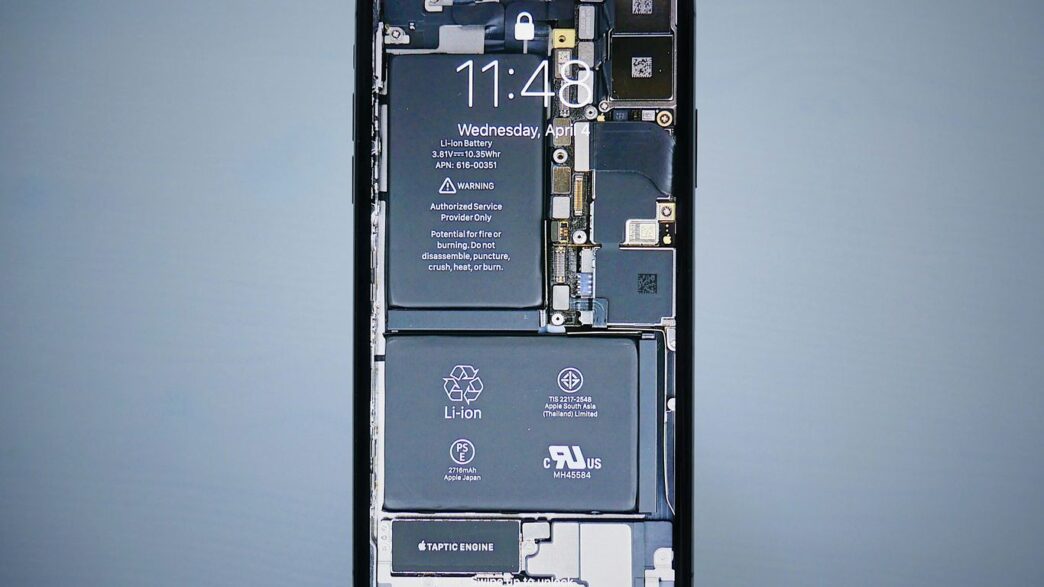
The iPhone 13 came equipped with the A15 Bionic chip, which was quite efficient. Combined with its battery capacity, it offered a reliable experience for most users. However, under heavy use – think lots of gaming, video calls, or constant GPS navigation – you might find yourself reaching for a charger before the day is completely done. It wasn’t bad, not by a long shot, but it wasn’t exactly groundbreaking either. For many, it meant a midday top-up was sometimes necessary, especially if they were away from a power source for extended periods.
Projected iPhone 16 Battery Improvements
Now, the iPhone 16 is shaping up to be a different story. We’re expecting improvements on a few fronts. First off, the new chipset, likely the A17 Pro or even an A18, is built on a more advanced process. This usually means better power efficiency – it can do more work without guzzling as much battery. Apple is also rumored to be tweaking the battery size itself, possibly making it a bit larger. Plus, software updates, like the new standby mode that can cut background drain by up to 40%, play a big role. All these factors combined could push video playback time up to around 20 hours, a noticeable jump from the iPhone 13. It’s not just about the raw numbers, though; it’s about how the phone manages power throughout the day. We’re also seeing faster wired charging, going up to 27W with the right adapter, which is a nice perk when you do need to refuel. Lithium-ion batteries are key to these advancements.
Real-World Usage Scenarios: iPhone 13 vs. iPhone 16
Let’s picture a typical day. You wake up, check emails, scroll through social media, maybe stream some music on your commute. With the iPhone 13, you’d likely end the workday with maybe 20-30% battery left, depending on your usage. If you then wanted to watch a movie or play a game in the evening, you might be cutting it close. The iPhone 16, however, is projected to handle that same day with considerably more battery to spare, perhaps 40-50% or more. This means you can be more relaxed about your usage, stream that extra episode, or take more photos without constantly glancing at the battery icon. For travelers, this difference is even more pronounced; a full day of navigating, taking pictures, and staying connected without needing a midday charge is a big deal. It’s about having the freedom to use your phone how you want, when you want, without battery anxiety.
Key Factors Influencing Battery Longevity
So, what actually makes an iPhone’s battery last longer? It’s not just one thing, but a mix of how the phone is built, how the software works, and even how you use it. Apple’s been tweaking these things for years, and it shows.
Hardware Efficiency Gains
Think of the processor, or chipset, as the phone’s brain. Newer chips are just plain better at doing tasks without using as much power. The iPhone 13 uses the A15 Bionic, which was pretty good for its time. But the iPhone 16 is expected to pack a newer A18 chip. This means it can handle more complex stuff, like AI features, without draining the battery as fast. It’s like comparing a gas-guzzling truck to a fuel-efficient car; both get you there, but one uses way less energy.
Software Optimizations and Standby Mode
Apple’s iOS is always getting updates, and many of these are aimed at making the phone use less power when you’re not actively using it. Features like Background App Refresh, which lets apps update in the background, can be a big drain if not managed. Newer iOS versions have gotten smarter about when and how often apps refresh. Standby mode, for example, is designed to make your phone use minimal power when it’s charging and idle, showing useful info without keeping the whole screen bright. These software tweaks can make a noticeable difference, especially if you’re someone who doesn’t always have their phone in hand.
Impact of Chipset and AI Features on Power Consumption
This is where things get interesting. The newer chipsets in phones like the iPhone 16 aren’t just faster; they’re built with efficiency in mind. They have dedicated parts that handle specific tasks, like AI processing, much more effectively. This means that when your phone is doing things like improving photos with AI, summarizing text, or powering advanced Siri features, it’s not bogging down the main processor and burning through battery. The iPhone 13’s A15 Bionic is capable, but it doesn’t have the same specialized AI hardware. So, while the iPhone 16 might be doing more
Charging Capabilities: A Comparative Look
When we talk about battery life, how quickly we can top it up is just as important as how long it lasts, right? Let’s look at how the iPhone 13 and the newer iPhone 16 stack up when it comes to charging.
Wired Charging Speeds: iPhone 13 vs. iPhone 16
The iPhone 13 was pretty decent for its time, supporting up to 20W wired charging. This meant you could get a good chunk of power back in about 30 minutes. The iPhone 16, however, steps this up. It can handle up to 27W wired charging with a compatible adapter. This isn’t a massive leap, but it does mean you’ll spend a little less time tethered to the wall when you need a quick boost. For example, getting to 50% on the iPhone 13 took around 30 minutes, and the iPhone 16 shaves a few minutes off that time, getting you back to your day faster.
MagSafe Charging Enhancements
MagSafe charging on the iPhone 13 offered 15W speeds, which was convenient for just snapping your phone onto a charger. The iPhone 16 continues to support 15W MagSafe charging, but Apple has apparently worked on optimizing the heat management and alignment. This means the charging might be more consistent and less prone to overheating, especially during longer charging sessions. While the speed hasn’t changed dramatically, the reliability could be a nice little improvement for those who use MagSafe regularly. It’s worth noting that older accessories might not fit as snugly on the new models, which could affect charging efficiency.
Practical Charging Habits for Extended Use
No matter which phone you have, good charging habits can make a difference. Here are a few things to keep in mind:
- Avoid extreme temperatures: Don’t charge your phone in super hot or cold conditions, as this can degrade the battery over time.
- Use reputable chargers: Stick to Apple-certified or well-known third-party chargers and cables. Cheap, uncertified ones can be risky.
- Don’t always charge to 100%: While modern iPhones manage this well, constantly topping up to 100% can put a bit more stress on the battery. Charging to around 80% for daily use and then topping up later if needed can sometimes help prolong battery health.
- Consider overnight charging: If you charge your phone overnight, the iPhone 16’s optimized charging features should help manage the battery health by slowing down the final charge. The iPhone 13 also has some smart charging features, but the newer models tend to be a bit more refined in this area. For those looking for the latest in charging tech, checking out deals on the iPhone 16 might be worthwhile.
User Experiences and Upgrade Considerations
Feedback on iPhone 16 Battery Life
So, what are people actually saying about the iPhone 16’s battery? Well, it’s a mixed bag, honestly. Some folks are thrilled, reporting that their phone easily lasts through a full day of heavy use, which is a big step up from what they were used to. Others, though, expected a bit more, especially considering the price tag. It seems like if you’re coming from an older phone, the jump is pretty noticeable. But if your iPhone 13 is still chugging along okay, the difference might not feel like a total game-changer for everyone. The consensus is that while it’s better, it’s not always a revolutionary leap.
When an Upgrade is Justified for Battery Gains
Let’s be real, nobody wants to be tethered to a charger. If your iPhone 13 is constantly hitting 20% by lunchtime, and you find yourself hunting for outlets, then yeah, upgrading for battery life makes sense. This is especially true if you use your phone a lot for things like video calls, gaming, or GPS navigation – those activities really drain the battery. The iPhone 16 offers a noticeable improvement here, with some users seeing up to 28 hours of video playback compared to the iPhone 13’s 21 hours. If your daily routine is pushing your current phone to its limits, the iPhone 16 could genuinely make your life easier. It’s about whether the daily frustration of a dying battery is worth the cost of a new device.
Cost-Benefit Analysis for iPhone 13 Owners
Thinking about ditching your iPhone 13 for the new 16? It’s a big decision, and not just because of the price. Here’s a quick rundown to help you figure it out:
- Your Current Phone’s Health: Is your iPhone 13 battery at 80% or lower? Does it lag when you open apps? If you’re answering ‘yes’ to these, the upgrade might be more beneficial.
- Your Usage Habits: Are you a power user who needs a phone that keeps up with demanding apps and long days? Or are you mostly using it for calls, texts, and light browsing? The iPhone 16’s improved performance and battery life are more impactful for the former.
- Future-Proofing: Apple usually supports iPhones for about 5-6 years. Your iPhone 13 will likely get updates until late 2027, but performance might slow down. The iPhone 16 is set for much longer support, potentially through iOS 18 and beyond, especially with its AI features.
- Financials: Look at trade-in values for your iPhone 13. Sometimes, waiting a few months after a new release can lead to better deals or carrier promotions, making the upgrade more affordable.
Beyond Battery: Other iPhone 16 Enhancements
While we’ve been talking a lot about battery life, the iPhone 16 isn’t just about lasting longer on a single charge. Apple has packed in a bunch of other upgrades that make it a pretty compelling device, even if you’re coming from something as recent as an iPhone 13.
Camera System Advancements
Let’s be honest, the iPhone 13’s camera was good for its time, but the iPhone 16 really steps things up. You’re looking at a significantly upgraded main sensor, now at 48MP, which means way more detail in your photos, especially when you’re shooting in good light. Low-light performance also gets a big boost, so those evening shots should look much cleaner with less grain. Plus, Apple’s AI is doing more heavy lifting behind the scenes, improving things like portrait mode and even adding an auto-macro mode that just works without you having to think about it. Video recording sees improvements too, with Cinematic mode now available in 4K.
Performance and AI Capabilities
Under the hood, the iPhone 16 is rocking a new chip, likely the A18. This isn’t just about making games run smoother, though it does that. The real story here is how this new chip powers a lot of the new AI features in iOS 18. Think about things like on-device Siri that’s actually helpful, automatic message summarization, and smarter photo searching. These AI smarts can make a noticeable difference in your daily use, saving you time and effort. For those who push their phones with demanding apps or creative work, the performance jump is definitely there, though casual users might find the difference more subtle day-to-day. The A18 chip is a big part of this. It’s also worth noting that all iPhone 16 models now share the same generation of processor, which is a nice change from previous years.
Design and Display Refinements
Visually, the iPhone 16 sticks to the familiar flat-edge design. However, there are some subtle but welcome changes. The bezels around the screen are a bit thinner, making the display feel more immersive. Pro models get a new titanium frame, which is lighter than the stainless steel used before, making the phone feel better in hand. Durability is also improved with a tougher front glass. While it might not look drastically different from the front, these internal and material tweaks add up to a more refined user experience. The base iPhone 16 model is even a bit lighter than its predecessor, which is a nice surprise.
So, Should You Make the Switch?
Alright, so we’ve looked at how the iPhone 16 stacks up against the iPhone 13, especially when it comes to battery life. The iPhone 16 definitely brings some solid improvements. You’re looking at a few extra hours of juice, which is nice, and some smarter ways the phone manages power when it’s just sitting there. Plus, charging is a bit quicker. For folks who are always on the go or just hate seeing that battery icon dip into the red, the iPhone 16 offers a more reliable experience than the iPhone 13. It’s not a mind-blowing leap, but it’s a noticeable step up in practical terms. If your iPhone 13 is still chugging along fine, you might not need to upgrade right now. But if you’re feeling the battery drain or just want that bit of extra peace of mind for a full day’s use, the iPhone 16 is a sensible choice.
Frequently Asked Questions
Will the iPhone 16’s battery last much longer than the iPhone 13’s?
Yes, the iPhone 16 is expected to offer better battery life than the iPhone 13. Thanks to newer, more efficient parts and smart software tricks, it should last a few extra hours, especially when you’re just using it normally throughout the day.
Is the iPhone 16 camera a big upgrade from the iPhone 13 camera?
Definitely! The iPhone 16 has a much better camera system. It can take clearer pictures, especially in low light, and has smart AI features that help make your photos look more professional without you having to do much.
Does the iPhone 16 charge faster than the iPhone 13?
Yes, the iPhone 16 supports faster wired charging. If you have the right charger, it can power up quicker than the iPhone 13, meaning less time tethered to a wall.
Is the iPhone 16 more powerful than the iPhone 13?
Absolutely. The iPhone 16 comes with a newer, faster chip. This means apps will open quicker, games will run smoother, and it can handle more complex tasks, especially those involving AI, much better than the iPhone 13.
Should I upgrade from an iPhone 13 to an iPhone 16 just for the battery?
If battery life is your main concern and your iPhone 13’s battery is draining fast, then yes, the iPhone 16 offers a noticeable improvement. However, if your iPhone 13 is still doing okay, you might want to consider if the other upgrades are worth the cost.
Will the iPhone 16 get software updates for longer than the iPhone 13?
Yes, Apple usually supports its phones with software updates for about 5 to 6 years. The iPhone 16, being newer, will receive updates for several more years than the iPhone 13, ensuring you get the latest features and security fixes for longer.