So, you want to get better at Java coding, huh? It’s a pretty popular language, and honestly, getting some hands-on practice is the best way to really learn it. Luckily, there are a bunch of places online where you can do java coding practice online free. Whether you’re just starting out or you’ve been coding for a while, these resources can help you get your skills sharpened up. Let’s check out some ways to do that.
Key Takeaways
- Start with basic Java syntax and core topics using interactive exercises that offer instant feedback.
- Build your Java skills from the ground up by working on simple tasks and beginner-friendly projects.
- Challenge yourself with more complex Java problems, including those focused on multithreading and collections, to gauge your current knowledge.
- Use online simulators for code checks, read articles for theory, and get help from community forums.
- Improve your coding style by learning naming conventions and best practices, and refine your solutions with automatic checks.
Master Core Java Concepts With Interactive Exercises
Practice Java Syntax Fundamentals
Getting a handle on Java’s basic building blocks is where everyone starts. Think of it like learning the alphabet before you can write a story. You’ll want to get comfortable with things like declaring variables, understanding data types (like int for numbers and String for text), and how to use basic commands. Many online platforms offer simple exercises where you just need to write a few lines of code to declare a variable and assign it a value, or print some text to the screen. These small wins build confidence and lay the groundwork for more complex tasks. It’s not about writing a whole application right away; it’s about getting that immediate feedback that tells you, ‘Yep, that’s correct!’
Explore Core Java Topics
Once you’ve got the syntax down, it’s time to explore the heart of Java. This includes things like control flow (using if statements and else to make decisions in your code), loops (like for and while to repeat actions), and arrays (to store lists of data). You’ll find practice problems that ask you to sort a list of numbers using a loop, or check if a user’s input meets certain criteria. These exercises often come with explanations, which are super helpful when you get stuck. It’s like having a tutor looking over your shoulder, guiding you through the tricky parts.
Enhance Understanding with Challenges
Ready to really test yourself? Challenges are where you get to combine what you’ve learned. These aren’t just simple fill-in-the-blanks; they often require you to think a bit more. For example, you might get a task to write a small program that calculates the area of different shapes, using variables and basic math operators. Or perhaps you’ll be asked to manipulate strings to extract specific information. The key here is problem-solving. You’re not just writing code; you’re figuring out how to use code to solve a specific problem, which is what programming is all about.
Beginner-Friendly Java Coding Practice Online Free
Starting out with Java can feel a bit daunting, right? There are so many new terms and ideas to get your head around. But don’t worry, there are plenty of places online where you can just jump in and start coding without feeling overwhelmed. These platforms are built for folks just like you, who are taking their first steps into the world of Java.
Start Your Java Journey with Basic Tasks
When you’re new to programming, the best way to learn is by doing. You don’t need to build a whole application right away. Instead, focus on small, manageable tasks. Think of it like learning to ride a bike – you start with training wheels and short rides around the block before hitting the open road. Many sites offer simple exercises that focus on one concept at a time, like how to declare a variable or print text to the screen. These bite-sized challenges make learning Java feel much more achievable. You can find a good starting point for these kinds of exercises on platforms like CodeStepByStep.
Get Immediate Feedback on Progress
One of the biggest advantages of online practice platforms is the instant feedback. You write some code, hit a button, and the system tells you if it’s right or wrong. It’s like having a patient tutor looking over your shoulder, but without the awkwardness. This immediate feedback loop is super helpful because you can quickly see where you made a mistake and fix it. It stops you from practicing bad habits without even realizing it. Some platforms even give you hints if you get stuck, which is a lifesaver when you’re just starting out.
Build Foundational Skills with Projects
Once you’ve got a handle on the basics, it’s time to put those skills to work in small projects. These aren’t huge, complex applications, but rather mini-projects designed to reinforce what you’ve learned. For example, you might build a simple program that:
- Takes your name as input and prints a personalized greeting.
- Uses variables to store numbers and then performs basic math operations.
- Creates a simple story generator, like a Mad Libs game, to practice string manipulation.
These kinds of projects help you see how different concepts fit together and start building actual, albeit small, programs from the ground up. It’s a really satisfying way to see your progress and build confidence.
Advanced Java Practice for Experienced Developers
Tackle Java Challenges for All Backgrounds
Alright, so you’ve been around the Java block a few times. You know your way around a for loop and can probably explain polymorphism without breaking a sweat. But are you ready to really put those skills to the test? There are plenty of online platforms out there that offer coding challenges specifically designed for folks who aren’t exactly new to Java. These aren’t just simple "print Hello World" type of tasks. We’re talking about problems that require you to think critically about algorithms, data structures, and efficient code. It’s a great way to see how your existing knowledge holds up and where you might have some gaps you didn’t even know existed.
Estimate Your Current Knowledge Level
How do you really know where you stand with your Java skills? It’s not always about just writing code that works. It’s about writing code that’s clean, efficient, and handles edge cases like a pro. Many practice sites let you take diagnostic tests or offer a wide range of problems sorted by difficulty. You can start with what you think is intermediate and see how quickly you can solve it. If it feels too easy, great! Move up. If you get stuck, that’s also good information. It tells you exactly which areas need a bit more attention. Think of it like a fitness check-up for your coding brain.
Deep Dive into Multithreading and Collections
Once you’ve got the basics down pat, the real fun begins with more complex topics. Multithreading, for instance, is where Java really shines for building responsive applications, but it’s also notoriously tricky to get right. Practicing with concurrency problems can help you understand thread safety, deadlocks, and synchronization. Similarly, mastering Java Collections Framework – think ArrayList, HashMap, HashSet – is key for managing data effectively. Working through exercises that involve complex data manipulation and retrieval will solidify your understanding of these powerful tools. These advanced topics are what separate good Java developers from great ones.
Leverage Free Online Resources for Java Practice

Sometimes, you just need a place to try things out and see if they work. That’s where online tools come in handy. They’re like a digital workshop for your Java skills. You can find websites that let you write code right in your browser and check if it does what you expect. It’s a quick way to test a small idea or practice a specific command without setting up a whole development environment on your computer.
Utilize Code Simulators for Verification
Think of code simulators as your personal Java testing ground. You type in your code, hit a button, and it tells you if you got it right. Many of these platforms offer a huge number of practice problems, ranging from simple "Hello, World!" tasks to more complex challenges. They often give you immediate feedback, which is super helpful when you’re learning. Some even let you fix existing code or retype examples, which can be surprisingly effective for getting a feel for syntax.
- Instant feedback: See results right away, no waiting.
- Variety of tasks: From basic syntax to more involved problems.
- Correction modes: Practice by fixing mistakes or retyping code.
- Solution verification: Check your work against expected outcomes.
Access Articles for Theoretical Knowledge
While hands-on practice is great, sometimes you need to brush up on the theory. Many of the same sites that offer coding exercises also have articles or documentation explaining Java concepts. These resources can clarify things like object-oriented programming, data types, or how loops work. It’s good to have both the practice and the explanation readily available, so you can switch between them as needed. You might be working on a problem and realize you’re a bit fuzzy on a topic; a quick link to an article can clear that right up.
Benefit from Community Support and Forums
Coding can sometimes feel like a solo activity, but it doesn’t have to be. There are online communities and forums where Java developers hang out. If you get stuck on a problem, you can ask questions and get help from others. It’s not just about getting answers, though. Reading other people’s questions and solutions can teach you new approaches and common pitfalls to avoid. Plus, seeing how a community works together can be pretty motivating.
Enhance Your Java Coding Style and Efficiency
Writing code that works is one thing, but writing code that’s easy to read and maintain is another. It’s like the difference between a messy workshop and a well-organized one. You can still build things in the messy one, but it’s going to take longer and you’ll probably trip over something.
Learn Naming Conventions and Spacing
When you’re starting out, you might just name variables a, b, or temp. That’s fine for a quick test, but it gets confusing fast. Good naming conventions make your code self-documenting. Think about it: customerName tells you exactly what the variable holds, unlike just cn. Java has standard ways of doing this, like using camelCase for variables and methods (e.g., calculateTotalAmount) and PascalCase for class names (e.g., ShoppingCart).
Spacing and indentation are also big. Consistent spacing makes blocks of code easier to follow. Imagine reading a book with no spaces between words – it’s a mess. The same applies to your code. Most IDEs can help with this automatically, but it’s good to know why it matters.
Improve Code Readability with Best Practices
Beyond just naming and spacing, there are other practices that make your code cleaner. Comments are your friends, but use them wisely. Don’t comment on what the code does if it’s obvious; comment on why it’s doing something in a particular way, especially if it’s a bit tricky. For example, // Workaround for bug #1234 is more useful than // incrementing counter.
Here are a few things to keep in mind:
- Keep methods short: If a method is doing too many things, break it down into smaller, more manageable methods.
- Avoid magic numbers: Instead of using raw numbers like
3.14159directly in your code, define them as constants (e.g.,final double PI = 3.14159;). This makes your code easier to update and understand. - Group related code: Keep related variables and methods together. This helps in organizing your classes and makes them easier to work with.
Refine Solutions with Automatic Checks and Hints
Many online platforms offer tools that can help you spot issues. These aren’t just for finding bugs; they can also point out style problems. Think of them as a helpful editor who flags potential improvements. For instance, a tool might suggest that a variable you declared isn’t being used, or that a method could be simplified. These checks are a great way to learn essential Java coding rules and get immediate feedback. They help you catch mistakes early and build better habits without having to wait for a human reviewer. It’s like having a tutor available 24/7, guiding you toward writing more professional-looking code.
Build Real-World Java Applications Through Practice
Okay, so you’ve been messing around with Java, maybe writing a few simple programs. That’s cool, but how do you actually start building stuff that feels like a real application? It’s all about taking those basic building blocks and putting them together in a way that makes sense for a project. Think of it like learning to cook – you can learn what salt does, but you don’t really get it until you’ve tried to make a whole meal.
Create Your First Java Program from Scratch
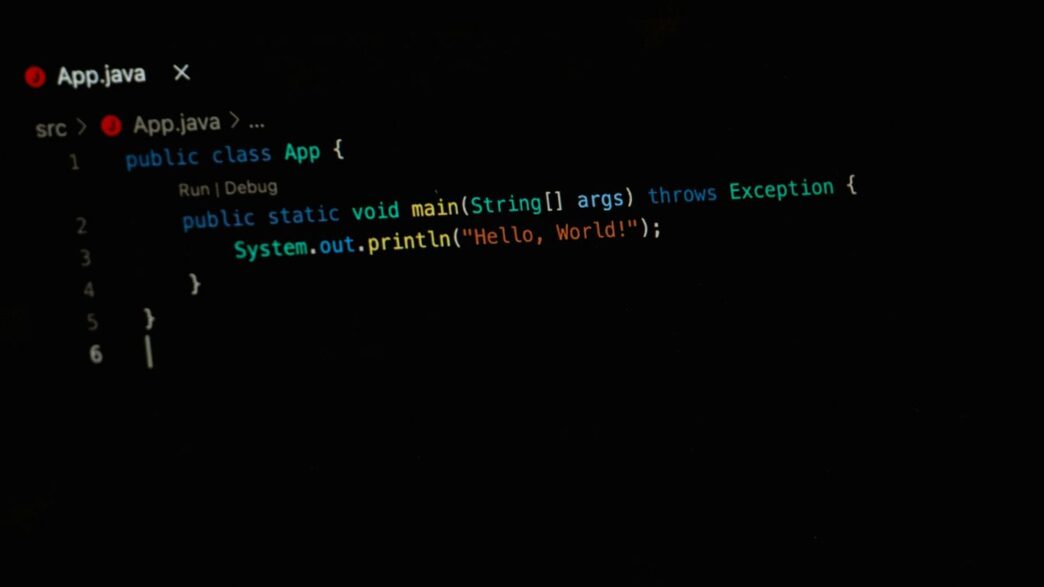
Starting from zero can feel a bit daunting, but it’s where the magic happens. You’ll want to find exercises that guide you through making a program that does something simple, like printing a message or asking for your name. This usually involves setting up your main method – that’s the entry point for your Java code – and getting comfortable with how to display output. It’s not about making the next big app right away; it’s about getting that first program to run without errors. You’ll learn how to structure your code, even if it’s just a few lines, and see it come to life.
Practice Variables and String Manipulation
Once you can print things, the next step is making your programs dynamic. This is where variables come in. You’ll practice storing different types of information – like numbers, text, or true/false values – and then using them. A fun way to do this is with Mad Libs-style projects. You create a story with blanks, and your program asks the user for words to fill those blanks. This forces you to work with strings, combine them, and put the user’s input into your text. It’s a hands-on way to see how variables and string methods actually work together.
Master Operators with Math-Based Projects
Math might not be everyone’s favorite, but in programming, operators are your best friends for doing calculations. Projects that involve basic math problems are great for this. You’ll get to use addition, subtraction, multiplication, and division operators. Maybe you’ll build a simple calculator or a program that converts units. These kinds of tasks help you build confidence with how Java handles numbers and calculations. Getting comfortable with operators is key to building more complex logic later on.
Keep Practicing!
So, you’ve looked at a bunch of ways to get better at Java coding without spending any money. There are tons of exercises out there, from simple syntax stuff to more involved challenges. Remember, the key is just to keep at it. Try out different platforms, solve problems, and don’t be afraid to look up solutions if you get really stuck – that’s part of learning too. The more you code, the more natural it will become. Keep building, keep learning, and you’ll definitely see your skills grow.
Frequently Asked Questions
What kind of practice exercises can I find for Java?
You can find many different kinds of exercises! There are tasks to help you learn the basic rules of Java code, and also more tricky problems covering important Java topics. Some sites even have articles to help you understand the ideas behind the code.
How do I know if my Java code is correct?
Many online practice places have a special tool that checks your code for you. You write your solution, and then you click a button to see if it works. It’s like a quick test to see if you got it right!
Are these Java practice exercises good for beginners?
Yes, absolutely! Many of these exercises are made for people who are just starting out. You can learn the very first steps of Java and get instant feedback, which helps you learn faster and build a strong foundation.
What if I’m already pretty good at Java?
Don’t worry, there are challenges for experienced coders too! You can try harder problems that might cover advanced topics like how programs handle many tasks at once (multithreading) or how to store groups of information (collections).
Can I build actual Java programs with these exercises?
Definitely! Some exercises are designed like mini-projects. You might build your very first Java program from scratch, play with words and numbers using variables, or solve math puzzles to get better with operators.
Where can I find these free Java practice resources?
There are several great websites that offer free Java practice. Some popular ones have lots of exercises, simulators to test your code, and even communities where you can ask questions and get help from other learners.