

In today’s business world, things change fast, especially with technology. For companies to keep up, they really need to connect and work together well. Businesses are complicated, with different parts and teams all linked by various systems. These parts need to share information across different software, jobs, and apps. Making sure all these systems play nicely together needs a smart plan for how they connect, known as integration architecture. This gives a clear way to figure out and manage technology, making sure data moves smoothly and efficiently.
Key Takeaways
- Integration architecture is the plan for how different software systems talk to each other and share data, which is vital for modern businesses.
- Good integration architecture helps businesses run smoother by improving how information flows and making sure systems work together.
- Common problems include dealing with old systems, making sure data is correct, and keeping everything secure.
- Key principles include making systems modular, using standards, and designing for change and security.
- An integration architect designs these systems, manages how they connect, and makes sure data is handled properly.
Understanding Integration Architecture Fundamentals
Right then, let’s get stuck into what integration architecture is all about. Think of it as the master plan for how all your different software bits and bobs talk to each other. It’s not just about plugging things in; it’s about making sure they work together smoothly, sharing information without a fuss, so your business can actually get things done.
Defining Integration Architecture’s Role
Basically, integration architecture is the blueprint that shows how all your applications and systems connect and swap data. It’s the reason why your customer relationship management (CRM) system can tell your sales platform who’s buying what, or why your accounting software knows about your latest invoices. Without it, you’ve got isolated systems, each doing its own thing, which is a recipe for confusion and missed opportunities. It’s the glue that holds your digital operations together.
Key Principles Guiding Integration Architecture
There are a few core ideas that steer how you build a good integration setup:
- Modularity: Breaking down big systems into smaller, manageable chunks that can be swapped out or reused. This makes things much more flexible.
- Standardisation: Using common ways for systems to talk to each other. This means less custom coding and fewer headaches when you add new tools.
- Adaptability: Building a system that can change as your business needs change. You don’t want to be stuck with an old setup when the market shifts.
- Security: Making sure sensitive data is protected at all times. This is non-negotiable these days.
Building a solid integration architecture isn’t just an IT job; it’s a business strategy. It directly impacts how quickly you can respond to market changes, how efficiently your teams work, and ultimately, how well you can serve your customers.
The Significance in Modern Business Operations
In today’s world, businesses rely on a whole host of different software. You’ve got your sales tools, your marketing platforms, your finance systems, your HR software – the list goes on. If these can’t share information, you’re looking at a lot of manual data entry, errors, and delays. Integration architecture sorts this out. It means your sales team has the latest customer info, your finance department gets accurate reports, and everyone’s working from the same, up-to-date picture. It’s what allows for things like real-time reporting, quicker decision-making, and generally just a much smoother operation all round.
Strategic Approaches to Integration Architecture
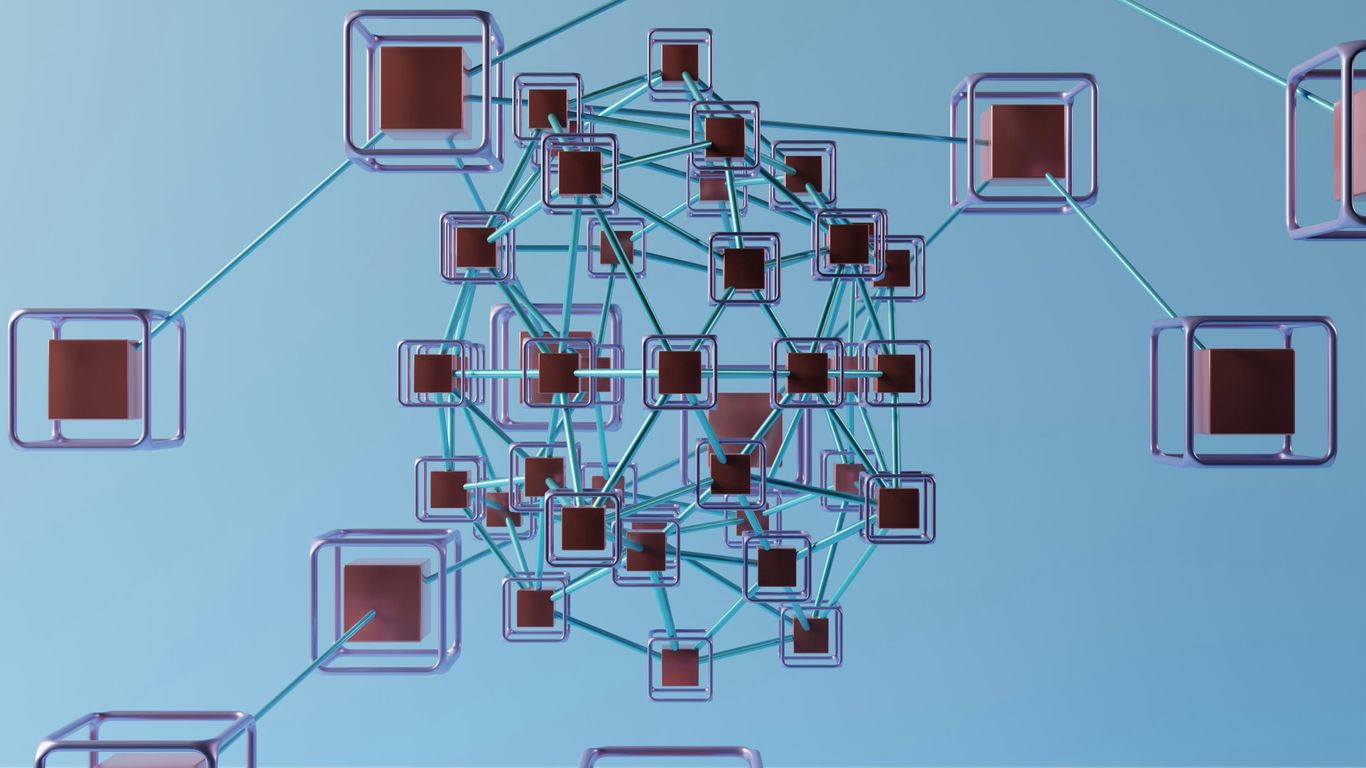
Right then, let’s talk about how we actually go about building these integrated systems. It’s not just about connecting things willy-nilly; there’s a bit of thought that needs to go into it. We’re looking at different ways to put the pieces together so they actually work well.
Exploring Integration Architecture Patterns
Think of integration patterns as tried-and-tested blueprints for how different software pieces can talk to each other. You wouldn’t build a house without a plan, right? Same here. These patterns help us avoid common pitfalls and make sure our integrations are solid.
- Point-to-Point: This is the simplest. You connect two systems directly. It’s fine for a couple of apps, but imagine trying to connect twenty systems this way – it gets messy fast, like a tangled ball of string.
- Hub-and-Spoke: Here, you have a central ‘hub’ that manages all the communication. Systems (the ‘spokes’) talk to the hub, and the hub figures out where the message needs to go. It’s tidier than point-to-point, especially as you add more systems.
- Enterprise Service Bus (ESB): This is a bit more sophisticated. An ESB acts like a central communication highway. It handles message routing, transformation, and even some logic. It’s good for complex environments where you need a lot of systems to interact.
Choosing the right pattern depends on how many systems you have, how complex their interactions are, and what you’re trying to achieve. It’s about finding the best fit for your specific situation, not just picking the fanciest one.
Leveraging Middleware and APIs
So, how do these systems actually connect? Often, it’s not a direct link. We use intermediaries. Middleware is software that sits between your applications, helping them communicate. Think of it as a translator or a go-between.
Application Programming Interfaces (APIs) are also super important. They’re like a set of rules and tools that allow different software applications to interact. When you use an app that pulls data from somewhere else, like a weather app showing local forecasts, it’s probably using an API to get that information. APIs make it possible for systems that weren’t originally designed to work together to actually share data and functionality.
Designing for Modularity and Reusability
This is where we try to build things in a way that’s easy to change and reuse. Instead of creating one giant, complicated system, we break it down into smaller, independent ‘modules’.
- Modularity: Each module does a specific job. If you need to update one part, you can do it without messing up the whole thing. It’s like swapping out a single brick in a wall instead of rebuilding the whole wall.
- Reusability: Once you’ve built a module for a specific task – say, handling customer data – you can use that same module in different parts of your system, or even in future projects. This saves a lot of time and effort.
This approach makes your integration architecture much more flexible. If business needs change, or you need to add a new system, it’s much easier to adapt when you’ve got these building blocks.
Navigating Integration Architecture Challenges
Right then, let’s talk about the tricky bits. Building systems that talk to each other nicely isn’t always a walk in the park. You’ve got old systems that just don’t want to play ball, data that looks completely different from one place to another, and, of course, keeping everything secure. It’s a bit like trying to get a cat and a dog to share a sofa – possible, but it takes some doing.
Addressing Legacy System Complexity
Lots of companies are still running on older software, the kind that’s been around for ages. These systems can be a real headache to connect with newer, shinier applications. They weren’t built with modern integration in mind, so trying to get them to share information can feel like trying to plug a USB-C into a floppy disk drive. It just doesn’t fit.
- Gradual Modernisation: Instead of a big bang approach, think about making changes bit by bit. This means you can keep the lights on while you slowly update or replace bits of the old system.
- Middleware Bridges: Using special software, called middleware, can act as a translator between your old and new systems. It helps them understand each other without needing a complete overhaul.
- API Exposure: If the old system has some useful functions, you can sometimes create an ‘API’ – a sort of controlled doorway – to let other applications access those functions without messing with the core system.
Trying to force a complete replacement of legacy systems often causes more disruption than it’s worth. A phased approach, focusing on critical connections first, usually leads to a smoother transition and less risk.
Overcoming Data Incompatibility and Quality Issues
This is a big one. Imagine you’re trying to combine spreadsheets where one uses ‘GBP’ for pounds and another uses ‘UK Sterling’. Or maybe one system records dates as DD/MM/YYYY and another as MM-DD-YY. It’s chaos! If the data isn’t consistent or clean, your integrated systems will make mistakes, and that leads to bad decisions.
Here’s a quick look at what can go wrong and how to fix it:
| Problem Area | Common Issues | Potential Solutions |
|---|---|---|
| Data Formats | Different date formats, currency symbols, units | Standardise formats, use transformation tools |
| Data Structure | Different field names, missing fields, extra fields | Map fields, create common data models, data enrichment |
| Data Accuracy | Typos, incorrect values, outdated information | Data validation rules, data cleansing processes, regular data audits |
| Data Completeness | Missing records, incomplete entries | Identify missing data sources, implement data capture improvements |
Ensuring Robust Security and Compliance
When systems start talking, especially if they’re handling sensitive customer or company information, security becomes absolutely vital. A weak link in your integration chain could lead to data breaches, which are not only costly but also damage trust. Plus, there are all sorts of rules and regulations you have to follow, depending on your industry and where you operate.
- Encryption: Make sure data is scrambled when it’s travelling between systems and when it’s stored. This way, if someone intercepts it, they can’t read it.
- Access Control: Only let the right people and systems access the data they need. Use strong passwords and permissions.
- Regular Checks: Periodically test your security to find any weak spots before the bad guys do. This includes things like penetration testing.
- Stay Informed: Keep up-to-date with the latest security threats and any new regulations that affect how you handle data.
Optimising Business Through Integration Architecture
So, we’ve talked about what integration architecture is and why it matters. Now, let’s get down to brass tacks: how does it actually help your business run better? It’s not just about making systems talk to each other; it’s about making your whole operation smoother, faster, and smarter.
Enhancing Communication and Data Flow
Think of your business like a big house with lots of rooms. If the doors between rooms are always jammed or the hallways are blocked, getting things done is a nightmare. Integration architecture clears those pathways. It makes sure information can zip between departments – sales talking to marketing, finance talking to operations – without getting stuck. This means fewer mistakes, less time wasted chasing down data, and everyone working from the same, up-to-date playbook. This improved connectivity is the bedrock of efficient operations. It’s like upgrading from carrier pigeons to instant messaging for your entire company.
Achieving Real-Time Business Insights
Remember the days of waiting for end-of-month reports? Those days are fading fast. With good integration, data from all your systems – your sales figures, customer feedback, stock levels – can be pulled together instantly. This gives you a live picture of what’s happening. You can spot a problem brewing in customer service or a sales trend taking off, and react straight away. It means you’re not just reacting to the past; you’re actively shaping the future based on what’s happening right now. This kind of agility is a massive advantage in today’s fast-paced world, and it’s something that Information Technology can really help with.
Streamlining Operational Efficiency
Let’s be honest, a lot of business involves repetitive tasks. Data entry, report generation, moving information from one system to another – it all adds up. Integration architecture can automate a lot of this. By linking systems, you can set up workflows that handle these tasks automatically. This frees up your staff to focus on more important things, like talking to customers or coming up with new ideas. It also cuts down on errors that happen when people are doing the same thing over and over. Here’s a quick look at how it helps:
- Reduced Manual Effort: Less time spent on copying and pasting data.
- Faster Processes: Workflows complete quicker without human intervention.
- Improved Accuracy: Automation minimises human error.
- Better Resource Allocation: Staff can focus on higher-value activities.
Ultimately, integration architecture isn’t just a technical nicety; it’s a strategic tool. It helps businesses become more responsive, make better decisions, and operate with less friction. It’s about making your technology work for you, not against you.
Best Practices for Integration Architecture

Right then, let’s talk about making sure your system integrations don’t turn into a complete mess. It’s not just about connecting things; it’s about doing it smartly so everything runs smoothly. Think of it like building a good road network – you need clear signs, good surfaces, and regular upkeep.
Defining Clear Integration Objectives
Before you even think about which software to connect, you need to know why you’re doing it. What exactly are you trying to achieve? Are you trying to get customer data from your sales system into your marketing platform? Or maybe you need financial reports to pull information from multiple departments automatically? Having a really clear idea of the goal stops you from just connecting things for the sake of it. It helps you pick the right tools and methods. Without this, you’re just guessing, and that’s a recipe for trouble down the line.
Here’s a quick way to think about your objectives:
- What systems need to talk to each other? List them out.
- What information needs to move between them? Be specific.
- What business problem does this solve? How does it make things better?
- What does success look like? How will you measure it?
Prioritising Data Quality and Integrity
This is a big one. If the data going into your integrated systems is rubbish, then the output will be rubbish too. It’s like trying to bake a cake with old, mouldy flour – it’s just not going to end well. You need to make sure the data is accurate, consistent, and complete. This means looking at where your data comes from and how it’s entered.
You’ll often find that data from different systems doesn’t quite match up. One system might call a customer ‘Mr. Smith’, while another has them as ‘Smith, John’. These little differences can cause huge problems when you try to combine information. It’s worth spending time cleaning this up.
Implementing Automation and Monitoring
Manually checking and moving data between systems is slow and prone to human error. Automation is your friend here. Tools can be set up to move data automatically, trigger actions when certain events happen, and generally keep things ticking over without constant human intervention. But automation isn’t a ‘set it and forget it’ thing. You absolutely need to monitor what’s going on. Are the automated processes running correctly? Is data flowing as expected? Are there any errors popping up?
Think about setting up alerts for when things go wrong. This way, you can fix problems before they become major issues that affect your business operations. Regular checks and automated alerts are key to keeping your integrations healthy.
Testing and Monitoring
This is really part of the automation and monitoring point, but it’s so important it deserves its own mention. You wouldn’t launch a new product without testing it, right? The same applies to integrations. You need to test them thoroughly to make sure they work as intended. This includes:
- Unit testing: Checking individual components of the integration.
- End-to-end testing: Simulating real-world scenarios to see how the whole process works.
- Performance testing: Making sure the integration can handle the expected load without slowing down.
Once everything is live, the monitoring continues. Keep an eye on performance metrics, error logs, and system health. This ongoing vigilance helps you catch issues early and make adjustments as needed. It’s about continuous improvement, not just a one-off setup.
The Role of the Integration Architect
So, what exactly does an integration architect do? Think of them as the master planners and builders for how all your different software systems talk to each other. It’s not just about plugging things in; it’s about creating a well-thought-out system where data flows smoothly and reliably. They’re the ones who figure out the best way to connect your customer relationship management (CRM) software to your accounting package, or how your online shop talks to your stock management system. Their main job is to make sure these connections work efficiently and securely.
Designing Effective Integration Solutions
This is where the architect really gets to flex their planning muscles. They look at what the business needs to achieve and then design the technical blueprint for how that will happen through integration. It involves understanding the existing IT setup, identifying any gaps, and then mapping out a solution that fits. It’s a bit like designing a city’s road network – you need to make sure all the different areas are connected logically and that traffic can move without too much congestion.
Managing System Integration and Data Flow
Once the plan is in place, the architect oversees the actual integration work. This means connecting different applications, databases, and services. They’re responsible for making sure that when data moves from one system to another, it arrives correctly and on time. This is super important for things like keeping customer records up-to-date across different platforms, or making sure sales figures are accurately reflected in financial reports. It’s about keeping the information moving and useful. For example, making sure your online sales data is correctly reflected in your inventory system is a key task.
Documenting Architectural Plans
This part might sound a bit dry, but it’s incredibly important. The integration architect creates all the necessary documentation. This includes diagrams showing how systems are connected, explanations of how data moves, and technical details for anyone who needs to work on or maintain the integration later on. Good documentation means that if something breaks, or if you need to add a new system, it’s much easier to figure out what’s going on. It’s the difference between a messy pile of wires and a neatly organised server room.
Here’s a quick look at what goes into their documentation:
- Architecture Diagrams: Visual maps of how systems connect.
- Data Flow Maps: Charts showing how information travels between applications.
- Technical Specifications: Detailed notes for developers and engineers.
- Process Guides: Instructions for using and managing the integrations.
The integration architect acts as a bridge between business needs and technical reality. They translate what the company wants to achieve into a concrete plan for how its software systems will work together, paying close attention to detail and long-term maintainability. This role is vital for any organisation looking to operate efficiently in today’s connected world, helping to improve customer experience through better data handling Improving customer experience is crucial for insurance businesses to thrive in today’s market.
Wrapping Up
So, we’ve looked at how putting together your systems the right way, or integration architecture as it’s called, really matters. It’s not just about making different bits of software talk to each other; it’s about making your whole business run smoother. When everything’s connected properly, data can move where it needs to go without a fuss, and that means you can make better decisions, faster. It might seem a bit technical, and sure, there are challenges like old systems or keeping things secure, but getting it right makes a big difference. Think of it like building a good road network for your company’s information – it just makes everything easier to get around. Getting this right helps your business keep up with all the changes happening all the time.
Frequently Asked Questions
What exactly is integration architecture?
Think of integration architecture as the master plan for how all the different computer programs and systems in a company talk to each other. It’s like building a bridge so that information can travel smoothly between them, making sure everything works together nicely.
Why is this ‘talking’ between systems so important for businesses?
When systems can share information easily, businesses run much smoother. It means less manual work, faster decisions because the information is up-to-date, and everyone in the company can work together better. It’s like having all the different parts of a team communicating perfectly.
What are the main problems when trying to connect systems?
Sometimes, old computer systems are hard to connect with new ones. Also, information might be stored in different ways, making it tricky to understand. Keeping all this information safe and following rules is another big challenge.
How do companies make sure their systems can handle more work as they grow?
Good integration architecture is built to be flexible. It’s designed so that as the company gets bigger and needs to handle more information or more users, the system can easily expand to cope with the extra load without breaking down.
What’s the job of an ‘integration architect’?
An integration architect is like the designer and builder of these system connections. They figure out the best way to link everything up, make sure the information flows correctly, and keep everything secure and working smoothly.
Can you give a simple example of integration architecture?
Imagine you have a customer list in one program and you want to send out emails using another. Integration architecture would be the system that automatically takes the customer names from the list and puts them into the email program, so you don’t have to type them all in yourself.