Foundational Concepts in Programming Industrial Robots
Before you can get a robot to do anything useful, you need to understand how it works and the math behind its movements. It’s like learning the alphabet before you can write a novel. This section covers the basics you absolutely need to know.
Understanding Robot Anatomy and Components
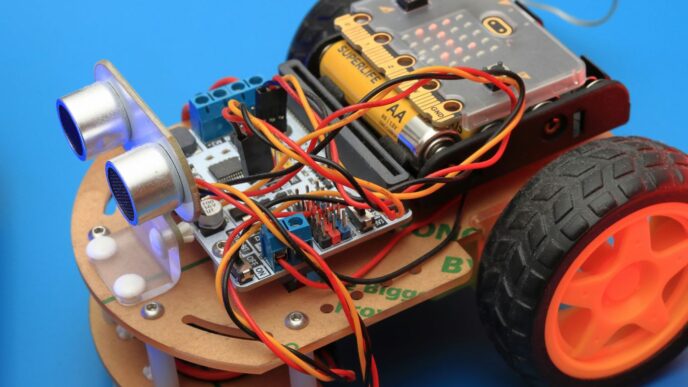
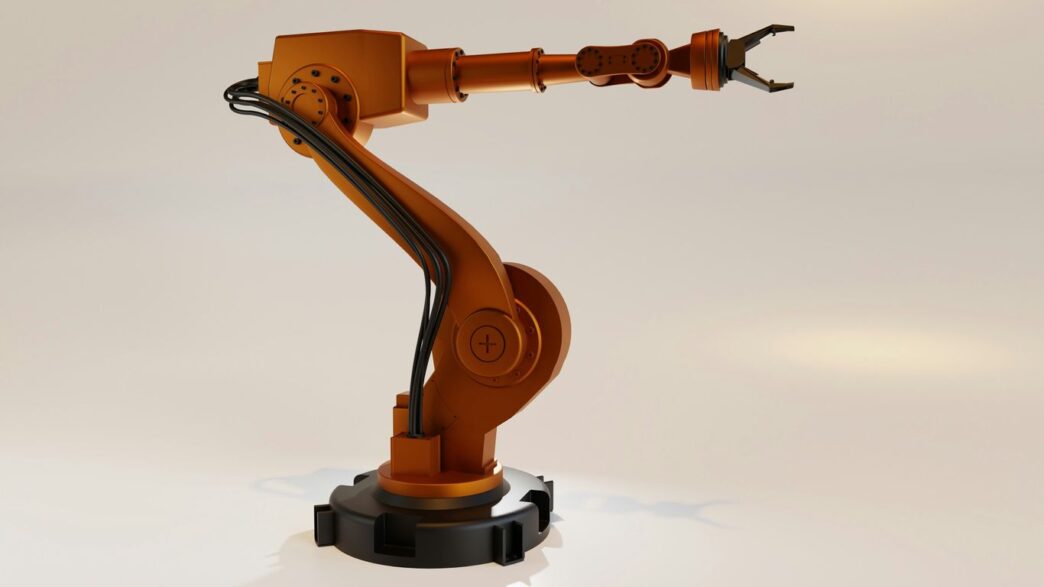
Robots aren’t just one big block of metal; they’re made up of several key parts that all work together. Knowing what these parts are and what they do is step one in programming them. You’ve got your main body, of course, but then there are the “brains” and the “muscles.”
- Actuators: These are the motors and servos that actually make the robot move. Think of them as the robot’s muscles. They translate electrical signals into physical motion, whether it’s a joint bending or a gripper closing.
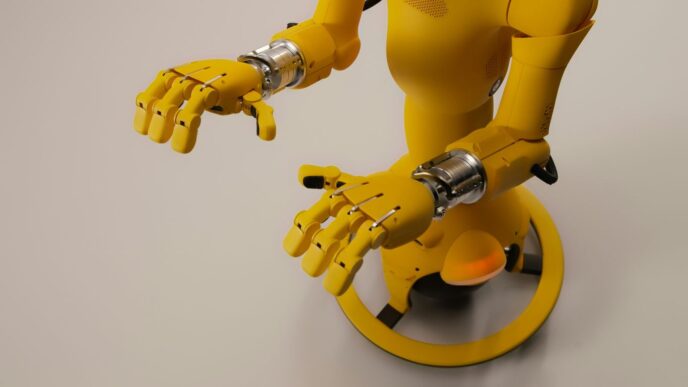
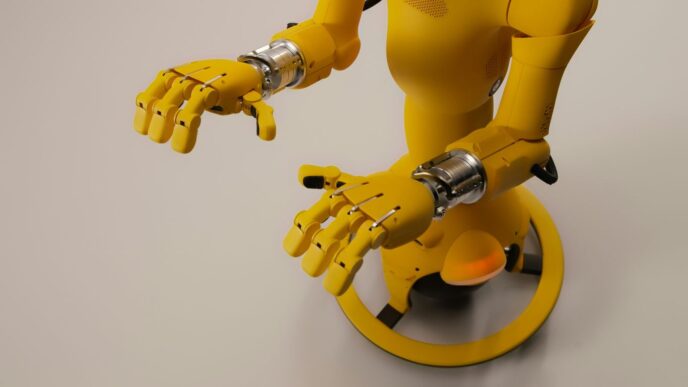
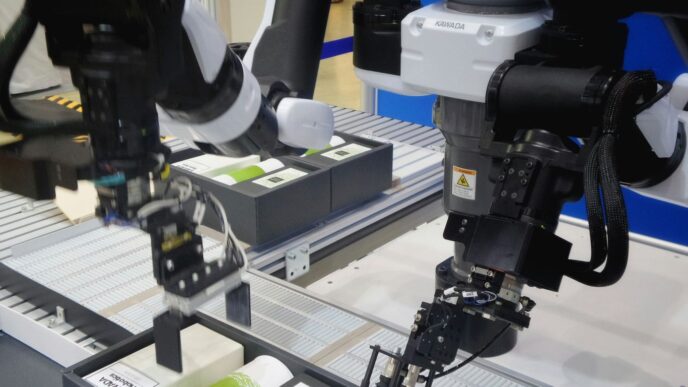
- End Effector: This is the “hand” or tool at the end of the robot arm. It could be a gripper for picking things up, a welding torch, a paint sprayer, or anything else the robot needs to do its job.
- Sensors: These are the robot’s “eyes” and “ears.” They gather information about the robot’s surroundings and its own state. This includes things like cameras (vision sensors), proximity sensors to detect if something is nearby, and force sensors to feel how hard it’s pushing.
- Controller: This is the robot’s brain. It takes the program you write and sends signals to the actuators based on the information from the sensors. It’s the central processing unit that makes everything happen.
Essential Mathematics for Robot Control
Robots move in three-dimensional space, and making them do so precisely requires some math. You don’t need to be a math whiz, but understanding the basics helps a lot. Things like trigonometry and linear algebra come into play when figuring out where a robot arm should be or how to move it from point A to point B without hitting anything. It’s all about translating desired movements into actual joint angles and vice versa.
Robotics Kinematics and Dynamics
Kinematics is about describing motion – how a robot moves from one position to another. It focuses on the geometry of movement, like the angles of the robot’s joints and the position of its end effector, without worrying about the forces causing that motion. Dynamics, on the other hand, takes forces and torques into account. It looks at how mass, inertia, and external forces affect the robot’s acceleration and movement. Understanding both is key to programming smooth, efficient, and predictable robot actions. Getting these concepts right is what separates a robot that just jitters around from one that performs its tasks with accuracy and speed.
Core Techniques for Effective Robot Programming
Alright, so you’ve got the basics down – you know your robot’s parts and the math behind its moves. Now, let’s talk about actually getting it to do stuff. This is where the rubber meets the road, so to speak. We’re going to look at the practical ways you tell these machines what to do, from the simplest methods to ones that save you a ton of time.
Mastering Teach Pendant Programming
The teach pendant is often the first interface many people have with programming an industrial robot. Think of it as a handheld controller, usually with a screen and buttons, that lets you directly guide the robot through its motions. You physically move the robot arm to the desired positions, and then you record those points. This is called "teaching" the robot. It’s pretty straightforward for simple tasks like picking and placing items or following a straight line.
- Direct Robot Control: You physically move the robot arm to the exact spots you want it to go.
- Point Recording: Press a button to save the current position as a "waypoint."
- Simple Logic: You can often add basic commands like "open gripper" or "wait" between waypoints.
While it’s great for getting started and for repetitive tasks in a fixed environment, it can get tedious for complex paths or when you need the robot to react to changes. This method is all about showing the robot exactly where to go, step-by-step.
Waypoint Precision for Task Execution
Once you’ve taught your robot a series of points, the real magic happens in how it moves between them. This is where waypoint precision comes into play. It’s not just about getting to the point; it’s about how smoothly and accurately the robot transitions from one point to the next to complete its task.
- Linear vs. Joint Motion: You can tell the robot to move in a straight line between points (linear) or to move each joint independently to reach the next point (joint motion). Linear is usually better for tasks like welding or dispensing, where the tool needs to follow a precise path.
- Speed and Acceleration Control: Fine-tuning how fast the robot moves and accelerates between points is key to avoiding jerky movements and ensuring accuracy. Too fast, and you might miss your target; too slow, and you lose efficiency.
- Tool Center Point (TCP) Accuracy: For tasks involving a tool, like a welding torch or a gripper, ensuring the tip of that tool is exactly where it needs to be at each waypoint is critical. This involves careful calibration.
Getting these transitions right means the robot performs its job consistently, every single time, without errors.
Integrating with Robot Control Systems
So, you’ve written your code, and you’ve tested it. Now, how does that code actually make the robot move? That’s where the robot’s control system comes in. This is the hardware and software that the robot manufacturer provides to translate your commands into actual motor signals. Your programming needs to interface with this system.
- Manufacturer APIs/Libraries: Most robot makers provide specific software tools (Application Programming Interfaces or libraries) that your code will use. You’ll send commands like ‘move to this position’ or ‘set joint angle X to Y degrees’.
- Command Translation: The control system takes your high-level commands and breaks them down into the precise signals each motor needs to execute the movement.
- Feedback Loops: The control system also reads data from the robot’s sensors (like joint encoders) to make sure it’s actually reaching the target positions and to correct any deviations.
Getting this integration right is key to making your robot perform as intended. It’s all about making sure your software speaks the same language as the robot’s brain.
Popular Robot Programming Languages and Frameworks
Alright, so you’ve got the hang of the robot’s insides and the math that makes it move. Now, let’s get to the fun part: actually telling the robot what to do. Picking the right code language and tools is a pretty big deal. It’s not just about typing commands; it’s about finding what works best for your robot, the job it needs to do, and what you’re comfortable with.
C/C++ for High-Performance Applications
If you need your robot to do things really, really fast, like in complex manufacturing or high-speed assembly lines, C++ is often the way to go. It gives you a lot of direct control over the robot’s hardware and processing. This means you can fine-tune everything for maximum speed and efficiency. The trade-off? It’s got a steeper learning curve. You’ll spend more time wrestling with the code, but the payoff can be a robot that performs tasks with incredible precision and speed.
Python for Versatility and Prototyping
Python is a real favorite, especially if you’re just starting out or need to get a project up and running quickly. It’s known for being easy to read and write, which makes it great for testing out new ideas or building prototypes. There are tons of pre-written code libraries available for Python that handle a lot of the heavy lifting, from basic robot movements to more advanced tasks. It’s a good balance – powerful enough for many jobs but much simpler to learn than C++.
Leveraging the Robot Operating System (ROS)
Think of ROS not as a programming language itself, but as a super helpful framework that ties everything together. It’s a collection of tools and libraries that makes it easier to build complex robot applications. ROS helps different parts of the robot’s software talk to each other smoothly. This means you don’t have to reinvent the wheel every time you need a robot to do something common, like move around or use a sensor. It promotes code sharing and makes it easier for teams to work on big robot projects. It works well with languages like Python and C++, giving you the best of both worlds.
Advanced Strategies in Industrial Robot Programming
Moving beyond the basics, today’s industrial robots are getting a serious upgrade. We’re not just telling them to move from point A to point B anymore; we’re giving them the ability to understand their surroundings, learn from experience, and even connect to the cloud. This section looks at some of the cutting-edge methods being used to make robots smarter and more capable.
Enhancing Perception with Computer Vision
Giving robots ‘eyes’ through computer vision opens up a whole new world of possibilities. It lets them see and understand what’s happening around them, which is a big deal for tasks like picking up objects or checking product quality. Instead of just following pre-programmed paths, robots with vision can react to changes in their environment.
- Object Recognition: Identifying specific items on a conveyor belt or in a bin.
- Quality Control: Spotting defects or inconsistencies in manufactured goods.
- Guidance: Helping robots accurately place parts or follow complex assembly lines.
Integrating Machine Learning for Adaptive Robots
Machine learning is starting to play a big role in making robots more adaptable. Instead of robots needing constant reprogramming for every little change, they can learn from data. This means they can get better at their jobs over time without a human needing to intervene for every adjustment. Here’s a look at how it works:
- Learning from Data: Robots are fed lots of information about their operations. They use this data to figure out more efficient ways to move and perform tasks.
- Feedback Loops: Sensors can detect when a robot makes a mistake or succeeds. This feedback helps the robot learn to avoid errors and repeat successful actions.
- Reinforcement Learning: This is a method where robots get ‘rewards’ for doing things right, encouraging them to optimize their actions to get the most rewards.
Here’s a quick look at some common machine learning types used in robotics:
| Type | Common Use in Industry |
|---|---|
| Supervised Learning | Quality inspection, sorting |
| Unsupervised Learning | Anomaly detection, clustering |
| Reinforcement Learning | Path optimization, adaptive gripping |
Implementing Cloud and Edge Computing Solutions
Connecting robots to the cloud and using edge computing brings significant advantages. Cloud platforms can store vast amounts of data, allowing for complex analysis and model training for machine learning. Edge computing, on the other hand, processes data closer to the robot, reducing latency and enabling faster real-time decisions. This combination allows for:
- Remote Monitoring and Control: Managing fleets of robots from a central location.
- Data Analytics: Gathering insights from robot performance to improve efficiency across the factory.
- Over-the-Air Updates: Deploying software improvements and new features to robots remotely.
Developing Intelligent Robot Behaviors
So, we’ve talked about the nuts and bolts, the programming languages, and how to get a robot to move from point A to point B. But what happens when the factory floor isn’t perfectly predictable? That’s where intelligent behaviors come in. We’re moving beyond simple, repetitive tasks to robots that can actually think, adapt, and react to their surroundings. It’s about giving them a bit of common sense, so to speak.
Sensor-Based Decision Making
Robots aren’t just blind automatons anymore. They’ve got sensors – cameras, lidar, force sensors, you name it. The trick is teaching them to actually use that information. Instead of just following a pre-programmed path, a robot with good sensor-based decision-making can adjust on the fly. Think about a robot picking parts from a bin. If the part isn’t exactly where it expects it, a simple robot might just fail. An intelligent one uses its camera to locate the part, maybe even adjusts its grip based on how it’s oriented. This means:
- Processing sensor input: Taking raw data from cameras, lasers, or touch sensors and turning it into something useful, like the position of an object or the presence of an obstacle.
- Conditional logic: Using ‘if-then’ statements to make choices. For example, ‘IF an obstacle is detected, THEN stop and wait’ or ‘IF the part is misaligned, THEN re-attempt grip’.
- Feedback loops: Continuously monitoring the environment and adjusting actions based on new sensor readings. This is how robots can maintain precision even when things aren’t perfect.
Autonomous Navigation and Path Planning
This is a big one, especially for robots moving around a factory or warehouse. Autonomous navigation means the robot can figure out where it’s going and how to get there without a human guiding it every step of the way. Path planning is the algorithm that figures out the best route.
- Mapping: Creating a digital map of the environment, often using sensors like lidar or cameras.
- Localization: Knowing where the robot is on that map.
- Pathfinding: Using algorithms (like A* or RRT) to calculate a route from its current location to a target, making sure to avoid any obstacles it knows about or detects.
The goal is to get the robot from point A to point B efficiently and safely, even if the environment changes.
Adaptive Gripping and Manipulation
Picking up and moving objects is a core industrial task, but objects aren’t always uniform. Adaptive gripping means the robot’s end-effector (the ‘hand’) can adjust its grasp based on the object’s properties. This goes beyond just closing a gripper.
- Force sensing: Using sensors to detect how much pressure is being applied, preventing crushing delicate items or dropping heavier ones.
- Vision-guided grasping: Using cameras to identify the object, its orientation, and the best place to grab it.
- Learning optimal grasps: Machine learning can help robots learn the best way to hold different types of objects through trial and error, improving success rates over time.
Wrapping It Up
So, we’ve covered a lot, from the basic setup to some pretty advanced stuff in robot programming. It’s not always easy, and sometimes you’ll hit a wall, but sticking with it really pays off. The key is to keep learning and practicing, whether you’re using a teach pendant or diving into code. As robots get smarter and more common, knowing how to program them is going to be a big deal. Keep at it, and you’ll be building some cool automated systems before you know it.