So, you’ve got to give a presentation about the Internet of Things, huh? It sounds like a big topic, and honestly, it is. But don’t worry, breaking it down makes it manageable. This guide is all about helping you put together a solid presentation on IoT, from the basics to the really cool stuff. We’ll cover what it is, how to structure your talk, the tech behind it, security issues, real-world examples, and how to keep your audience interested. Think of this as your roadmap to making your iot internet of things presentation a success.
Key Takeaways
- Start by explaining what the Internet of Things actually is and its main features. Keep it simple so everyone gets it.
- Organize your presentation logically. A good flow helps people follow along and remember what you’re talking about.
- Talk about the main technologies and communication methods used in IoT. Mentioning specific protocols and platforms can be useful.
- Address the security and privacy concerns that come with IoT. It’s a big deal for users and companies.
- Showcase real examples of IoT in action, like smart homes or industrial uses, to make the concept more concrete.
Understanding the Fundamentals of IoT
Alright, let’s get down to the nitty-gritty of what the Internet of Things, or IoT, actually is. It’s not some futuristic concept anymore; it’s here, and it’s changing how we interact with the world around us.
Defining the Internet of Things
So, what exactly are we talking about when we say "IoT"? At its core, it’s about connecting everyday physical objects to the internet. Think of anything with an on/off switch – your phone, sure, but also your fridge, your car, even a sensor on a farm animal. These "things" are embedded with electronics, software, and network capabilities, allowing them to collect and share data. This network of interconnected devices bridges the gap between the physical and digital worlds. It’s a system where devices can talk to each other and exchange information without us needing to be directly involved in every single step. It’s like giving a voice to inanimate objects, letting them report on their status or environment. You can find a good overview of what this means at the Internet of Things.
Key Features of IoT Systems
What makes an IoT system tick? There are a few main ingredients:
- Sensors: These are the eyes and ears of the IoT. They gather data from the environment – temperature, motion, light, you name it. Without sensors, devices would just be dumb objects.
- Connectivity: This is how the devices talk to each other and to the internet. It can be through Wi-Fi, Bluetooth, cellular networks, or other specialized protocols.
- Artificial Intelligence (AI): While not every IoT device uses AI, it’s becoming increasingly important. AI helps analyze the vast amounts of data collected by sensors, making devices "smart" and enabling them to make decisions or predictions.
- Small Devices: A big part of IoT’s growth is thanks to the fact that these devices are getting smaller, cheaper, and more powerful. This allows for precision and scalability across many applications.
- Active Engagement: Unlike older systems where you just passively received information, IoT often allows for more interactive engagement. Devices can respond to changes or user commands in real-time.
Historical Evolution of IoT
People have been dreaming about machines communicating for a long time. Back in the 1830s, the telegraph was a big step in direct machine communication. Then came radio in the early 1900s, adding wireless capabilities. Computers started developing in the 1950s, and the internet itself, a key piece of the puzzle, began as a government project in the 1960s. The term "Internet of Things" was actually coined by Kevin Ashton in 1999, who saw the potential of technologies like RFID (Radio-Frequency Identification) to tag and track objects. Since then, advances in computing power, wireless tech, and falling hardware costs have really accelerated its development. It’s been a gradual build-up, with different technologies paving the way for the interconnected world we’re seeing today.
Designing Your IoT Presentation Structure
Alright, so you’ve got the gist of what IoT is all about, and now it’s time to think about how you’re going to talk about it. Building a presentation isn’t just about throwing slides together; it’s about telling a story that makes sense to whoever’s listening. You want them to follow along without getting lost in the weeds.
Crafting a Compelling Narrative
Think of your presentation like a journey. You start with the basics, introduce the cool stuff, show them how it works in the real world, and then wrap it up. A good story keeps people interested. It’s not just a list of facts; it’s about showing the progression and the impact.
- The Hook: Start with something that grabs attention. Maybe a surprising statistic about IoT adoption or a relatable problem that IoT solves.
- The Build-Up: Introduce the core concepts. Explain what IoT is in simple terms, then touch on its key features. Think of this as setting the stage.
- The Climax: This is where you show off the exciting parts – the technologies, the applications, and the real-world examples. This is the ‘wow’ factor.
- The Resolution: Address the important stuff like security and privacy. Then, conclude with what you want your audience to take away.
Structuring for Clarity and Impact
How you organize your points makes a huge difference. You don’t want to jump around too much. A logical flow helps people connect the dots.
Here’s a way to think about the order:
- What is IoT? Define it simply and explain why it matters.
- How does it work? Briefly touch on the components and how they communicate.
- What are the cool things it can do? Showcase real-world examples across different areas.
- What are the challenges? Discuss security, privacy, and other considerations.
- What’s next? Briefly mention future trends or a call to action.
Incorporating Visual Aids Effectively
Slides are your friend, but don’t let them do all the talking. Visuals should support what you’re saying, not replace it. Simple diagrams can explain complex systems better than words alone. For instance, a flowchart showing data flow from sensor to cloud can be super helpful. If you’re talking about different types of sensors, a table listing them with their basic function might be useful:
| Sensor Type | Primary Function |
|---|---|
| Motion Sensors | Detect changes in movement (linear or angular). |
| Environmental | Measure changes in surroundings (light, pressure). |
| Position Sensors | Determine physical location (GPS, magnetic). |
Keep text on slides to a minimum. Use images, charts, and graphs to illustrate your points. The goal is to make your message easier to understand and remember.
Exploring Core IoT Technologies and Protocols
So, you’ve got the basic idea of what IoT is all about, but how does it actually work? It’s not magic, though sometimes it feels like it. It all comes down to a few key pieces of technology and how they talk to each other. Think of it like building with LEGOs – you need the right bricks and a way to connect them.
Essential IoT Hardware Components
At the heart of any IoT setup are the devices themselves. These aren’t your average gadgets. They’re usually equipped with a few things:
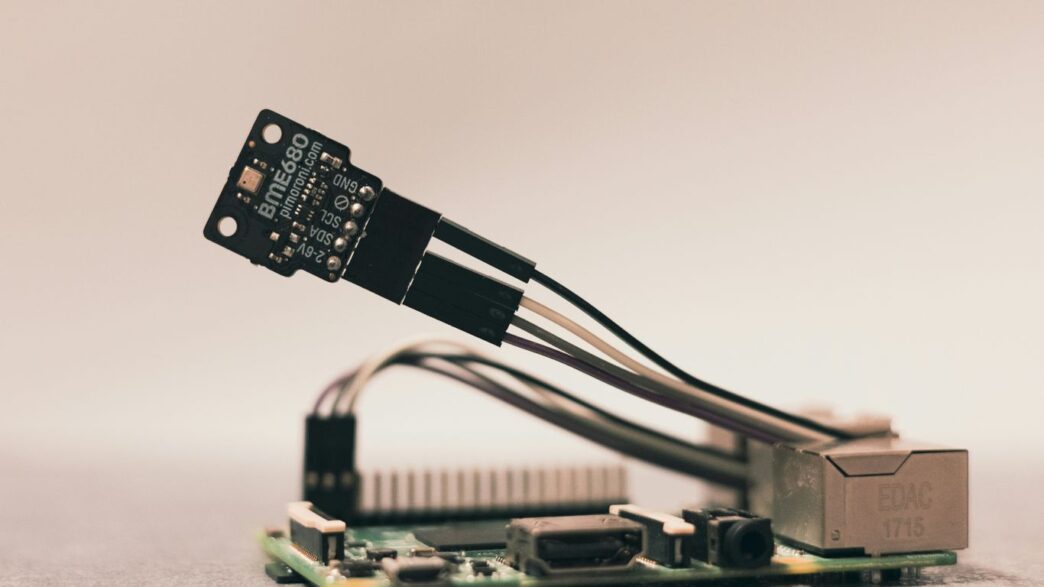
- Sensors: These are the eyes and ears of your IoT system. They’re designed to pick up on specific things in the environment. We’re talking about sensors that can detect motion, changes in temperature, light levels, pressure, and all sorts of other physical stuff. Some devices even have "sensor hubs" to gather data from multiple sensors at once.
- Actuators: If sensors are the ears, actuators are the hands. They take the information gathered and actually do something. This could be as simple as turning off a light, adjusting a valve, or even moving a robotic arm on an assembly line. They’re how your IoT system interacts with the physical world.
- Embedded Processors & Communication Hardware: All this data collection and action needs a brain and a way to send messages. That’s where the processors and communication hardware come in. They handle the processing of data and make sure the device can connect to a network.
Key Communication Protocols for IoT
Now, how do all these devices actually chat? They need a common language, and that’s where communication protocols come in. It’s a bit like choosing between speaking English, Spanish, or French – you need to pick one that everyone understands.
- MQTT (Message Queuing Telemetry Transport): This is a really popular one, especially for devices that might have limited power or bandwidth. It’s designed to be lightweight and efficient, sending messages between devices and a central server. Think of it as a very direct and quick way to send short messages.
- CoAP (Constrained Application Protocol): Similar to MQTT in that it’s designed for constrained devices, CoAP works a bit differently. It’s built on top of UDP (User Datagram Protocol), which is known for speed, and it’s often used for machine-to-machine communication.
- HTTP (Hypertext Transfer Protocol): You probably know this one from browsing the web. While it’s common, it can be a bit heavy for some IoT devices due to its overhead. However, it’s still used, especially when devices need to interact with web services or cloud platforms that are already set up to handle HTTP requests.
Leveraging IoT Platforms and Tools
Managing a bunch of connected devices can get messy fast. That’s where IoT platforms and tools come into play. They’re like the central command center for your IoT ecosystem.
These platforms help you:
- Manage Devices: Keep track of all your connected gadgets, their status, and their data.
- Collect and Analyze Data: Gather all the information coming from your sensors and make sense of it.
- Build Applications: Create the software that makes your IoT system do what you want it to do, whether that’s sending alerts or controlling devices.
Some platforms are designed for specific tasks, like managing a huge number of devices (KAA), running multiple applications (SiteWhere), or collecting data in private channels (ThingSpeak). Others support a wide range of hardware. Choosing the right platform can make a huge difference in how smoothly your IoT project runs. It’s not just about the devices; it’s about the whole system working together.
Addressing Security and Privacy in IoT
Securing connected devices and keeping user data private isn’t just for techies anymore. It matters every time someone installs a smart home gadget or relies on automated gear at work. Losing control over device security or privacy can have real-world consequences. Let’s break it down into the major concerns and ways to tackle them.
Identifying IoT Security Vulnerabilities
IoT systems, by design, connect tons of devices. Each new one added to the network brings its own risks—think weak passwords or outdated software. Some of the more common vulnerabilities include:
- Unsecured data transmission between devices
- Lack of regular firmware updates
- Open default ports or easy-to-guess credentials
- No consistent standard for compatibility across devices
- Massive device volumes causing management headaches (sometimes millions in a single business)
For a broader rundown of architectural and system-related concerns, the IoT overview chapter is a good starting point.
Strategies for Maintaining Data Privacy
Privacy is a big deal with IoT. These gadgets pick up all kinds of data, from room temperatures to video feeds. Sometimes, the user isn’t directly involved in what’s shared to the cloud. To help keep things private:
- Only collect what’s needed: Don’t ask for or store unnecessary personal info.
- Encrypt data at every step: From the sensor, through the network, to its final destination.
- Use strong authentication: Make sure only the right people (or devices) can access data.
- Let users see and control their own data: Self-service controls help a lot.
Here’s a quick look at what can go wrong and what helps fix it:
| Data Issue | Common Cause | Simple Fix |
|---|---|---|
| Data leaks | Unsecured channels | Use encryption |
| Unwanted sharing | Broad permissions | Give user controls |
| Unauthorized use | Weak credentials | Strong authentication |
Navigating IoT Compliance and Regulations
Laws around IoT might feel overwhelming, but they exist for a reason. Devices need to play by local and global rules (think: GDPR). That’s not always easy because there’s no universal standard yet. Here are a few practical moves:
- Stay current on the latest laws relevant to where devices are sold or used
- Document how data is gathered, used, and stored
- Prepare to show compliance evidence if asked by regulators
Sometimes, this means revisiting privacy policies, checking if new laws affect existing devices, and making changes before trouble hits.
In short, tackling security and privacy in IoT is about finding and fixing weak spots, respecting users’ privacy, and keeping up with the rules. Ignore this stuff, and it’s not just devices that break—trust (and maybe the law) goes out the window too.
Showcasing Practical IoT Applications
Okay, so we’ve talked about what IoT is and how to structure your presentation. Now, let’s get to the fun part: showing people what this stuff actually does. It’s one thing to explain sensors and data, but it’s another to see how it makes life easier or businesses run better. Seeing real-world examples is what really makes IoT click for most people.
Smart Home and Consumer IoT
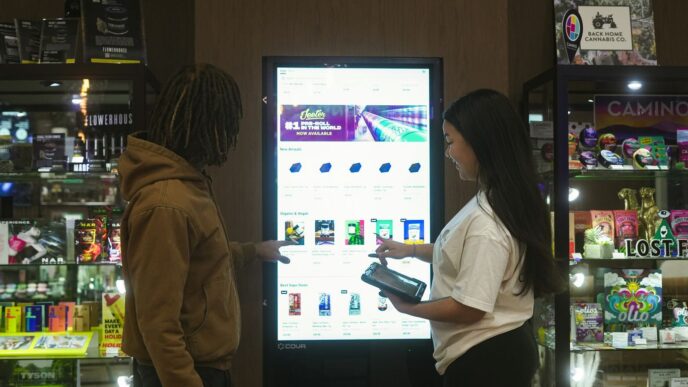
This is probably the area most folks are familiar with. Think about your smart speaker, your thermostat that learns your schedule, or even your fridge that can tell you when you’re out of milk. These devices are all about convenience and making our homes more comfortable and efficient.
- Remote Appliance Control: Imagine being able to turn off a light you forgot about after you’ve already left the house, or pre-heating your oven on your way home from work. It’s about saving energy and adding a layer of safety.
- Smart Appliances: We’re seeing refrigerators that keep track of inventory, washing machines that can be started remotely, and ovens that can be pre-programmed. It’s all about simplifying daily chores.
- Home Security: Connected cameras, smart locks, and alarm systems that alert your phone instantly give people peace of mind. You can check in on your home from anywhere.
Industrial and Enterprise IoT Solutions
This is where IoT really starts to show its power in terms of efficiency and cost savings. Businesses are using it to keep a closer eye on their operations, predict maintenance needs, and manage resources better.
- Smart Grids: Utilities are using IoT to monitor energy distribution, detect outages faster, and manage demand more effectively. This can lead to more reliable power and lower costs.
- Fleet Management: Companies with delivery trucks or service vehicles can track their location, monitor engine health, and optimize routes to save fuel and time.
- Manufacturing: Sensors on machinery can predict when a part is likely to fail, allowing for maintenance before a costly breakdown happens. This "predictive maintenance" is a huge deal for keeping production lines running.
Emerging IoT Use Cases
IoT isn’t just about homes and factories anymore. It’s popping up in all sorts of new places, helping us tackle bigger challenges.
- Smart Cities: Think about traffic lights that adjust based on real-time traffic flow, or waste bins that signal when they’re full to optimize collection routes. It’s about making urban living smoother and more sustainable.
- Agriculture: Farmers can use sensors to monitor soil moisture, temperature, and nutrient levels, applying water and fertilizer only where and when it’s needed. This saves resources and can increase crop yields.
- Healthcare: Wearable devices can monitor a patient’s vital signs remotely, allowing doctors to keep track of their health without constant in-person visits. This is especially helpful for managing chronic conditions.
Delivering an Engaging IoT Presentation
So, you’ve put together all the technical details, the cool applications, and the security considerations for your IoT presentation. That’s great, but how do you actually make sure people stay awake and, you know, get it? It’s not just about knowing your stuff; it’s about sharing it in a way that connects with your audience. Think of it like telling a story, but with more data and fewer dragons (usually).
Audience Engagement Techniques
Keeping people interested when you’re talking about sensors and cloud platforms can be a challenge. It’s easy to get lost in the technical weeds. Here are a few things that usually help:
- Start with a hook: Don’t just jump into definitions. Maybe start with a surprising statistic about how many devices are connected, or a quick anecdote about a real-world problem IoT solved. Something that makes them think, "Okay, this is relevant."
- Ask questions: Even if it’s just rhetorical ones to get them thinking, or simple polls if you have the tools. "How many of you have a smart speaker at home?" is a classic for a reason.
- Use relatable examples: Instead of just saying "industrial IoT," talk about how sensors are helping farmers monitor soil conditions to grow better crops, or how smart grids are making our electricity more reliable. The goal is to make the abstract concrete.
- Vary your pace and tone: Monotone is the enemy of engagement. Speed up when you’re excited about a new development, slow down for important points, and don’t be afraid to use pauses.
Handling Technical Questions
This is where things can get a little dicey. People will ask about specific protocols, hardware limitations, or how your proposed solution handles edge cases. It’s okay not to have every single answer immediately.
- Listen carefully: Make sure you understand the question before you try to answer it. Sometimes rephrasing it back to the asker can help.
- Be honest: If you don’t know, say so. "That’s a really good question, and I don’t have the exact details on that right now, but I can certainly look into it and get back to you." is perfectly acceptable. It’s better than guessing and being wrong.
- Know your limits: If a question is way outside the scope of your presentation or your own knowledge, it’s fine to defer. "That’s a bit more specialized than what we’re covering today, but it’s an interesting area." can work.
- Prepare for common ones: Think about the most likely technical questions related to your topic and have some prepared thoughts or data points ready.
Concluding with a Strong Call to Action
Your presentation shouldn’t just end; it should have a purpose. What do you want your audience to do after hearing you speak? This is your final chance to make an impact.
- Summarize key takeaways: Briefly remind them of the most important points you’ve made. What are the 2-3 things they absolutely must remember?
- State your call to action clearly: Are you asking them to explore a specific technology? Consider implementing a solution? Sign up for a demo? Visit a website? Be specific.
- Provide next steps: Make it easy for them to follow through. This could be sharing contact information, providing links to resources, or outlining a follow-up process. For example:
- Visit our website for case studies.
- Download the whitepaper on IoT security.
- Schedule a consultation to discuss your specific needs.
Wrapping It Up
So, we’ve gone through a lot about the Internet of Things. It’s a big topic, and honestly, it can feel a bit overwhelming at first. We talked about what it is, how it works, and why it’s becoming such a big deal in pretty much every industry. We also touched on some of the tricky parts, like making sure everything is secure and private, which is super important. The goal here was to give you a solid starting point, whether you’re just curious or ready to start building your own IoT projects. Keep exploring, keep learning, and don’t be afraid to experiment. The world of connected devices is only going to get bigger, and knowing your way around it is a pretty smart move.
Frequently Asked Questions
What exactly is the Internet of Things (IoT)?
Imagine everyday objects, like your fridge or a streetlamp, being able to talk to each other and the internet. That’s the basic idea of IoT! It’s about connecting physical things to the internet so they can share information and do smart things, often without us needing to do anything.
Why is IoT important for businesses?
Businesses use IoT to make things work better and faster. For example, a factory can use sensors to know when a machine needs fixing before it breaks, saving time and money. It helps them understand their products and customers more deeply.
Is it safe to have so many devices connected to the internet?
That’s a really good question! Security is a big deal with IoT. Because so many devices are connected, it’s important to make sure they are protected from people who might want to cause trouble or steal information. Companies are working hard to make IoT safer.
What are some cool examples of IoT I might see every day?
You probably use IoT already! Think about smart speakers like Alexa or Google Home, fitness trackers that count your steps, or even smart thermostats that adjust your home’s temperature. These are all examples of IoT making our lives easier.
How does IoT actually work?
It’s like a chain reaction. First, special sensors on devices collect information about the world around them. Then, these devices use the internet or other networks to send that information to a computer or the cloud. Finally, that information is used to make decisions or take actions, like turning on a light.
What’s the difference between IoT and just having a smartphone?
Your smartphone is a very smart device, but IoT is about a whole network of *many* different kinds of devices, big and small, all working together. It’s not just one device; it’s a whole system of connected ‘things’ sharing data to achieve a goal.