Picking the right computer chip can feel like a puzzle, especially when you’re looking at the big names like Ryzen and Intel. For a while now, it’s been a real back-and-forth between these two giants. They both make some seriously good processors, and figuring out which one is best for what you do – whether it’s gaming, editing videos, or just browsing the web – can be tough. This article is going to break down some of the popular Ryzen and Intel options to help you sort out the ryzen vs intel debate and find the CPU that fits your needs without breaking the bank.
Key Takeaways
- For everyday tasks like browsing and office work, both Ryzen 5 and Intel Core i5 processors do a solid job. Ryzen 5 might have an edge with more cores for juggling multiple apps.
- Gamers looking for the absolute highest frame rates in games that favor single-core speed might find Intel Core i5 slightly better, but Ryzen 5 offers a strong alternative, especially for streaming while gaming.
- Content creators and professionals who work with demanding software like video editors or 3D modelers will likely benefit more from the multi-core performance of AMD Ryzen 5.
- When it comes to value and long-term upgrade options, AMD often has an advantage with competitive pricing and longer-lasting motherboard sockets.
- For laptops, Intel still holds a slight lead in ultrabooks and business machines, while AMD’s mobile Ryzen chips are making big waves in mid-range and gaming laptops.
1. Ryzen 5 5600X
Alright, let’s talk about the AMD Ryzen 5 5600X. This chip has been a solid choice for a while now, especially if you’re building a PC that needs to handle both gaming and everyday tasks without breaking the bank. It’s built on AMD’s Zen 3 architecture, which was a pretty big step up when it came out.
The Ryzen 5 5600X packs 6 cores and 12 threads, giving it a good punch for multitasking. You’ll find its base clock speed sits at 3.7 GHz, and it can boost up to 4.6 GHz when things get demanding. This makes it pretty capable for most games out there, and it won’t stutter too much if you’re trying to do other things in the background, like having a bunch of browser tabs open or running Discord.
One of the best things about the 5600X is its power efficiency. It has a TDP (Thermal Design Power) of just 65W. What does that mean for you? Well, it doesn’t guzzle power like some other CPUs, and it doesn’t run as hot. This means you probably don’t need a massive, super-expensive cooler to keep it happy. A decent air cooler will usually do the trick, which can save you some money and hassle.
Here’s a quick look at how it stacks up in some general areas:
- Gaming: It offers a really good experience for most games, especially when paired with a capable graphics card. You’ll get smooth frame rates without too much fuss.
- Multitasking: With its 6 cores and 12 threads, it handles running multiple applications at once pretty well. It’s not the absolute best for super heavy workloads like professional video editing, but for general use and moderate content creation, it’s more than adequate.
- Power Consumption: Its 65W TDP is a big plus. It means lower electricity bills and less heat to deal with inside your case, which is always nice.
- Platform: It uses the AM4 socket, which has been around for a while, meaning there are plenty of motherboards available, though newer platforms are out now.
2. Intel Core i5-13600K
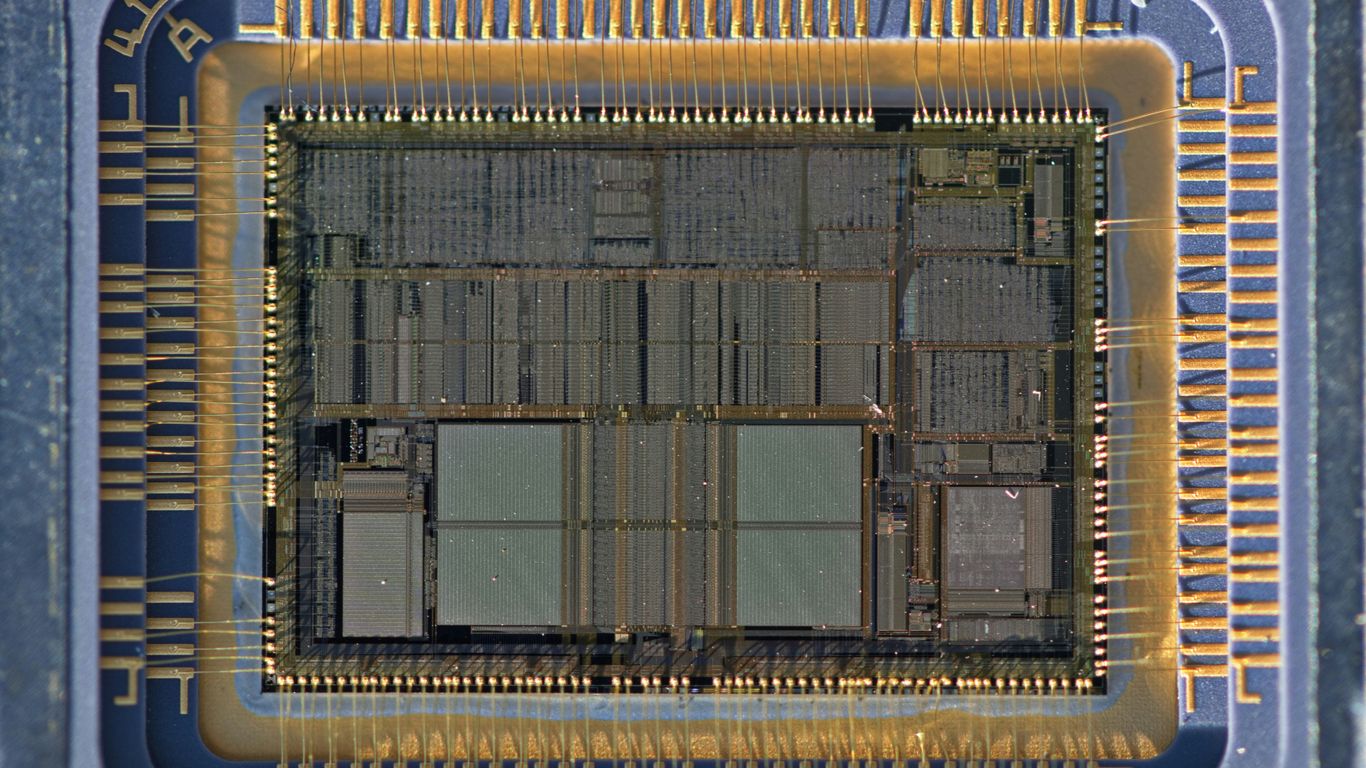
Alright, let’s talk about the Intel Core i5-13600K. This chip really made some waves when it came out, offering a solid mix of performance for pretty much anything you throw at it. It’s got a hybrid architecture, meaning it uses both Performance-cores (P-cores) and Efficient-cores (E-cores). This setup gives it a total of 14 cores and 20 threads, which is a pretty big jump from what you might expect from an i5.
This processor is a fantastic all-rounder, especially if you’re into gaming but also do a bit of work or content creation on the side. It handles demanding games well, and when you’re done gaming, it doesn’t break a sweat when you’re editing photos or running multiple applications. It’s a step up from some of the older i5 models, bringing more power to the table without completely emptying your wallet.
Here’s a quick look at what it brings:
- Core Count: 14 Cores (6 Performance-cores + 8 Efficient-cores)
- Thread Count: 20 Threads
- Max Turbo Frequency: Up to 5.1 GHz
- Cache: 24MB L2 Cache, 20MB L3 Cache
- TDP: 125W (Base), 181W (Max Turbo)
When it comes to gaming, the 13600K is a strong contender. It can keep up with high refresh rates, and for most games, you’ll be getting smooth frame rates. It’s not quite at the top-tier i7 or i9 level, but for the price, it’s a really smart choice for a lot of people. You can find some great deals on Intel CPUs if you’re looking to upgrade.
For productivity tasks, like video editing or running virtual machines, those extra E-cores really come in handy. It means you can have more programs open and running without the whole system bogging down. It’s a noticeable improvement over processors that rely solely on P-cores. So, if you’re building a new PC or upgrading an older one, the i5-13600K is definitely worth considering for its balanced performance.
3. AMD Ryzen 5 3600
Ah, the AMD Ryzen 5 3600. This one feels like a bit of a classic now, doesn’t it? Back when it came out, it was a real sweet spot for a lot of people building PCs. It’s built on AMD’s Zen 2 architecture, which was a pretty big step up for them.
This processor really hit a sweet spot for value and performance, making it a go-to for many builders. It packs 6 cores and 12 threads, which means it’s pretty decent at handling multiple things at once. For everyday tasks, browsing the web with a million tabs open, or even some light gaming, it held its own really well. It’s not the newest kid on the block anymore, but it’s still a capable chip if you find one for a good price.
When it came out, it was often compared to Intel’s Core i5 chips of the time, like the 9600K or 10600K. In games, it was usually pretty close, sometimes a little behind Intel, especially in titles that really favored raw clock speed. But where the 3600 often shone was in tasks that could use all those cores and threads, like video editing or rendering. It could often finish those jobs a bit faster than its Intel rivals.
Here’s a quick look at how it stacked up in some common scenarios:
- Gaming: Solid performance, especially at 1080p. It might not hit the absolute highest frame rates in every single game compared to some newer or Intel chips, but it provided a smooth experience for most.
- Multitasking: This is where the 6 cores and 12 threads really helped. Running background apps, streaming, or having lots of browser tabs open felt pretty good.
- Productivity: For tasks like video editing or basic content creation, it offered a good balance of performance without breaking the bank.
It’s important to remember that while it was great, newer Ryzen chips and Intel processors have since surpassed it. But if you’re looking at a budget build or upgrading an older system, the Ryzen 5 3600 is definitely worth considering if you can snag one for a decent price. It’s a reliable workhorse that proved AMD could really compete in the mainstream market.
4. Intel Core i5-9600K
Alright, let’s talk about the Intel Core i5-9600K. This chip came out a while back, back in the day when Intel was really pushing its 9th generation processors. It was a pretty solid choice for gamers and people who just wanted a decent all-around chip without breaking the bank.
It’s a 6-core, 6-thread processor, which was pretty standard for its time. This means it could handle most games and everyday tasks without too much fuss. For gaming, it offered good single-core performance, which was important back then because games weren’t always great at using lots of cores. You could probably still get a decent gaming experience out of it today, but newer titles might start to show its age. It might struggle to deliver an enjoyable gaming experience in some newer titles, suggesting an upgrade might be necessary for optimal performance.
Here’s a quick look at some of its specs:
- Cores: 6
- Threads: 6
- Base Clock: 3.7 GHz
- Max Turbo Clock: 4.6 GHz
- TDP: 95W
One of the cool things about the K-series processors like this one is that they are unlocked. This means if you have a compatible motherboard and a decent cooler, you could potentially overclock it to squeeze out a bit more performance. It wasn’t always easy, and you had to be careful not to overheat it, but it was an option for enthusiasts.
Compared to some of the newer Ryzen chips or even later Intel i5s, the 9600K is definitely showing its age. It doesn’t have the core and thread count of modern CPUs, and its power efficiency isn’t as good. But, if you happen to find one cheap or are upgrading an older system, it can still be a capable little processor for basic tasks and some older games.
5. Intel Core i5-12600K
Alright, let’s talk about the Intel Core i5-12600K. This chip was a pretty big deal when it came out because it was one of the first mainstream CPUs to use Intel’s new hybrid architecture. Basically, it mixes high-performance cores with smaller, more efficient cores.
This hybrid design means it can handle demanding tasks like gaming and video editing with its performance cores, while the efficiency cores take care of background stuff without using too much power. It’s a smart way to get good performance across the board.
Here’s a quick look at what it brings to the table:
- Performance Cores (P-cores): 6 cores, good for heavy lifting.
- Efficient Cores (E-cores): 8 cores, great for everyday tasks and saving energy.
- Total Cores: 14
- Total Threads: 20
- Architecture: Alder Lake
- Overclockable: Yes, the ‘K’ means you can push it further if you’ve got the cooling.
When it comes to gaming, the 12600K generally holds its own. It’s got strong single-core speeds, which is still pretty important for many games. You’ll find it performs well in most titles, especially when paired with a decent graphics card. It’s not always the absolute fastest, but it offers a really solid experience for the money.
For productivity, that mix of P-cores and E-cores really shines. Running multiple applications at once, like having a game open while streaming or editing a document, feels pretty smooth. It’s a good all-rounder for people who do a bit of everything on their PC, from work to play.
6. AMD Ryzen 5 5600G
Alright, let’s talk about the AMD Ryzen 5 5600G. This one’s a bit different from some of the others because it’s an APU. What does that mean? Basically, it’s got a decent processor and integrated graphics built right in. This makes it a really solid choice if you’re building a PC on a tighter budget or if you don’t plan on getting a separate graphics card right away.
Think of it as a jack-of-all-trades. You get 6 cores and 12 threads, which is pretty good for everyday tasks, some multitasking, and even light gaming. You won’t be playing the latest AAA titles on ultra settings, but for older games or less demanding esports titles, it can hold its own. It’s based on AMD’s Zen 3 architecture, so it’s not ancient tech either.
Here’s a quick rundown of what you get:
- Cores/Threads: 6 cores / 12 threads
- Integrated Graphics: Radeon Graphics
- TDP: 65W (pretty efficient)
- Use Case: Budget builds, HTPCs, office PCs, light gaming
Compared to some of the Intel Core i5 chips that need a dedicated GPU to even show a picture, the 5600G saves you that initial cost. It’s a smart way to get a functional computer up and running without breaking the bank. If you decide later you want better gaming performance, you can always add a discrete graphics card. It’s a flexible option for many users, especially students who might be juggling classes and some casual gaming. For those looking for the absolute fastest gaming performance, you might want to check out something like the AMD Ryzen 7 9800X3D, but for a balanced, budget-friendly system, the 5600G is definitely worth considering.
7. Intel Core i5-10600K
Alright, let’s talk about the Intel Core i5-10600K. This chip came out a little while back, and honestly, it was a pretty solid option for its time, especially if you were into gaming. It’s part of Intel’s 10th generation, codenamed Comet Lake, and it really hit a sweet spot for a lot of people who wanted good performance without completely breaking the bank.
The 10600K was known for its strong single-core performance, which is super important for gaming. Back then, games often relied more on one or two fast cores rather than a ton of cores. This CPU could really push high frame rates in many titles. It’s got 6 cores and 12 threads, which was pretty decent for multitasking too, though maybe not as beefy as some of the newer Ryzen chips that were starting to pack more cores.
Here’s a quick look at what it offered:
- Cores/Threads: 6 Cores / 12 Threads
- Base Clock: 4.1 GHz
- Max Turbo Boost: Up to 4.8 GHz
- TDP: 125W
- Socket: LGA 1200
When it came to actual performance, it was competitive. In benchmarks, it often traded blows with AMD’s Ryzen 5 3600, sometimes winning out in games and sometimes falling a bit behind in heavily multi-threaded tasks. It was a good all-rounder, really. You could game, do some light content creation, and handle everyday tasks without much fuss. The ‘K’ in its name means it’s unlocked, so if you were into overclocking, you could potentially squeeze even more performance out of it, though that meant dealing with more heat and needing a good cooler. For anyone looking for a capable gaming CPU from that era, the Intel Core i5-10600K was definitely a strong contender.
8. Intel Core i5
Alright, let’s talk about the Intel Core i5. This line of processors has been a go-to for a lot of people for years, and for good reason. They generally hit that sweet spot between price and performance, making them a solid choice for a wide range of users, from casual home folks to serious gamers.
Intel’s i5 processors often shine when it comes to single-core speed. This means they can be really good at tasks that don’t need a ton of cores working at once, like many games or just everyday stuff like browsing the web or using office apps. Newer i5 models have even gotten better with more cores and threads, closing the gap in multi-threaded performance compared to their competitors. It’s a bit of a balancing act, really. If you’re mostly gaming and want those high frame rates, an i5 can be a great pick. Plus, they’re often found in pre-built systems, making them an easy option for many.
Here’s a quick look at what you might find in an i5:
- Core Count: Varies, but newer generations are packing more cores, sometimes using a mix of performance and efficiency cores.
- Clock Speeds: Generally high, which helps with responsiveness in single-threaded tasks.
- Integrated Graphics: Many i5 CPUs come with built-in graphics, which is handy if you’re not planning on using a separate graphics card right away.
- Platform Features: Support for the latest memory and connectivity standards.
When you’re looking at different generations, you’ll see differences in core counts and architecture. For instance, the 12th Gen (Alder Lake) brought a hybrid design to many i5s, mixing performance and efficiency cores. This approach helps manage power and boost performance where it’s needed most. It’s worth checking out the latest CPU benchmarks to see how specific models stack up, as performance can change quite a bit between generations.
9. AMD Ryzen 5
Alright, let’s talk about the AMD Ryzen 5 series. This is a pretty popular line of processors, especially if you’re looking for a good balance between price and performance. They’ve really made a name for themselves by offering a solid number of cores and threads, which is great for multitasking.
Think about it: you’re editing a video, maybe have a bunch of browser tabs open, and you want to stream your gameplay all at once. That’s where Ryzen 5 tends to shine. It’s built to handle a lot of things happening at the same time without bogging down.
Here’s a quick rundown of what makes them stand out:
- More Cores and Threads: Generally, Ryzen 5 CPUs pack more cores and threads than their Intel i5 counterparts. This is a big deal for tasks that can split up work across multiple processing units, like video rendering or running virtual machines.
- Multitasking Prowess: Because of that core count, they’re fantastic for juggling multiple applications. If you’re a student with research papers, lectures, and coding projects open, or a content creator who streams while gaming, this is a big plus.
- Value Proposition: AMD has historically done a good job of offering competitive performance without breaking the bank. You often get a lot of processing power for your money with a Ryzen 5.
While Intel might sometimes have a slight edge in raw single-core speed for certain games, the Ryzen 5 series is often the go-to for professionals and power users who need that multi-threaded muscle. It’s a workhorse that can handle demanding tasks efficiently. Plus, when paired with an AMD graphics card, you can sometimes get a little extra performance boost thanks to technologies like Smart Access Memory.
10. Intel Core Ultra 5
Alright, let’s talk about the Intel Core Ultra 5. This is where Intel is trying to do something a bit different, especially with their newer chips. They’ve moved away from the old generation numbering, so you won’t see a ’15th Gen’ or anything like that. Instead, they’re using this ‘Core Ultra’ branding, which can be a little confusing at first, but it signals a shift towards more specialized processing.
These processors are designed with a few different types of cores. You’ve got your standard Performance-cores (P-cores) for the heavy lifting, then there are Efficient-cores (E-cores) to handle background tasks and save power. And now, with the latest Core Ultra chips, they’ve even added Low-Power Efficient-cores (LPE-cores) in some models. This whole setup is meant to be smarter about how it uses power, especially in laptops. The goal is to give you good performance when you need it, but also stretch that battery life out as much as possible.
When you’re looking at a Core Ultra 5, you’re generally getting a chip that sits in the middle of the pack. It’s not the absolute top-tier, but it’s definitely a step up from the lower-end options. For everyday tasks, browsing, and even some lighter creative work, it should handle things pretty well. It’s a solid choice if you’re looking for a balanced experience without breaking the bank.
Here’s a quick look at how it stacks up in some general performance metrics:
| Metric | Standing (out of 5497 CPUs) |
|---|---|
| Multithreading | 329th |
| Single Threading | 61st |
| CPU Mark/$ | 142.71 |
Keep in mind, these numbers are just a snapshot. How it actually performs depends a lot on the specific laptop it’s in and what you’re asking it to do. But for a general idea, the Core Ultra 5 is a capable processor that’s trying to be more efficient. It’s definitely worth considering if you’re shopping for a new laptop and want a good mix of power and battery life. You can find more details on specific models and their performance on sites like Intel’s ARK.
So, Which Chip Should You Pick?
Alright, we’ve gone through a lot, haven’t we? Deciding between an AMD Ryzen 5 and an Intel Core i5 in 2025 really comes down to what you’ll be doing most. If you’re all about getting the absolute highest frame rates in games and don’t mind a bit more power draw, Intel might have a slight edge. But if you’re juggling a bunch of apps, streaming while you play, or doing creative work like video editing, that extra grunt from Ryzen’s cores and threads is probably going to make your life easier. Plus, AMD’s track record with keeping sockets around longer means you might save some cash down the road if you want to upgrade. Honestly, both are solid choices for most people, so just think about your wallet and your workflow, and you’ll land on the right one.
Frequently Asked Questions
Which is better for gaming, an Intel Core i5 or an AMD Ryzen 5?
For gaming, Intel Core i5 often has a slight edge because it’s really good at doing one thing very fast, which many games need. But, if you like to stream your games or do other things at the same time, the Ryzen 5 might be smoother because it has more cores and threads to handle multiple tasks.
What’s the difference between Ryzen 5 and Core i5 for everyday computer use?
For normal stuff like browsing the web, writing papers, or watching videos, both Ryzen 5 and Core i5 are fantastic. Ryzen 5 is great if you often have many apps open at once, while Core i5 is super speedy for apps that don’t need to do a lot of things all at once.
Are AMD Ryzen 5 processors good for students?
Yes, AMD Ryzen 5 processors are a solid choice for students. They’re good at handling many apps at the same time, which is helpful for schoolwork, and they usually offer a lot of power for the price, making them budget-friendly.
Do I need a special cooler for these processors?
Some of the less expensive Ryzen processors come with a cooler in the box, which is handy. For the more powerful Intel Core i5 chips, especially if you plan to push them hard, you might want to get a better cooler to keep things from getting too hot.
Which processor brand is better for upgrading my computer later?
AMD has a good track record of keeping the same connection type (socket) for their motherboards for several years. This means you can often swap out an older Ryzen CPU for a newer one without needing a whole new motherboard, which can save you money in the long run.
What does ‘cores’ and ‘threads’ mean for a CPU?
Think of cores like the number of workers in a factory, and threads are like the number of tasks each worker can do at the same time. More cores and threads mean the processor can handle more jobs at once, which is great for multitasking and demanding programs.