
These days, doctors and nurses are using phones and tablets more and more to help patients. It’s super convenient, letting them check records and communicate quickly. But, this also means a lot more sensitive patient information is out there on these devices. That’s where healthcare mobile device management comes in. It’s basically a system to keep all those devices secure and make sure patient data stays private. Without it, things could get messy, with data leaks and trouble with regulations.
Key Takeaways
- Mobile devices are now a big part of how healthcare is delivered, making healthcare mobile device management a necessity.
- Strong security policies and using MDM software are vital for protecting patient information.
- Keeping patient data safe on mobile devices is key to following rules like HIPAA and keeping patient trust.
- Setting up MDM involves checking your current devices, making clear rules, picking the right software, and training staff.
- Good healthcare mobile device management helps telemedicine work safely and keeps patient records secure during remote care.
Understanding The Need For Healthcare Mobile Device Management
The Growing Reliance On Mobile Devices In Patient Care
It’s pretty wild how much we rely on phones and tablets these days, right? Healthcare is no different. Doctors, nurses, and other staff are using these devices more and more to keep track of patient info, check test results, and even communicate with each other. It’s made things faster, sure, but it also means a lot more sensitive data is floating around on devices that can be easily misplaced or, worse, accessed by the wrong people. Think about it – a doctor checking a patient’s chart on their tablet in a busy waiting room, or a nurse using a phone to update records. These devices are everywhere, and they’re becoming the go-to tool for quick access to patient records and getting care out the door efficiently. This shift means we really need to pay attention to how these devices are managed.
Protecting Sensitive Patient Information
This is where things get serious. When we talk about patient data, we’re talking about some of the most private information out there. Things like medical histories, diagnoses, treatment plans, and personal identifiers. If this information falls into the wrong hands, it’s not just an inconvenience; it can lead to identity theft, fraud, and a whole lot of distress for patients. The potential for data breaches on mobile devices is a significant concern for any healthcare organization. We’re not just talking about a few lost files; we’re talking about compromising patient privacy on a large scale. That’s why having solid security measures in place is so important. It’s about more than just following rules; it’s about doing the right thing by the people who trust us with their health information. Implementing robust mobile device management practices is key to keeping this data safe.
Maintaining Patient Trust Through Robust Security
Ultimately, it all comes down to trust. Patients share incredibly personal details with their healthcare providers, and they expect that information to be kept confidential. When a healthcare organization experiences a data breach, especially one involving mobile devices, that trust can be shattered. Rebuilding that trust is a long and difficult process. Patients might become hesitant to share information, or even seek care from that provider again. On the flip side, a strong commitment to security, demonstrated through effective mobile device management, shows patients that their privacy is a top priority. This builds confidence and loyalty, which are invaluable in the healthcare industry. It’s about showing them we’re serious about protecting them, not just their health, but their personal information too.
Key Components Of Effective Healthcare Mobile Device Management
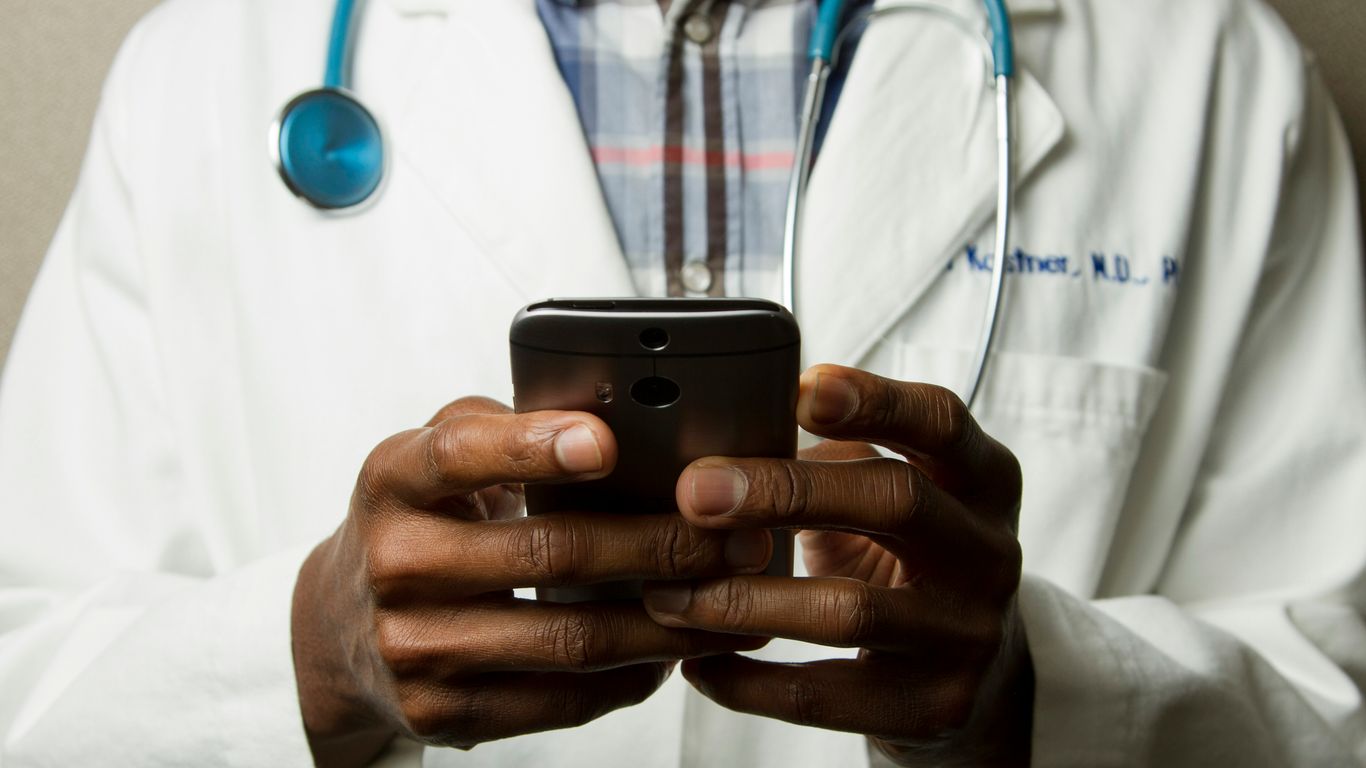
So, you’ve got all these phones and tablets floating around the hospital, right? They’re super handy for checking patient charts or sending quick messages, but they also hold some seriously sensitive stuff. That’s where managing these devices really comes into play. It’s not just about having the devices; it’s about making sure they’re locked down tight.
Establishing Clear Device Security Policies
First things first, you need some ground rules. Think of it like setting the rules for a game – everyone needs to know what’s allowed and what’s not. This means spelling out exactly how staff should use their devices, what kind of patient information they can look at, and what security steps they absolutely have to follow. This covers everything from hospital-issued gear to phones people use for work but own themselves (that’s the BYOD thing). Having these policies written down and understood by everyone is a big step.
Implementing Comprehensive Mobile Device Management Solutions
Okay, so you’ve got the rules. Now you need a way to actually make sure people are following them and that the devices themselves are safe. This is where Mobile Device Management (MDM) software comes in. It’s like a central control panel for all your mobile devices. You can use it to check that devices are set up right, push out software updates automatically, and keep an eye on things remotely. This kind of system helps keep all your devices in line with security standards without you having to physically touch each one.
Enforcing Encryption Practices For Data Protection
Imagine if someone lost their work phone. If the data on it isn’t encrypted, it’s like leaving a locked diary out in the open. Encryption scrambles the data so that even if someone gets their hands on the device, they can’t read a thing. It’s a must-have for protecting patient information, especially if a device goes missing or gets stolen. You want to make sure that sensitive patient data is unreadable to anyone who shouldn’t see it.
Implementing Strict Access Controls
Not everyone needs to see every piece of patient information. That’s just common sense, right? Strict access controls mean that only the right people, with the proper authorization, can get to specific data. This stops unauthorized eyes from peeking at records and keeps patient information private. It’s about making sure that a nurse can access what they need for patient care, but a billing clerk doesn’t have access to a patient’s full medical history, for example.
Navigating Regulatory Compliance With Mobile Device Management
Look, keeping patient data safe isn’t just a good idea; it’s the law. In healthcare, especially with all the mobile devices flying around, you’ve got to pay attention to rules like HIPAA. It’s not just about avoiding trouble, though. It’s about making sure patients can actually trust you with their most private information. When devices aren’t managed right, it’s easy for things to go wrong, and that can lead to some serious headaches.
HIPAA Compliance For Patient Data Security
When we talk about HIPAA compliance for a device, it’s not like there’s a single switch you flip. It’s more about putting a bunch of security measures in place and having clear rules for how things are done. This means making sure the right safeguards are actually being used. The goal is to protect Protected Health Information (PHI) no matter where it is. This involves a layered approach, from how devices are set up to how staff use them every day. It’s about building a system where security is part of the process, not an afterthought.
Adhering To Data Privacy Standards
Beyond HIPAA, there are other data privacy standards that healthcare organizations need to keep in mind. These rules often overlap, but they can have different focuses. Think about things like state-specific privacy laws or even international standards if you’re dealing with patients from different countries. The main idea is always the same: keep patient information confidential and secure. This means understanding what data you have, where it’s stored, and who has access to it. It’s a constant effort to stay on top of these requirements.
Avoiding Legal Penalties And Fines
Getting this wrong can be costly. We’re not just talking about a slap on the wrist. Fines for HIPAA violations, for example, can be huge, running into the tens of thousands of dollars per violation, and sometimes even more if it’s a repeat offense or involves willful neglect. Beyond the money, there’s the damage to your reputation. Patients will go elsewhere if they think their data isn’t safe. So, getting your mobile device management in order is a smart business move, not just a legal one. It helps keep your organization running smoothly and your patients feeling secure.
Implementing Healthcare Mobile Device Management Solutions
So, you’ve decided to get serious about managing mobile devices in your healthcare setting. That’s a smart move, honestly. It’s not just about having the latest gadgets; it’s about making sure all those phones and tablets are actually helping, not hurting, patient data security. Think of it like setting up a secure network for your entire fleet of devices. It takes a bit of planning, but once it’s done, things run a lot smoother and safer.
Assessing The Current Device Environment
First things first, you need to know what you’re working with. What devices are even out there? This means taking stock of everything – hospital-issued phones, tablets used for patient check-ins, maybe even staff personal devices if you allow them (BYOD). You’ll want to know what operating systems they’re running and how people are actually using them day-to-day. This initial look helps you figure out the scale of the job and what specific security measures you’ll need. It’s like doing a full inventory before you start renovating your house.
Defining Security Policies And Usage Guidelines
Once you know what devices you have, you need to set some ground rules. What can people do with these devices? What kind of patient information can they access, and how should they handle it? These policies need to be clear and easy for everyone to understand. They’re not just about telling people what not to do; they’re about guiding staff on their responsibilities and making sure every device is playing by the same security rules. This is where you start building a solid foundation for mobile device management.
Selecting The Appropriate MDM Solution
Now for the tech part. There are different ways to manage devices, and you need to pick the one that fits your organization best. You’ve got cloud-based options, which are often quick to set up and manage remotely, great for places with multiple locations. Then there are on-premise solutions, giving you total control over your data and servers – good if you need that extra layer of direct oversight. Some places even go for a hybrid approach, mixing the best of both. The key is to choose something that can grow with you and meets your specific security needs.
Configuring Devices And Enforcing Security Measures
This is where you actually lock things down. It involves setting up all those devices with the right security features. Think strong passwords, limiting who can access what, and making sure data is encrypted. Encryption is a big one; it means that even if a device falls into the wrong hands, the sensitive patient information on it is unreadable. It’s about making sure that patient data stays protected, no matter what happens to the device itself.
Leveraging MDM For Enhanced Telemedicine Security
Telemedicine is really changing how we get healthcare, letting folks see doctors without leaving their homes. This usually means using phones, tablets, or computers, which is great for access, but it also opens up some security worries. That’s where Mobile Device Management, or MDM, steps in. MDM helps make sure all these devices used for telehealth are locked down tight. It’s not just about keeping hackers out; it’s about making sure patient info stays private and that doctors and patients can connect without any digital slip-ups.
Securing Devices Used For Remote Patient Monitoring
Remote patient monitoring is a big part of telehealth. Think of devices that track heart rates, blood sugar, or blood pressure from afar. These gadgets collect a lot of personal health data. MDM can make sure these devices are set up correctly from the start, with strong passwords and only approved apps allowed. If a device is lost or stolen, MDM lets you remotely lock it or wipe all the data, so that sensitive information doesn’t fall into the wrong hands. It’s like having a remote control for the security of all these health trackers.
Ensuring Confidentiality In Virtual Consultations
When a doctor talks to a patient over video, that conversation is private. MDM helps keep it that way. It can enforce rules on the devices used, like making sure the video conferencing software is up-to-date and secure. It also helps prevent unauthorized access to the call itself. Imagine trying to have a private chat while anyone can just walk in the room – MDM is like putting a secure door on that virtual room. This means patients can feel more comfortable sharing their health concerns.
Facilitating Secure Access To Electronic Health Records
Doctors and nurses need to get to patient records quickly, even when they’re not in the office. Telemedicine often means accessing Electronic Health Records (EHRs) from various devices. MDM plays a role here by controlling who can access these records and from where. It can require multi-factor authentication, meaning a password plus something else, like a code sent to a phone. This stops just anyone from logging into a patient’s file. It also helps manage which apps can connect to the EHR system, reducing the risk of data leaks through less secure applications.
Best Practices For Ongoing Mobile Device Compliance
Keeping patient data safe isn’t a one-time setup; it’s an ongoing effort. Think of it like maintaining your car – you can’t just get an oil change once and forget about it. You need to keep up with it to avoid bigger problems down the road.
Regular Staff Training On Device Usage
Let’s be honest, sometimes the weakest link in security is us humans. People make mistakes, especially when they’re busy or stressed. That’s why making sure your staff knows the rules and why they matter is super important. It’s not just about telling them once, either. Things change, new threats pop up, and people forget.
- Initial Onboarding: Every new hire needs to get the lowdown on how to use work devices securely. This includes password rules, what apps are okay to use, and what to do if something seems fishy.
- Regular Refreshers: Schedule training sessions at least annually, or whenever there’s a significant update to policies or technology. Make these sessions interactive – maybe a quick quiz or a "spot the phishing email" game.
- Scenario-Based Learning: Talk through real-world situations. What should a nurse do if they lose their tablet? How should a doctor handle a suspicious text message asking for patient info?
Continuous Monitoring Of Device Activity
Once devices are set up and staff are trained, you can’t just assume everything is running smoothly. You need to keep an eye on things. This is where your Mobile Device Management (MDM) solution really shines. It’s like having a security guard for your devices, watching for anything out of the ordinary.
- Alerts for Suspicious Behavior: Set up your MDM to flag unusual activity, like attempts to access restricted data or a device trying to connect from a strange location.
- App Vetting: Make sure only approved applications are installed on devices. Unapproved apps can be a backdoor for malware.
- Location Tracking (with consent): For lost or stolen devices, knowing their last known location can be a lifesaver for recovery and data protection.
Periodic Audits And Policy Updates
Regulations change, technology evolves, and new security threats emerge all the time. What was secure last year might not be secure today. So, you’ve got to review your setup regularly and update your rules accordingly.
- Device Audits: Conduct checks to confirm all devices are compliant with current policies. Are they running the latest software updates? Are security settings still active?
- Policy Review: Look at your existing policies. Do they still make sense? Are they easy for staff to follow? Do they cover the latest risks?
- Update MDM Configurations: Based on your audits and policy reviews, adjust your MDM settings. This might mean tightening access controls, adding new security rules, or updating approved app lists.
Staying on top of these practices is key to maintaining a strong security posture and keeping patient data protected. It might seem like a lot of work, but it’s way better than dealing with a data breach and all the fallout that comes with it.
Wrapping Up: Keeping Patient Data Safe in a Mobile World
So, we’ve talked a lot about how mobile devices are everywhere in healthcare now, and that’s a good thing for patient care. But it also means we have to be super careful about keeping all that sensitive patient information locked down. Using something like mobile device management, or MDM, is really the way to go. It helps make sure devices are set up right, only the right people can get to the data, and everything stays compliant with rules like HIPAA. It’s not just about avoiding fines, though that’s important. It’s about making sure patients can trust us with their health details. By putting these management systems in place, healthcare providers can keep up with technology while still putting patient privacy first. It’s a big job, but totally worth it for everyone involved.
Frequently Asked Questions
Why are cell phones and tablets so important in hospitals now?
Hospitals use cell phones and tablets a lot now because they help doctors and nurses take care of patients better and faster. They can quickly look up patient info, check test results, and talk to other medical staff. This makes it easier to give good care and helps everyone work together smoothly.
What does ‘mobile device management’ mean for hospitals?
Mobile device management, or MDM, is like having a security guard and organizer for all the phones and tablets used in a hospital. It makes sure only the right people can get to patient information, keeps the devices updated with the latest security features, and can even lock or erase data if a device is lost or stolen. This keeps patient information safe.
How does MDM help keep patient information private?
MDM helps keep patient information private in a few ways. It can lock devices with passwords, make sure data is scrambled so it can’t be read by others, and control who gets to see what information. It’s like putting patient files in a locked box that only authorized people have the key to.
What is HIPAA and why is it important for mobile devices?
HIPAA is a law that protects patient health information. It’s super important because it says how hospitals must keep patient data safe. When hospitals use mobile devices, they have to make sure those devices also follow HIPAA rules to prevent patient information from getting out.
What happens if a hospital doesn’t manage its mobile devices well?
If a hospital doesn’t manage its mobile devices well, patient information could be stolen or leaked. This can lead to big problems like getting fined by the government, losing patients’ trust, and facing lawsuits. It’s a serious risk that can hurt both the patients and the hospital.
Can MDM help with seeing a doctor from home (telemedicine)?
Yes, MDM is really helpful for telemedicine! It makes sure the devices used for video calls or checking patient info from home are secure. This means your private talks with the doctor stay private, and your health records are safe, even when you’re not in the hospital.