You’ve probably heard the term ‘SaaS’ thrown around a lot, especially when people talk about software and the internet. But what exactly is it? Basically, software as a service (SaaS) can be defined as a way to get and use software without having to install it on your own computer. Think of it like renting a tool instead of buying it outright. It lives somewhere else, usually on the internet, and you just access it when you need it. This whole idea is a big part of what we call cloud computing, and it’s changed how businesses and individuals use technology.
Key Takeaways
- Software as a service (SaaS) is a cloud-based model where software is hosted by a provider and accessed by users over the internet, typically through a web browser.
- SaaS applications are designed to be multi-tenant, meaning one instance of the software serves multiple customers, with data kept separate and secure for each.
- Businesses benefit from SaaS through lower upfront costs, easier deployment, automatic updates, and the ability to scale usage up or down as needed.
- While SaaS offers convenience, users have less control over the software and its infrastructure compared to traditional on-premises solutions.
- SaaS is a major component of cloud computing, distinct from other models like Infrastructure as a Service (IaaS) and Platform as a Service (PaaS), which focus on different layers of the technology stack.
Understanding Software As A Service (SaaS)
Defining Software As A Service
So, what exactly is Software as a Service, or SaaS? Think of it as renting software instead of buying it outright. Instead of installing a program on your computer and managing all its updates and upkeep, you access it over the internet, usually through a web browser. The company providing the software handles all the technical stuff – the servers, the security, the updates – and you just use it. This model has really changed how businesses get their software. It’s all about convenience and accessibility, letting you use applications from pretty much anywhere with an internet connection.
SaaS Is A Component Of Cloud Computing
It’s important to know that SaaS isn’t its own separate thing; it’s actually a big part of the whole cloud computing picture. Cloud computing is the broader idea of using remote servers hosted on the internet to store, manage, and process data, rather than a local server or a personal computer. SaaS is one of the main ways people interact with the cloud. Other types of cloud services exist, like PaaS (Platform as a Service) and IaaS (Infrastructure as a Service), but SaaS is the one most end-users directly experience. It’s like how a car is a component of transportation; SaaS is a component of the cloud.
Historical Context Of SaaS
While SaaS feels pretty modern, the idea of accessing software remotely isn’t entirely new. Back in the 1950s, people used mainframes to run applications and accessed them through terminals. But the SaaS we recognize today really took off around 1999 when Salesforce launched its customer relationship management (CRM) system. They made it accessible through web browsers, which was a game-changer. Since then, it’s exploded. In 2024, large businesses were using an average of 131 different SaaS applications. The market for SaaS was valued at nearly $400 billion in 2024 and is expected to keep growing significantly. This shows just how much the way we use software has shifted towards these accessible, cloud-based solutions.
Core Characteristics Of SaaS Applications
So, what makes a software application a ‘SaaS’ application? It’s not just about being online. There are a few key things that define it. Think of these as the building blocks that make SaaS work the way it does.
Cloud-Hosted Applications
First off, SaaS apps live in the cloud. This means the software isn’t installed on your computer or your company’s servers. Instead, it’s hosted on the servers of the company providing the software, or by a third-party cloud provider. This is a big deal because it means the provider handles all the heavy lifting – the servers, the networking, all of it. They can even use massive cloud providers to make sure the app is available everywhere and can handle lots of users.
Internet Accessibility
Because these apps are cloud-hosted, you can get to them from pretty much anywhere, as long as you have an internet connection. Most SaaS applications are designed to be used through a standard web browser, like Chrome, Firefox, or Safari. This means you don’t need special software installed on your device. Your computer, your tablet, even your phone – if it can get online and open a browser, you can likely use the SaaS app. Sometimes, there might be a lightweight app you download, but the main work is still happening on the provider’s servers.
Multi-Tenant Architecture
This sounds technical, but it’s pretty straightforward. Imagine an apartment building. One building (the software instance) houses many different residents (tenants or users). In a multi-tenant setup, a single version of the software, along with its database and underlying infrastructure, serves multiple customers. Now, don’t worry, your data is kept separate and secure from everyone else’s. It’s like having your own apartment within the building – private and secure, even though you share the same structure. This approach is efficient because the provider only needs to manage and update one core system for everyone.
Vendor-Managed Maintenance
This is a huge perk for users. With SaaS, you don’t have to worry about updates, security patches, or server maintenance. The company providing the software takes care of all of that. They’re responsible for keeping the servers running, applying the latest security fixes, and rolling out new features. This means you always have access to the most current version of the software without needing your IT department to do anything. They also handle things like backups and making sure the service stays available, often promising high uptime percentages.
How Software As A Service Operates
So, how does this whole SaaS thing actually work? It’s pretty straightforward once you break it down. Think of it like renting a fully furnished apartment instead of buying a house. You get to use the space and all its amenities, but you don’t have to worry about the plumbing, the roof repairs, or even mowing the lawn. The landlord (that’s the SaaS provider) handles all that.
Subscription-Based Access
This is the big one. Instead of shelling out a huge amount of cash upfront for software licenses, you pay a recurring fee, usually monthly or annually. This subscription model makes powerful software accessible to businesses of all sizes. You’re essentially paying for the right to use the software for a set period.
- Predictable Costs: Knowing your software expenses ahead of time makes budgeting a lot easier.
- Flexibility: You can often scale your subscription up or down based on your current needs, adding or removing users or features as required.
- Access to Latest Features: Subscriptions usually include updates, so you’re always working with the most current version of the software without extra effort.
Web Browser Interface
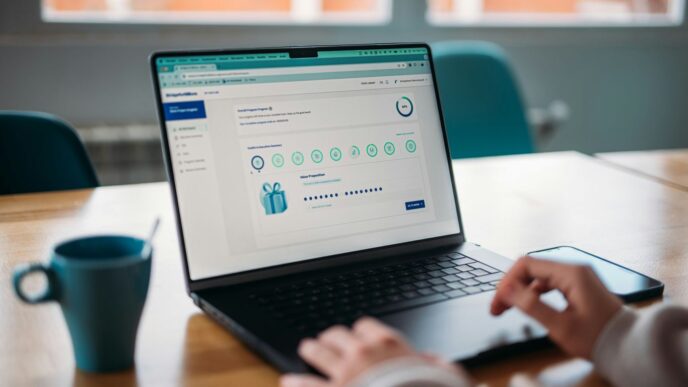
Most of the time, you access SaaS applications through a standard web browser – Chrome, Firefox, Safari, you name it. There’s no need to download and install complicated software onto your computer. You just go to a specific web address, log in with your credentials, and start using the application. This makes it incredibly easy to get started and use the software from virtually any device with an internet connection. Whether you’re at the office, working from home, or even on the go, your software is usually just a few clicks away.
Scalability And Resource Optimization
This is where the cloud really shines. SaaS providers build their services on robust cloud infrastructure. This means they can easily adjust the resources allocated to their applications based on demand. If suddenly a lot more people start using the service, the provider can quickly add more computing power or storage. For you, the user, this means the software generally performs well, even during peak times. It also means the provider can serve many different customers (tenants) using the same underlying software instance, which is way more efficient than each customer having their own dedicated setup. It’s a win-win: you get reliable performance, and the provider can operate more cost-effectively.
Key Business Advantages Of SaaS
So, why are so many businesses jumping on the SaaS bandwagon? It really boils down to some pretty significant benefits that make life easier and, frankly, cheaper. The shift from buying and managing software yourself to simply subscribing to a service changes the game.
Think about it. Instead of shelling out a huge chunk of cash upfront for licenses, servers, and all the IT staff to keep it running, you pay a regular fee. This makes budgeting way simpler. You know what you’re going to spend each month or year on your software tools, which is a big deal for any business trying to keep its finances in order.
Reduced Upfront And Ongoing Costs
This is probably the biggest draw. With traditional software, you’re looking at big initial investments. You need to buy the software licenses, maybe upgrade your hardware to run it, and then pay for installation. SaaS flips that. You pay a subscription, often monthly or annually, which is much easier on the wallet to start with. Plus, since the provider handles all the server stuff and maintenance, you don’t need to buy extra computers or hire more IT people just to keep the software humming. Those ongoing costs, like updates and fixes, are usually baked into your subscription too, so no surprise bills popping up.
Rapid Deployment And Implementation
Remember the days of spending weeks or even months installing and configuring software across an entire company? With SaaS, that’s mostly a thing of the past. Once you sign up, you can often start using the application right away, sometimes within minutes. This means your teams can get to work with new tools much faster, which can really speed up projects and improve productivity without a long setup period.
On-Demand Scalability
Businesses aren’t static, right? They grow, they shrink, they have busy periods and slow periods. SaaS is built for that. If your company suddenly needs more users, more storage, or access to advanced features, you can usually just adjust your subscription. It’s like turning a dial instead of having to buy and install new equipment. This flexibility means you’re not paying for capacity you don’t need, and you can quickly ramp up when demand increases. It’s a much more efficient way to manage your software resources.
Automatic Updates And Reliability
Nobody likes dealing with software updates, especially when they break things or require downtime. SaaS providers handle all of that. They push out updates and security patches automatically, often without you even noticing. This means you’re always using the latest, most secure version of the software. Plus, these providers invest heavily in making sure their services are always available. They have backup systems and security measures in place, so you can generally count on the software being there when you need it, as long as you have an internet connection.
Distinguishing SaaS From Other Cloud Services
It’s easy to get SaaS, cloud-based services, and other cloud models mixed up. They all sound like they live "in the cloud," and in many ways, they do. But there are some key differences to keep in mind.
SaaS Versus Cloud-Based Services
Think of "cloud-based" as a really big umbrella. Anything that runs over the internet and isn’t installed on your own computer or server falls under this umbrella. SaaS is one specific type of thing that fits under that umbrella. So, while all SaaS applications are cloud-based, not all cloud-based services are SaaS.
SaaS, PaaS, And IaaS Explained
Cloud computing is often broken down into three main categories: SaaS, PaaS, and IaaS. Each one offers a different level of service and control.
- SaaS (Software as a Service): This is what we’ve been talking about. You get a ready-to-use application over the internet. Think of email services like Gmail or project management tools like Asana. You just use the software; you don’t worry about how it’s built or where it runs.
- PaaS (Platform as a Service): This is more for developers. PaaS gives you a platform, tools, and an environment to build and deploy your own applications. You don’t manage the underlying infrastructure (like servers), but you do manage your applications. Examples include services like Heroku or Google App Engine.
- IaaS (Infrastructure as a Service): This is the most basic level. IaaS provides you with virtualized computing resources over the internet – think servers, storage, and networking. You manage the operating system, middleware, and applications yourself. Amazon Web Services (AWS), Microsoft Azure, and Google Cloud Platform (GCP) offer a lot of IaaS.
Here’s a quick way to look at it:
| Service Type | What You Manage | What the Provider Manages |
|---|---|---|
| SaaS | User settings, data | Applications, data, runtime, OS, middleware, servers, storage, networking |
| PaaS | Applications, data | Runtime, OS, middleware, servers, storage, networking |
| IaaS | Applications, data, runtime, OS, middleware | Servers, storage, networking |
Cloud-Based But Not SaaS
So, what’s an example of something cloud-based that isn’t SaaS? Well, if you’re a developer using a cloud platform to build and host your own custom application, you might be using PaaS or IaaS. You’re accessing cloud resources, but you’re not subscribing to a pre-built software application in the same way you would with SaaS. Another example could be a cloud storage service that only offers file storage and syncing, without any specific application functionality beyond that.
Real-World Applications Of SaaS
Software as a Service (SaaS) isn’t just some abstract tech concept; it’s woven into the fabric of our daily digital lives and business operations. Think about it – how many times today have you used an app that lives online, rather than being installed directly on your computer? That’s the power of SaaS in action. It’s everywhere, making things easier and more accessible.
Examples Of Popular SaaS Applications
SaaS has really taken off, and you’ve probably used more of it than you realize. It’s the backbone for many services we rely on.
- Communication & Collaboration: Tools like Slack for team messaging, Zoom for video calls, and Google Workspace (Gmail, Docs, Drive) are prime examples. They let teams work together from anywhere, sharing files and communicating in real-time without needing to install complex software.
- Customer Relationship Management (CRM): Salesforce and HubSpot are big names here. They help businesses manage their customer interactions, sales pipelines, and marketing efforts. Instead of buying and maintaining expensive CRM software, companies just subscribe and use it through their web browser.
- Productivity Suites: Beyond Google Workspace, think about Microsoft 365. It offers Word, Excel, PowerPoint, and more, all accessible online. This means you can work on documents, spreadsheets, and presentations from any device with an internet connection.
- Entertainment: Streaming services like Netflix, Spotify, and Disney+ are essentially SaaS for entertainment. You pay a subscription, and you get access to a vast library of content streamed directly to your devices.
SaaS For Business Productivity
For businesses, SaaS has been a game-changer, especially for smaller companies or those looking to be more agile. It cuts down on the need for big IT departments and expensive hardware.
- Streamlined Operations: Many business functions, from accounting (like QuickBooks Online) to human resources (like Workday), are now handled by SaaS applications. This simplifies management and reduces the burden on internal IT teams.
- Data Accessibility: With SaaS, data is stored in the cloud, making it accessible from anywhere. This is great for remote teams or employees who travel frequently. The ability to access critical business information on the go is a major win.
- Cost Predictability: Instead of large, upfront software purchases, SaaS typically uses a subscription model. This makes budgeting easier, as costs are spread out over time and are often predictable based on usage or the number of users.
SaaS In Entertainment And Communication
It’s not just about business; SaaS has fundamentally changed how we entertain ourselves and connect with others.
- On-Demand Content: Services like Netflix and Spotify have replaced traditional media consumption for many. You get instant access to a huge catalog of movies, TV shows, and music, all delivered via the internet.
- Social Networking: Platforms like Facebook, Instagram, and Twitter are also SaaS applications. They provide a space for connection and content sharing, managed entirely by the provider.
- Gaming: Many online games, especially those with a subscription or free-to-play model, operate as SaaS. Players access the game world and its features online without needing to own the game discs or manage complex installations.
Basically, if you’re using software over the internet without installing it directly, chances are you’re using SaaS. It’s made powerful tools and vast entertainment libraries available to almost everyone, simplifying how we work, play, and connect.
Potential Tradeoffs With SaaS Adoption
While SaaS offers a lot of great stuff, it’s not all sunshine and rainbows. You gotta be aware of some downsides before you jump in headfirst. It’s like anything else, really – there are always two sides to the coin.
Limited Administrative Control
One of the biggest things to think about is how much control you actually have. With SaaS, you’re basically using software that someone else manages entirely. They handle the updates, the security patches, and all the behind-the-scenes magic. This means you can’t really tweak things to your exact liking. If you’re someone who likes to have their hands on the wheel, customizing every little setting, this might feel a bit restrictive. You’re pretty much stuck with what the vendor gives you. It’s convenient, sure, but it does mean you give up a certain level of freedom to tinker.
Integration Challenges
So, you’ve got your shiny new SaaS app, and it works great on its own. But what about connecting it to your other existing software? This is where things can get tricky. Not all SaaS applications play nicely with others. While many offer APIs (that’s like a way for different software to talk to each other), they might not support the specific integrations you need. This can lead to data silos, where information gets stuck in one application and can’t easily flow to another. You might end up doing a lot of manual data entry, which, let’s be honest, nobody enjoys.
Data Ownership and Oversight
This is a big one, and it’s something a lot of people don’t think about until it’s too late. When you use a SaaS product, your data is stored on the vendor’s servers, not your own. This means you’re trusting that company with your sensitive information. While reputable vendors have strong security measures, you don’t have direct control over how your data is managed, stored, or secured. It’s a bit like renting a storage unit – you can put your stuff in there, but the facility owner ultimately controls the building. You need to be comfortable with this level of trust and carefully review the vendor’s policies on data privacy and ownership. It’s also worth considering what happens to your data if you decide to switch providers – getting it all back in a usable format can sometimes be a headache.
Wrapping It Up
So, when we talk about Software as a Service, it really boils down to using software that lives online, not on your own computer. Think of it like streaming a movie instead of buying a DVD. It’s all part of the bigger cloud picture, which is basically just a fancy way of saying things are happening on the internet instead of in your office. This whole setup makes getting and using software way simpler and often cheaper. You don’t have to worry about installing updates or fixing things when they break; the company providing the service handles all that. It’s a pretty neat way to get access to powerful tools without a lot of the usual headaches.
Frequently Asked Questions
What exactly is Software as a Service (SaaS)?
Think of SaaS like renting software instead of buying it. Instead of installing a program on your computer, you use it over the internet. A company hosts the software, and you access it through a web browser, usually by paying a monthly or yearly fee.
Is SaaS the same as cloud-based services?
SaaS is a type of cloud-based service, but not all cloud services are SaaS. Imagine the cloud as a big toolbox. SaaS is one specific tool in that box, like a wrench. Other tools in the box are for different jobs, like building things (PaaS) or providing storage space (IaaS).
What are the main benefits of using SaaS?
SaaS is often cheaper to start using because you don’t buy expensive software upfront. It’s also easy to get started, you can use it from anywhere with internet, and the company providing the software handles all the updates and fixes, so you don’t have to worry about them.
How do I access SaaS applications?
You usually access SaaS applications through a web browser, like Chrome or Firefox, on your computer, tablet, or phone. You just need an internet connection to log in and start using the software.
Who is responsible for updating and maintaining SaaS software?
The company that provides the SaaS application is responsible for all the updates, security patches, and general maintenance. This means you always have the latest version without needing to do anything yourself.
Can I customize SaaS software to my exact needs?
While SaaS applications are designed to be flexible, you often have less control over deep customization compared to software you install yourself. You can usually adjust settings and user permissions, but major changes to how the software works are typically handled by the provider.