The Tesla Cybertruck has a really unique windshield wiper setup. It’s not like what you see on most cars. This article is going to break down what makes the Cybertruck’s windshield wipers special, how to take care of them, and what to do when it’s time to swap them out. We’ll cover everything from picking the right replacement blades to getting them installed without a hitch. Let’s get started on understanding these futuristic wipers.
Key Takeaways
- The Cybertruck features a single, large windshield wiper blade, measuring about 50 inches, designed for maximum coverage and a sleek look.
- This wiper system includes an integrated sprayer for effective cleaning, even in tough conditions.
- Replacing the Cybertruck windshield wipers is a DIY job, but it requires using Wiper Service Mode to avoid damaging the vehicle’s motor.
- Currently, only Tesla offers the specific replacement wiper blade for the Cybertruck; third-party options are not widely available.
- Regular cleaning and inspection are recommended, with replacement typically needed every 6-12 months depending on use and climate.
Understanding Tesla Cybertruck Windshield Wipers
The Cybertruck’s Unique Wiper Design
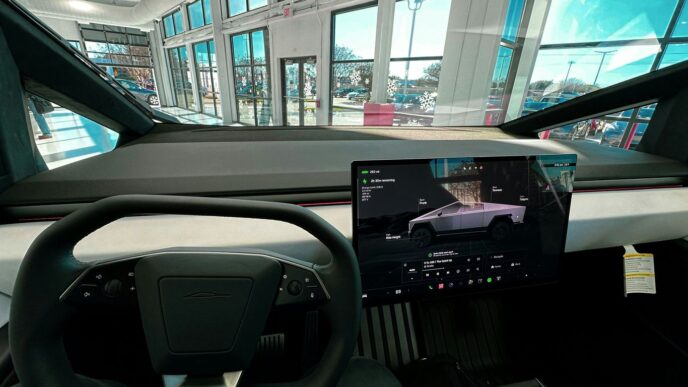
So, let’s talk about the Cybertruck’s windshield wipers. They’re not like what you’re probably used to. Instead of two arms, Tesla went with a single, really long one. We’re talking about a 50-inch blade here, which is pretty wild. The idea is that this one giant wiper can cover the whole massive windshield. It’s a bold move, and honestly, it looks pretty futuristic, fitting right in with the whole Cybertruck vibe. It’s definitely a conversation starter, that’s for sure.
Benefits of the Cybertruck Wiper System
Why go with such a different design? Well, Tesla says it’s all about better visibility and a cleaner sweep. That huge blade is meant to clear more of the windshield with each pass, meaning fewer missed spots and a clearer view, especially when it’s pouring rain or snowing hard. Plus, this single-arm setup is supposed to be pretty tough, built to handle rough conditions. It’s also designed to be low maintenance, which is always a plus.
Integrated Sprayer and Coverage
Another neat trick up its sleeve is the built-in washer fluid sprayer. Instead of separate nozzles, the fluid comes right out of the wiper arm itself. This helps spread the washer fluid more evenly across the windshield. It’s supposed to be really good at washing away dirt and grime, even the stubborn stuff. This combination of the long blade and the integrated sprayer means the whole windshield gets cleaned effectively, keeping your view clear no matter what the road throws at you.
Cybertruck Wiper Blade Replacement Guide
So, your Cybertruck’s giant wiper blade is looking a little sad, maybe streaking or just not clearing the windshield like it used to? Don’t sweat it. Replacing it yourself is totally doable and way cheaper than a service center.
Preparation for Wiper Replacement
Before you even think about touching the wiper, make sure you’ve got everything ready. It’s not complicated, but a little prep goes a long way. Having the right replacement blade is the most important first step. You’ll want to grab a new blade specifically made for the Cybertruck, as its size and mounting are pretty unique. It’s also a good idea to have a soft cloth or towel handy. This will protect your windshield in case the wiper arm accidentally springs back. And, of course, make sure your Cybertruck is in Park with the parking brake engaged. Safety first, right?
Step-by-Step Removal Process
Okay, let’s get this old blade off. First, you’ll want to activate the Wiper Service Mode. This is super important because it moves the wiper to a position where you can actually access it without hitting the hood or the glass. Once it’s in service mode, you can lift the wiper arm away from the windshield. You’ll see a tab where the blade connects to the arm. Press that tab firmly and slide the old blade off. It might take a little wiggle, but it should come free. If you’re having trouble, don’t force it. Just double-check that you’re pressing the release tab correctly. Remember to disconnect the washer hose if your new blade requires it, as detailed in the Cybertruck owner’s manual.
Installing the New Wiper Blade
Putting the new blade on is pretty much the reverse of taking the old one off. Make sure the new blade is oriented the same way the old one was. Slide the new blade onto the wiper arm’s hook or pin until you hear or feel it click into place. Give it a gentle tug to make sure it’s secure. If it doesn’t feel locked, slide it off and try again. You don’t want that thing flying off on the highway. Once it’s on, carefully lower the wiper arm back down. If you’re replacing both, just repeat the process for the other side (if applicable, though the Cybertruck has a single large blade).
Post-Installation Checks
After the new blade is installed, it’s time for the moment of truth. Exit Wiper Service Mode. Then, give the wipers a test run. Turn on your washer fluid and run the wipers a few times. Watch to see if they clear the windshield effectively without skipping, chattering, or leaving any major streaks. If you notice any issues, double-check that the blade is properly seated on the arm. Sometimes, a quick wipe of the new blade with a clean cloth can help clear any manufacturing residue that might cause initial streaking. If problems persist, it might be time to look into compatibility or seek professional help.
Essential Maintenance for Cybertruck Wipers
Keeping your Cybertruck’s massive windshield wiper in good shape is pretty straightforward, but it does need a little attention now and then. Think of it like any other part of your truck – a bit of care goes a long way in making sure it works right when you need it most. Regular checks and cleaning are your best bet for avoiding problems down the road.
Regular Cleaning and Inspection
When you’re washing your Cybertruck, take a moment to give the wiper blade and arm some attention. You can just use a soft cloth and some water, or even a bit of windshield washer fluid. The goal here is to get rid of any dirt, grime, or road salt that might have built up. This stuff can actually wear down the rubber on the blade faster than it needs to, and it can also cause those annoying streaks.
While you’re at it, give the whole assembly a quick look-over. Check the rubber edge of the blade for any nicks, tears, or signs of it peeling away. Also, make sure the wiper arm itself feels solid and isn’t loose or bent. It’s a good idea to do this every few months, or anytime you notice the wipers aren’t clearing the windshield as well as they used to.
When to Replace Your Wiper Blades
So, how often should you actually swap out the blade? It really depends on how much you drive and what kind of weather you deal with. If you live somewhere with harsh winters or intense sun, your blades might wear out quicker. A good rule of thumb is to inspect them every six months and plan to replace them about once a year, or sooner if you notice any of these signs:
- Streaking or Smearing: If the blade leaves lines or patches of water on the windshield instead of clearing it cleanly.
- Skipping or Chattering: When the blade doesn’t move smoothly across the glass, making a jerky or noisy motion.
- Visible Damage: Any cracks, tears, or hardening of the rubber edge.
- Reduced Cleaning Performance: You just can’t see clearly through the windshield after the wipers have passed over it.
Proper Storage and Care
For the Cybertruck’s unique wiper, there aren’t really any special storage instructions when you’re just parking it normally. However, if you’re going to leave the truck sitting for a really long time, or if you’re in an area with extreme temperatures (like freezing or scorching heat), it’s not a bad idea to lift the wiper arm slightly off the windshield. This can help prevent the rubber from getting permanently creased or damaged from sitting in one position for too long. Just be sure to put it back down before you drive off, of course!
Choosing the Right Replacement Wiper Blades
So, your Cybertruck’s giant windshield wiper is starting to leave streaks, huh? It happens. Finding the right replacement isn’t as simple as grabbing any old blade off the shelf, especially with the Cybertruck’s unique setup. You’ve got to get the size and the connection just right, or you’ll end up with a whole new set of problems. Getting the correct wiper blade is key to a clear view and avoiding damage.
Understanding Cybertruck Wiper Size
The Cybertruck is a bit different from other vehicles when it comes to wipers. It uses one massive blade that covers a huge portion of the windshield. Unlike many cars that have two separate blades, the Cybertruck’s single blade is designed for maximum coverage. While some sources might list specific lengths for other Tesla models, the Cybertruck’s primary blade is exceptionally long, often around 48 inches (1220mm). It’s important to verify this measurement against your specific vehicle or the documentation provided by Tesla. You can usually find this information in your owner’s manual, like the one available on the Tesla website.
OEM vs. Aftermarket Wiper Options
When it’s time to replace, you’ll see two main paths: Original Equipment Manufacturer (OEM) parts or aftermarket options. OEM blades are made by Tesla, or their direct supplier (often Bosch for Tesla), and are guaranteed to fit and perform as intended. They tend to be a bit pricier, but you know you’re getting exactly what the truck came with. Aftermarket blades can be a good alternative, often costing less. However, you need to be extra careful. Some aftermarket blades might require special adapters to connect to the Cybertruck’s wiper arm. These adapters can sometimes be tricky to find or install correctly, and not all of them work perfectly.
Compatibility and Adapters
This is where things can get a little hairy. The Cybertruck uses a specific type of connection point on its wiper arm. While many aftermarket blades come with a universal adapter kit, it’s not always a perfect match for Tesla’s system. You’ll want to look for blades that specifically state compatibility with the Cybertruck or mention support for the type of adapter Tesla uses. If you’re unsure, sticking with OEM blades removes the guesswork. If you do go the aftermarket route, double-check reviews or manufacturer guides to confirm the adapter will work without issues. Sometimes, a blade that seems like a bargain can turn into a headache if the adapter doesn’t secure properly or causes the blade to skip.
Here’s a quick rundown of what to consider:
- Size: Confirm the exact length needed for your Cybertruck’s single blade. It’s significantly longer than typical car wipers.
- Connection Type: Ensure the blade’s attachment mechanism is compatible with the Cybertruck’s wiper arm. Look for specific mentions of Tesla compatibility or the correct adapter type.
- Material: Blades are made from rubber or silicone. Silicone generally lasts longer and performs better in extreme temperatures, but rubber is common and effective.
- Brand Reputation: Stick with well-known brands for both OEM and aftermarket options to increase the chances of a quality product.
Troubleshooting Common Wiper Issues
Even the most advanced systems can run into a snag now and then. If your Cybertruck’s massive windshield wiper isn’t performing as it should, don’t sweat it. Most problems are pretty straightforward to fix.
Addressing Streaking and Smearing
Streaking or smearing is usually a sign that the wiper blade isn’t making proper contact with the glass, or that the blade itself is dirty or worn out. First things first, give the windshield a good clean. Sometimes, road grime or residue can build up and interfere with the wiper’s performance. Use a good glass cleaner and a microfiber cloth. If that doesn’t do the trick, check the wiper blade itself. Is it cracked, torn, or hardened? If so, it’s probably time for a replacement. You can also try cleaning the rubber edge of the blade with isopropyl alcohol to remove any buildup that might be causing the streaks. A clean blade on a clean windshield is your best bet for clear visibility.
Resolving Skipping or Chattering
That annoying skipping or chattering sound often happens when the wiper blade isn’t gliding smoothly across the glass. This can be caused by a few things:
- Worn-out wiper blade: The rubber might be stiff or damaged, causing it to skip.
- Bent or damaged wiper arm: If the arm isn’t applying even pressure, the blade can chatter.
- Dirt or debris on the windshield: Small particles can cause the blade to jump.
- Dry windshield: Sometimes, wipers just need a little washer fluid to help them glide.
Try cleaning the windshield and the wiper blade first. If the problem persists, inspect the wiper arm for any signs of damage or bending. If the arm seems okay, the blade itself is likely the culprit and needs to be swapped out. Make sure you’re using the correct size and type of replacement blade, as a poorly fitting blade can cause all sorts of issues.
When to Seek Professional Service
While most wiper issues are DIY-friendly, there are times when it’s best to let the pros handle it. If you notice any of the following, it might be time to schedule a service appointment:
- Wiper arm resistance: If the wiper arm feels unusually stiff or difficult to move, it could indicate a problem with the wiper motor or the arm mechanism itself.
- Blade not locking into place: If the new wiper blade doesn’t securely attach to the wiper arm, there might be damage to the arm’s connection point or the blade’s mounting hardware.
- Error messages after installation: If you’ve replaced the wipers and are still seeing error messages on your display, the system might need recalibration, or there could be an underlying issue with the rain sensor or related electronics.
- Persistent issues: If you’ve tried all the basic troubleshooting steps and the problem continues, it’s wise to get it checked out by a technician to avoid further damage.
Cybertruck Wiper Service Mode Explained
Activating Wiper Service Mode
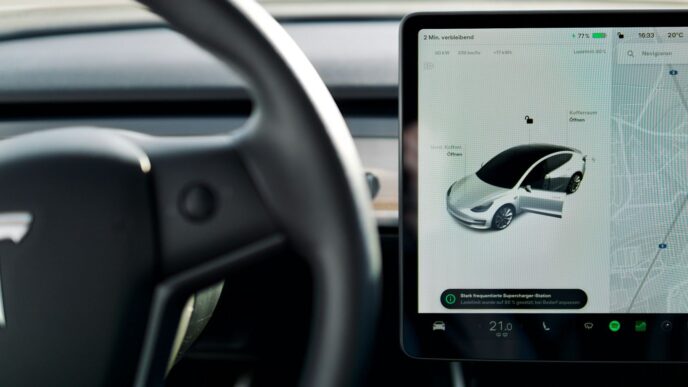
So, you need to swap out those Cybertruck wiper blades, huh? Before you go yanking on anything, Tesla wants you to put the wipers into what they call ‘Service Mode’. It’s not complicated, really. You just need to interact with the truck’s touchscreen. Head over to the ‘Service’ menu, and you should see an option for ‘Wiper Replacement’ or something similar. Give that a tap, and the wipers will usually move to a position where they’re easier to access and work on. This step is super important because forcing the wiper arms when they’re not in this mode can actually mess up the wiper motor. It’s like telling your car, "Hey, I’m about to do some maintenance," so it behaves itself.
Benefits of Using Service Mode
Why bother with this Service Mode? Well, for starters, it gets the wiper arms out of the way. Instead of them sitting down by the base of the windshield, they’ll lift up a bit. This gives you way more clearance to actually get the old blade off and the new one on without banging your knuckles or, worse, scratching that big piece of glass. Plus, as I mentioned, it protects the motor. You don’t want to accidentally break something that’s going to cost a fortune to fix, right? It’s a small step that prevents bigger headaches down the road.
Exiting Wiper Service Mode
Once you’ve got the new wiper blade all clicked into place and you’ve given it a gentle tug to make sure it’s secure, you’ll want to get the wipers back to their normal resting spot. Just go back to the touchscreen and find the option to exit Service Mode, usually something like ‘Exit Wiper Service’ or just tapping the wiper icon again. The wipers will then move back down to their usual position. After that, it’s a good idea to give them a quick test run with some washer fluid to make sure everything looks good and there are no weird noises or streaks. If all checks out, you’re good to go!
Wrapping It Up
So, that’s the lowdown on the Cybertruck’s windshield wipers. It’s a pretty unique setup, that’s for sure, with that giant single blade. While it looks different, the main idea is still the same: keep your windshield clear so you can see where you’re going. Replacing it isn’t too complicated if you follow the steps, and it’s good to know you can handle it yourself. Just remember to use the right parts and take your time, especially with that big windshield. Keeping those wipers in good shape means safer driving, plain and simple.
Frequently Asked Questions
How often should I change the Cybertruck’s wiper blades?
It’s a good idea to check your Cybertruck’s wiper blades every 6 to 12 months. How often you actually need to replace them depends on how much you use them and the weather conditions where you live. Sun can also make the rubber brittle over time, even if you don’t use them much.
Can the Cybertruck’s giant wiper handle bad weather?
Yes, the Cybertruck’s wiper is built tough! It’s designed to work well in all sorts of weather, like heavy rain, snow, and even dusty conditions, so you can always see the road.
Is it hard to take care of the Cybertruck’s wipers?
Not at all! Tesla made the wiper system easy to look after. Just clean the blades and arms when you wash your truck, and check them now and then for any wear or damage. It doesn’t need much attention to keep it working great.
What happens if my Cybertruck’s wipers start leaving streaks?
Streaking usually means the blades are worn out or dirty. First, try cleaning the windshield really well with something like rubbing alcohol. If that doesn’t work, it’s probably time to put on new wiper blades.
Where can I get new wiper blades for the Cybertruck?
Right now, only Tesla offers the specific, extra-long wiper blades for the Cybertruck. You can usually buy them at a Tesla service center or through Tesla’s website. Make sure you get the exact size needed for your truck.
What is ‘Wiper Service Mode’ and why do I need it?
Wiper Service Mode is a special setting on your Cybertruck that lifts the wipers away from the windshield. This makes it safe and easy to clean them or replace them without accidentally scratching the glass or damaging the wiper motor. You turn it on through the truck’s touchscreen.