
Figuring out the best VR headset for your phone in 2026 can feel like a puzzle. There are so many options out there, and they all promise something a little different. Some are super easy to use right out of the box, while others need a bit more setup. We’ve spent a lot of time trying these things out, looking at how comfy they are, how well they work, and if they’re really worth the money. Whether you’re just dipping your toes into virtual reality or looking to upgrade, we’ve got some solid picks to help you out.
Key Takeaways
- The Meta Quest 3S is a solid, budget-friendly choice for getting into VR without breaking the bank.
- For a more advanced standalone experience, the Meta Quest 3 offers better performance and mixed reality features.
- The HTC Vive Flow is designed for portability and connects to your phone, making VR accessible on the go.
- Apple Vision Pro is a high-end ‘spatial computer’ with top-tier visuals and tracking, but comes at a premium price.
- PlayStation VR 2 is the go-to for PS5 owners wanting an immersive gaming experience with exclusive titles.
1. Meta Quest 3S
Alright, let’s talk about the Meta Quest 3S. If you’re looking to dip your toes into the VR pool without emptying your wallet, this is probably where you should start. It’s basically Meta taking what worked with the Quest 2 and giving it a little boost, kind of like a greatest hits album with a couple of new tracks.
It’s the most affordable way to get a solid VR experience without really cutting major corners. You get the same brain as the Quest 3 – that Snapdragon XR2 Gen 2 chip – so it runs all the games smoothly, just like its pricier sibling. Plus, it’s got that nice, easy setup and good tracking that Meta is known for. Connecting it to your PC, wired or wirelessly, is pretty straightforward too.
However, they did have to save some cash somewhere, right? That’s where the display comes in. It’s using the same screen and lenses as the old Quest 2. So, while the center of your view is clear enough, things can get a bit fuzzy around the edges. It’s not bad, especially for the price, but it’s definitely not as sharp as what you’d find on the Quest 3 with its newer pancake lenses.
Here’s a quick look at what you get:
- Processor: Snapdragon XR2 Gen 2 (same as Quest 3)
- RAM: 8 GB
- Resolution: 1832 x 1920 per eye
- Refresh Rate: Up to 120 Hz
- Optics: Fresnel lenses (same as Quest 2)
So, if you’re new to VR and just want to see what all the fuss is about without a huge commitment, the Quest 3S is a really smart pick. You get a lot of VR for your money. But if you’re already a VR fan and want the absolute best picture quality, you might want to look at the Quest 3 instead, though it will cost you an extra couple hundred bucks.
2. Meta Quest 3
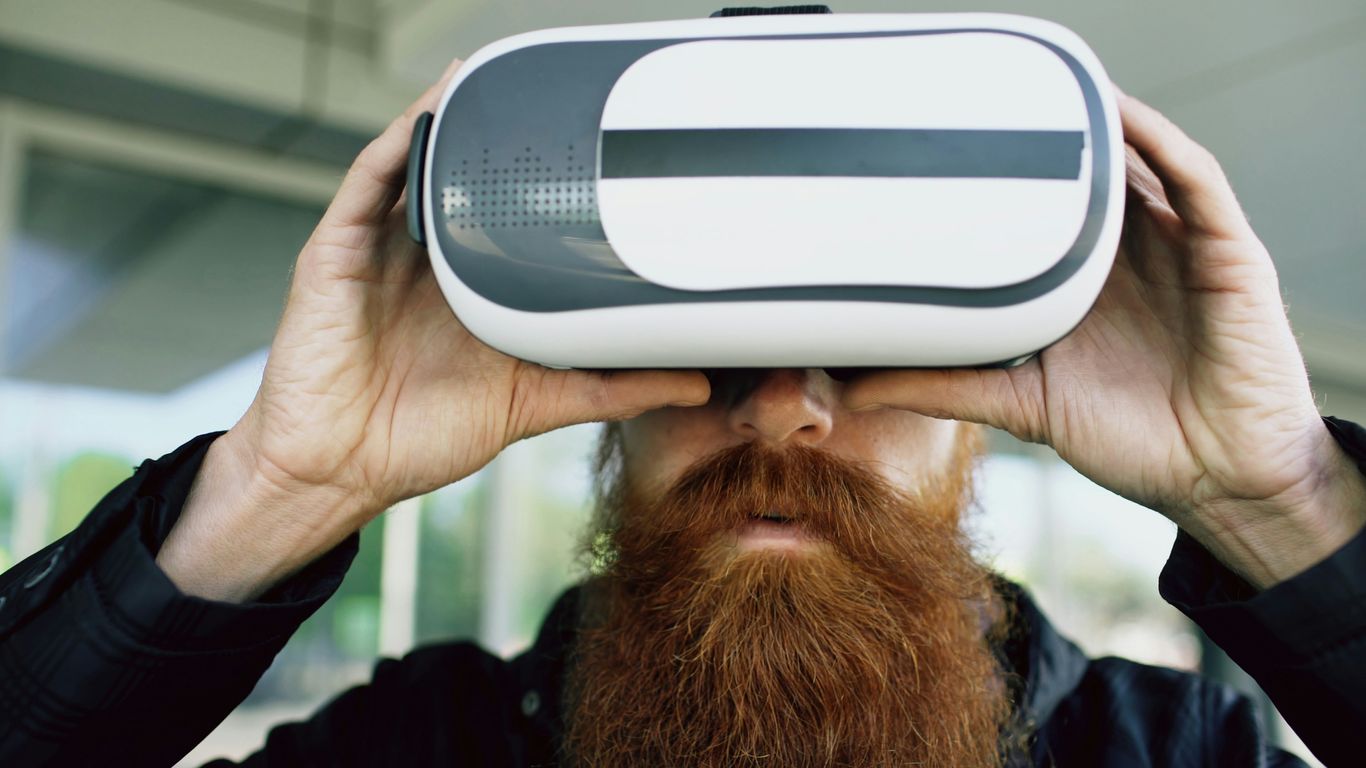
Alright, let’s talk about the Meta Quest 3. This headset really hit the sweet spot for a lot of people when it came out, and honestly, it still holds up. It’s a standalone device, meaning you don’t need a PC to use it, which is a big plus for convenience. But if you want to play those more demanding PC VR games, you can totally hook it up. The jump in visual quality from its predecessor, the Quest 2, is pretty noticeable.
What makes it stand out? Well, the resolution is sharper, giving you a clearer picture. Plus, it has these color passthrough cameras. This lets you see your real-world surroundings in color while wearing the headset, which is neat for mixed reality stuff – imagine virtual objects appearing in your actual living room. It’s powered by a pretty capable processor, the Snapdragon XR2 Gen 2, so things generally run smoothly.
Here’s a quick look at some of its specs:
- Resolution: 2,064 x 2,208 pixels per eye
- Refresh Rate: Up to 120 Hz
- Field of View: Around 110 degrees
- Processor: Qualcomm Snapdragon XR2 Gen 2
Setting it up is usually a breeze, no complicated external sensors needed. You just put it on, do a quick setup through the app, and you’re pretty much good to go. It’s a solid choice if you’re looking for a good all-around VR experience without breaking the bank compared to some of the ultra-high-end options. If you’re curious about other VR headsets, you can check out other recommendations.
Battery life is still a bit of a sticking point, usually clocking in around two hours of use before needing a recharge. It takes about the same time to charge back up, but you can use it while it’s plugged in. Overall, the Quest 3 offers a really good balance for most users, whether you’re into gaming or just exploring virtual worlds.
3. HTC Vive Flow
Alright, let’s talk about the HTC Vive Flow. This headset is kind of a different beast compared to some of the others on this list. It’s designed to be super portable, almost like a pair of fancy sunglasses, and it really leans into the idea of VR on the go. It’s primarily for Android users, which is a big deal if you’re rocking an iPhone.
The Vive Flow is pretty lightweight, making it easy to toss in a bag. It’s marketed a lot for mindfulness and relaxation, which makes sense given its design. Think of it as a personal cinema or a way to escape into some calming virtual environments. You can watch movies on a massive screen or try out some guided meditation apps. It’s definitely not built for heavy-duty gaming, though. The processing power just isn’t there compared to something like a Quest 2, so don’t expect super smooth, complex games.
Here’s a quick rundown of what you need to know:
- Compatibility: Strictly Android phones. Your phone is also your controller, so make sure it’s a compatible model.
- Portability: Its biggest selling point. It’s small and light, perfect for taking with you.
- Use Cases: Great for watching videos, social VR, and mindfulness apps. Less so for intense gaming.
- Power: It doesn’t have a built-in battery. You’ll need to plug it into a power bank or your phone to keep it running.
If you’re looking for a simple, mobile VR experience mainly for media consumption and relaxation, and you’ve got an Android device, the Vive Flow could be an interesting option. It’s a unique take on virtual reality, focusing on accessibility and ease of use for everyday moments. For businesses looking to simplify VR adoption, something like the Vive Focus Vision might be more suitable, but for personal use, the Flow carves out its own niche.
4. Apple Vision Pro
Okay, so the Apple Vision Pro. This thing is less of a traditional VR headset and more like a whole new kind of computer you wear. It’s pretty wild. Instead of controllers, you just use your eyes and hands to interact with everything. Apps just float in front of you, and you can move them around. It’s a really different way to work and play.
The biggest draw is probably the ‘Spatial Video’ feature, letting you relive memories in a really immersive way. It’s packed with tech, has amazing visuals, and the eye and hand tracking is top-notch. But, and this is a big but, it costs a whopping $3499. That’s a lot of cash, and it doesn’t even include things like prescription lens inserts.
Here’s a quick look at some of its specs:
- Resolution: Around 23 million pixels total (that’s a lot!)
- Refresh Rate: 100 Hz
- Controls: Eye and hand tracking only
- Platform: Apple VisionOS
It’s definitely not for everyone, especially if you’re on a budget. But if you want to be at the absolute cutting edge of what’s possible with mixed reality and have the money to spend, the Apple Vision Pro is a serious contender. It feels like a glimpse into the future of computing, and the passthrough quality is just stunning. You can even connect it to your MacBook for a massive virtual display, which is pretty neat for productivity. The field of view is a bit narrower than some other headsets, particularly vertically, which is something to keep in mind for certain experiences. Still, for its innovative approach to interaction and display, it’s a standout device in the spatial computing space.
5. PlayStation VR 2
Alright, let’s talk about the PlayStation VR 2, or PSVR 2 as most people call it. If you’ve got a PlayStation 5, this is pretty much your only real option for a dedicated VR experience on the console. And honestly, it’s a pretty good one. Sony really stepped things up from the original PSVR. The visuals are way sharper, with a resolution of 2000×2040 pixels for each eye, which makes a big difference. Plus, the field of view is decent, hitting up to 110 degrees, so you feel pretty immersed.
One of the standout features has to be the haptics. The controllers, called the PSVR 2 Sense controllers, have some really neat feedback. You can actually feel the tension in a bowstring or the recoil of a weapon, which is pretty cool. It adds another layer to the games. The headset itself is also more comfortable than the first one, and setup is generally a breeze once you’ve got your PS5 ready. It’s easily the best console VR you can get right now.
However, it’s not all sunshine and rainbows. The biggest hurdle is that you absolutely need a PlayStation 5 to use it. No PS5, no PSVR 2. It’s a closed system in that regard. Also, if you were hoping to play all your old PSVR 1 games, you’re out of luck. Sony didn’t make it backwards compatible, which is a bummer for folks with a big library of older titles. The game selection, while growing, is still a bit limited compared to PC VR, but the exclusives are often quite good.
Here’s a quick rundown of what you get:
- Visuals: 2000×2040 resolution per eye, 110-degree field of view.
- Tracking: Inside-out tracking with 6DOF (Degrees of Freedom).
- Controllers: PSVR 2 Sense controllers with advanced haptics and adaptive triggers.
- Comfort: Improved headset design for longer play sessions.
- Features: Eye-tracking and button-activated passthrough to see your surroundings.
If you’re invested in the PlayStation ecosystem and want a solid VR experience without jumping into the PC world, the PSVR 2 is a strong contender. Just make sure you have that PS5 ready to go. You can find out more about connecting it to your Android device using the Anywhere VR app, though remember the console is the main requirement for the headset itself.
6. Valve Index
Okay, so the Valve Index. It’s been around for a bit, and honestly, it feels like it’s been the king of PC VR for ages. It’s not exactly a new kid on the block anymore, but it still holds its own, especially if you’re all about that deep Steam integration and want the best possible experience on your computer.
The controllers are where this thing really shines; they’re called the ‘Knuckles’ and they let you move each finger individually, which feels pretty wild. It makes interactions in games feel way more natural than just having buttons and joysticks. Plus, the audio is seriously top-notch. The off-ear speakers just float near your ears, and the sound quality is fantastic without completely blocking out your real-world surroundings.
Here’s a quick look at what you get:
- Display: 1440 x 1600 pixels per eye. It’s sharp, though maybe not the absolute sharpest compared to some newer headsets.
- Refresh Rate: Up to 144 Hz. This means super smooth motion, which is great for preventing that queasy feeling.
- Field of View: Around 130 degrees. This is pretty wide and helps with immersion.
- Tracking: Uses external base stations. You’ll need to set these up around your room, but it gives you really precise tracking, especially for room-scale VR.
Now, it’s not all perfect. You absolutely need a pretty beefy PC to run this thing well, and it’s definitely on the pricier side. Also, and this is a big one for some people, there’s no wireless option. You’re tethered by a cable, which can sometimes get in the way. Still, if you want that high-end, PC-powered VR experience and don’t mind the setup and the cable, the Valve Index is a solid choice, even with newer options popping up.
7. HTC Vive Pro 2
Alright, let’s talk about the HTC Vive Pro 2. If you’re all about getting the absolute sharpest picture possible in VR, this headset is definitely worth a look. We’re talking a resolution of 2448 by 2448 pixels for each eye, which is pretty wild. It’s like looking through a super high-definition window into another world.
Now, this isn’t a cheap piece of kit, and you’ll need a pretty beefy PC to actually run it at its best. Think of it as a high-performance machine – you wouldn’t put cheap gas in a race car, right? So, factor in the cost of a powerful computer if you don’t already have one. It also doesn’t come with everything you need out of the box; you’ll likely need to grab separate base stations and controllers, which adds to the overall price.
Here’s a quick rundown of what you get:
- Resolution: 2448 × 2448 per eye (that’s the 5K experience we’re talking about).
- Field of View: A nice wide 120 degrees, so you see more of the virtual environment.
- Refresh Rate: Up to 120 Hz, meaning smoother motion.
It’s a great option if you’re serious about PC VR gaming and want that top-tier visual fidelity. Just be aware that it can get a bit warm during longer sessions, and setting up the base stations can be a bit of a chore. If you’re looking for the best VR headset available and don’t mind mixing and matching components, the Vive Pro 2 is a strong contender, much like the PSVR 2 is in its own category.
8. HTC Vive Cosmos Elite
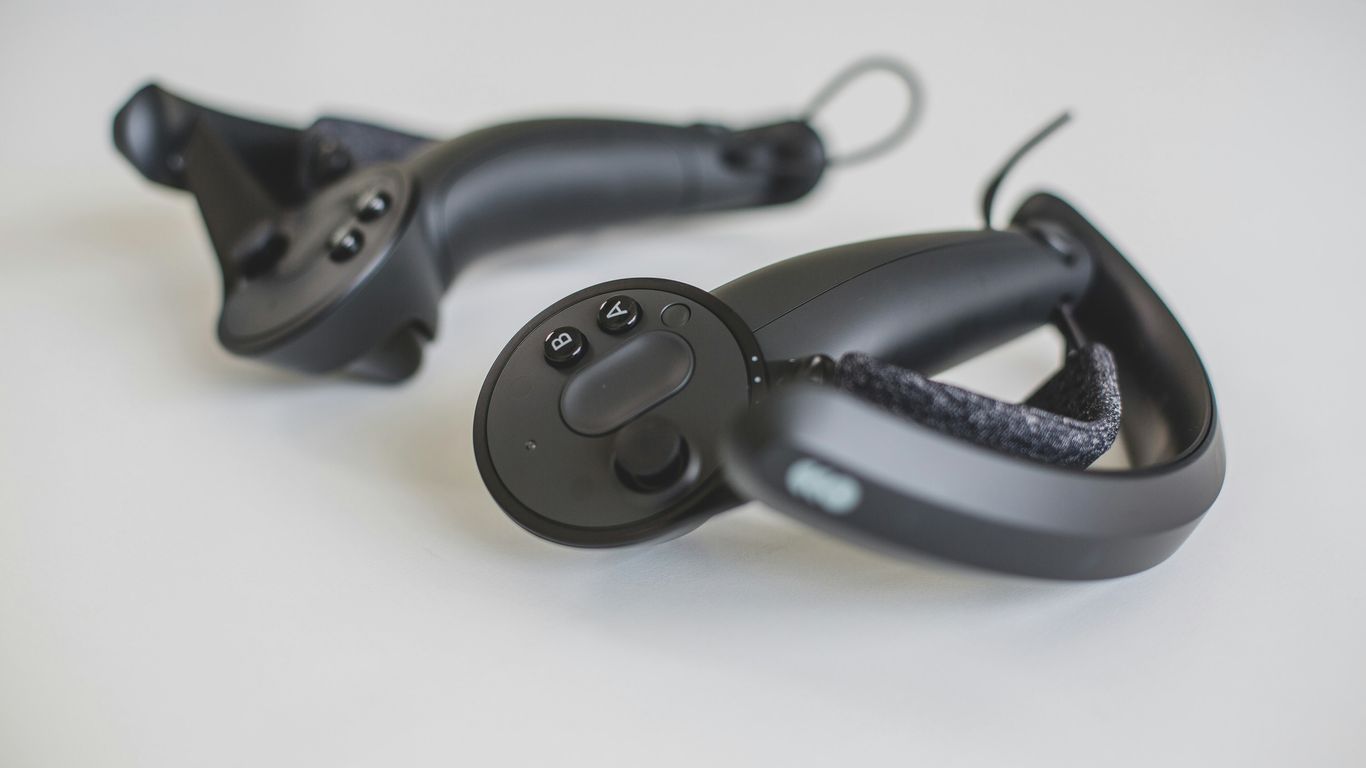
Alright, let’s talk about the HTC Vive Cosmos Elite. This headset was definitely aimed at folks who wanted a serious step up in VR, especially for things like professional work or really demanding gaming. It offered some of the sharpest visuals you could get back then, with a resolution of 2448 x 2448 pixels for each eye. That’s a lot of pixels, meaning games and applications looked incredibly clear and detailed.
It was a tethered headset, meaning you plugged it into your PC, which is good because it meant you didn’t have to worry about battery life during long sessions. However, this also meant you were limited by the cable. Setting it up could be a bit of a chore too, as it relied on external base stations for tracking your movement. While super accurate, getting those set up just right took some effort.
Here’s a quick look at what it brought to the table:
- High-Resolution Display: Seriously crisp visuals that made virtual worlds pop.
- Accurate Tracking: External base stations provided really precise movement tracking.
- Comfortable Design: Generally considered comfortable for extended wear, which is a big plus for long work or gaming sessions.
Keep in mind, though, that this wasn’t a cheap piece of kit. You also needed a pretty powerful PC to really make it shine, and it didn’t come with controllers or base stations included, so that added to the overall cost. It was a premium option for those who wanted the best visual fidelity and tracking, and were willing to pay for it and deal with the setup.
So, What’s the Verdict?
Alright, so we’ve looked at a bunch of VR headsets that work with your phone. It’s pretty wild how far this tech has come, right? Whether you’re looking for something super cheap to just dip your toes in, or you want the best picture quality possible without breaking the bank, there’s definitely an option out there for you in 2026. Remember to think about what you’ll actually use it for – gaming, watching stuff, or maybe even something else. Happy hunting, and get ready to step into another world!
Frequently Asked Questions
What’s the difference between a standalone VR headset and a tethered one?
Standalone VR headsets, like the Meta Quest 3S, are like all-in-one devices. They don’t need to be plugged into a computer or phone to work, giving you lots of freedom to move around. Tethered headsets, on the other hand, need to be connected to a powerful computer to run games and apps, which usually means better graphics but less freedom to roam.
Can I use a VR headset with my phone?
Some VR headsets are designed to work with your smartphone. These often use your phone’s screen and processing power. The HTC Vive Flow is a good example, as it’s lightweight and connects to your phone for entertainment and apps.
Are VR headsets only for gaming?
No, VR headsets are used for much more than just gaming! You can watch movies in a virtual cinema, explore amazing places, learn new things, and even use them for work. Headsets like the Apple Vision Pro are basically powerful computers you wear.
When is the best time to buy a VR headset?
If you’re looking to save some money, keep an eye out for sales events like Black Friday or Amazon Prime Day. These are usually the best times to find discounts on various VR headsets. Sometimes, you can find good deals throughout the year too.
What does ‘spatial computing’ mean?
Spatial computing is a newer term, and Apple uses it for its Vision Pro. It means blending digital content with the real world in a way that feels natural and interactive, using your eyes and hands to control things. It’s like a more advanced version of virtual and augmented reality.
How do I know which VR headset is best for me?
It really depends on what you want to do! Think about whether you want to play games, watch movies, or use it for work. Also, consider your budget and if you want a headset that works on its own or one that connects to a PC or console like the PlayStation VR 2.