So, you’re thinking about using video in your classroom. That’s cool. Lots of kids are already watching videos all the time, so it just makes sense to bring that into school. But just playing a video isn’t always enough. We need to make sure students are actually paying attention and getting something out of it. This article talks about how to use technology in the classroom video examples to make learning more interesting and help students really learn stuff, not just zone out.
Key Takeaways
- Using video can really help students understand things better, especially when the videos are like explainer videos they can relate to.
- You can check if students are getting it by asking questions right after they watch a video, or even during it.
- Videos are great for students who like to learn on their own, like with tutorials they can pause and rewatch.
- To keep students from just staring blankly, try making video watching a group thing where they talk about it.
- Making videos easy to understand, like with captions, and keeping them short and to the point is super important for keeping kids engaged.
Leveraging Video To Enhance Student Comprehension
Let’s face it, sometimes a textbook or a lecture just doesn’t cut it. That’s where video comes in. It’s not just about showing a movie; it’s about making learning stick. Think about it: when you’re trying to figure out how to do something, a quick video can often explain it way better than a page of text. This is especially true for younger learners who are already spending a ton of time watching videos online.
Reinforce Learning With Relatable Explainer Videos
Videos can really help students connect with what they’re learning. Sometimes, it’s about showing them something in a new light. If they’ve been doing math problems on paper, an animated video showing how those numbers work in the real world, like with dice, can make a big difference. It’s like giving them a fresh perspective. A well-chosen video can make abstract concepts feel concrete and relatable. For instance, a funny skit about grammar rules can stick in a student’s mind way longer than a dry explanation. It taps into something they already understand and enjoy, making the lesson more memorable.
Check For Understanding With Video-Based Questions
Watching a video doesn’t have to be a passive activity. You can actually use videos to see if students are getting it. By adding questions before, during, or after a video clip, you can get a real-time check on their comprehension. There are tools out there that let you embed these questions right into the video. Students answer, and they get immediate feedback. This is way more engaging than just asking them to recall information later. You can even take clips from places like YouTube and build your own quiz around them. It’s a simple way to make sure they’re following along and not just zoning out. You can find some great ways to make YouTube interactive for your classroom.
Support Independent Learning With Video Tutorials
Video tutorials are a game-changer for independent learning. Imagine a student struggling with a specific software function or a tricky math concept. Instead of waiting for the teacher to explain it again, they can watch a short, focused video tutorial. This lets them learn at their own pace and revisit the steps as many times as they need. It cuts down on frustration for both the student and the teacher. Teachers can create these tutorials for their own lessons, or students can find them online. This approach gives students more control over their learning and frees up the teacher to help those who need more one-on-one support.
Transforming Passive Viewing Into Active Engagement
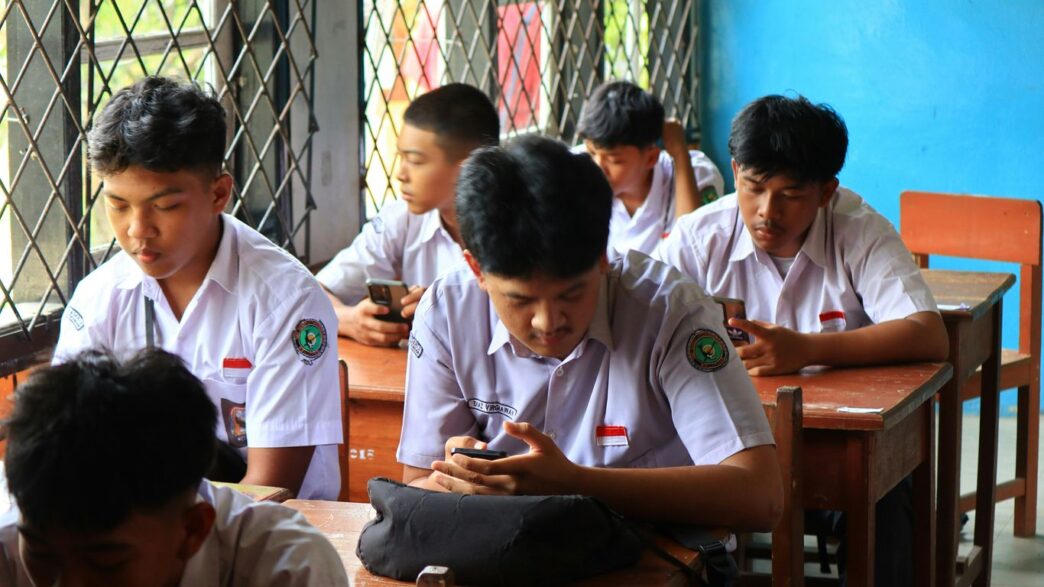
Let’s be honest, just hitting play on a video and expecting students to absorb information is like expecting a plant to grow without water. It’s a pretty passive experience, right? We’ve all seen it – students zoning out, scrolling on their phones, or just staring blankly at the screen. The goal here is to shake things up and turn that couch-potato viewing into something much more dynamic. We want students to actually do something with the video, not just let it wash over them.
From Isolation to Connection: Engaging Students Around Video
Too often, technology can make learning feel like a solo mission. When students are just watching videos on their own, it’s easy for them to disconnect. But what if we flipped that script? By shifting from assigning videos as individual tasks to having students work together while they watch, the whole experience changes. Instead of just taking notes, they can actually talk about what they’re seeing, ask questions, and build understanding together. This turns a solitary activity into a social one, which can really deepen what they learn and build a stronger classroom vibe.
Reciprocal Teaching With Media
This strategy, originally designed for reading, is fantastic for videos too. It involves small groups of students taking on different roles as they watch. Think of it like a team effort. You’ve got a summarizer, a questioner, a clarifier, and a predictor. After watching a short segment, they pause and discuss what they just saw, using their assigned role to guide their thinking. For example, the questioner might ask about something confusing, while the predictor might guess what’s coming next. This keeps everyone actively involved and thinking critically. It’s a structured way to make sure students are processing the information, not just passively receiving it. After each segment, they can even switch roles to get practice with each skill. This method has been shown to really boost comprehension and get students talking to each other about the content.
Perspective Jigsaw For Collaborative Analysis
This is another great way to get students working together. Instead of everyone watching for the same thing, you assign different
Best Practices For Integrating Video In The Classroom
Alright, so you’ve got this great video you want to use in class. Awesome! But just hitting play isn’t always the magic bullet. We need to be smart about how we bring video into our lessons. It’s not just about showing something; it’s about making sure students actually get it and stay tuned in.
Tailor Videos To The Subject Matter
Think about what you’re teaching. A quick animated science explainer might be perfect for a biology lesson on cell division. For history, maybe a short documentary clip works better to show a specific event. Math problems? A video showing step-by-step solutions can be a lifesaver. The key is matching the video’s style and content to what you’re trying to teach. It’s like picking the right tool for the job; you wouldn’t use a hammer to screw in a bolt, right?
Keep Videos Brief And Focused
Remember those long lectures we used to sit through? Yeah, students today aren’t much different. Research actually shows that shorter videos tend to keep attention better. Aim for clips that get straight to the point. If a topic needs more time, break it down into a few shorter videos instead of one long one. This helps prevent that glazed-over look and makes it easier for students to digest the information.
Utilize Closed Captioning And Text Alternatives
This one’s a biggie for making sure everyone can learn. Turning on closed captions is super helpful for students who are learning English or have trouble hearing. It gives them a visual cue to follow along. And hey, providing a transcript is even better! Some students just learn better by reading, or they might want to go back and review specific parts. Offering these options means more students can access the material, which is what we’re all aiming for. It’s a simple step that makes a real difference in making lessons accessible.
Making Video Content Accessible And Engaging
The Power Of Captions For Vocabulary And Comprehension
Let’s be real, sometimes watching a video can feel like just another way to zone out. It’s easy to just let the words wash over you without really absorbing them. But what if there was a simple way to make sure students are actually getting it? Using closed captions is a game-changer for making video content work harder in your classroom. It’s not just about helping students who are hard of hearing, though that’s super important. Captions present information both visually and audibly, which can really help boost vocabulary and reading skills. Think about it: students can see the word, hear it, and read it all at once. It’s like a triple threat for learning. Plus, for English language learners, it’s an absolute lifesaver, giving them a visual anchor for new words and phrases. It’s a small step that makes a big difference in how much students actually take away from a video.
Using Tools To Enhance Video Interactivity
So, we know passive watching isn’t ideal. How do we get students to actually do something with the video? There are some pretty neat tools out there that can turn a regular video into a more active experience. Think about platforms like EDpuzzle or Vizia. These let you drop questions, polls, or even short writing prompts right into the video. Students have to stop, think, and answer before they can move on. It forces them to engage with the material instead of just letting it play in the background. Another cool option is Vialogues, which is built for discussions. It gives students a space to comment on specific parts of the video, creating a conversation around the content. This kind of interaction helps solidify what they’re learning and makes them think critically about the material. It’s a far cry from just sitting there with a blank stare, right?
Purifying YouTube Videos For Focused Learning
We all know YouTube is a treasure trove of educational content, but let’s face it, it can also be a minefield of distractions. Ads popping up, suggested videos that have nothing to do with the lesson, and comments sections that can go off the rails – it’s a lot. Thankfully, there are ways to clean up these videos. Tools like ViewPure let you remove all those annoying extras. You can get rid of commercials, related videos, and even comments, so students can focus solely on the content you want them to see. You can even use YouTube’s built-in ‘Start At’ feature to make sure students begin watching at the exact moment you want them to. This way, you can harness the power of YouTube without the usual chaos. It’s about making sure the technology serves your lesson, not the other way around. Creating your own videos rapidly using AI is also an option, reducing expenses and boosting learner involvement.
Assessing Understanding Through Video
So, you’ve been using videos in class, which is great! But how do you know if the students are actually getting it? Watching a video can be pretty passive, right? It’s easy for minds to wander, especially with all the distractions out there. We need ways to check if they’re absorbing the material and not just zoning out. The real goal is to turn that viewing time into a genuine learning opportunity.
Promote Reflection Through Video Responses
Asking students to think about what they’ve watched and then share their thoughts is a solid step. Instead of just a written journal entry, why not have them record a short video response? This can be as simple as asking them to connect a concept from the video to something in their own lives. For example, after a history lesson on a particular social movement, you could ask students to record a video explaining a time they felt strongly about an issue and what they did about it. It gives you a different way to see their perspective and how they’re making sense of the content. It also helps them process the information more deeply, which is always a good thing.
Test Knowledge Through Video Assessments
Beyond simple reflection, you can get more formal with video assessments. Think about asking students to solve a specific problem shown in a video, or even conduct a mini-experiment they learned about. For instance, in a math class, you could have students record themselves solving a linear equation, explaining each step. In science, they might demonstrate a simple experiment, like growing crystals, and then explain the results. This shows you not only if they know the answer but also how they arrived at it. It’s a good way to see their problem-solving process in action, especially when you’re trying to figure out if they’re truly grasping the concepts or just finding answers online. This is especially important when considering how to verify that students are developing their own understanding rather than relying on AI to complete assignments [29d0].
Student Project Presentations Via Video
Finally, let’s not forget about using video for project presentations. Instead of everyone presenting in front of the class, which can be nerve-wracking for some, students can record their presentations. This works well for summarizing a book, explaining a complex topic, or showcasing a project they’ve completed. For example, an English class reading a historical novel could record a video summarizing the plot and discussing key themes. This format allows students to practice public speaking and presentation skills in a less intimidating way, and you get a clear record of their work and understanding. It also gives you more flexibility in how and when you assess these presentations.
The Impact Of Video On Modern Learners

Let’s face it, today’s students are glued to screens. They spend hours each day scrolling through TikTok, watching YouTube, and streaming shows. So, it only makes sense that we, as educators, should meet them where they are. Trying to teach the same old way when students are used to dynamic, visual content just isn’t cutting it anymore. A lot of teachers are seeing engagement drop, and honestly, some of the old teaching methods just feel stale.
Meeting Gen Z Where They Are: YouTube and Beyond
Think about it: a 2024 report showed that a huge chunk of teens visit YouTube daily. Another survey found that a majority of Gen Z students actually prefer learning through YouTube. This isn’t just a trend; it’s how they consume information. We can’t ignore that this generation learns differently. Instead of fighting it, we should be figuring out how to use these familiar platforms to our advantage. It’s about making learning feel less like a chore and more like something they’re already doing.
Revitalizing Outdated Instruction Through Video
Remember those lectures that made your eyes glaze over? Yeah, students today feel that too. The pandemic certainly didn’t help, forcing everyone onto laptops, but a lot of the issue is just plain old teaching methods that haven’t kept up. Video offers a simple way to shake things up. Whether it’s a quick explainer video for a science concept or a short documentary clip for history, video can bring subjects to life in ways a textbook just can’t. It’s about making the material more relevant and interesting.
Boosting Engagement With Familiar Formats
Using video isn’t just about being trendy; it’s about tapping into what already works for students. When we use formats they’re comfortable with, like short, engaging clips, we see a difference. Research even shows that shorter videos can boost engagement significantly. Plus, when teachers show enthusiasm and explain things clearly, students pay more attention and remember more. It’s a win-win. We can even use video to reinforce what’s taught, like that old rap skit about grammar I still remember – it actually made sense!
Here’s a quick look at how video can help:
- Reinforce Concepts: Use videos to show real-world examples or break down complex ideas.
- Check Understanding: Embed questions directly into videos to see if students are following along.
- Support Different Learners: Closed captions and transcripts make content accessible for everyone, including English language learners or those with hearing difficulties.
- Encourage Active Learning: Pair videos with activities that require students to think and respond, rather than just passively watching. Instructional videos that don’t include interactive elements can lead to passive learning experiences [7a87].
Wrapping It Up
So, we’ve looked at how videos can really change things up in the classroom. It’s not just about putting on a movie anymore. By using videos smartly, like with quick explainers, checking understanding, or even having students make their own, we can make learning more interesting. It seems like the key is to make sure students are actually doing something with the video, not just watching it. When we do that, students can connect with the material better and even learn from each other. It’s a good way to get them more involved, and honestly, who doesn’t want that?
Frequently Asked Questions
Why should teachers use videos in class?
Videos are a great way to get students interested in learning. Kids today watch lots of videos online, so using them in class feels natural. Videos can make lessons more exciting, help explain tricky ideas in a simple way, and give students a new way to see things they’re already learning about.
How can videos help students understand things better?
Teachers can use videos to check if students are getting the lesson. By asking questions before, during, or after watching, teachers can see what students understand. Some tools let you put questions right into the video, so students can answer them as they watch and get instant feedback. This helps them think about the information more deeply.
Can videos make learning less lonely for students?
Yes! Instead of just watching alone, videos can be used for group activities. When students watch or listen together, they can talk about what they’re seeing, ask questions, and share ideas. This makes learning a team effort and helps everyone understand the material better by discussing it with classmates.
What are some good tips for using videos in the classroom?
It’s best to pick videos that fit your subject, like animated ones for science or short documentaries for history. Keep videos short and to the point, as shorter videos tend to keep students more focused. Also, always use captions to help students who might have trouble hearing or are learning English. Adding questions or activities makes watching more active.
How do captions help students?
Captions are super helpful! They show the words being spoken on the screen, which helps students who are learning new words or have trouble hearing. It’s like reading along while listening. This makes the video easier to understand and can even help students learn new vocabulary.
Can students show what they’ve learned using videos?
Absolutely! Students can create their own videos to show what they know. They could make a video explaining a project they did, solving a math problem, or even showing an experiment they conducted. This lets them be creative and demonstrates their understanding in a fun, modern way.