So, the new NVIDIA GeForce RTX 4090 Founders Edition is finally here, and let’s just say it’s a pretty big deal. We’ve been hearing about it for a while now, and seeing it in person is something else. This article is all about taking a close look at this graphics card, from the moment you open the box to checking out all its features. We’ll see what makes this 4090 Founders Edition tick and how it stacks up.
Key Takeaways
- The NVIDIA GeForce RTX 4090 Founders Edition comes in a large, premium-feeling box with a matte black finish and the NVIDIA logo prominently displayed.
- Inside the box, you’ll find the graphics card itself, along with a crucial 16-pin (12VHPWR) adapter cable that connects to four 8-pin power connectors.
- Visually, the 4090 Founders Edition is a substantial card, featuring a triple-slot design and a distinctive dual-axial flow-through cooler with two fans.
- Premium materials are evident, with a die-cast aluminum frame and subtle LED lighting on the ‘GeForce RTX’ logo adding to its aesthetic.
- A key feature is the new 16-pin power connector, which is designed to handle the card’s significant power requirements, necessitating the included adapter.
Unboxing The 4090 Founders Edition
Alright, let’s get this show on the road. The moment you get your hands on the RTX 4090 Founders Edition, you know it’s something special. The box itself is pretty substantial, feels solid, and has this clean, matte black finish with the NVIDIA logo up top and the ‘GeForce RTX 4090’ name right below it. It’s got a bit of heft to it, which is always a good sign, right?
The Premium Packaging Experience
NVIDIA really put some thought into how this card is presented. The outer box is a sturdy, dark cardboard, and it opens up like a book. Inside, everything is laid out really nicely. It feels less like opening a piece of computer hardware and more like unwrapping a luxury item. There’s a definite sense of occasion when you first open it up. They’ve also made a point of using eco-friendly materials, which is a nice touch these days.
Inside The Box: What’s Included
So, what do you actually get besides the card itself? Well, NVIDIA keeps it pretty focused. You’ll find the graphics card nestled securely in its spot. Beneath that, there’s a separate compartment holding the essentials:
- A user manual and some other paperwork.
- The all-important 16-pin (12VHPWR) power adapter. This is a single connector that splits into four 8-pin PCIe power connectors, designed to handle the card’s significant power needs.
It’s not a ton of extras, but honestly, when you’re buying a card like this, you’re mostly here for the main event.
First Glimpse Of The Graphics Card
Pulling the RTX 4090 Founders Edition out of the box is the moment we’ve all been waiting for. It’s a big card, no doubt about it. The design is sleek and feels really well-built, with a lot of metal construction. You can immediately tell this isn’t some flimsy piece of plastic. It has a substantial weight to it, and the cooler design looks seriously impressive, hinting at the cooling power it packs. The ‘RTX 4090’ branding is prominent, and the overall aesthetic is very refined. It definitely looks the part of a flagship GPU.
Visual Inspection Of The 4090 Founders Edition
Alright, let’s get down to the nitty-gritty of what this beast actually looks like. NVIDIA really went all out with the Founders Edition design this time around, and it shows.
A Closer Look At The Design
First off, this card is substantial. It’s got this really solid, all-metal body that feels incredibly premium in your hands. You can tell they used some serious machining to get it this right. The overall aesthetic is sleek and modern, with clean lines and a nice matte finish that doesn’t really show fingerprints, which is a plus. The "RTX 4090" branding is subtly etched into one of the aluminum heatsink arms on the front, looking pretty sharp. It’s definitely a card that looks as good as it performs, and you’ll want to show it off in your build. It’s a bit of a departure from some of the more aggressive designs you see from other manufacturers, opting for a more refined look.
The Dual-Axial Flow-Through Cooler
NVIDIA’s cooling solution here is pretty interesting. They’ve gone with a dual-axial flow-through design. Basically, this means there are two fans, but they’re positioned on opposite sides of the card, blowing air through it in perpendicular directions. One fan pulls air in from the front and pushes it through the heatsink fins, while the other fan on the back helps exhaust that hot air out of your case. This setup is designed to be super efficient, moving more air with larger fans and a bigger heatsink volume compared to previous generations. It’s all about keeping this powerful GPU cool and quiet, even when it’s working hard. This cooling system is a big part of why the card can handle such demanding tasks, and you can see the sheer amount of aluminum dedicated to dissipating heat. It’s a serious piece of engineering, really.
Premium Materials And Branding
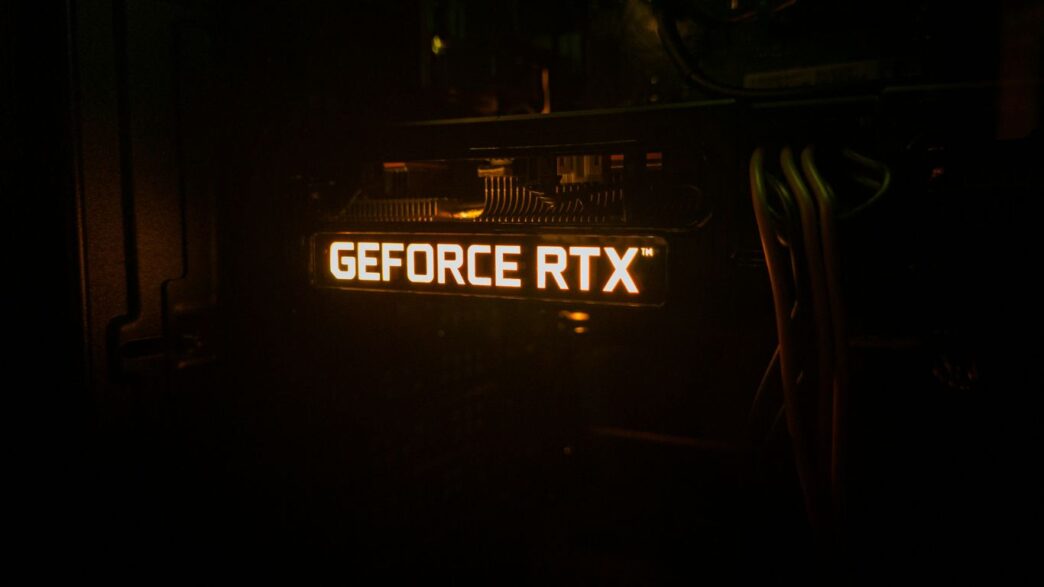
Everything about the Founders Edition screams quality. The die-cast aluminum backplate, for instance, forms an "X" shape in the center, adding both structural integrity and a unique visual element. You’ll also notice some subtle LED lighting, particularly the "GeForce RTX" logo on the side, which adds a nice touch of RGB flair without being over the top. It’s these little details, like the feel of the metal and the precision of the machining, that really set the Founders Edition apart. It feels less like a component and more like a piece of hardware art. This attention to detail is something NVIDIA has been known for with their first-party designs, and the RTX 4090 is no exception. It’s built to last and to impress. You can find more details on the performance of this card if you’re curious.
Key Features Of The 4090 Founders Edition
Triple-Slot Design And Cooling
This card is a bit of a beast, taking up three slots in your PC case. That extra space isn’t just for show, though. It’s packed with a massive aluminum heatsink and heat pipes, all designed to keep this powerful GPU from overheating. NVIDIA calls it a "dual-axial flow-through" cooler. Basically, it has two fans working together, one pushing air through the heatsink and out the back of your case, and the other pulling air through the fins. They’ve even made the fans 10% bigger and increased the heatsink volume by 10% compared to previous models. This setup is meant to keep things cool and quiet, even when the card is working hard.
LED Illumination Details
NVIDIA added some nice touches with lighting. You’ll spot a "GeForce RTX" logo on the card that lights up, and there’s another LED strip tucked away on the back shroud. It’s not over the top, just enough to add a bit of flair to your build without being distracting. The font for the "RTX 4090" branding has also been updated for this generation, which is a small detail but noticeable.
The New 16-Pin Power Connector
One of the biggest changes you’ll notice is the power connector. Gone are the traditional 8-pin connectors you might be used to. Instead, the RTX 4090 Founders Edition uses a single 16-pin (12VHPWR) connector. NVIDIA includes a special adapter in the box that breaks this single 16-pin connector out into four standard 8-pin PCIe power connectors. This new connector is designed to handle up to 600 Watts of power, which is pretty significant. It’s a big shift, and something you’ll need to be aware of when planning your build and power supply setup.
Comparing The 4090 Founders Edition
Design Evolution From Previous Generations
When you put the RTX 4090 Founders Edition next to its predecessor, the RTX 3090 Founders Edition, you notice some similarities, but also some clear differences. NVIDIA kept the general aesthetic, like the dual-axial flow-through cooler design where one fan pushes air through the heatsink and out the back of the card, while the other pulls air through and exhausts it upwards. It’s a smart setup that helps keep things cool. However, the 4090’s cooler is a bit beefier. The fans are actually larger, and NVIDIA increased the heatsink volume by about 10%. This means it can move more air and dissipate more heat, which is pretty important given the power this card packs.
One of the most obvious visual changes is the branding. The "RTX 4090" text on the shroud now uses a new font, which you’ll see across all RTX 40 series cards. They also tweaked the metal frame a bit, cutting into the corners to make room for those bigger fans. It’s not a radical departure, but it’s definitely an evolution. The overall build quality remains top-notch, with that signature all-metal body that feels really solid.
Size And Thickness Considerations
This card is a beast, no doubt about it. The RTX 4090 Founders Edition is a triple-slot card, meaning it takes up three expansion slots on your motherboard. This is wider than many previous generation cards, which were often dual-slot. This extra width is necessary to accommodate the much larger heatsink and cooling system needed for the 4090’s immense power.
Here’s a quick look at the dimensions:
| Dimension | Measurement |
|---|---|
| Length | 12 inches (304mm) |
| Height | 5.3 inches (137mm) |
| Width | Triple-slot (approx. 60mm) |
It’s important to check if your PC case can actually fit this card. While the Founders Edition is designed to be somewhat compatible with smaller cases thanks to NVIDIA’s SFF-Ready initiative, many custom AIB (Add-in-Board partner) versions of the RTX 4090 are even larger. So, measuring your case before buying is a really good idea. The thickness is mostly due to the massive heatsink and the complex cooling solution NVIDIA has implemented to keep this powerhouse from overheating.
Powering The 4090 Founders Edition
Alright, let’s talk about what makes this beast tick. The RTX 4090 Founders Edition uses a new power connector, and it’s a bit of a departure from what we’ve seen before. This is the 12VHPWR connector, and it’s designed to handle the serious power demands of this card.
Understanding The 12VHPWR Adapter
So, what exactly is this 12VHPWR thing? Basically, it’s a new standard that allows for higher power delivery through a single cable. The adapter that comes with the card is pretty neat. It takes that single 16-pin connector on the GPU and breaks it out into four standard 8-pin PCIe power connectors. This means you’ll need a power supply that has enough of those 8-pin connectors available, or you’ll be using this adapter.
Here’s a quick look at what you get:
- The 16-pin 12VHPWR connector on the card itself.
- An adapter cable: This is the crucial piece that converts the 16-pin to four 8-pin PCIe connectors.
- Documentation: A small guide to help you get everything hooked up.
NVIDIA suggests a 1000-watt power supply for this card, which makes sense given how much juice it can draw. The adapter feels pretty robust, and thankfully, it’s designed to be a bit more flexible than some earlier implementations, which should make routing it in your case a little less of a headache. It also means less stress on the connector itself, which is always a good thing.
Power Delivery Capabilities
This card is a power hog, no doubt about it. The 12VHPWR connector and the adapter are rated to deliver up to 600 watts. That’s a huge amount of power, and it’s what allows the RTX 4090 to hit those incredibly high clock speeds and performance levels. When you’re pushing this card to its limits, it’s going to be drawing a significant amount of power. It’s really important to make sure your power supply is up to the task and that all the connections are secure. A loose connection here could potentially cause problems, so double-checking everything is a good idea before you fire it all up.
Wrapping It Up
So, we’ve taken a good look at the NVIDIA GeForce RTX 4090 Founders Edition. It’s a seriously big card, no doubt about it, and the packaging itself is pretty neat, almost like opening a fancy tech gadget. The build quality feels solid, and you can tell NVIDIA put some thought into the design, especially with that cooling system. It’s definitely a premium piece of hardware. While we haven’t gotten into the actual performance numbers in this piece, just holding it and seeing the attention to detail makes you feel like you’ve got something special. It’s a hefty investment, for sure, but for those looking for top-tier graphics, this card certainly makes a strong first impression right out of the box.
Frequently Asked Questions
What makes the RTX 4090 Founders Edition box special?
The box for the RTX 4090 Founders Edition is designed to be exciting! It’s a sturdy, matte black box that opens up like a fancy case, showing off the graphics card inside like a piece of art. It’s not just a plain cardboard box; it’s part of the whole premium experience.
What comes in the box with the RTX 4090 Founders Edition?
When you open the box, you’ll find the amazing RTX 4090 graphics card itself. There are also some important papers, like manuals, and a special adapter cable. This adapter helps connect the card to your computer’s power supply.
What is the new 16-pin power connector for?
The RTX 4090 uses a new 16-pin power connector, called 12VHPWR. The adapter included in the box lets you plug in regular 8-pin power cables from your power supply into this single new connector. It’s designed to deliver a lot of power to the graphics card so it can perform at its best.
How is the cooling system on the RTX 4090 Founders Edition different?
This card has a special cooling system called a dual-axial flow-through cooler. It uses two fans that work together, one pushing air through the card and out the back, and the other pulling air through. This design, along with bigger fans and more cooling fins, helps keep the card cool and quiet even when it’s working hard.
Is the RTX 4090 Founders Edition much bigger than older cards?
Yes, the RTX 4090 Founders Edition is a pretty big card. It takes up three slots in your computer case, which is more space than some older cards. It’s also quite thick because of its large cooling system, so make sure you have enough room in your PC before you buy it.
Does the RTX 4090 Founders Edition have lights?
Yes, it does! You’ll find a cool ‘GeForce RTX’ logo on the card that lights up. There’s also another LED light hidden within the back of the card. These lights add a nice touch to the look of the graphics card when it’s inside your computer.