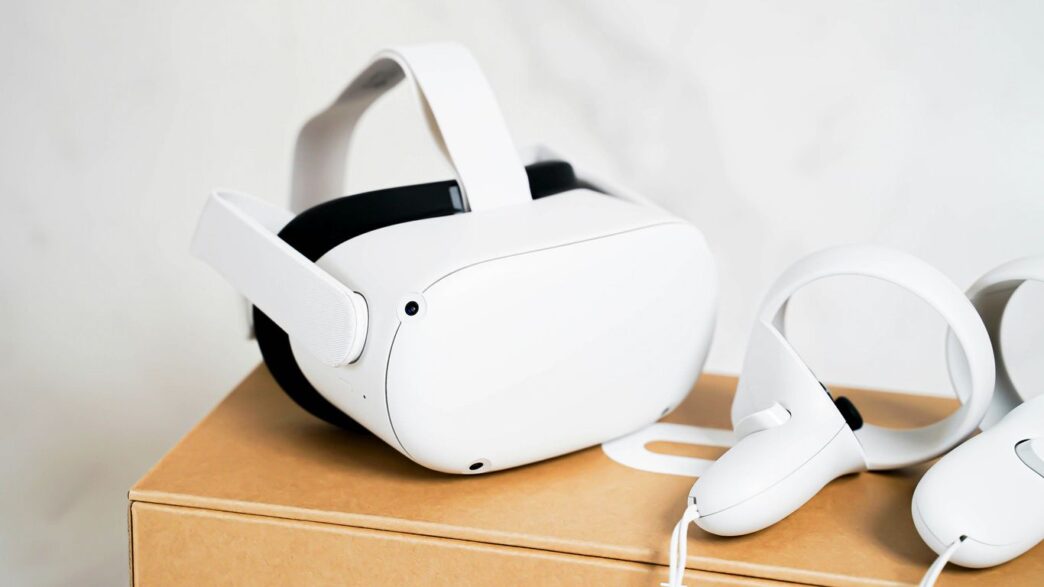
So, you’ve got your VR headset, and you’re ready to jump into some amazing virtual worlds. But what if you want to make those worlds even better? That’s where VR mods come in. Think of them like adding cool new features or graphics upgrades to your favorite games, but for virtual reality. This guide is all about showing you how to get started with VR mods, what you can do with them, and how to make your VR adventures truly next-level.
Key Takeaways
- VR mods can seriously change how your favorite games look and play, adding new stuff or making existing things look way better.
- There are tons of different VR mods out there, from making games look super realistic to adding new kinds of gameplay like building or fighting monsters.
- Installing VR mods might seem tricky, but with a few tools and guides, it’s totally doable. Just make sure your mods play nice together.
- If you don’t want to pick mods yourself, there are already made lists that can give you a great starting point for a modded VR experience.
- The world of VR mods is always growing, with new tech and community creations constantly popping up, so there’s always something new to explore.
Enhancing Your Virtual Reality Experience With VR Mods
So, you’ve got your VR headset, and you’re ready to jump into some virtual worlds. That’s cool and all, but what if I told you there’s a whole other level of awesome waiting for you? We’re talking about VR mods. These aren’t just little tweaks; they can completely change how you play your favorite games, making them feel brand new.
Understanding VR Modding Capabilities
VR modding is all about taking a game that might already be great and making it even better, specifically for virtual reality. Think about it: games designed for a flat screen often don’t take full advantage of what VR can do. Mods can fix that. They can add better graphics, make controls feel more natural, or even introduce entirely new ways to interact with the game world. For example, some mods can make a game feel much more real by improving how you perceive depth, like with the OpenXR Toolkit for Microsoft Flight Simulator, which really changes the feeling of being in the cockpit [c2ec]. Others might add features that were missing, like better character models or more realistic animations. It’s like giving your favorite game a whole new set of superpowers.
Essential Tools for VR Modding
Getting into VR modding doesn’t have to be super complicated. You’ll want a few things to get started. First off, you’ll need a way to manage your mods. Some games have built-in mod managers, but often you’ll be looking at third-party tools. These help you install, uninstall, and organize all your mods without messing up your game files. Then there’s the actual modding software itself, which varies a lot depending on the game. For some games, it’s as simple as dropping files into a folder, while others might require more involved steps.
Here’s a quick rundown of what you might need:
- Mod Manager: A program to handle your mods. Think of it like a librarian for your game files.
- Text Editor: Sometimes you need to tweak configuration files. Notepad works, but more advanced editors are better.
- File Archiver: Tools like 7-Zip or WinRAR are needed to open and extract mod files.
- Game-Specific Tools: Some games have their own modding kits or specific software required for certain types of mods.
Achieving Next-Gen Graphics with VR Mods
Let’s be honest, sometimes VR games can look a bit… dated. Even newer titles might not push the graphical limits as much as we’d hope. This is where graphics mods shine. They can overhaul textures, improve lighting, add more detailed models, and generally make your virtual world look way more realistic. You can find mods that replace low-resolution textures with super high-definition ones, making everything from character skin to landscapes look incredibly sharp. Some mods even focus on visual effects, like better water, more realistic weather, or improved particle effects. The goal is to make the game look as good as possible, often surpassing the original visuals. Just be mindful that super high-resolution textures, like 8k skin or 4k hair, might look amazing but can really hit your performance if your PC isn’t up to the task. It’s a balancing act between visual fidelity and smooth gameplay.
Exploring Diverse VR Modding Worlds
VR mods aren’t just about making things look prettier, though that’s a big part of it. They can completely change how you play, adding whole new adventures or letting you build your own. It’s like getting a whole new game, or even a bunch of new games, without buying anything extra.
Immersive Action and Adventure VR Mods
If you’re looking for more action or a good story, there are tons of mods out there. Some add new lands to explore, like going to a tropical island or a desert region that feels totally different from the original game. Others focus on quests, giving you new missions to complete, sometimes with fully voiced characters and new items to find. Think of finding a hidden tomb with a dark secret, or joining a pirate adventure on the high seas. These mods can add dozens of hours of gameplay, with new enemies, allies, and places you’d never see otherwise.
- New Lands & Quests: Mods that add entirely new areas to explore, often with their own storylines and characters.
- Dungeon Crawlers: Mods that focus on creating challenging new dungeons with unique puzzles and enemies.
- Story Expansions: Mods that build upon the existing narrative, offering new plotlines and character interactions.
Creative Sandbox and Building VR Mods
For those who like to create, VR sandbox mods are a dream. These let you build anything you can imagine, from simple structures to complex contraptions. Some are designed for collaborative building, so you can create with friends in VR. You can design sets, build entire worlds, or just mess around with physics. It’s a great way to express yourself and see what others have made.
- Block-Based Building: Similar to popular games, these mods let you place and break blocks to construct anything.
- World Design Tools: Mods that give you tools to sculpt landscapes and place objects to create unique environments.
- Social Creation: Platforms where you can build and share your creations with a community in real-time.
Puzzle and Strategy VR Mod Experiences
Don’t forget about the thinkers! There are mods that add brain-teasing puzzles, often set in intricate environments like Dwemer ruins or mysterious islands. You might need to figure out complex mechanisms or solve riddles to progress. Strategy mods can also be a blast, putting you in charge of guiding units or managing resources in a VR setting. These mods really test your wits and planning skills.
- Escape Rooms: Mods designed to mimic escape room challenges, requiring observation and problem-solving.
- Logic Puzzles: Mods focused on intricate puzzles that require careful thought and experimentation.
- Tactical Challenges: Mods that put you in command, requiring strategic thinking to overcome opponents or achieve objectives.
Mastering VR Mod Installation and Optimization
Alright, so you’ve picked out some cool mods, but now comes the part that can sometimes feel like wrestling a greased pig: getting them installed and working right. It’s not always as simple as clicking a button, but with a bit of patience, you can get your game running smoother than a fresh jar of peanut butter.
Step-by-Step VR Mod Installation Guides
Installing mods can seem complicated, especially when you’re dealing with multiple files and different types of installations. Most mods will come with instructions, and it’s usually best to follow those closely. However, here’s a general idea of what you might run into:
- Mod Managers: For games like Skyrim VR, using a mod manager is almost a must. Tools like Vortex or Mod Organizer 2 help keep track of everything. You’ll download the mod file, and the manager will handle placing it in the right spot and sorting out conflicts.
- Manual Installation: Some mods, especially those that add new scripts or require specific file placements (like DLL files in the game’s root folder), might need a manual touch. This means unpacking a downloaded archive and copying files directly into your game’s directory. Always read the mod author’s notes carefully for these.
- Patches and Compatibility Files: You’ll often find that mods need other mods to work, or they might conflict with each other. This is where patches come in. You might need to install a patch after the main mods it’s designed for, or sometimes a mod manager will let you choose which mod’s files take priority.
Ensuring VR Mod Compatibility
This is where things can get tricky. Not all mods play nice together. Think of it like trying to fit square pegs into round holes – sometimes it just doesn’t work.
- Check Requirements: Always, always, always read the mod description page. It will tell you what other mods or game versions you need. Missing a requirement is a fast track to a broken game.
- Load Order: The order in which your mods load can make or break your game. Mods loaded later can overwrite changes made by earlier mods. Tools like LOOT (Load Order Optimisation Tool) can help sort this automatically, but sometimes manual adjustments are needed.
- Version Control: Make sure the mod version you download matches your game version (e.g., Skyrim Special Edition vs. Anniversary Edition vs. VR). Using the wrong version is a common cause of crashes.
- Conflict Resolution: If two mods change the same thing, you’ll have a conflict. Mod managers can help you choose which mod wins. For more complex conflicts, you might need to use a tool like SSEEdit to create your own custom patch, merging the changes you want from both mods.
Performance Tuning for Modded VR Games
Adding mods, especially graphical ones, can really tax your system. If your VR experience starts to stutter or feel sluggish, it’s time to tune things up.
- Texture Optimization: High-resolution textures look amazing, but they eat up VRAM. Look for texture mods that offer lower-resolution options or use optimization tools. Some mods even come with patches specifically for lower-end PCs.
- Script Load: Too many mods with heavy scripting can slow down your game’s engine. Try to be selective. If a mod has a lot of complex features you don’t use, see if there’s a lighter version or a way to disable certain functions.
- Configuration Files: Many mods have
.inior.tomlfiles where you can tweak settings. Sometimes, just changing a few parameters (like disabling achievements if you’re having launch issues, or tweaking graphical settings) can make a big difference. Don’t be afraid to experiment with these settings, but always back them up first! - FPS Monitoring: Keep an eye on your frame rate. If it’s consistently below your headset’s refresh rate, you’ll need to make changes. Tools like MSI Afterburner can help you monitor performance while you play.
Curated VR Mod Collections for Every Player
Sometimes, wading through thousands of individual mods can feel like trying to find a needle in a haystack. That’s where curated mod collections come in handy. These are often pre-packaged groups of mods, sometimes put together by experienced modders or communities, designed to work together and offer a specific kind of experience. Think of them as ready-made recipes for a new game world.
Pre-Made VR Mod Lists for Convenience
These lists are a lifesaver when you just want to jump into a modded experience without the headache of figuring out compatibility. They usually cover a specific theme or goal. For example, you might find a collection focused on "Next-Gen Graphics" that bundles together texture packs, lighting overhauls, and weather mods. Or perhaps a "Survival Overhaul" list that adds new mechanics, tougher enemies, and more challenging resource management. Some lists even focus on specific games, like a "Skyrim VR Immersion Pack" that aims to make the world feel more alive and reactive. You can often find these on modding forums or dedicated websites. It’s a great way to get a taste of what’s possible without committing to hours of research.
Tailoring VR Mods to Your Playstyle
While pre-made lists are great, they might not perfectly match what you’re looking for. That’s where tailoring comes in. You can use these curated lists as a starting point and then swap out mods or add your own. If a "Fantasy Adventure" pack includes a follower mod you don’t like, simply remove it and find one that suits your taste better. Maybe you want more focus on crafting, or perhaps you prefer a darker, grittier atmosphere. You can mix and match elements from different collections or even build your own from scratch. It’s all about making the game your own. For instance, if you’re looking to improve the visuals of your favorite game, checking out resources like Nexus Mods can give you a good idea of what’s available.
Discovering New Content Through VR Mods
Mod collections aren’t just about tweaking existing games; they can also introduce entirely new content. Some collections are designed to add new quests, characters, or even entire new areas to explore. Imagine finding a mod list that adds a whole new storyline to your favorite RPG, complete with custom voice acting and unique items. Or maybe a collection that transforms a familiar sandbox game into something completely different, with new building materials and gameplay mechanics. These collections can breathe new life into games you thought you knew inside and out, offering hundreds of hours of fresh gameplay. It’s like getting a whole new expansion pack, often for free, created by passionate fans.
The Future of VR Mods and Immersive Gaming

Cutting-Edge VR Modding Techniques
So, what’s next for VR mods? It feels like we’re just scratching the surface, right? Developers are getting smarter about how they build games, and modders are keeping pace. We’re seeing more tools pop up that let you do wild stuff, like changing how physics work or adding entirely new AI behaviors. Think about games where the world actually reacts to you in ways you wouldn’t expect, not just scripted events. It’s about making the virtual world feel more alive and less like a pre-programmed stage. The real game-changer will be when mods can dynamically alter game logic on the fly, creating truly unique experiences every time you play.
Community-Driven VR Mod Development
Honestly, a lot of the cool stuff happening in VR modding is thanks to people just messing around and sharing what they find. Platforms like VRChat are a prime example; they’re basically giant sandboxes built by the community. People aren’t just tweaking existing games anymore; they’re building entire worlds and experiences from scratch. This collaborative spirit is what pushes things forward. You see folks sharing code, assets, and ideas, which means a single person’s cool idea can quickly become something much bigger, benefiting everyone.
The Evolving Landscape of VR Mods
Looking ahead, expect VR mods to get even more integrated. Instead of just slapping new textures on things, we’ll see mods that fundamentally change gameplay loops. Imagine playing a classic RPG, but with a mod that adds realistic survival needs like hunger and sleep, or one that lets you tame wild animals like in some of the Skyrim mods people talk about. It’s about making games feel more real, more personal. We might even see official support for modding in some VR titles, which would be huge. It’s not just about playing games; it’s about shaping them into whatever you want them to be.
Ready to Jump In?
So, that’s pretty much it. We’ve gone over how to get your favorite games looking and playing in ways you might not have thought possible, all thanks to the amazing world of VR mods. It can seem like a lot at first, with all the different files and settings, but honestly, the payoff is huge. You’re not just playing a game anymore; you’re stepping into it. Whether you’re tweaking graphics to look super real or adding wild new gameplay features, there’s a whole universe of possibilities out there. Don’t be afraid to experiment a little, find what works for you, and most importantly, have fun exploring these new realities.
Frequently Asked Questions
What kind of computer do I need to play modded VR games with awesome graphics?
You don’t need a super-fancy computer! A PC with parts like an Intel i5 8700k or similar, a GTX 2080 or 3070 (or AMD’s version), and 16GB of RAM should let you play with amazing graphics, cool effects, and smooth gameplay. There are even ways to make mods work well on less powerful computers.
Do I have to install every single mod on a list?
Nope! Think of mod lists as suggestions. You can install everything if you want, but it’s better to look at the mods, see what images and descriptions appeal to you, and pick the ones you like best. Some lists are already made for you if you want an easy way to get started.
How do I know if mods will work together?
Checking if mods play nicely with each other is super important. Good mod guides will often tell you which mods are compatible or provide special ‘patches’ to make them work. Sometimes, mods might conflict, meaning they change the same game part, and you might have to choose one or the other.
What’s the difference between a mod list and a mod pack?
A mod list is like a recipe – it tells you which ingredients (mods) to get and in what order to put them together. A mod pack is more like a pre-made meal; it usually comes with all the mods already downloaded and set up for you, making it simpler but less customizable.
Can mods make my game run slower?
Yes, some mods, especially those that add a lot of new graphics or complex features, can slow down your game. This is why guides often include performance tips or mark mods that use a lot of computer power. Choosing mods carefully and using performance-boosting mods can help a lot.
Where can I find cool VR games and mods?
You can find VR games and mods in various places like the official stores for your VR headset (like the PICO Store or SteamVR), and on websites dedicated to game modding. Many games also have active online communities where players share their favorite mods and creations.