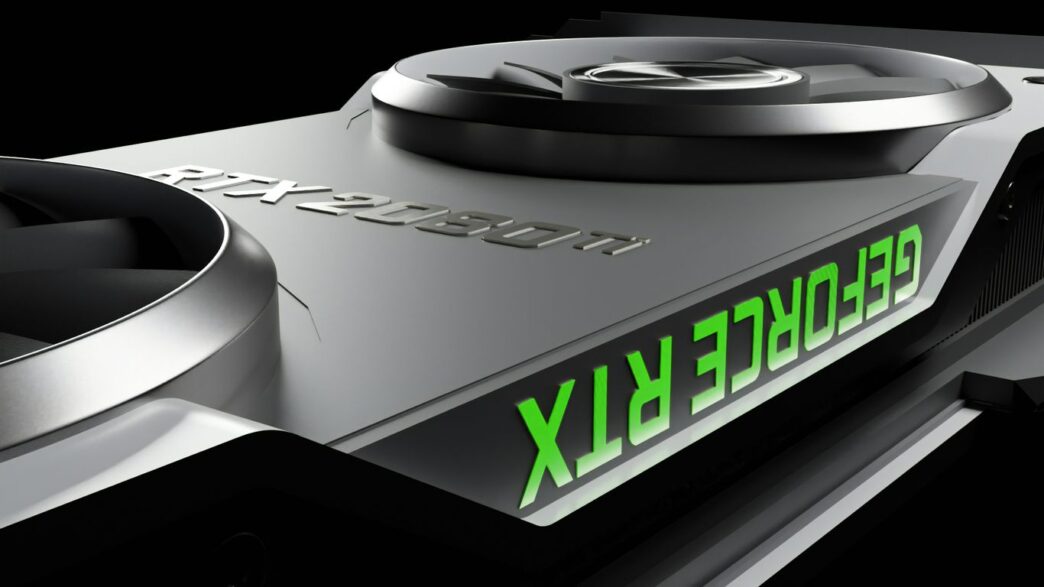
Thinking about building or upgrading a gaming PC? NVIDIA’s GeForce RTX line is pretty much the go-to for serious gamers these days. Whether you’re eyeing the latest RTX 50 series for some future-proofing or just want to know what the absolute top-tier RTX 4090 can do, this guide is for you. We’ll break down what makes these cards tick, how to pick the right one for your needs, and how to get the most out of your new nvidia geforce rtx gaming pc.
Key Takeaways
- The NVIDIA GeForce RTX 4090 offers unmatched power for 4K gaming and creative tasks, setting a high bar for performance.
- The upcoming RTX 50 series, starting with models like the 5060 and 5070, promises improved performance and AI features for a wide range of gamers.
- Choosing the right CPU, like AMD Ryzen or Intel Core, is important to avoid bottlenecking your powerful RTX GPU.
- NVIDIA’s technologies such as DLSS 4 and Reflex are game-changers, improving visual quality and responsiveness in your nvidia geforce rtx gaming pc.
- Beyond gaming, RTX cards provide significant benefits for creative professionals, speeding up workflows in areas like rendering and design.
Understanding NVIDIA GeForce RTX Gaming PC Power
Alright, let’s talk about what makes these NVIDIA GeForce RTX gaming PCs tick. It’s not just about having the latest and greatest; it’s about understanding the tech that pushes your games and creative projects to a whole new level. NVIDIA’s RTX lineup, especially the newer generations, has really changed the game.
The Apex of Graphics: RTX 4090 Performance
The RTX 4090 is, frankly, a beast. If you’re looking for the absolute top-tier performance right now, this is it. It’s built on NVIDIA’s Ada Lovelace architecture, which is a fancy way of saying it’s packed with more power and smarter tech than previous generations. We’re talking about a massive number of CUDA cores – 16,384, to be exact – and a huge 24GB of GDDR6X memory. This card isn’t just for gaming; it chews through heavy 3D rendering, complex AI tasks, and editing massive video files like they’re nothing. It’s designed for people who want the best and aren’t willing to compromise, especially for 4K gaming at super high frame rates or demanding creative work.
- Power Draw: Expect around 450W under heavy load. This means you need a solid power supply.
- Memory: 24GB of GDDR6X is plenty for almost anything you can throw at it.
- Performance: It’s the undisputed leader for raw graphical power.
Next-Generation Immersion: RTX 50 Series Capabilities
While the 4090 is the current king, the RTX 50 Series is on the horizon, promising even more. These cards are set to continue the trend of bringing more realistic graphics and faster performance, especially with AI-powered features. Think smoother gameplay, better visuals, and improved efficiency. The 5060 and 5070, for example, are shaping up to be great options for gamers looking for strong performance at 1080p and 1440p, or even dipping into 4K without needing the absolute top-end card. They’ll likely feature the latest DLSS and ray tracing tech, making games look and feel more alive.
Ray Tracing and AI: The RTX Advantage
This is where RTX really shines. Ray tracing simulates how light behaves in the real world, creating incredibly lifelike reflections, shadows, and lighting effects in games. It makes everything look so much more realistic. Then there’s DLSS (Deep Learning Super Sampling). It uses AI to boost your frame rates, meaning you can play games at higher settings or resolutions without sacrificing smoothness. DLSS 3.5, for instance, can actually generate entirely new frames using AI, which can dramatically increase performance. It’s a combination that makes games look stunning and run incredibly well, especially when you pair it with powerful hardware like the RTX 4090 or the upcoming 50 series cards.
- Ray Tracing: Creates realistic lighting, shadows, and reflections.
- DLSS: Uses AI to increase frame rates and improve visual quality.
- AI Cores: Dedicated hardware for AI tasks, speeding up creative applications and features like DLSS.
Choosing Your Ultimate NVIDIA GeForce RTX Gaming PC
Alright, so you’re ready to pick out your next gaming rig, and you’ve got your eye on NVIDIA’s RTX lineup. That’s a smart move. But with different models out there, how do you know which one is the right fit for you? Let’s break it down.
RTX 5060 and 5060 Ti: The Value Proposition
If you’re looking for a solid gaming experience without emptying your wallet, the RTX 5060 and its slightly beefier sibling, the 5060 Ti, are great starting points. These cards are designed to handle most games at 1080p resolution with smooth frame rates, and they can even push into 1440p territory in many titles. They bring NVIDIA’s latest tech, like DLSS and decent ray tracing capabilities, to a more accessible price point. Think of these as the sweet spot for gamers who want good performance for modern games but don’t necessarily need to max out every single setting at 4K.
- Great for 1080p and solid 1440p gaming.
- Offers good value for the performance you get.
- Includes modern features like DLSS for better frame rates.
The 5060 Ti, with its extra cores and higher clock speeds, usually gives you a noticeable bump in performance over the standard 5060, sometimes up to 20% faster. This makes it a particularly good choice if you’re a streamer or creator who also needs a bit more graphical horsepower for tasks like video editing or graphic design, all while keeping costs in check.
RTX 5070: Elevating Your 4K Gaming Experience
Ready to crank things up a notch? The RTX 5070 is where things get really interesting for high-resolution gaming. This card is built for those who want to play at 4K with high settings, enjoy buttery-smooth frame rates, and experience games with all the visual bells and whistles turned on. It packs more power than the 5060 series, often featuring faster memory like GDDR7, and improved AI features for even better performance. If 4K gaming is your main goal, the RTX 5070 is a seriously compelling option. It strikes a great balance between top-tier performance and being a bit more attainable than the absolute highest-end cards.
When you pair an RTX 5070 with a capable CPU, like a recent AMD Ryzen 7 or Intel Core i7, you’re setting yourself up for a fantastic gaming experience that should hold up well for years to come. It’s a step up that many gamers find makes a real difference in visual fidelity and overall smoothness.
RTX 4090: Uncompromising Power for Enthusiasts
Now, let’s talk about the king of the hill: the RTX 4090. This isn’t just a graphics card; it’s a statement. The RTX 4090 is for the absolute enthusiast who demands the best, no compromises. Whether you’re pushing the limits in 4K gaming at ultra settings with all the ray tracing effects cranked up, or you’re deep into demanding creative work like 3D rendering, complex simulations, or high-resolution video production, the 4090 is built to handle it all. It boasts a massive amount of CUDA cores and a huge pool of VRAM (24GB of GDDR6X, to be exact), which is what allows it to chew through the most intensive tasks.
While it comes with a premium price tag, the performance you get is unmatched. For those who want the absolute pinnacle of gaming and creative performance today, and want a system that’s truly future-proof for the next several years, the RTX 4090 is the ultimate choice. It’s the foundation for dream builds that redefine what’s possible on a desktop PC.
Optimizing Your NVIDIA GeForce RTX Gaming PC Build
So, you’ve picked out your shiny new NVIDIA GeForce RTX card, maybe a beastly 4090 or a slick 5070. That’s awesome! But just slapping it into any old computer isn’t going to cut it. To really get the most out of that graphics power, you need to make sure the rest of your system is up to snuff. Think of it like putting a race car engine in a beat-up old chassis – it’s just not going to perform its best.
CPU Synergy: Pairing with AMD Ryzen and Intel Core
Your CPU is like the conductor of your PC’s orchestra, and the GPU is the star violinist. If the conductor can’t keep up, the whole performance suffers. For RTX 50-series cards, especially the higher-end models, you’ll want a modern CPU. We’re talking about something like an AMD Ryzen 7 7800X3D or an Intel Core i7-13700K. These chips have plenty of cores and fast clock speeds to feed your GPU with data without causing a bottleneck. A weak CPU can seriously limit your frame rates, even with the best graphics card. It’s all about balance, making sure both components can do their jobs without holding each other back. You can find some great CPU options to pair with your new GPU at infiniarc.com.
Storage Solutions for Peak Performance
Forget those old spinning hard drives for your main drive. Seriously. If you want your games to load in a flash and your operating system to boot up before you’ve even finished your coffee, you need a solid-state drive (SSD). For RTX 4090 builds and other high-end systems, a PCIe 5.0 NVMe SSD is the way to go. These drives are ridiculously fast, with read/write speeds that make older SSDs look like ancient history. Loading times for massive open-world games or complex project files will shrink dramatically. You can still use larger, cheaper SATA SSDs or even traditional HDDs for storing less-used games, media files, or backups, but your OS and most-played games should absolutely live on a fast NVMe drive. Here’s a quick rundown:
- Operating System & Core Applications: PCIe 5.0 NVMe SSD (for the absolute fastest boot and load times)
- Most Played Games: PCIe 4.0 NVMe SSD (still incredibly fast and a bit more budget-friendly)
- Game Library & Media: SATA SSD or large HDD (for bulk storage where speed isn’t paramount)
Operating System and Software Tuning
Once your hardware is all sorted, don’t forget the software side. Make sure you’ve got the latest drivers for your NVIDIA GPU installed. NVIDIA puts out updates pretty regularly, and they often include performance improvements and bug fixes specifically for new games. Beyond drivers, Windows itself has settings you can tweak. Things like disabling unnecessary startup programs can free up CPU resources. You might also want to look into game-specific settings. Some games have profiles that automatically adjust settings for your hardware, while others let you manually tune things like V-Sync or frame rate limits. For the ultimate responsiveness, make sure NVIDIA Reflex is enabled in supported games – it really does make a difference in fast-paced titles. It’s these little optimizations that can sometimes make the biggest difference in how smooth your gaming experience feels.
Experiencing Next-Gen Features with Your NVIDIA GeForce RTX Gaming PC
So, you’ve got one of these fancy new NVIDIA GeForce RTX gaming PCs, maybe rocking a 5060 Ti or even a beastly 4090. That’s awesome! But what does all that tech actually do for you? It’s not just about pretty pictures, though there are plenty of those. NVIDIA has packed these cards with some seriously smart tech that makes your games look better and play smoother.
DLSS 4: AI-Powered Frame Generation
This is a big one. DLSS, or Deep Learning Super Sampling, is basically AI magic for your games. Think of it like this: your graphics card is working hard to draw all those pixels, but sometimes it can only manage so many frames per second. DLSS steps in and uses artificial intelligence to create new frames between the ones your card actually renders. The latest version, DLSS 4, is even smarter about this, often leading to a huge jump in your frame rate. This means you can play games at higher resolutions or with more graphical settings turned up without your game stuttering. It’s a game-changer, especially for titles that are really pushing the limits of what a GPU can do. You can see how this technology works to improve visuals in NVIDIA GPUs offer real-time rendering.
NVIDIA Reflex: Ultimate Responsiveness
Ever feel like there’s a slight delay between when you move your mouse and when your character actually does it on screen? That’s input lag, and it’s the bane of competitive gamers. NVIDIA Reflex is designed to squash that lag. It works by optimizing the entire system, from your mouse click all the way to the display. It reduces the time it takes for your actions to show up in-game, making everything feel much snappier.
Here’s how it helps:
- Faster reaction times: Crucial for fast-paced shooters or fighting games.
- Smoother aiming: Makes tracking targets feel more natural.
- Reduced system latency: The overall delay from input to display is minimized.
G-SYNC and VR: Immersive Display Technologies
Beyond just raw performance, NVIDIA has display tech that makes a difference. G-SYNC is a technology that syncs your monitor’s refresh rate with your GPU’s frame output. Normally, your monitor just refreshes at its set rate, which can lead to screen tearing if your GPU is outputting frames at a different speed. G-SYNC stops that, giving you a tear-free, smooth visual experience.
For virtual reality, these RTX cards are also pretty amazing. They have the power to drive those high-resolution VR headsets, making virtual worlds feel more real and less like a slideshow.
- Tear-free gaming: G-SYNC monitors eliminate distracting screen tearing.
- Smoother motion: Consistent frame delivery means less judder.
- Better VR immersion: High frame rates and low latency make VR feel more convincing.
Workstation and Creative Prowess with NVIDIA GeForce RTX
So, you’ve got this beast of a gaming PC, right? But what if you’re not just about fragging noobs? Turns out, these NVIDIA GeForce RTX cards, especially the higher-end ones like the RTX 4090, are absolute powerhouses for creative work too. It’s not just about pretty graphics in games; it’s about making those graphics yourself, or crunching through massive datasets.
Accelerating Creative Workflows
Think about video editing, 3D modeling, or graphic design. These tasks can really bog down a system. But with an RTX card, things get a whole lot faster. NVIDIA Studio drivers are specifically tuned for creative applications, meaning software like Adobe Premiere Pro, Blender, and DaVinci Resolve just work better. This means you spend less time waiting for renders and more time actually creating. The AI cores on these GPUs are a big part of this, helping out with tasks that used to take ages.
Rendering and Simulation Power
For anyone doing serious 3D work or scientific simulations, the RTX 4090 is a game-changer. Rendering complex scenes that might have taken hours on older hardware can now be done in minutes. It’s not just about speed, though. The sheer amount of VRAM (like the 24GB on the 4090) lets you work with much larger, more detailed models and textures without hitting memory limits. This is super important for things like architectural visualization or complex physics simulations.
Here’s a quick look at how some common creative tasks can see a performance boost:
| Task | Typical Time (Older GPU) | RTX 4090 Time (Approx.) |
|---|---|---|
| 4K Video Render | 30-60 minutes | 5-15 minutes |
| Complex 3D Scene | 2-4 hours | 20-45 minutes |
| AI Model Training | Varies (often days) | Significantly reduced |
Multi-Monitor and Multi-Stream Capabilities
If your workflow involves juggling multiple applications or running several displays, an RTX card handles it with ease. You can easily set up a multi-monitor workstation for maximum screen real estate, letting you keep your reference materials, editing timeline, and preview window all visible at once. Plus, if you’re a streamer or content creator who needs to record gameplay while also managing chat and other software, the GPU’s encoding capabilities are top-notch. It’s built to handle all that simultaneous activity without breaking a sweat.
Wrapping It Up
So, building a new gaming PC with an NVIDIA GeForce RTX card, whether it’s the latest 50-series or a powerhouse like the 4090, is a pretty big deal. It’s not just about getting more frames per second, though that’s definitely a nice perk. It’s about making your games look way better, with all those realistic lights and shadows, and making everything feel smoother, especially in fast-paced action. Plus, these cards are great for more than just gaming; they can really speed up creative work too. Taking the time to pick the right parts and put it all together yourself can be a really rewarding experience, and you end up with a machine that’s exactly what you need. If building isn’t your thing, there are some solid pre-built options out there that can save you a lot of hassle. Either way, stepping up to an RTX card means you’re ready for whatever comes next in gaming.
Frequently Asked Questions
What makes NVIDIA’s RTX graphics cards so special for gaming?
RTX cards are super cool because they use special tech called Ray Tracing to make games look incredibly real, like in the movies. They also have AI smarts (like DLSS) that make games run faster and look sharper without needing a super powerful computer for every single detail.
What’s the difference between the RTX 4090 and the newer RTX 50 series cards?
Think of the RTX 4090 as the absolute top-tier champ right now, amazing for everything. The RTX 50 series, like the 5060 or 5070, are newer and bring even better tech, often focusing on being a great balance of price and performance, or offering improvements for specific tasks like gaming or creating stuff.
Is it better to build my own RTX gaming PC or buy one that’s already built?
Building your own PC can be really rewarding and often saves you money, letting you pick exactly what you want. But if you want a super reliable machine without the hassle, buying a pre-built PC from a good company can be easier, and they often test it thoroughly to make sure it runs perfectly.
How does DLSS help my games run better?
DLSS is like a magic trick for your graphics card! It uses smart AI to create extra frames and make the game look better, all while making it run much smoother and faster. So, you get awesome graphics without your PC struggling.
What kind of processor (CPU) should I get to go with a high-end RTX card like the 4090?
To make sure your super-fast RTX card doesn’t have to wait around, you’ll want a powerful CPU. Top choices are usually from Intel’s Core i9 series or AMD’s Ryzen 9 series, especially their gaming-focused models, to keep up with all the amazing graphics.
Can I use an RTX gaming PC for things other than gaming?
Definitely! RTX cards are also fantastic for creative work. They can speed up things like editing videos, designing 3D models, and even doing complex scientific work because they’re so good at handling lots of calculations really fast.