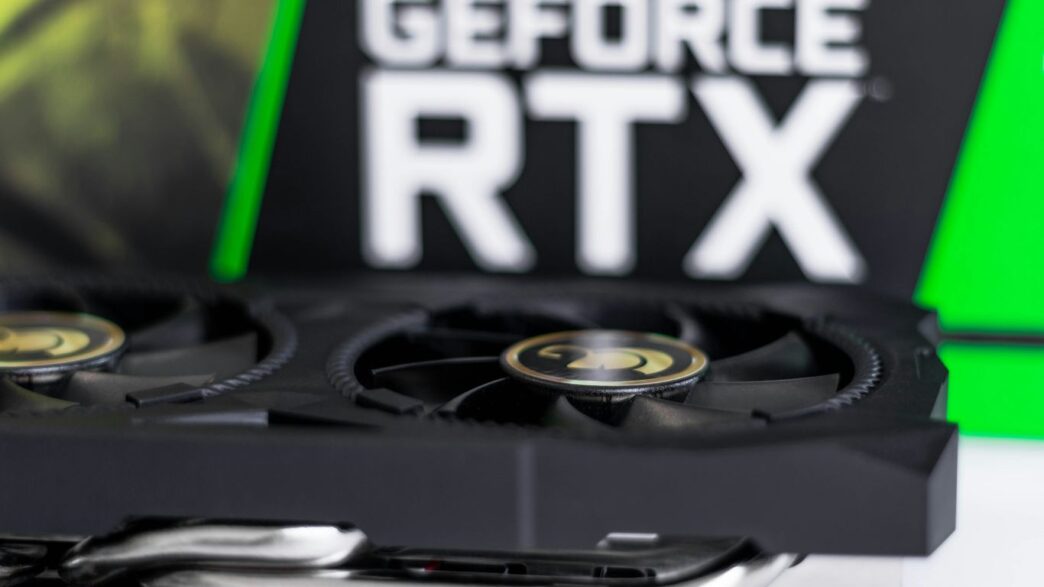
Thinking about building a new gaming PC in 2025? Or maybe just upgrading your current setup? If you’re aiming for top-tier performance, especially with all the new games coming out, you’re probably looking at NVIDIA’s GeForce RTX line. This guide is all about helping you figure out what you need to know to get the best nvidia geforce rtx gaming pc possible, whether you’re a hardcore gamer or someone who also uses their computer for creative work. We’ll cover the latest tech, what components matter, and how to get the most out of your system.
Key Takeaways
- The NVIDIA GeForce RTX 4090 is currently the top-tier graphics card for gaming and creative tasks, offering unmatched performance in 4K and beyond.
- Newer architectures like Blackwell are on the horizon, promising further advancements in gaming visuals and AI capabilities.
- Pairing your RTX GPU with a capable CPU, like high-end AMD Ryzen or Intel Core processors, is vital for avoiding bottlenecks and maximizing performance.
- Storage speed, particularly with NVMe SSDs, significantly impacts game loading times and overall system responsiveness.
- NVIDIA technologies like Ray Tracing and DLSS 3.5, along with Reflex and G-SYNC, are key to achieving smoother, more visually impressive, and responsive gameplay on your nvidia geforce rtx gaming pc.
Unleash Next-Generation NVIDIA GeForce RTX Gaming PC Power
Alright, let’s talk about what’s really making waves in the PC world right now. We’re looking at the next big leap in graphics technology, and NVIDIA’s GeForce RTX line is right at the front. It’s not just about faster frame rates anymore; it’s about how games and applications look and feel. This generation is bringing some serious upgrades that are changing the game, literally.
The Blackwell Architecture: A Leap Forward
NVIDIA’s latest architecture, codenamed Blackwell, is the engine behind some of the newest cards. Think of it as a whole new way for the graphics card to process information. It’s designed to be more efficient and way more powerful than what came before. This means better performance, especially when you’re pushing things like ray tracing or complex AI tasks. It’s the foundation for what’s coming next, and it’s pretty exciting.
Revolutionizing Gaming with RTX 50 Series
The RTX 50 Series is where you’ll really see Blackwell in action. These cards are built to handle the most demanding games out there. We’re talking about smoother gameplay, higher resolutions, and visuals that are just stunning. For example, the Nvidia GeForce RTX 5060 Ti 16GB is showing some impressive gains over previous generations, making high-end gaming more accessible. It’s not just about raw power, though. These cards are smarter, too, with improved AI capabilities that help boost performance and visual quality.
AI and Ray Tracing: The Future of Visuals
This is where things get really interesting. Ray tracing, which simulates how light behaves in the real world, is becoming a standard feature. It makes games look incredibly realistic with better reflections and shadows. But ray tracing can be demanding. That’s where AI comes in, especially with technologies like DLSS. DLSS uses AI to upscale lower-resolution images, giving you better performance without a big hit to visual quality. It’s a combination that’s really pushing the boundaries of what we thought was possible in gaming visuals. The synergy between advanced ray tracing and AI-powered upscaling is defining the next era of graphical fidelity.
The Apex Predator: Building Your RTX 4090 Gaming PC
Alright, let’s talk about the absolute top-tier machine for anyone serious about gaming or creative work in 2025: the RTX 4090 PC. This isn’t just a small step up; it’s a giant leap. If you want the best visuals, the fastest frame rates, and the ability to handle pretty much anything you throw at it, this is where you look.
Why the RTX 4090 Defines High-End Performance
Look, the RTX 4090 is simply the king of the hill right now. It’s not even close when you compare it to other cards. We’re talking about a GPU that can handle 4K gaming at super high settings, even with all the fancy ray tracing turned on, and still keep things smooth. For games like Cyberpunk 2077 or Alan Wake 2, you’re seeing frame rates that other cards just can’t touch. It’s also a beast for creative stuff, like 3D rendering or video editing, making those long waits much shorter. This card is in a class of its own, plain and simple.
Key Specifications for Unrivaled Power
So, what makes this card so special? It’s packed with a massive number of CUDA cores and a huge amount of fast GDDR6X memory. This combination means it can crunch through complex calculations and handle huge textures without breaking a sweat. When you pair it with a fast CPU and speedy storage, you get a system that feels incredibly responsive.
Here’s a quick look at what you’re getting:
- CUDA Cores: A huge number for parallel processing.
- VRAM: 24GB of GDDR6X memory for handling large datasets and textures.
- Ray Tracing Cores: Next-gen cores for realistic lighting and reflections.
- Tensor Cores: For AI tasks like DLSS, which boosts performance.
RTX 4090 vs. Competitors: A Performance Showdown
When you line up the RTX 4090 against its closest rivals, like the RTX 4080 Super or AMD’s top offerings, the difference is pretty stark. In most benchmarks, especially those that heavily use ray tracing or push resolutions to 4K and beyond, the 4090 pulls ahead significantly. It’s not just about raw speed, though; it’s also about efficiency. For the performance it offers, it’s surprisingly power-efficient compared to older high-end cards. This means you can get incredible performance without necessarily needing a power supply the size of a small car, though you’ll still need a robust one.
| Feature | NVIDIA RTX 4090 | Competitor A (e.g., RTX 4080 Super) | Competitor B (e.g., AMD 7900 XTX) |
|---|---|---|---|
| 4K Gaming (Ultra) | Excellent | Very Good | Good |
| Ray Tracing | Best-in-Class | Good | Fair |
| Creative Apps | Top-Tier | High-End | High-End |
| Power Efficiency | High | Good | Moderate |
Optimizing Your NVIDIA GeForce RTX Gaming PC Experience
So you’ve got a beast of a machine, maybe with that shiny new RTX 4090, but is it actually running as well as it could? It’s easy to just plug everything in and assume it’s good to go, but there are a few things you can tweak to really get the most out of your setup. Think of it like tuning up a sports car – you wouldn’t just drive it off the lot without checking the tire pressure, right?
The Crucial Role of Storage and SSDs
Let’s talk about speed. If you’re still using an old hard drive (HDD) for your operating system or your favorite games, you’re seriously bottlenecking your whole system. Solid State Drives (SSDs), especially NVMe M.2 drives, are way faster. They load games, boot up Windows, and transfer files in a fraction of the time. Seriously, if you haven’t made the jump to an SSD yet, do it. It’s probably the single biggest performance upgrade you can make for everyday use.
- Boot Times: Expect Windows to load in seconds, not minutes.
- Game Loading: Say goodbye to those long loading screens between levels.
- File Transfers: Moving large game installs or video files becomes much quicker.
Processor Synergy: AMD Ryzen vs. Intel Core
Your CPU is the brain of your PC, and it needs to keep up with your RTX graphics card. For a high-end build with an RTX 4090, you’ll want a top-tier processor. Both AMD and Intel have some great options.
- AMD Ryzen: Processors like the Ryzen 9 7950X3D or the newer 9800X3D are fantastic. They offer a lot of cores for multitasking and creative work, plus that extra cache is a real boost for gaming. They tend to run a bit cooler too, which is nice.
- Intel Core: On the other hand, Intel’s Core i9 chips, like the 14900K, bring some serious clock speeds. If you’re doing a lot of rendering, streaming, or heavy production work alongside gaming, these can be a great choice for raw power.
Basically, for a pure gaming focus, AMD’s X3D chips often have an edge. For a mix of gaming and heavy productivity, Intel’s top-end chips are hard to beat. It really depends on what you’ll be doing most.
Windows 11 Pro: Software and OS Tuning
Windows 11 Pro is pretty good out of the box for gaming, but a few tweaks can make it even better. Keeping your system updated is key, not just for security but for performance too. NVIDIA is always working with Microsoft to make sure their drivers play nice with the latest Windows updates.
- Keep Drivers Updated: Always grab the latest drivers directly from NVIDIA’s website. Don’t rely solely on Windows Update for your graphics drivers.
- Manage Background Processes: Close down unnecessary apps running in the background while you’re gaming or working. This frees up RAM and CPU resources.
- Game Mode: Make sure Windows Game Mode is enabled. It helps prioritize your game’s performance by limiting background tasks.
It’s not about making huge, complicated changes. Just a few smart adjustments can make your powerful RTX PC feel even snappier.
Elevating Gameplay with GeForce RTX Technology
Mastering Ray Tracing and DLSS 3.5
So, you’ve got a beast of a graphics card, but what makes it truly special? It’s the tech packed inside, and for NVIDIA’s GeForce RTX, that means ray tracing and DLSS. Ray tracing is basically how games make light look real. Instead of faking it, it actually calculates how light bounces off surfaces, creating super lifelike reflections, shadows, and even how light fills a room. It’s a big deal for making games look like actual photos.
But here’s the thing: ray tracing is super demanding. That’s where DLSS, or Deep Learning Super Sampling, comes in. Think of it as an AI helper. DLSS uses artificial intelligence to render games at a lower resolution and then intelligently upscale them to your monitor’s native resolution. The latest version, DLSS 3.5, adds even more smarts with things like Ray Reconstruction, which further refines the ray-traced visuals, and Frame Generation, which creates entirely new frames between the ones your GPU actually renders. This means you get way better performance without sacrificing how good the game looks. It’s a win-win.
NVIDIA Reflex and G-SYNC for Ultimate Responsiveness
When you’re in the middle of a fast-paced game, every millisecond counts. That’s why NVIDIA Reflex is so important. It works behind the scenes to cut down on system latency, which is the delay between when you click your mouse or press a key and when that action actually happens on screen. Less latency means your game feels more immediate and responsive. You’ll notice it most in competitive shooters or fighting games where split-second reactions are key.
Then there’s G-SYNC. You know how sometimes games look like they’re tearing, with the screen splitting into two parts? G-SYNC is NVIDIA’s tech to stop that. It syncs your monitor’s refresh rate with your graphics card’s frame output. The result is super smooth gameplay without any of those annoying visual glitches. It makes everything look cleaner and more fluid, which is just nicer to look at, especially during intense action.
Immersive Virtual Reality with RTX Power
Virtual reality is all about making you feel like you’re actually there. And to do that, VR needs a ton of graphics power. That’s where RTX cards shine. They can handle the high resolutions and frame rates that VR demands, making virtual worlds feel more solid and believable. With an RTX card, you can expect smoother VR experiences, fewer motion sickness issues (which often come from low frame rates), and the ability to run more graphically intense VR titles. It really makes a difference in how immersive the whole experience feels, letting you get lost in those digital environments without the tech getting in the way.
Beyond Gaming: The RTX 4090 for Creative Professionals
So, you’ve got this beast of a graphics card, the RTX 4090, and you’re thinking it’s just for crushing games at max settings? Think again. This thing is a total workhorse for anyone who makes stuff on a computer. Seriously, if you’re into 3D modeling, video editing, or even dabbling in AI development, the 4090 can seriously speed things up.
Accelerating Workflows with AI Cores
NVIDIA packed a bunch of AI-specific cores, called Tensor Cores, into the RTX 4090. These aren’t just for making games look pretty with DLSS; they’re also used in professional software to speed up tasks that used to take ages. Think about noise reduction in video footage or AI-powered upscaling. These cores can cut down processing times dramatically. It means you spend less time waiting for your computer and more time actually creating.
Transforming 3D Rendering and Video Editing
For 3D artists and video editors, the RTX 4090 is a game-changer. Rendering complex scenes in programs like Blender or Maya used to be a marathon. Now, with the 4090, it’s more like a sprint. You can see your changes happen in near real-time, which makes the whole process way smoother. Video editors will also notice a big difference when working with high-resolution footage, like 4K or even 8K. Scrubbing through timelines, applying effects, and exporting your final product all become much faster. It’s like upgrading from a bicycle to a sports car for your creative projects. You can check out some of the performance gains in applications like DaVinci Resolve here.
NVIDIA Studio Drivers for Stability and Performance
NVIDIA knows that professionals need reliability. That’s why they have these special Studio Drivers. They’re optimized specifically for creative applications, not just games. This means fewer crashes and a more stable experience when you’re deep into a project. They get tested extensively with popular creative software, so you can trust them to work well. Here’s a quick rundown of what they do:
- Optimized Performance: Tailored for applications like Adobe Creative Suite, Blender, and Unreal Engine.
- Enhanced Stability: Rigorous testing to minimize crashes and bugs during intensive workloads.
- Regular Updates: Frequent driver releases that often include new features and performance improvements for creative tools.
Basically, if you’re using your RTX 4090 for anything other than gaming, make sure you’re using the Studio Drivers. It’s a simple step that makes a big difference in how smoothly your creative software runs.
Crafting Your Ultimate NVIDIA GeForce RTX Gaming PC
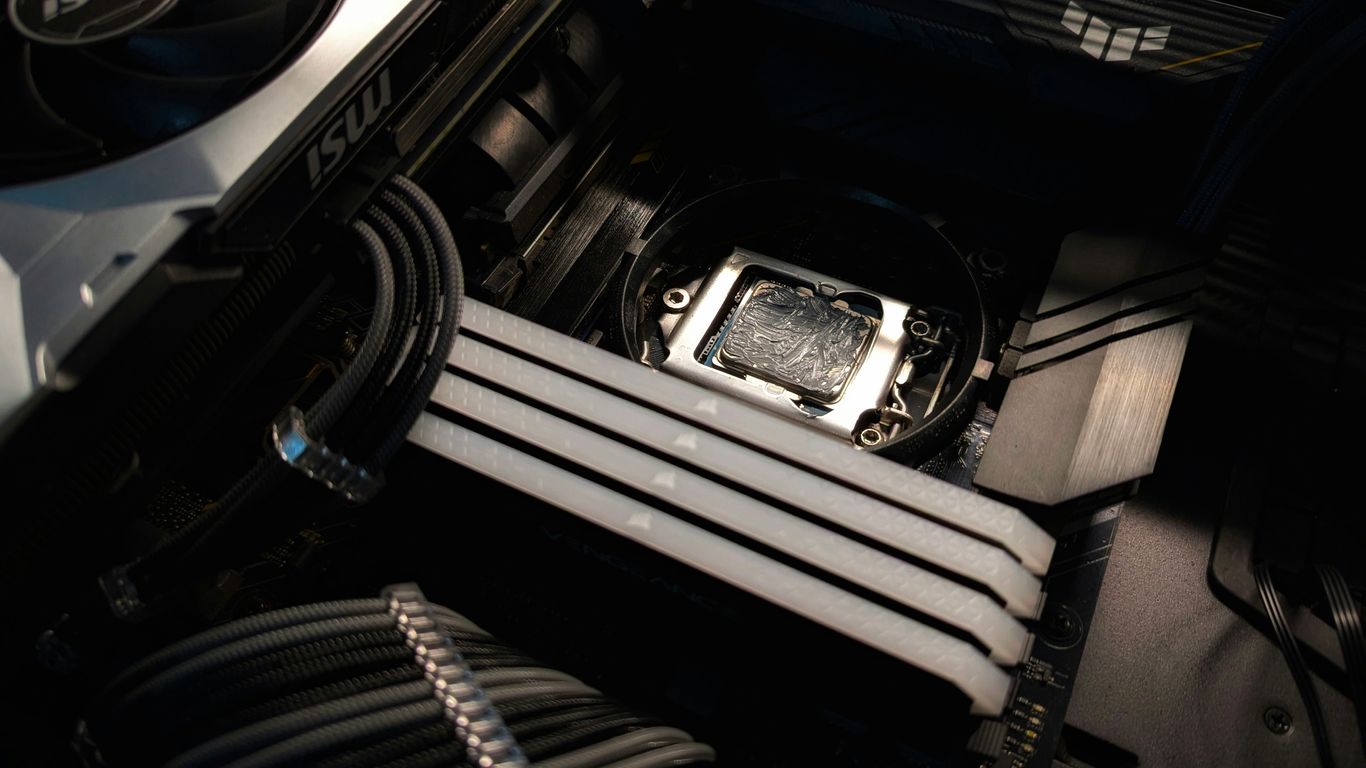
So, you’ve decided to build a beast. That’s awesome. Putting together a high-performance PC, especially one centered around an NVIDIA GeForce RTX card like the 4090, can feel a bit daunting, but honestly, it’s also super rewarding. It’s not just about slapping parts together; it’s about making smart choices so everything works well together and lasts. Think of it like building a really fast car – you need the right engine, but also the right chassis, tires, and suspension to make it truly shine.
Expert Assembly and Customization Options
When it comes to putting it all together, you’ve got a couple of paths. You can go the DIY route, which is a great way to learn and save a bit of cash if you’re comfortable with it. Or, you can opt for a custom build service. Companies that specialize in this, like Sirius Power PC, handle the assembly, cable management, and initial testing for you. They often use premium parts and have a good eye for airflow and aesthetics, which can make a big difference. The key is choosing components that are not only powerful but also compatible and well-suited for your specific needs, whether that’s gaming, creative work, or a bit of both.
Ensuring Stability Through Rigorous Testing
Once it’s built, the work isn’t quite done. Proper testing is super important to make sure your new rig is stable. This means running stress tests on the CPU and GPU to see how they handle heavy loads over time. You’ll want to check temperatures to make sure nothing’s overheating. Good cable management, which those custom builders often nail, really helps with airflow and keeps things cool. It’s all about making sure your PC can handle marathon gaming sessions or long rendering jobs without a hitch.
Choosing the Right Components for Your Build
This is where the real fun begins, picking out the parts. Beyond the star GPU, you’ve got other pieces to consider:
- Processor (CPU): You need a CPU that won’t bottleneck your RTX card. For high-end builds, something like a top-tier AMD Ryzen or Intel Core processor is usually the way to go. They offer plenty of cores and high clock speeds for demanding tasks.
- Memory (RAM): Aim for at least 32GB of fast DDR5 RAM. More is better if you’re doing heavy video editing or running lots of applications at once. Speed matters here, so look for good timings.
- Storage: Don’t skimp here. A fast NVMe SSD, preferably PCIe 4.0 or even 5.0 if your motherboard supports it, is a must for your operating system and frequently played games. Load times will be practically non-existent. You can add larger, slower drives for storing media files or less-played games.
- Power Supply (PSU): The RTX 4090 is power-hungry. You’ll need a high-quality PSU with enough wattage (think 1000W or more) and the right connectors. Don’t cheap out on the PSU; a bad one can damage your whole system.
- Motherboard: Pick a motherboard that supports your chosen CPU and RAM, has good VRMs for stable power delivery, and offers the connectivity you need (like plenty of USB ports and M.2 slots for SSDs).
- Cooling: High-end components generate heat. A good CPU cooler (air or liquid) and a case with excellent airflow are vital to keep everything running smoothly and quietly.
Wrapping Up Your Ultimate Build
So, that’s the rundown on getting your gaming PC ready for whatever 2025 throws at it, especially with NVIDIA’s latest GeForce RTX cards. We’ve looked at what makes these GPUs tick, from the super-powerful RTX 4090 down to the newer 50-series options like the 5050 and 5060 Ti. Picking the right parts, like a solid CPU and fast storage, really makes a difference. Building a PC can seem like a lot, but with a bit of planning, you can create something truly special that plays all your favorite games smoothly. It’s all about getting the performance you want without breaking the bank. Happy building!
Frequently Asked Questions
What’s the big deal with NVIDIA’s new Blackwell graphics cards?
The new Blackwell architecture, like what you’ll see in the upcoming RTX 50 series, is like a supercharger for your computer. It makes games look way more real with better lighting and shadows, and it uses smart AI tricks to make games run super fast, even with all those fancy graphics turned on.
Why is the RTX 4090 considered the top dog for gaming PCs?
Think of the RTX 4090 as the ultimate gaming machine. It has tons of power to run the newest games at the highest settings, even in super sharp 4K. It’s also really good at making games look super realistic with ray tracing, which makes light and reflections behave like they do in real life.
How important is storage, like SSDs, for a fast gaming PC?
Storage is super important! Using a fast Solid State Drive (SSD) means your games and computer will load much, much faster. Instead of waiting ages for a game world to load, you’ll be jumping in almost instantly. It makes a huge difference in how smooth everything feels.
What’s the difference between AMD Ryzen and Intel Core processors for a powerful PC?
Both AMD Ryzen and Intel Core processors are great choices for powerful PCs. Ryzen chips are often good at saving energy and are great for gaming, while Intel’s Core processors are known for being super fast and excellent for doing many things at once, like gaming and streaming.
What is DLSS, and how does it help my games?
DLSS stands for Deep Learning Super Sampling. It’s a smart technology from NVIDIA that uses AI to make your games run faster without making them look worse. It’s like magic that boosts your game’s speed while keeping the graphics looking amazing.
Is it better to build my own RTX 4090 PC or buy one already put together?
Building your own PC can be really rewarding and you can pick every single part. But, buying a pre-built PC, especially from a company that specializes in them, can be easier and they often come with expert testing and support. It really depends on if you like tinkering or prefer a ready-to-go setup.