

Running a business these days means dealing with a lot of digital stuff. It can feel a bit overwhelming, honestly. From keeping track of all your computers and software to making sure your staff knows what’s safe and what’s not, there’s a lot to think about. But getting a handle on these things with the right secure tech solutions isn’t as complicated as it sounds. It’s really about putting some sensible steps in place to keep your business safe and sound, so you can get on with, you know, actually running your business.
Key Takeaways
- Know exactly what tech you have – from every computer to every bit of software. You can’t protect what you don’t know about.
- Control who can get into what. Make sure people only have access to the systems they absolutely need for their job.
- Keep all your software and systems up-to-date. Those updates often fix security holes that hackers love to exploit.
- Back up your important data regularly and test if you can actually get it back. It’s like having an emergency exit for your files.
- Train your team to spot dodgy emails and links. Your staff are your first line of defence, so make sure they’re ready.
Understanding Your Business’s Digital Footprint
Right then, let’s talk about what your business actually has out there in the digital world. It sounds a bit abstract, doesn’t it? But honestly, you can’t protect what you don’t know exists. Think of it like trying to secure your house when you don’t even know how many doors and windows you’ve got, let alone if they’re locked. Knowing your digital assets is the very first step to keeping them safe.
Conducting a Complete Asset Inventory
So, what exactly do we mean by ‘assets’? It’s pretty much everything digital your business uses. This includes all the physical bits like laptops, servers, printers, and even those old tablets gathering dust. But it also stretches to all the software you’ve got installed, from your main accounting package to that little utility program someone downloaded last year. And don’t forget cloud services – anything you’re using that’s hosted elsewhere, like your email provider or a project management tool. You need a proper list of all of it. It might seem like a chore, but it’s really important. If you’re not sure where to start, there are tools that can help you get a handle on this, like some of the digital footprint monitoring tools available.
Here’s a quick rundown of what to jot down:
- Every single device connected to your network – think computers, phones, routers, anything with an IP address.
- All the software applications, including their versions. You’d be surprised how many security holes older software can create.
- Details on cloud services: what they are, who uses them, and what data is stored there.
- Any hardware or software that’s not officially sanctioned but is still being used. These are often overlooked and can be a weak spot.
You can’t protect what you don’t know exists. This isn’t just a catchy phrase; it’s the absolute truth in cybersecurity. Without a clear picture of your digital assets, you’re essentially operating blind, leaving yourself open to risks you haven’t even considered.
Mapping Software Applications and Cloud Services
Once you’ve got a handle on the physical devices, it’s time to get specific about the software and cloud stuff. This is where things can get a bit murky if you’re not careful. Lots of teams use different apps, and cloud services pop up all the time. You need to know what’s being used, who’s using it, and what data is going into it. Is that new project management tool approved? Does everyone really need access to that particular cloud storage? These questions are vital. It’s not just about listing them; it’s about understanding their purpose and who controls them. This helps you spot redundancies or shadow IT – software or services that employees are using without official approval, which can be a major security risk.
Identifying and Securing Unauthorized Devices
This is where things can get a bit hairy. Sometimes, devices just… appear. Maybe an employee brings in their personal tablet to check work emails, or a contractor leaves a USB stick plugged in. These unauthorized devices are a massive security headache. They might not have the same security protections as your company-issued gear, and they could be a gateway for malware or data breaches. You need a clear policy on personal devices and a way to identify and either secure or remove any unauthorized tech that finds its way onto your network. It’s about making sure everything that connects to your business systems has been vetted and approved.
Implementing Robust Access Control Measures
Enforcing Principle of Least Privilege
This is all about making sure people only have access to the stuff they absolutely need to do their job. Think of it like giving a key to a specific room, not the whole building. It stops someone from accidentally (or not so accidentally) messing with things they shouldn’t be. It’s a simple idea, but it makes a big difference in stopping problems before they start. If a user account gets compromised, the damage is limited to just what that account could access. This is a really solid first step.
- Grant access based on job function, not just seniority.
- Regularly check if the access granted is still relevant.
- Remove access that’s no longer needed promptly.
Limiting access reduces the potential impact of compromised accounts and accidental data leaks. It’s a foundational security practice that’s often overlooked.
Regularly Reviewing and Revoking Access
People move around in a company, right? Someone changes roles, someone leaves. If you don’t keep track of who has access to what, you end up with a bunch of old permissions hanging around. This is a big security risk. You need a system to check who has access to what, and then take away anything that’s not needed anymore. It’s like tidying up your digital workspace. Doing this regularly stops old access from becoming new security holes.
- Schedule quarterly access reviews for all systems.
- Have managers sign off on their team’s access rights.
- Immediately revoke access for departing employees.
Utilising Role-Based Access Controls
Instead of giving access to individuals one by one, role-based access control (RBAC) groups permissions by job roles. So, everyone in ‘Sales’ gets the same set of access rights, and everyone in ‘Marketing’ gets theirs. This makes managing access much simpler and more consistent. It means you set up the permissions for a role once, and then assign people to that role. It’s a much more organised way to handle who can see and do what within your business systems.
Strengthening Network and System Defences
Your business’s network and systems are like the central nervous system of your operations. If they’re not properly protected, everything else is at risk. It’s not just about having a firewall; it’s about building layers of defence that make it incredibly difficult for anyone with bad intentions to get in.
Securing Network Configurations
Think of your network configuration as the blueprint for how your digital assets talk to each other and the outside world. If this blueprint has weak spots, it’s an open invitation. We need to make sure that blueprint is solid.
- Change default passwords: Seriously, this is the first thing you should do. Those factory-set passwords are often publicly known. Get them changed on routers, switches, and any other network gear.
- Use strong Wi-Fi encryption: If you’re using Wi-Fi, make sure it’s secured with WPA3 if possible. WPA2 is okay, but WPA3 is better. It’s like putting a stronger lock on your digital door.
- Separate networks: Set up a guest network for visitors. This keeps them off your main business systems, so they can’t accidentally (or intentionally) cause problems.
- Turn off what you don’t need: Disable any network services or ports that aren’t being used. Every open port is a potential entry point.
A poorly configured network is like leaving your shop unlocked overnight. You wouldn’t do that, so don’t do it with your digital infrastructure.
Implementing Multi-Factor Authentication
This is one of those things that makes a massive difference. Multi-factor authentication (MFA) means that even if someone steals a password, they still can’t get into an account without a second form of verification, like a code from a phone app. It’s estimated that MFA blocks nearly all automated cyberattacks. Yet, many businesses still aren’t using it everywhere they should.
- Email accounts: Get MFA on all your business email accounts. This is often the primary target for attackers.
- Cloud services: Any cloud-based software or storage you use should have MFA enabled.
- Admin access: For anything that controls your systems, MFA is non-negotiable.
Prioritising Patch Management and Updates
Software developers regularly release updates, often called patches, to fix security holes. Cybercriminals actively look for systems that haven’t been updated because those are the easiest targets. If you’re not patching, you’re leaving yourself exposed.
- Automate updates: Set operating systems and applications to update automatically whenever possible. This takes the manual effort out of it.
- Regular checks: Even with automation, it’s good to have a process for checking that updates have been applied, especially for critical software.
- Replace old software: If a piece of software is no longer supported by the developer, it won’t get any more security updates. You need to find a replacement.
Safeguarding Data Through Backup and Recovery
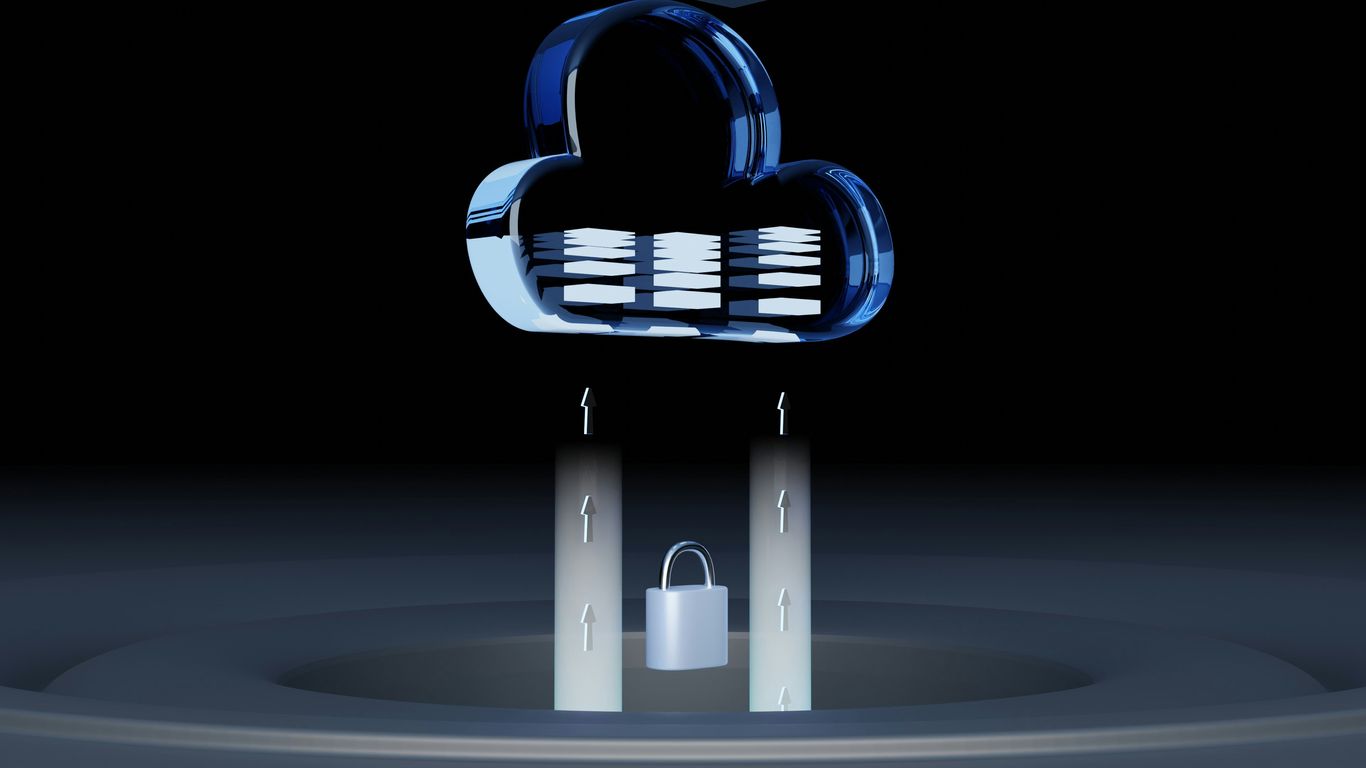
Right, let’s talk about keeping your business’s digital stuff safe. Imagine losing all your customer records or financial data – it’s a scary thought, isn’t it? That’s where having a solid backup and recovery plan comes in. It’s not just about having copies of your files; it’s about making sure you can actually get them back when you need them, especially if something goes wrong.
Establishing Cloud-Based Backup Solutions
So, the cloud. It’s become a bit of a buzzword, but for good reason. Using cloud-based services for your backups means your data isn’t just sitting on a hard drive in your office, which could be lost or damaged. Instead, it’s stored securely off-site. This is brilliant because if, say, your office has a fire or a flood, your data is still safe elsewhere. Think of it like having a spare key to your house hidden at a friend’s place – you’re covered even if you lose your main set.
- Automated Backups: Set it and forget it. Most cloud services can be configured to back up your data automatically at regular intervals, so you don’t have to remember to do it.
- Off-site Storage: Your data lives in a secure data centre, far away from your physical business location.
- Accessibility: You can usually access your backed-up data from anywhere with an internet connection, which is handy if you’re working remotely or need to restore files quickly.
Developing Disaster Recovery Plans
Okay, so you’ve got your backups sorted. What happens when disaster strikes? A disaster recovery plan is your roadmap for getting things back to normal as quickly as possible. It’s not just about the data; it’s about how your business will keep running. This means thinking about:
- Critical Systems: What are the absolute must-have systems and data for your business to function?
- Recovery Time Objectives (RTOs): How quickly do you need those systems back online?
- Recovery Point Objectives (RPOs): How much data loss can you tolerate between backups?
Having a well-documented disaster recovery plan means that when the unexpected happens, you’re not scrambling in the dark. You’ll have clear steps to follow, reducing panic and minimising downtime. It’s about being prepared, not just hoping for the best.
Testing Restoration Procedures Regularly
This is the bit that often gets overlooked. You’ve set up your backups, you’ve written your plan, but have you actually tried restoring anything? It’s like having a fire extinguisher but never checking if it works. You need to test your restoration process regularly to make sure it actually does what it’s supposed to. This involves:
- Simulated Restorations: Pick a sample of your backed-up data and try restoring it to a test environment.
- Verifying Data Integrity: Check that the restored data is complete and hasn’t been corrupted.
- Timing: See how long the restoration process actually takes, so you can compare it to your RTOs.
Doing this regularly helps you catch any issues with your backup system or your plan before a real emergency hits. It gives you confidence that your safety net is actually going to catch you.
Empowering Your Team Against Cyber Threats
Dealing with cyber threats isn’t just about firewalls and software—your people are a huge part of it. Most breaches start with someone making a mistake or trusting the wrong person. It turns out, the difference between business as usual and a major disaster often comes down to whether a staff member clicked the wrong link or sent info to the wrong person.
Training Employees on Social Engineering
Social engineering is trickery, plain and simple. It’s when attackers use fake emails or phone calls to convince your staff to hand over sensitive info, click links, or run dodgy attachments. Getting everyone up to speed on this stuff is not just a "nice to have”—it’s mission-critical.
Tips for practical training:
- Use real-life stories and examples relevant to your business.
- Explain red flags: unexpected urgent requests, odd links, and suspicious file names.
- Walk through what to do, step by step, if something feels "off".
The most secure network in the world can be let down by one person who hasn’t been shown what a dodgy email looks like.
Conducting Regular Cybersecurity Awareness Training
If you only train your team once, it doesn’t stick. Regular short sessions (even quarterly) work better than one massive session per year. Keep it fresh, keep it simple, and keep it relevant to changes in threats and your workplace. Consider checking understanding with quick quizzes or discussions.
A basic training routine could include:
- Recap on key risks (like phishing, weak passwords, and sharing data).
- Updates on new scams seen in your industry.
- Interactive exercises – ask "what would you do?" for real-life scenarios.
Training Frequency Comparison Table:
| Training Frequency | Typical Outcome |
|---|---|
| Annually | Most knowledge forgotten, low awareness |
| Quarterly | Higher chance of retention, more engaged staff |
| Monthly (short & simple) | Ongoing awareness, quicker response to new threats |
Simulating Phishing Tests
You can give your staff all the resources in the world but nothing beats putting their skills to the test. Phishing simulations are basically safe "fake" scam emails sent to see who clicks. It’s not about catching people out—it’s about seeing where more help is needed and how people react under pressure.
Steps for effective phishing tests:
- Create realistic simulations that reflect real threats.
- Share results with the team, not to shame, but to support further training.
- Always follow up individually with anyone who fell for it, to explain what was missed.
If you’re just starting, keep your expectations reasonable—most people don’t spot every scam on day one. Consistency and follow-up are what build lasting habits.
Building a security-aware culture takes time, but the payoff is fewer costly mistakes and a team that’s not afraid to ask for help if something looks wrong.
Proactive Monitoring and Incident Response
You can’t really protect your business if you don’t know what’s going on. That’s where proactive monitoring comes in. It’s all about keeping an eye on your systems and networks so you can spot trouble before it becomes a major headache. Think of it like having a security guard who’s always watching the cameras.
Monitoring Network for Suspicious Activity
This means having the right tools in place to watch for anything out of the ordinary. Are there sudden spikes in traffic? Are unusual files being accessed? These could be signs that something’s not right. Early detection is key; it can mean the difference between a minor glitch and a full-blown disaster that brings everything to a halt. We need to be able to see what’s happening on our network to stop problems before they start. Setting up alerts for unusual activity is a good start, and regularly checking logs can reveal sneaky behaviour.
Establishing Clear Incident Response Plans
Even with the best monitoring, incidents can still happen. That’s why having a solid plan for what to do when something goes wrong is so important. This isn’t just about fixing the problem; it’s about having a clear set of steps to follow, knowing who’s responsible for what, and how to communicate with everyone involved, including your customers. A well-practiced plan can significantly cut down on the damage and get you back to normal much faster. It’s about being prepared for the worst, so you can handle it smoothly.
Here are some steps to get your plan in place:
- Document exactly what to do when an incident occurs.
- Assign specific people to roles and tasks.
- Practice the plan regularly to make sure everyone knows their part.
- Have a way to tell customers and other important people what’s happening.
Having a plan doesn’t stop attacks, but it makes a massive difference in how quickly you can recover and how much damage is done. It’s a vital part of keeping your business running.
Leveraging Security Information and Event Management (SIEM)
SIEM systems are pretty clever. They pull together all sorts of security data from different parts of your IT setup – like network logs, server activity, and application events – and analyse it. This gives you a much bigger picture of what’s happening and helps to spot complex threats that might be missed otherwise. It’s like having a super-analyst who can connect the dots across all your security information. This kind of integrated view is really helpful for understanding potential security incidents and responding effectively.
Enhancing Security with Integrated Technology
It’s easy to think of security as a bunch of separate tools, like a firewall here, an antivirus there. But the real strength comes when these things work together, talking to each other. Think of it like a well-drilled team rather than a collection of individuals. When your security solutions are integrated, they can spot problems faster and react more effectively. This means less stress for you and your team, and a much safer environment for your business data.
Utilising Secure Browsing Solutions
Browsers are how most people interact with the internet for work. This is a big entry point for trouble. Having a browser security tool means it can watch out for dodgy websites or links that try to trick you into giving up passwords or downloading nasty stuff. It’s like having a bouncer at the door of your digital world, checking everyone who comes in.
- It can block known malicious websites before you even get there.
- It helps stop attempts to steal your login details.
- It can monitor what you’re uploading or downloading to stop sensitive data from leaving the company.
Defending Against Email-Based Threats
Email is still a major way attackers get into businesses. Phishing emails, scams, and messages with malicious attachments are a constant worry. Integrated security can help here by not just scanning for viruses, but also looking at the context of the email. Is the sender who they say they are? Does the request seem unusual? It can also help stop you from accidentally sending sensitive information to the wrong person.
Email security isn’t just about stopping viruses; it’s also about preventing human error that can lead to data leaks. A good system will flag potential issues before you hit send.
Integrating Security Across Digital Workspaces
Your team probably uses a mix of tools – email, chat apps, cloud storage, project management software. Security needs to be present everywhere they work. When security tools can connect with these different applications, they can provide protection no matter which app your staff are using. This makes it simpler to manage security because it’s not a separate task; it’s built into the tools they use every day. It means fewer gaps for attackers to exploit and a more consistent level of safety across the board.
Putting It All Together
So, we’ve gone over a few things that can really help keep your business safe from online trouble. It might seem like a lot at first, but remember, you don’t have to do it all at once. Taking small steps, like making sure your software is up-to-date or training your team to spot dodgy emails, makes a big difference. The main thing is to start somewhere. Protecting your business isn’t just about avoiding problems; it’s about giving yourself the freedom to focus on what you do best – running and growing your company without that nagging worry in the back of your mind. It’s about having a bit more peace of mind, really.
Frequently Asked Questions
What is a digital footprint and why should my business care?
Think of your digital footprint as everything your business does online. This includes all the computers, phones, software, and online services you use. It’s super important because if you don’t know what you have, you can’t protect it from cyber threats. Knowing your footprint helps you find weak spots before bad guys do.
Why is ‘least privilege’ important for employee access?
The ‘least privilege’ idea means giving each employee only the access they absolutely need to do their job, and nothing more. This is like giving a key to just one room instead of the whole building. If an account gets hacked, the damage is limited because the hacker can only access a small part of your systems.
How often should I update my software and systems?
You should update your software and systems as soon as updates are available, or at least regularly every month. Think of updates like fixing holes in your fence. Cybercriminals often target older software with known weaknesses. Keeping things updated is a simple but very effective way to block them out.
What’s the best way to back up my business data?
A great way to back up data is to follow the ‘3-2-1’ rule: have at least 3 copies of your data, store them on 2 different types of storage (like an external hard drive and cloud storage), and keep 1 copy in a separate location (off-site). This way, if something happens to your main office or one backup, you still have others to rely on.
How can I train my staff to be safer online?
You can train your staff by holding regular sessions about online safety. Teach them to spot fake emails (phishing), understand why they shouldn’t click on strange links, and encourage them to report anything suspicious. Doing practice drills, like fake phishing emails, also helps them learn what to look for.
What is Multi-Factor Authentication (MFA) and why is it so effective?
Multi-Factor Authentication, or MFA, means you need more than just a password to log in – like a code sent to your phone or a fingerprint scan. It’s super effective because even if someone steals your password, they still can’t get into your account without the other ‘factor’. It’s one of the best ways to stop hackers.