So, cloud computing. It’s everywhere now, right? It’s basically how we get all sorts of computer stuff – like storage, software, and processing power – over the internet. Instead of buying and managing all your own equipment, you just use what you need from someone else. It’s changed how businesses and even regular folks use tech. This article is going to break down the main characteristics of cloud computing, the things that make it so popular and useful.
Key Takeaways
- Cloud services let you get what you need, when you need it, without asking permission first, and you can get to it from pretty much anywhere with an internet connection.
- Resources are shared among many users, which makes things cheaper and more efficient, and the system can quickly adjust to give you more or less power as you need it.
- You pay for what you use, like your electricity bill, and multiple users can share the same system securely.
- Things run more smoothly because a lot of the work is automated, systems are built to keep running even if something breaks, and there’s a big focus on keeping your stuff safe.
- You can pick and choose different cloud services and tweak them to fit exactly what you’re trying to do, adapting as your needs change.
On-Demand Self-Service And Broad Network Access
Empowering Users With Self-Service
Think about needing a new server or more storage space. In the old days, that meant filling out forms, waiting for approvals, and then waiting even longer for the hardware to show up and get set up. It was a slow process, right? Cloud computing flips that script entirely. With on-demand self-service, you can provision computing resources – like servers, storage, or even entire applications – whenever you need them. No more waiting around for someone else to do it. You just log into a portal, click a few buttons, and boom, the resources are ready. It’s like having a magic wand for your IT needs. This ability to get what you need, when you need it, means you can react much faster to changing project demands or unexpected business opportunities. It really cuts down on the time between having an idea and actually making it happen.
Ubiquitous Access Via The Internet
Another big deal is how easily you can get to your stuff. Broad network access means you can connect to your cloud services from pretty much anywhere, as long as you have an internet connection. Your laptop at home, your phone while you’re out, a tablet on the train – it all works. This isn’t just about convenience; it changes how we work and collaborate. Teams can share documents and work on projects together in real-time, even if they’re spread across different cities or countries. For individuals, it means your photos, music, and important files are accessible from any device, not just the one computer they’re stored on. It makes working remotely or just staying connected to your digital life so much simpler. This kind of accessibility is a key reason why so many people and businesses are moving to cloud services.
Here’s a quick look at what this means:
- Instant Resource Provisioning: Get servers, storage, and more in minutes, not weeks.
- Anywhere, Anytime Access: Connect to your data and applications from any internet-enabled device.
- Improved Collaboration: Teams can work together more effectively, regardless of location.
- Reduced IT Bottlenecks: Self-service removes the need for manual intervention for many tasks.
Resource Pooling And Rapid Elasticity
Think about how a busy restaurant works. They have a kitchen, right? But they don’t have a separate chef and set of pots for every single table that walks in. Instead, they have a shared kitchen and a team of chefs who can jump between different orders. That’s kind of what resource pooling is like in the cloud.
Shared Infrastructure For Efficiency
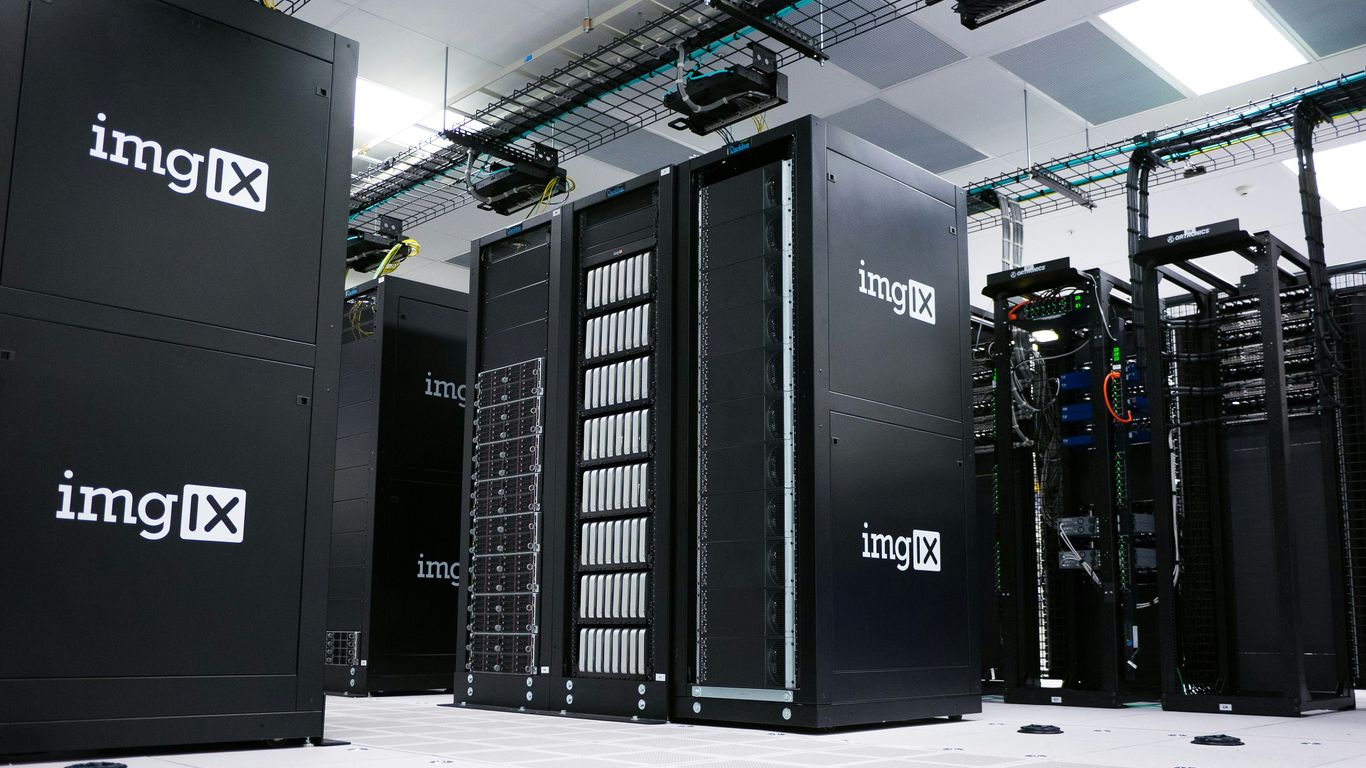
Cloud providers take a bunch of physical servers, storage drives, and networking gear and lump it all together. Then, they divvy it up among lots of different customers. This means they can use all that hardware much more efficiently. Instead of a server sitting idle most of the time because one customer isn’t using it, that server’s power can be used by someone else. This sharing is a big reason why cloud services can be cheaper. You get access to a massive amount of computing power without having to buy and maintain all the physical stuff yourself.
Dynamic Scaling To Meet Demand
Now, imagine that restaurant kitchen again. When a huge group suddenly shows up, the chefs can work faster, maybe call in a few extra hands from the back. That’s rapid elasticity. In the cloud, it means your applications and services can automatically get more resources when lots of people are using them, and then scale back down when things quiet down. This is super handy. If your website suddenly gets a ton of visitors because of a big sale or a viral post, the cloud can handle it without crashing. You don’t have to guess how much capacity you’ll need way in advance and buy way more than you usually do. It just adjusts.
Here’s a quick look at how it helps:
- Handles unexpected traffic spikes: Your website won’t slow to a crawl during peak hours.
- Saves money during quiet times: You’re not paying for resources you aren’t using.
- Supports growth easily: As your business or project gets bigger, the cloud grows with you.
- Improves user experience: People get fast, reliable access to your services, no matter when they connect.
Measured Service And Multi-Tenancy
Pay-Per-Use Cost Management
One of the big draws of cloud computing is how it changes the way we pay for IT resources. Instead of buying a bunch of servers that might sit idle most of the time, you pay for what you actually use. Think of it like your electricity bill – you don’t pay a flat rate for a power plant, you pay for the kilowatt-hours you consume. This measured service approach means costs are directly tied to usage, making budgeting much more predictable and often a lot cheaper. It’s a smart way to manage expenses, especially when your needs fluctuate. This pay-as-you-go model is a core reason many businesses are moving to the cloud.
Secure Isolation In Shared Environments
Now, you might be wondering, if everyone is sharing the same cloud infrastructure, how is my data kept private? That’s where multi-tenancy comes in. It’s an architecture where a single instance of software and its supporting infrastructure serve multiple customers, or tenants. But here’s the key: each tenant’s data and configurations are kept separate and secure from everyone else’s. It’s like living in an apartment building; you have your own private space, even though you share the building’s foundation and utilities with others. Cloud providers use sophisticated methods to make sure that even though resources are pooled, your information stays yours. This secure isolation is vital for trust and privacy in the cloud. You can find more details on how this works in cloud architecture.
Here’s a quick look at how usage is typically measured:
- Compute Time: How long virtual machines or processing units are active.
- Storage Used: The amount of data stored, often measured in gigabytes or terabytes.
- Data Transfer: The volume of data sent and received over the network.
- Service Usage: Specific features or API calls made within a particular cloud service.
Automation, Resilience, And Enhanced Security

Beyond just having resources available, cloud computing really shines when it comes to making things run smoothly and keeping them safe. It’s not just about having a server; it’s about how that server is managed, how it bounces back if something goes wrong, and how your stuff is protected.
Streamlining Operations Through Automation
Think about setting up new computers or installing software. Doing that manually for a bunch of machines takes ages and is super prone to mistakes. Cloud platforms automate a lot of this. They can spin up new virtual machines, install the right software, and even configure them just how you need them, all with minimal human input. This means IT folks can spend less time on repetitive tasks and more time on things that actually move the business forward. It’s like having a super-efficient assistant that never gets tired.
- Automated Provisioning: New servers or storage can be created in minutes, not days.
- Configuration Management: Keeping all your systems set up consistently becomes much easier.
- Software Deployment: Pushing out updates or new applications can be done across many systems at once.
Ensuring Business Continuity With Resilience
Nobody wants their website to go down or their data to disappear. Cloud providers build their systems with a lot of backup plans. They often have multiple copies of your data stored in different physical locations. So, if one data center has a problem – maybe a power outage or a flood – your services can often keep running from another location. This built-in redundancy means less downtime for your applications and a much lower chance of losing important information. It’s a big deal for keeping a business running without interruption.
Robust Protection Of Data And Infrastructure
Security in the cloud is a big topic, and providers put a ton of effort into it. They use advanced tools to keep unauthorized people out, encrypt your data so it’s unreadable if intercepted, and constantly monitor for suspicious activity. While you still have a role to play in security – like managing who has access to what – the cloud provider handles a lot of the heavy lifting. This shared responsibility model means you benefit from their massive investments in security technology and expertise. It’s often more secure than what a small or medium-sized business could manage on its own.
Flexibility And Customization In Cloud Offerings
One of the really great things about cloud computing is how adaptable it is. It’s not a one-size-fits-all deal. You can really tweak things to match what you need, whether you’re a small startup or a big company.
Tailoring Services To Specific Needs
Think about it like building with LEGOs. You can pick and choose the exact pieces you want to create something unique. The cloud works similarly. You can select different types of services, like Infrastructure as a Service (IaaS), Platform as a Service (PaaS), or Software as a Service (SaaS), depending on your goals. For instance, if you need full control over your servers and operating systems, IaaS is your go-to. If you’re a developer who just wants to build apps without worrying about the underlying hardware, PaaS is perfect. And if you just need ready-to-use software, like email or a CRM, SaaS fits the bill.
- IaaS: Gives you the most control. You manage the operating system and applications, while the provider handles the physical hardware. Great for custom setups.
- PaaS: Focuses on application development. You get tools and environments to build and deploy apps without managing servers.
- SaaS: The simplest option. You use software directly over the internet, like Google Workspace or Microsoft 365. No installation or management needed.
Adapting To Evolving Requirements
What you need today might not be what you need next month, or even next week. The cloud is built for this kind of change. It lets you scale resources up or down really quickly, so you’re not stuck with too much or too little capacity. If your website suddenly gets a lot more visitors, you can add more server power almost instantly. When things quiet down, you can scale back to save money. This means you’re always using just the right amount of resources, which is good for both performance and your wallet. It’s like having a flexible workspace that can grow or shrink with your team’s needs.
Wrapping It Up
So, we’ve talked about what makes cloud computing tick – things like being able to grab what you need, when you need it, without asking anyone, and how it all just works over the internet. Plus, how resources get shared around, and how things can speed up or slow down super fast depending on what’s happening. It’s pretty wild how these features make things cheaper, easier to scale, and just generally more accessible. It’s not just a tech buzzword anymore; it’s really the backbone for a lot of what we do online today, and it’s only going to get more important as things keep changing.
Frequently Asked Questions
What does “on-demand self-service” mean in cloud computing?
It means you can get computer resources, like storage or processing power, whenever you need them, all by yourself through a special online portal. You don’t have to wait for someone from the cloud company to help you set it up.
How does “broad network access” make cloud computing useful?
This means you can get to your cloud services and data from almost any device (like your phone or laptop) as long as you have an internet connection. It makes it easy to work from anywhere and stay connected.
What is “resource pooling” and why is it good?
Imagine a big pool of computer parts that many people can use. Resource pooling is when the cloud company gathers all its computer power, storage, and other resources and shares them among many customers. This makes things cheaper and more efficient for everyone.
What is “rapid elasticity” in the cloud?
It’s like having a stretchy rubber band for your computer needs. If you suddenly need way more power (like when lots of people visit your website), the cloud can quickly give you more. If you need less, it can shrink back down. This happens almost instantly.
How does the “measured service” feature help manage costs?
This is like your electricity or water bill. You only pay for the amount of cloud resources you actually use. The cloud company keeps track of what you use, so you don’t have to pay for anything extra or guess how much you’ll need.
What is “multi-tenancy” and how is my data kept safe?
Multi-tenancy means that many different customers share the same cloud setup. But don’t worry, cloud companies use strong security to make sure your information is kept separate and safe from other customers, like having your own private room in a shared building.