So, Tesla dropped another software update, version 2026.8, and like usual, it’s got a mix of things. Some of it is stuff they tell you about, and some of it is just… there. It’s always interesting to see what they’ve been tinkering with under the hood. This tesla release note seems to focus on making things a bit smoother and adding some options, which is pretty standard for them. Let’s break down what’s new, and maybe a few things they didn’t mention.
Key Takeaways
- New wheel and tire choices are now available in the vehicle settings. You can pick from a couple of new Gemini wheel options, and also a version with the bolt covers removed.
- The car is now better at switching between Wi-Fi and its cellular connection. It should connect to cellular data right away when you put the car in drive or reverse, even if it was on Wi-Fi.
- Reverse driving assistance gets a boost. The car will show lane markers when you’re backing up, and the distance alerts for objects behind you will change based on your steering wheel position.
- You can now tap on amenity icons when looking at Supercharger locations on the map to see exactly where they are. This is handy for planning stops.
- There are some behind-the-scenes improvements, like better performance for the Dashcam and Sentry Mode thanks to hardware video decoding, and less CPU usage overall.
Key Enhancements in Tesla Release Note 2026.8
Tesla’s latest software update, version 2026.8, brings a bunch of changes that make driving and using your car a bit better. They’ve added some new options for wheels and tires, which is neat if you like to customize your ride’s look. Plus, the way your car switches between Wi-Fi and cellular data has been smoothed out, so you shouldn’t notice those little connection hiccups as much anymore. And for those tricky parking situations, the reverse driving assistance features got a tune-up, hopefully making backing up a little less stressful.
New Wheel and Tire Options Introduced
If you’re someone who likes to change up the look of your Tesla, this update has something for you. You can now pick from a couple of new wheel designs. Specifically, there are two new variations of the Gemini wheels available. While some of these might have been region-specific before, they’re now showing up in the menu for more owners. This means your car’s on-screen display, and even the app, will show the correct wheels you’ve chosen, rather than a default look. It’s a small detail, but it adds to the personalization.
Improved Transition to Cellular Connectivity
Remember those moments when your car’s connection would drop for a second when switching from Wi-Fi to cellular data, especially in areas with spotty signal? Well, Tesla seems to have worked on that. This update aims to make that switch much smoother. The goal is to reduce those brief interruptions, so things like streaming music or navigation updates stay more consistent, even as you drive through different coverage zones. It’s one of those behind-the-scenes improvements that you might not notice directly, but it should make for a more reliable experience.
Enhanced Reverse Driving Assistance Features
Parking can sometimes be a pain, and Tesla is tweaking the systems to help out. The features that assist you when you’re backing up have been looked at. While the specifics aren’t always detailed, the idea is to make these systems more dependable. This could mean better object detection or more precise guidance when you’re maneuvering into a tight spot. It’s all about making those lower-speed, potentially stressful maneuvers a bit easier and safer.
Audio and Entertainment Updates
This latest software update brings some interesting tweaks to your Tesla’s audio and entertainment system. It seems Tesla is paying a bit more attention to what you listen to and how you experience it.
Expanded Explicit Content Filtering for Podcasts
Remember how you could block explicit music on Tesla’s built-in streaming service? Well, that feature just got a whole lot more useful. Now, the explicit content filter applies to podcasts too, not just the music. This means if you’ve got younger passengers or just prefer to keep things clean, you can finally get some peace of mind when browsing podcast options. It’s a good step, though it’s a shame it doesn’t cover every podcast app out there yet, like Spotify or Apple Music. Still, for the podcasts available directly through Tesla’s system, it’s a welcome addition.
Tesla Theater Performance Improvements
If you’re a fan of using Tesla Theater to catch up on shows or movies while parked, you’ll likely notice things feel a bit snappier. The update includes some behind-the-scenes work that makes browsing content, playing videos, and even minimizing the theater window feel smoother. It’s not a flashy new feature, but these performance bumps make the whole experience less of a chore and more enjoyable. It’s like getting a little speed boost for your in-car entertainment. You might even find yourself using it more often now that it’s less laggy. For those interested in the cutting edge of Tesla’s audio tech, keep an eye out for features like "Immersive Sound X" which is starting to appear in some models.
Safety and Autopilot Advancements
This latest software update brings some pretty significant changes to how your Tesla handles safety and its Autopilot features. It feels like Tesla is really trying to make sure things are set up correctly before pushing out more advanced capabilities.
Automatic Emergency Braking Requirements
So, here’s the deal: if you’ve got Autopilot or Full Self-Driving (FSD) Beta enabled in your car’s settings, Automatic Emergency Braking (AEB) now has to stay on. This applies even if you’re not actively using those features at the moment. It’s a bit of a "better safe than sorry" approach, making sure that the system designed to help stop your car in tricky situations is always ready to go. This is a big shift from before, where you might have been able to disable it more freely. It’s all about keeping those safety nets active.
Option to Disable Automatic 911 Calling
On the flip side, Tesla is giving you more control over emergency calls. The automatic 911 calling feature, which kicks in if airbags deploy and your phone is connected via Bluetooth, can now be turned off. You’ll see a countdown on the screen giving you a chance to cancel if it’s a false alarm. But if you’d rather not have your car automatically call for help, you can disable it. Just head over to Controls > Safety > Automatic 911 Call to make the change. It’s good to have options, especially when it comes to something as serious as emergency services. This update also seems to be part of a larger effort to refine the FSD Beta’s evolution, making sure the underlying systems are robust.
Supercharger Network and Navigation
This latest software update brings some neat tricks to how you interact with Tesla’s charging network and, well, just getting around in general. It’s not all flashy new features, but these behind-the-scenes tweaks make a difference.
Interactive Supercharger Amenities on Map
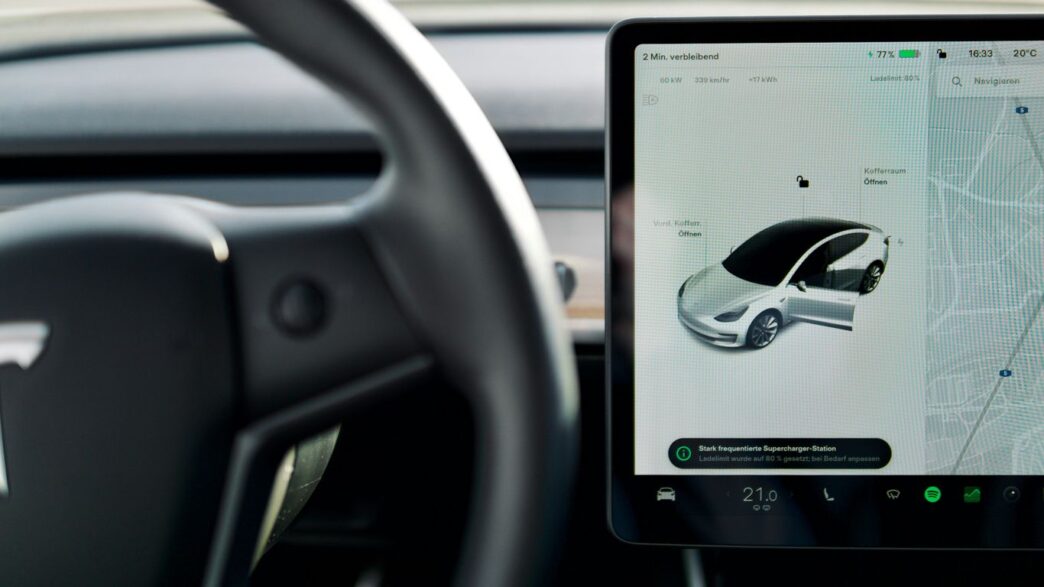
So, you pull up to a Supercharger station and you’re wondering what’s actually there besides the chargers. Before, the map might have told you ‘food nearby’ or ‘shopping,’ but now it’s way more specific. You can actually tap on the amenity icons for a Supercharger station, and it’ll show you the exact location of those shops or restaurants right on the map. It’s like having a mini-guide for your charging stop. No more guessing if that ‘cafe’ is a Starbucks or a tiny local spot you’ve never heard of. This makes planning your charging breaks much easier, especially on longer trips. You can check out the Supercharger network details right from your car’s screen.
Under-the-Hood Performance Optimizations
While the map update is cool, Tesla also slipped in some less visible but important improvements. They’ve been working on making the car’s connection to the internet smoother. You know how sometimes you connect to Wi-Fi, but the car still seems to be using cellular data, or there’s a delay? That’s been improved. Now, even if your car is connected to Wi-Fi, it’s supposed to switch over to cellular data much faster, almost instantly, when you put the car in drive or reverse. This means things like streaming music or getting live traffic updates should be more reliable. It’s one of those things you probably won’t notice unless it stops working, which is usually the sign of a good update. They’ve also apparently made some tweaks that reduce how much processing power the car uses during normal operation, which could potentially help with battery efficiency over time. It’s all about making the car run a bit more smoothly.
Undocumented Improvements in This Tesla Release Note
Sometimes, the most exciting changes in a Tesla update aren’t the ones they shout about. Release 2026.8 is no different, packing in a few thoughtful tweaks that make daily driving just a little bit smoother. It feels like Tesla’s engineers have been busy tidying up behind the scenes, and honestly, it makes a difference.
Dashcam and Sentry Mode Enhancements
For those of us who rely on the Dashcam and Sentry Mode, there’s good news. The update seems to bring some under-the-hood improvements, likely thanks to better video decoding. This means these features might run more efficiently, potentially using less power and making the footage smoother. It’s not a flashy change, but it’s the kind of thing that gives you peace of mind.
Reduced CPU Usage During Operation
Speaking of efficiency, it looks like Tesla has managed to trim down how much processing power the car uses overall. This could mean a snappier infotainment system and less strain on the car’s computer, especially when multiple features are running. While they don’t give exact numbers, this kind of optimization is always welcome. It’s like giving your computer a tune-up; everything just feels a bit quicker.
Seamless Wi-Fi to Cellular Data Transition
This is a big one for anyone who’s ever experienced a dropped connection. Tesla has apparently worked on making the switch between Wi-Fi and cellular data much smoother. Previously, if you were on Wi-Fi and then started driving, there could be a delay before your car reconnected to the cellular network. Now, it seems to be much more immediate. This means your navigation, music streaming, and other online features should stay connected without those annoying gaps, even when you’re moving between different network types. It’s a small change that really helps keep things connected, and you can even see your active driver profile in the Tesla mobile app now, which is a neat addition. This update also makes it easier to see your vehicle’s active driver profile within the Tesla mobile application.
Wrapping It Up
So, that’s the rundown on Tesla’s 2026.8 software update. It looks like Tesla is still busy adding little things and cleaning up the background processes, which is good. While there might not be a flashy new feature that blows everyone away, these kinds of updates often make the car feel a bit smoother and more reliable day-to-day. It’s the kind of stuff that makes owning a Tesla a bit nicer, even if it’s not always obvious at first glance. Keep an eye out for those smaller changes; they often add up.
Frequently Asked Questions
What’s the big deal with the new Tesla software update 2026.8?
This update brings a bunch of cool new stuff to your Tesla! Think better ways to connect to the internet when you’re on the go, smarter parking help, and even some neat tricks for your music and videos.
Can I pick different wheels for my Tesla now?
Yes, you can! The update adds more choices for wheels and tire covers, so you can change how your car looks on the screen and maybe even in real life.
Is the car better at switching between Wi-Fi and cell service?
Definitely. If your car is connected to Wi-Fi, it will now switch to its cell connection much faster when you start driving, so you won’t lose your internet connection.
Did they make reversing easier?
Yes, they did! When you’re backing up, your car’s screen will now show lines to help you see your path, and it will give you better distance warnings for things behind you.
What’s new with the Supercharger map?
Now, when you look at a Supercharger station on your car’s map, you can tap on the icons for things like restaurants or shops nearby. This lets you see exactly where they are, not just that they exist.
Are there any hidden improvements I should know about?
Tesla often adds small, unannounced features. This update seems to have made the Dashcam and Sentry Mode work better, and your car might use less power when it’s running, making everything smoother.