
So, Valve is back in the VR game. They’ve announced this new thing called the Steam Frame, and it looks pretty interesting. It’s not just another headset; it seems like they’re trying to do a bit of everything. Think standalone VR, but also hooked up to your PC, and even playing your regular flat games in a virtual theater. It’s like they took some ideas from the Steam Deck and made them work for VR. I’m curious to see how this valve VR headset actually performs when it comes out.
Key Takeaways
- The Valve VR headset, Steam Frame, is designed as a hybrid device, working both as a standalone unit and for PC VR streaming.
- It runs a custom SteamOS on Snapdragon power, aiming for a mid-range price point around spring 2026.
- The headset features eye tracking for foveated streaming, improving performance by rendering what you look at in higher detail.
- Steam Frame boasts a modular design with a swappable compute module and a lightweight build, weighing around 440 grams.
- It offers full access to the Steam library, with a new ‘Steam Frame Verified’ program to identify compatible titles.
Introducing The Valve VR Headset: Steam Frame
What Is The Steam Frame?
So, Valve’s back in the VR game with something called the Steam Frame. It’s been a while since the Valve Index, and this time around, they’re going all-in on wireless. Think of it as a hybrid device – it can work on its own, but it also hooks up to your PC for more demanding stuff, either through Wi-Fi streaming or by running games directly on the headset. The internal tech seems to borrow a bit from the Steam Deck, but with updated VR displays and a new controller design. This headset aims to blend standalone VR, PC-VR streaming, and even regular flat-screen gaming into one package. It’s pretty neat if it actually works as smoothly as they say.
Release Date And Pricing
Valve is aiming for a spring 2026 launch for the Steam Frame, which sounds like it’ll be alongside some other new Steam hardware. They haven’t locked down the final price yet, but the current target is somewhere in the mid-range, hopefully under $1,000. You’ll have a couple of storage options to pick from: 256 GB and 1 TB, and you can always pop in a MicroSD card if you need more space.
| Storage Option | Target Price |
|---|---|
| 256 GB | TBD |
| 1 TB | TBD |
Target Audience For Steam Frame
Valve seems to be aiming the Steam Frame at a wider group of people than the Index. The big selling point is cutting out the wires and complicated setup. If you’ve got a big Steam library and you’re looking for a more comfortable way to get into VR, this could be a really good option. It’s trying to be that easy-to-use VR system that nobody’s quite managed to nail yet. It’s definitely worth keeping an eye on if you’re curious about wireless VR headset tech.
Core Technology Of The Steam Frame
Alright, let’s talk about what makes the Steam Frame tick. Valve has packed some pretty interesting tech into this headset, aiming for a blend of standalone freedom and PC-powered performance. It’s not just another VR headset; it’s trying to be a lot of things at once.
Standalone And PC-VR Hybrid Functionality
So, the big deal here is that the Steam Frame isn’t locked into just one way of doing things. You can use it completely on its own, like a standalone device, running games directly from its internal storage. But, and this is where it gets cool, it can also connect to your PC to stream more demanding VR titles or even your regular flat-screen games. This hybrid approach means you get the convenience of a standalone headset without sacrificing the power of a gaming rig. It’s like having your cake and eating it too, VR-style. Valve is really pushing this idea of a flexible, no-compromise experience, which is a big step for VR hardware.
Customized SteamOS And Snapdragon Power
Under the hood, the Steam Frame runs a special version of SteamOS, which should feel familiar if you’ve used a Steam Deck. The brains of the operation is Qualcomm’s Snapdragon 8 Gen 3 chip, paired with a generous 16GB of RAM. This is a pretty beefy mobile processor, and Valve says it’s enough to run a good chunk of your Steam library natively on the headset. For those super intensive VR games, though, you’ll still want that PC connection. It’s a smart move, using a powerful mobile chip to handle standalone tasks while still allowing for PC streaming.
Eye Tracking For Foveated Streaming
This is a really neat feature. The Steam Frame has built-in eye tracking. What does that do? Well, it enables something called foveated streaming. Basically, the headset knows exactly where you’re looking and sends the highest resolution image to that specific spot. Everything else in your peripheral vision is rendered at a lower resolution. This is a huge win for streaming performance because it means Valve can deliver sharp visuals over wireless connections without needing a super-fast internet connection or a ridiculously powerful PC. It’s all about making the most of the available bandwidth and processing power, focusing on what matters most to your eyes.
Steam Frame Play Modes And Capabilities
So, what can you actually do with the Steam Frame? Valve really tried to make this thing flexible, which is pretty cool. It’s not just a one-trick pony.
Standalone VR Gaming
First off, you can use it completely on its own. Think of it like a standalone headset where games are loaded directly onto the device. This is great for when you just want to jump into a VR experience without needing your PC fired up. Valve’s using a custom SteamOS and a pretty beefy Snapdragon chip, so it should handle a good chunk of VR titles without a hitch. It’s all about that instant gratification, you know?
Flat-Screen Gaming In Virtual Theater
This is a neat one. If you’ve got a massive library of regular, non-VR Steam games, you can play them on a giant virtual screen inside the headset. It’s like having your own private cinema, but for your PC games. Imagine playing something like Elden Ring or Cyberpunk 2077 on a screen that fills your entire field of vision. Pretty wild, right? This mode works whether the headset is running standalone or connected to your PC.
Seamless PC VR And Flat-Screen Streaming
This is where the "hybrid" part really comes in. You can stream both VR and traditional flat-screen games from your PC directly to the headset. Valve’s touting a really low-latency wireless connection, thanks to a dedicated Wi-Fi 6E dongle they’re including. The idea is that it feels almost as good as being plugged in, but without the cable. Plus, with eye-tracking tech, it smartly only sends the highest resolution detail to where you’re actually looking, which helps keep things smooth even if your internet isn’t top-tier. It’s supposed to switch between these modes without you even noticing, which would be a big deal if it actually works as smoothly as they say.
Internal Hardware And Design Of The Valve VR Headset
Swappable Compute Module Specifications
The heart of the Steam Frame is its swappable compute module. This little guy packs some serious tech, including two LC displays, each pushing a sharp 2160 x 2160 pixels. You also get pancake lenses that give you a pretty wide 110-degree field of view. Valve has also included adjustable refresh rates, going from 72 Hz all the way up to a super-smooth 144 Hz. It even has an IPD adjustment dial, which is nice for getting the picture just right. This module itself weighs a mere 185 grams, making it incredibly light. It’s pretty impressive what they’ve managed to fit in there, considering it’s the brain of the whole operation.
Lightweight Construction And Ergonomics
When you add the battery and headstrap to that compute module, the whole Steam Frame comes in at around 440 grams. That’s actually lighter than some other headsets out there, like the Quest 3 or the Apple Vision Pro. Valve really focused on making it comfortable for long play sessions. They’ve also thought about people who wear glasses, with a removable face pad and space for corrective lenses. It feels pretty balanced when you put it on, not too front-heavy or anything.
Modular Design For Customization
One of the cool things about the Steam Frame is its modular design. You can swap out the compute module, which is neat for potential upgrades down the line. The headstrap also has the battery and speakers built-in and can be removed. Plus, there’s an expansion port on the headset. Valve says you can hook up extra cameras or other modules there, which opens up possibilities for future accessories or even color passthrough if they decide to make a module for it. It’s a smart way to build a device that can adapt over time, rather than being stuck with what you bought today. You can even check out the full specs on the Steam Frame to see all the details.
Connectivity And Streaming Performance
Let’s talk about how this thing actually connects and sends all that fancy VR data around. Valve really put some thought into making this as painless as possible, which is a big deal for VR.
Dedicated Wi-Fi 6E Streaming Dongle
First off, they’re including a special little USB dongle. This thing is basically a Wi-Fi 6E transmitter that operates on the 6GHz band. The whole point is to give you a super stable, low-lag connection to your PC for streaming VR games, without you having to mess around with your home network settings. It’s pretty neat if you’re not a networking wizard. Of course, if you’ve already got a top-tier Wi-Fi 7 router, you can probably just use that instead, but this dongle is a nice, simple option to get you going right out of the box. This is a big step for wireless PC VR gaming.
Low-Latency Wireless PC VR
So, what does all this connectivity mean for actually playing? It means you can ditch the cables. The goal here is to get you that high-fidelity PC VR experience without being tethered to your computer. Valve claims this setup is designed for minimal delay, so you shouldn’t feel like you’re lagging behind the action. This is pretty important for games that require quick reactions, you know?
Bandwidth Optimization With Eye Tracking
This is where things get clever. The Steam Frame has built-in eye tracking. Instead of sending the entire image to your headset at full blast all the time, it uses this eye tracking to figure out where you’re actually looking. Then, it focuses the highest resolution and detail on that specific spot. The rest of the image, the stuff you’re not directly looking at, can be compressed a bit more. This means you get a really sharp picture where it counts, even if your internet connection isn’t the absolute fastest. It’s a smart way to make the most of the available bandwidth, aiming for a baseline bitrate around 250 Mbit/s.
Controllers And Input Methods
When you’re diving into virtual worlds with the Steam Frame, how you interact with them is pretty important, right? Valve has put some thought into this, creating controllers that feel familiar but also pack in some VR-specific tricks.
Dedicated Steam Frame Controllers
Valve developed its own controllers specifically for the Steam Frame. These aren’t just generic VR wands; they’ve got a layout that should feel comfortable for anyone who’s ever held a game controller. They aim to bridge the gap between traditional gaming and immersive VR experiences. You’ll find the usual suspects like a D-pad, analog sticks, and ABXY buttons, but they’ve also added features that make sense for VR.
Gamepad-Style Layout With VR Features
These controllers sport a pretty standard gamepad design, which is a good thing for accessibility. But they’ve also included things like grip and trigger buttons on each side, which are great for grabbing virtual objects or performing actions. What’s really neat is the inclusion of capacitive sensors. These can detect where your fingers are resting, allowing for more natural hand presence in games without you having to press a button. The thumbsticks are also magnetic and designed to avoid that annoying drift that can plague controllers over time. Plus, they run on a single AA battery, which Valve claims can last up to 40 hours – that’s a lot of gaming sessions before you need to swap.
Compatibility With Steam Controller
If you’re someone who already has a Steam Controller lying around, you’re in luck. The Steam Frame headset can actually track and use the original Steam Controller in its VR space. This means you might not need to buy new peripherals if you’re already invested in Valve’s ecosystem. It’s a nice touch that adds flexibility for existing users.
Mixed Reality And Future Potential
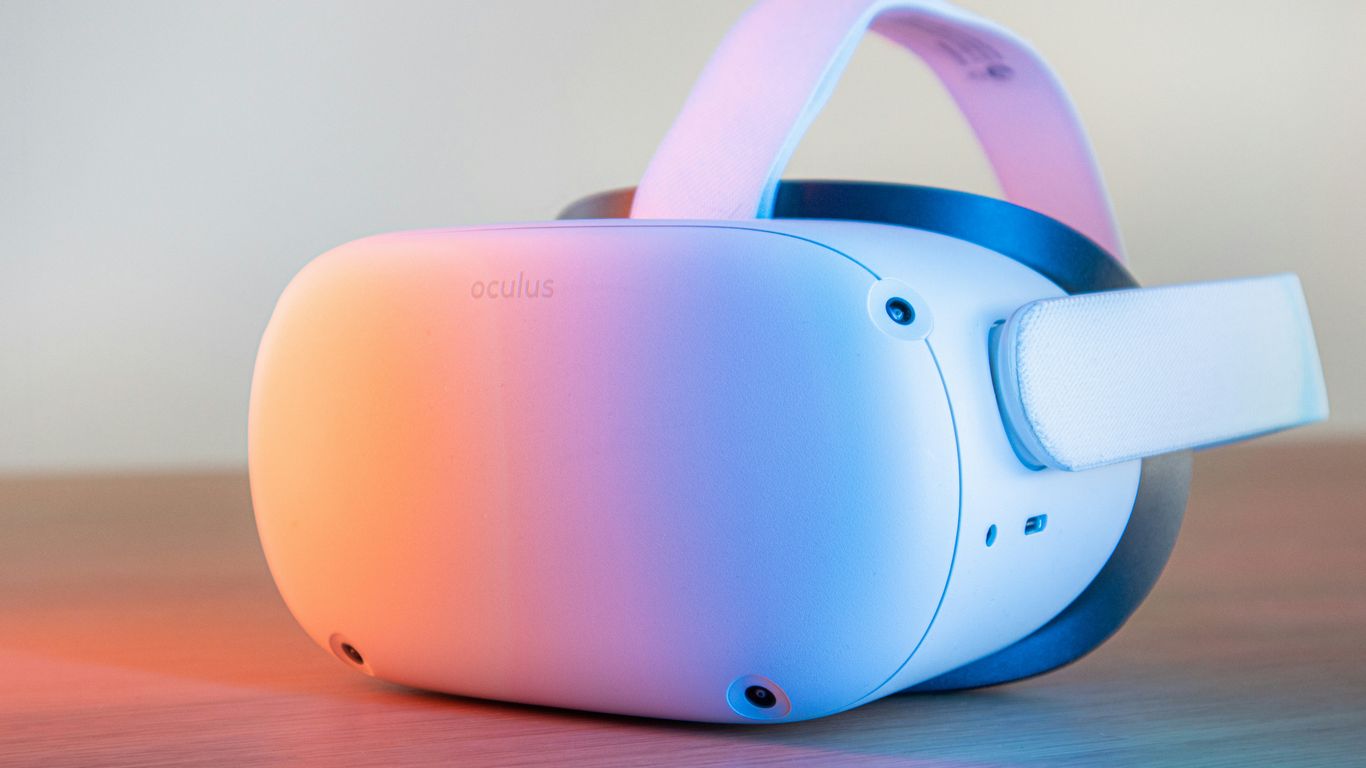
So, what’s the deal with mixed reality on the Steam Frame? Well, Valve seems to be taking a more focused approach here. Right now, the headset uses a pair of monochrome cameras for its passthrough feature. This means you’ll see the world in black and white, which is pretty standard for classic VR experiences. It’s not quite the full-color, see-through-your-room vibe you get with some other headsets out there, making the Steam Frame lean more towards a dedicated virtual reality device than a mixed reality one.
But don’t count out future possibilities just yet. Valve has mentioned an "expansion port" that’s accessible to users. This is a pretty big hint that they might release optional modules down the line. Imagine a future where you could add a module for full-color passthrough, turning the Steam Frame into a more capable mixed reality machine, though it would likely cost extra. It’s a smart move, letting people decide if they want that extra functionality.
What about 3D content? That’s another area Valve is looking at. While it’s not a feature at launch, they’ve said that supporting stereoscopic 3D content is "on their list." This could mean seeing 3D movies or even games with a bit more depth in the future. They’re even considering how this might work when streaming from a PC. It’s not something you can do right now, but it shows Valve is thinking about how to expand the headset’s capabilities beyond its initial release. For anyone sitting on a big Steam library and looking for a more comfortable VR setup, Steam Frame could be a strong fit. It’s clear Valve is building a platform with room to grow, which is always exciting for consumers.
Game Compatibility And Software
So, what games can you actually play on the Steam Frame? Well, the short answer is: a lot. Valve is really leaning into the whole "access your existing library" thing here. You’ll have access to your entire Steam library, both VR titles and your regular flat-screen games. That’s pretty huge, honestly. No need to buy a whole new set of games just to use your fancy new headset.
However, it’s not quite as simple as just plugging it in and having everything work perfectly out of the box. Valve is introducing a "Steam Frame Verified" program. Think of it like the "Steam Deck Verified" label, but for this VR headset. This means games will be tested and labeled to show you which ones run natively on the device without any fuss.
Full Steam Library Access
This is the big selling point. If you’ve been building up your Steam library for years, you won’t be left out. The Steam Frame is designed to be compatible with the vast majority of titles available on Steam. This includes:
- VR Games: All your existing VR titles should work, assuming they were compatible with PC VR in the first place.
- Flat-Screen Games: You can play your non-VR games too, likely through a virtual theater environment.
- Indie Titles to AAA Blockbusters: The breadth of the Steam library means you’re covered no matter your preference.
Steam Frame Verified Program
To make things easier, Valve is rolling out the "Steam Frame Verified" program. This is going to be super helpful for figuring out what works best. You’ll see labels indicating:
- Verified: These games are confirmed to run great on the Steam Frame, likely with optimized settings.
- Playable: The game will run, but you might need to tweak some settings or expect minor issues.
- Unsupported: These games might not launch or could have significant problems.
This program aims to cut down on the frustration of trying to get a game to work and then finding out it’s just not compatible.
Proton And FEX For x86 Emulation
Now, here’s where it gets a bit technical, but it’s important for how you’ll play those non-VR games. The Steam Frame runs on a custom SteamOS, which is Linux-based. Many PC games, however, are built for Windows and use x86 architecture. To bridge this gap, Valve is using a combination of technologies:
- Proton: This is Valve’s compatibility layer that allows Windows games to run on Linux. It’s been a staple for Steam Deck users.
- FEX (Fast x86 Emulation): This is a newer system designed to translate x86 code to the ARM architecture that the Steam Frame’s custom processor likely uses. This is key for running those Windows-based flat-screen games smoothly on the headset’s hardware.
Essentially, these tools work behind the scenes to let you play a massive range of games that weren’t originally designed for a Linux-based VR system. It’s a pretty clever solution to make sure your existing library isn’t just sitting there collecting digital dust.
So, What’s the Verdict on Steam Frame?
Alright, so Valve’s Steam Frame is shaping up to be a pretty interesting piece of kit. It’s trying to do a lot of things – standalone VR, PC VR streaming, even playing regular games on a big virtual screen. The idea of cutting the cord and having a lighter headset is definitely appealing, especially if it means less hassle setting things up. It seems like Valve is really aiming for people who already have a big Steam library and want a more comfortable way to jump into VR. While it might not have all the bells and whistles of some super high-end devices, like color passthrough or fancy OLED screens, it looks like it could hit a sweet spot for a lot of gamers. We’ll have to wait and see how it actually performs when it drops in 2026, but it’s definitely got our attention.
Frequently Asked Questions
What exactly is the Steam Frame?
The Steam Frame is Valve’s newest virtual reality headset. It’s different from their last one, the Valve Index, because it can work by itself without being plugged into a computer, or it can connect to a PC to play more powerful games. Think of it like a super-powered VR headset that’s also a bit like a portable gaming device.
When can I get the Steam Frame and how much will it cost?
Valve plans to release the Steam Frame in the spring of 2026. They haven’t set the exact price yet, but they’re aiming for it to be somewhere in the middle, not super cheap but also not over $1,000. It will come with different storage options, like 256 GB or 1 TB, and you can add even more storage using a memory card.
How does the Steam Frame play games?
It can run games directly on the headset, kind of like a game console. It also lets you play regular computer games on a big virtual screen. Plus, you can connect it to your gaming PC wirelessly to play really demanding VR games or even regular computer games without any annoying wires.
What kind of technology does the Steam Frame use?
It uses a special version of Valve’s operating system and a powerful chip similar to what’s in high-end smartphones. It also has cool eye-tracking technology. This means it only shows the part of the screen you’re looking at in the highest quality, which helps games run smoother and look better, especially when streaming from a PC.
What are the controllers like for the Steam Frame?
Valve created new controllers for the Steam Frame. They look a bit like a game controller you might already know, with buttons and joysticks, but they also have special VR features like grip buttons and sensors that can track your fingers. They’re designed to work well with all the games on Steam.
Can I play any game on my Steam account with the Steam Frame?
Pretty much! The Steam Frame is designed to give you access to your whole Steam game library, whether they are VR games or regular flat computer games. Valve has a system to make sure games work well on the headset, and they’re developing ways to help older Windows games run on the headset’s different kind of processor.