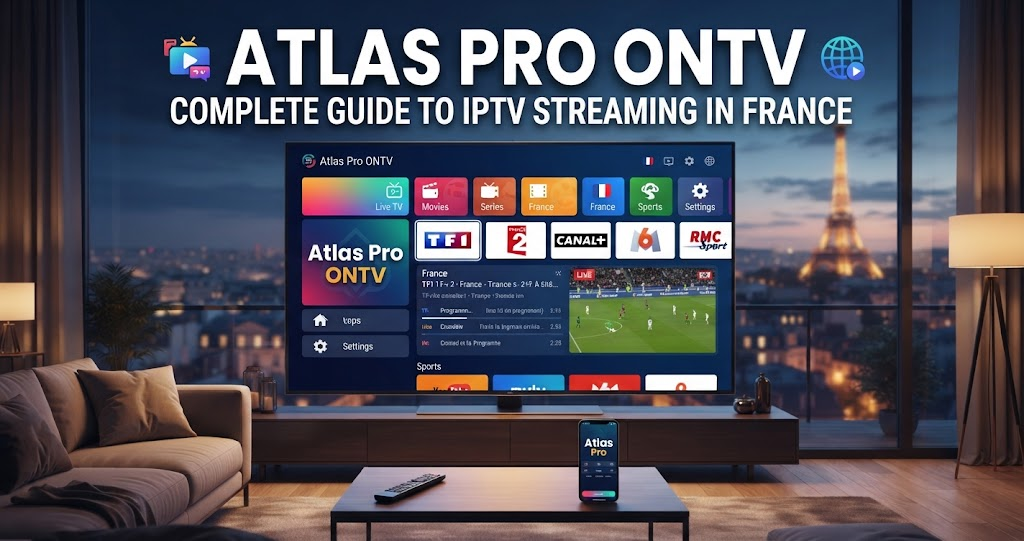
Atlas Pro ONTV is an internet-based television solution designed for viewers who want a flexible way to access TV content on compatible devices. Instead of depending only on traditional satellite, cable, or terrestrial television, IPTV uses an internet connection to deliver television streams directly to a supported device.
For viewers in France, IPTV can be attractive because it allows television content to be accessed through Smart TVs, Android TV devices, streaming devices, smartphones, tablets, and computers. Atlas Pro 4K presents Atlas Pro ONTV as a service supported by installation guidance, activation assistance, and French-language customer support.
Before choosing any IPTV service, however, it is important to understand how the technology works, what devices are compatible, how much a subscription costs, and what to check before making a purchase. This guide covers the main points you should know about Atlas Pro ONTV, including its available plans, installation process, device compatibility, trial option, and practical considerations for users in France.
What Is Atlas Pro ONTV?
Atlas Pro ONTV is an IPTV service that delivers television content through an internet connection. IPTV stands for Internet Protocol Television, which means television programming is transmitted using internet protocols instead of traditional broadcast methods. This makes it possible to watch content on a variety of connected devices.
The concept is relatively simple. A user needs a suitable device, a stable internet connection, a compatible application, and an active subscription or activation code. Once the application is installed and activated, the user can access the available television service through the device.
The Atlas Pro 4K website positions its service toward customers in France and other French-speaking markets. It also provides installation information for several popular device categories. This can be useful for customers who are familiar with streaming services but have never configured an IPTV application before.
It is important to remember that IPTV is a delivery technology, not automatically a guarantee that every channel or program is legally available. Consumers should always make sure that an IPTV provider has the appropriate rights to distribute the content it offers in their country.
Atlas Pro ONTV Features and Benefits
One of the main advantages of an IPTV service is flexibility. Instead of being restricted to a traditional television installation, users can potentially access their service through multiple internet-connected devices. This can be useful for households where different people use Smart TVs, streaming devices, smartphones, or computers.
Atlas Pro ONTV is designed around this type of flexible viewing experience. The supplied Atlas Pro website provides information for Android TV and Android boxes, Fire TV, Samsung Smart TVs, iPhone and iPad, Windows, and Mac. The exact installation process can vary depending on the device and operating system.
Another important benefit is convenience. IPTV does not require a satellite dish simply to deliver the service through the internet. Users can connect a compatible device to their home network and follow the appropriate installation and activation process.
Can Atlas Pro ONTV Be Used on Different Devices?
Device compatibility is one of the first things users should check before purchasing an IPTV subscription. Android TV devices and Android TV boxes are popular options because they are designed for television-based streaming and generally provide a simple interface for applications.
Fire TV devices are another option for users who prefer Amazon’s streaming hardware. Samsung Smart TV users may have a different installation process because Samsung televisions use their own operating environment. Apple users also need to follow the installation process appropriate for iPhone or iPad.
Computer users can also have IPTV options depending on the available application and operating system. Windows and Mac users should follow the recommended installation instructions rather than downloading applications from unknown websites.
If you have an older Smart TV or an unusual device, it is better to confirm compatibility before purchasing a long-term subscription. Compatibility can depend on the specific model, operating system version, and application being used.
Atlas Pro ONTV Prices in France
Price is naturally one of the most important factors when comparing IPTV services. The Atlas Pro 4K website currently presents three main subscription periods: 3 months, 6 months, and 12 months.
The advertised prices are:
| Subscription | Price | Monthly Cost |
| 3 Months | €24.99 | €8.33/month |
| 6 Months | €32.99 | €5.50/month |
| 12 Months | €34.99 | €2.92/month |
These calculations are based on dividing the advertised subscription price by the number of months. Prices and promotional offers can change, so customers should always check the current offer before completing a purchase.
3-Month Atlas Pro Subscription
The 3-month plan is priced at €24.99 according to the current offer. When divided across three months, that works out to approximately €8.33 per month.
This option may be suitable for someone who wants a shorter commitment. It can also be useful for a new IPTV user who wants to evaluate the service over a longer period than a short trial without immediately choosing a full-year subscription.
6-Month Atlas Pro Subscription
The 6-month plan is listed at €32.99, which works out to approximately €5.50 per month.
This option sits between the short-term and annual plans. Users who have already tested the service and want a medium-length subscription may prefer this plan. It provides more time than the 3-month option while requiring less commitment than the annual subscription.
12-Month Atlas Pro Subscription
The 12-month plan is listed at €34.99, giving an approximate monthly cost of only €2.92 when calculated over a full year.
From a purely monthly-price perspective, this is the lowest-cost option of the three advertised plans. However, customers should not choose a long subscription based only on price. It is better to test device compatibility, streaming quality, application performance, and overall satisfaction before committing to a longer period.
How to Install and Activate Atlas Pro ONTV
Setting up Atlas Pro ONTV generally involves selecting a subscription, receiving activation information, installing the appropriate application, and entering the required details.
The exact process depends on the device. Android TV users, Samsung Smart TV users, Fire TV users, and Apple users may need different applications or installation procedures. Following instructions specifically intended for your device can reduce unnecessary installation problems.
Step 1: Check Your Device
Before purchasing a subscription, determine which device you intend to use. Check the operating system and model because application availability can vary between devices.
For television viewing, Android TV boxes and compatible Smart TVs can provide a convenient experience. If you are planning to use a smartphone or computer, check that the recommended application works with your operating system.
Step 2: Check Your Internet Connection
A stable internet connection is essential for IPTV streaming. Even if the IPTV service is functioning correctly, a weak Wi-Fi connection can result in buffering, freezing, or poor playback quality.
If possible, use a wired Ethernet connection for a television or streaming box. If Wi-Fi is your only option, place the router in a suitable location and reduce unnecessary network traffic while streaming.
Step 3: Install the Appropriate Application
Use the application recommended for your device and avoid downloading modified or suspicious APK files from unknown websites.
The Atlas Pro website provides different installation guides and references applications that can be used with the service. Always follow the current instructions provided by the service rather than relying on outdated tutorials.
Step 4: Enter Your Activation Details
After installing the application, enter the activation information provided with your subscription. Check each character carefully if you receive a code because a simple typing mistake can prevent activation.
If you encounter an error, take a screenshot of the message and contact customer support. Providing the exact error can make troubleshooting easier.
Atlas Pro ONTV Free Trial and Customer Support
One of the useful features advertised by Atlas Pro 4K is a 24-hour free trial. A trial can be helpful because IPTV performance can vary depending on the user’s device and internet connection.
Rather than assuming that a service will work perfectly on every device, users can test it under their actual home conditions. This allows them to evaluate loading times, playback stability, application usability, and general performance before choosing a paid plan.
The website also promotes French-language support and assistance with installation and activation. This can be particularly useful for users in France who prefer to communicate in French when dealing with technical issues.
Customers should also review the current refund policy before purchasing. According to the information published by the website, refund conditions apply within specific time periods and may depend on activation and usage. Always read the current terms before making a payment.
How to Get Better Streaming Performance
A good IPTV experience depends on more than the subscription itself. Your internet connection, router, device hardware, application, and network configuration can all affect streaming performance.
For HD or higher-resolution streaming, a stable broadband connection is particularly important. If several people are downloading large files, playing online games, or streaming video at the same time, the available bandwidth for IPTV can decrease.
If buffering occurs, restart the router and streaming device first. Test another streaming service to determine whether the problem is specific to IPTV or affects the entire internet connection. Moving from Wi-Fi to Ethernet can also improve stability.
Keeping your device and application updated is another useful step. Outdated software can sometimes cause compatibility problems or unexpected crashes.
Users should also avoid installing multiple unofficial IPTV applications simply because one is not working. This can create additional problems and may expose the device to unwanted software. Use trusted applications and follow the service’s official installation guidance.
Is Atlas Pro ONTV Legal in France?
The legality of IPTV depends on the content being distributed and whether the provider has the necessary rights or licenses.
IPTV itself is a legal technology. Many legitimate television companies and streaming platforms use internet protocols to distribute authorized content. The important question is whether a particular provider is authorized to offer the channels, programs, sports events, films, or other copyrighted material included in its service.
For users in France, this distinction is important. A low subscription price does not automatically mean that an IPTV service is illegal, but consumers should be cautious when a provider makes unusually broad promises without explaining its licensing or distribution rights.
Before subscribing, verify the provider’s identity, terms, refund policy, contact information, and content rights. For additional information about consumer protection and online services in France, users can consult official French government resources such as Service-Public.fr.
The safest approach is to use IPTV services that are properly authorized to distribute the content they offer. Consumers should also avoid services that encourage access to copyrighted material without appropriate permission.
Who Should Consider Atlas Pro ONTV?
Atlas Pro ONTV may appeal to viewers who prefer internet-based television and want to use a compatible Smart TV, Android device, Fire TV device, smartphone, tablet, Windows computer, or Mac.
It can also be interesting for users who want a subscription with different duration options rather than being locked into a single annual plan. The availability of a 24-hour trial can be useful for people who want to test the service before paying.
However, IPTV is not automatically the right choice for everyone. Users with unreliable internet connections may experience buffering, while people with unsupported devices may have difficulty installing the required application.
The best approach is to identify your device, test your internet connection, review the available subscription, and use the trial where available. This gives you a better understanding of whether the service fits your needs.
Frequently Asked Questions About Atlas Pro ONTVWhat is Atlas Pro ONTV?
Atlas Pro ONTV is an IPTV-based television service that uses an internet connection to deliver television content to compatible devices. Users typically need a supported application and an active subscription or activation code.
How much does Atlas Pro ONTV cost?
The advertised Atlas Pro subscription prices are €24.99 for 3 months, €32.99 for 6 months, and €34.99 for 12 months. The effective monthly cost is approximately €8.33, €5.50, and €2.92 respectively.
Does Atlas Pro ONTV offer a free trial?
Yes. The Atlas Pro 4K website advertises a 24-hour free trial. A trial allows users to test the service on their own device and internet connection before choosing a paid subscription.
Which devices support Atlas Pro ONTV?
The website provides installation information for Android TV and Android boxes, Fire TV, Samsung Smart TVs, iPhone, iPad, Windows, and Mac. Compatibility can vary according to the exact device model and software version.
Does Atlas Pro ONTV work in France?
The Atlas Pro 4K website specifically targets customers in France and other French-speaking markets. However, users should verify that the content they intend to access is legally authorized for distribution in France.
Conclusion
Atlas Pro ONTV provides an IPTV-focused option for viewers who want to access television through an internet-connected device. Its advertised plans range from €24.99 for three months to €34.99 for twelve months, with a 24-hour trial and installation assistance also promoted by the Atlas Pro 4K website.
For viewers in France, the most important factors are not simply the subscription price. Device compatibility, internet stability, application reliability, customer support, refund conditions, and content licensing should all be considered before making a decision.
If you are interested in trying Atlas Pro ONTV, start by checking your device and internet connection, review the current subscription options, and use the available trial before making a longer commitment. Visit the official Atlas Pro 4K website to check the latest plans, installation information, support options, and terms before subscribing.
A careful approach will help you choose an IPTV solution that fits your viewing needs while keeping compatibility, security, and legal content access in mind.