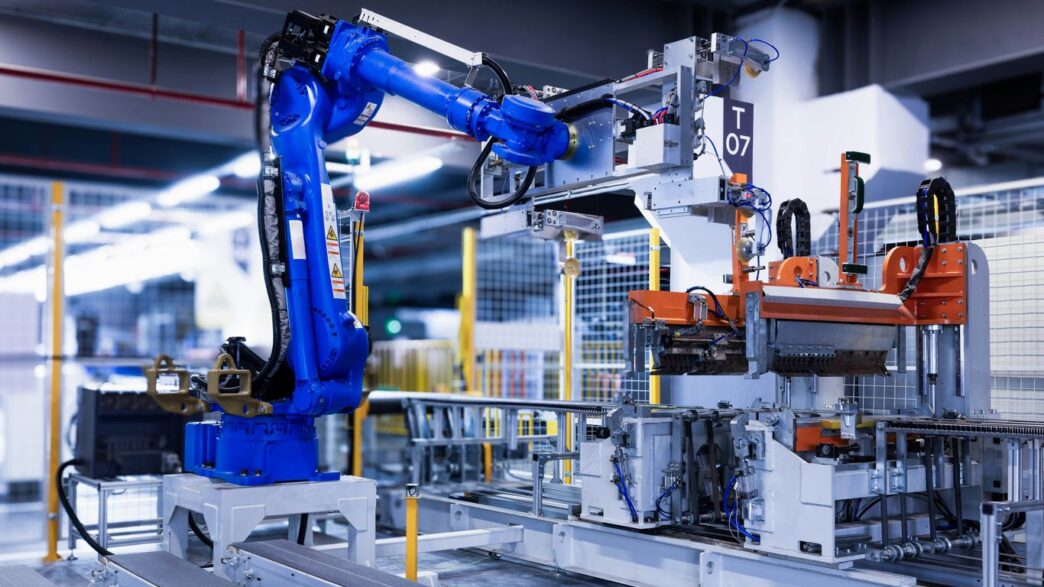
You hear the word ‘automation’ a lot these days. It seems like every company is talking about it, trying to figure out how to get more of it. But sometimes, ‘automation’ feels a bit… generic. Like it’s just about machines doing stuff. What if there’s another word for automation that captures more of what we’re trying to achieve? Something that talks about making work better, not just faster? Let’s look at some different ways to think about getting things done with technology, and maybe find another word for automation that really fits.
Key Takeaways
- Think of automation not just as replacing humans, but as working with them. AI can help people, not just take over their jobs.
- When you bring in new tech to do tasks, make sure the people who will use it are involved from the start. This makes things work better and helps everyone get on board.
- It’s smart to have a plan for how you’ll use automation across your whole company, not just in one department. This helps make sure it’s used well and makes sense.
- New tools like generative AI are changing what automation can do, making it more flexible and able to handle complex tasks on its own.
- Understanding the different types of automation, from simple task bots to smart AI systems, helps you pick the right tool for the job and avoid confusion.
Exploring Alternatives to Traditional Automation
When we talk about automation, it’s easy to get stuck thinking about the same old methods. But the world of automating tasks is way bigger than just the basic stuff. We’re seeing some really interesting shifts that move beyond what we used to consider standard.
Robotic Process Automation Explained
Robotic Process Automation, or RPA, is basically software that acts like a digital worker. It’s designed to handle repetitive, rule-based tasks that humans usually do on computers. Think of it like a super-fast typist or data entry clerk. It follows a set of instructions to mimic human actions, like clicking buttons, filling out forms, or moving data between applications. RPA is great for automating shorter, well-defined tasks that don’t require much thinking. It’s a solid starting point for many businesses looking to speed things up.
The Rise of Intelligent Automation
Intelligent Automation takes things a step further. It combines RPA with artificial intelligence (AI) and machine learning (ML). This means it can do more than just follow strict rules. It can actually learn, adapt, and make decisions based on data. For example, it can sort through emails, detect unusual patterns for fraud, or figure out the best way to route a customer request. It’s about making automation smarter and more capable of handling complex situations. This is a big leap from basic RPA, allowing for more sophisticated problem-solving.
Empowering Users with Low-Code/No-Code Solutions
Another big change is the move towards low-code and no-code platforms. These tools are a game-changer because they let people who aren’t professional programmers build their own automation solutions. They use visual interfaces, drag-and-drop features, and pre-built templates. This puts the power of automation directly into the hands of business users who understand their own processes best. It speeds up development and makes automation more accessible across an organization. These platforms are key to enabling a wider range of automation initiatives without needing a huge IT team.
Here’s a quick look at how these approaches differ:
- RPA: Focuses on repetitive, rule-based tasks. Mimics human actions on a computer. Great for simple, high-volume tasks.
- Intelligent Automation: Adds AI/ML to RPA. Can learn, adapt, and make decisions. Handles more complex tasks and data analysis.
- Low-Code/No-Code: Empowers non-developers to build automations. Uses visual interfaces and templates. Increases accessibility and speed of development.
These alternatives show that automation isn’t a one-size-fits-all concept. Businesses can pick the right tool for the job, or even combine them, to achieve better results. It’s about finding smarter ways to work, and these new approaches are definitely paving the way for that. Understanding these differences is key to figuring out how AI agents might fit into your future plans.
Human-Centric Approaches to Automation

When we talk about automation, it’s easy to get caught up in the tech. We think about robots, algorithms, and how fast things can get done. But what if we flipped that script? What if we started with people instead of the machines? That’s the core idea behind human-centric approaches to automation. It’s about making sure that as we automate, we’re not leaving people behind or creating new problems for them.
AI-Augmented Automation: A Collaborative Future
Think of AI-augmented automation as a partnership. Instead of AI taking over a task completely, it works alongside humans, making their jobs easier and more effective. For instance, imagine a customer service agent who used to spend hours sifting through past interactions to find relevant information. With AI augmentation, the system can quickly pull up the most pertinent details, allowing the agent to focus on actually talking to the customer and solving their problem. This approach uses AI to boost human capabilities, not replace them. It’s about making humans smarter and more efficient by giving them better tools and insights. This is a key part of human-centered AI development.
Prioritizing People in Automation Initiatives
Getting people involved early and often is super important. When you’re planning to automate something, talk to the folks who actually do the work. They know the ins and outs, the little quirks, and the potential pitfalls that a purely technical view might miss. This not only leads to better automation but also helps people feel more comfortable with the changes. It builds trust and makes it more likely that the new automated processes will actually be used and accepted.
Here’s a simple way to think about it:
- Communicate: Keep everyone in the loop about what’s happening and why.
- Involve: Ask for input from the people who will be affected.
- Train: Provide the necessary skills and support for new ways of working.
- Listen: Be open to feedback and make adjustments as needed.
Understanding and Mitigating Automation Bias
Now, automation isn’t always perfect. Sometimes, systems can develop biases, often without us even realizing it. This can happen if the data used to train an AI isn’t representative, or if humans don’t check the automated outputs closely enough. Small errors can creep in and, over time, these errors can grow, leading the system to make skewed decisions. For example, an AI used for hiring might start favoring certain types of candidates if it’s trained on historical data that reflects past biases. To combat this, we need constant monitoring and clear feedback loops. It’s about building systems that are transparent and that we can trust, which is a big part of human-centered AI initiatives. We need to be aware that these systems aren’t infallible and require human oversight to stay on track.
Strategic and Organizational Automation Concepts
When we talk about automation, it’s easy to get lost in the weeds of specific tools or technologies. But to really make it work for a whole company, we need to think bigger. That’s where strategic and organizational concepts come in. It’s not just about automating a single task; it’s about how automation fits into the grand plan of the business.
Defining Enterprise Automation
Enterprise automation is basically using technology to automate processes across the entire organization. It’s not just about picking the first tool you find. Instead, it’s about really understanding what needs to be done, fixing those processes if they’re broken, and then finding the right tech to match the improved requirements. It’s a big picture approach, aiming for efficiency and consistency everywhere. This is a key part of building your own automation framework that can scale.
The Power of Hyperautomation
Hyperautomation takes things a step further. Think of it as a drive to automate as many business and IT processes as possible, as quickly as possible. It usually involves a mix of tools, like robotic process automation (RPA) and artificial intelligence (AI). The goal is to find and automate almost everything that can be automated. It’s about being aggressive in finding opportunities for automation.
Digital Transformation as a Broader Goal
Digital transformation is even bigger than enterprise automation. It’s the whole journey of weaving digital technology into every part of a business. Automation is a big piece of that puzzle, but digital transformation also includes things like changing company culture, improving customer experiences, and adopting new digital ways of working. It’s about modernizing the entire business using digital tools and strategies.
Developing a Robust Automation Strategy
Before you even think about buying software, you need a plan. This is where developing a robust automation strategy comes in. You have to figure out what problems you’re trying to solve with automation. Then, you need to make sure those solutions line up with what the business wants to achieve. What will success look like? How will you measure it? You also need to understand what technology you already have and what you might need. It’s about having a clear roadmap before you start spending money and time.
Here’s a quick look at what goes into a good strategy:
- Identify Pain Points: Where are the biggest bottlenecks or inefficiencies?
- Define Objectives: What specific business outcomes are you aiming for?
- Assess Resources: What technology, people, and budget do you have available?
- Prioritize Initiatives: Which automations will give you the best return or impact?
- Plan for Change Management: How will you get people on board with new processes?
Establishing Automation Excellence
Getting automation right isn’t just about picking the latest software; it’s about building a solid foundation and a smart approach. This means setting up the right structures and processes to make sure your automation efforts actually pay off and don’t just become another IT project that fizzles out. We’re talking about making automation a core part of how the business runs, not just a side task.
The Role of an Automation Center of Excellence
Think of an Automation Center of Excellence (CoE) as the central hub for all things automation in your company. It’s not just about the tech; it’s about people, processes, and strategy. A CoE helps make sure everyone’s on the same page, from deciding which projects to tackle first to making sure the automations work smoothly and safely. They also handle training, share best practices, and keep an eye on how well everything is performing. This coordinated approach helps maximize the benefits of automation across the entire organization. Setting up a CoE is a big step towards making automation a consistent success. You can find tools and guidance to help manage this process, like the Automation Anywhere CoE Manager, which is designed to support these efforts [cf27].
Driving Business Enablement Through Automation
Automation isn’t just about cutting costs or speeding things up; it’s about making the business better overall. This is what we mean by business enablement. It’s about using automation and other digital tools to improve how work gets done, boost productivity, and help the company adapt to changes. It’s not solely a technology initiative; it involves looking at how business consulting, technology, and industry know-how can work together for lasting improvements. When done right, automation can fill gaps between different systems, like your ERP or CRM, and help prevent employee burnout by taking over repetitive tasks.
Ensuring Safe and Effective Automations with GRC
As you bring more automation into your business, especially with newer technologies like AI and AI agents, you need clear rules and checks. This is where Governance, Risk Management, and Compliance (GRC) comes in. GRC provides the guardrails to make sure your automations are not only effective but also safe and in line with regulations. It helps manage potential risks, like automation bias where AI systems might start making errors if not monitored. Having strong GRC practices means you can confidently deploy automations, knowing they are working as intended and not causing unintended problems. Prioritizing off-the-shelf tools over custom development can also streamline operations and improve efficiency [8aee].
The Evolving Landscape of Automation
The world of automation isn’t standing still, not by a long shot. It feels like every week there’s a new buzzword or a fresh take on how technology can take over tasks. We’ve moved way beyond just simple scripts running in the background. Now, we’re talking about systems that can actually learn, adapt, and even create. It’s a pretty wild shift, and understanding these changes is key to staying ahead.
Generative AI’s Impact on Automation
Generative AI is a big deal. Think of it as AI that can actually make things – text, images, code, you name it. For automation, this means we can now automate tasks that were previously too creative or complex for traditional methods. Instead of just following rules, these systems can generate new content or solutions based on what they’ve learned. This is changing how we approach everything from customer service responses to software development. It’s like giving our automation tools a creative spark. This technology is rapidly changing the global IT automation landscape.
Autonomous AI and AI Agents
Then there’s autonomous AI and AI agents. These are systems designed to operate independently, making decisions and taking actions without constant human oversight. Imagine an AI agent that can manage your entire supply chain, identifying potential disruptions and rerouting shipments all on its own. It’s a step towards truly intelligent systems that can handle complex, dynamic environments. This is where we see AI-enabled automation really aid overstretched teams by taking on more sophisticated decision-making.
The Concept of a Digital Workforce
Putting it all together, we’re starting to see the emergence of a ‘digital workforce.’ This isn’t just about robots on an assembly line anymore. It’s about a collection of AI systems, software bots, and intelligent agents working alongside humans, or even independently, to achieve business goals. This digital workforce can handle a vast range of tasks, from routine data entry to complex problem-solving, creating a more efficient and adaptable organization. It’s a whole new way of thinking about how work gets done.
Process Management and Workflow Optimization
When we talk about making things run smoother in a business, it often comes down to how well we manage our processes and workflows. It’s not just about slapping some tech onto a problem; it’s about really looking at how work gets done from start to finish. Think of it like planning a trip. You don’t just jump in the car and hope for the best. You figure out where you’re going, the best route, and what you need to pack. That’s process management.
Business Process Management Fundamentals
Business Process Management, or BPM, is basically a structured way to look at all the steps involved in a business activity. We analyze it, design it better, put the new design into action, keep an eye on how it’s working, and then tweak it to make it even better. Most modern BPM tools help with this by letting you build out workflows and screens that people and systems use. It’s about making sure each step makes sense and contributes to the overall goal. This systematic approach helps identify bottlenecks and areas for improvement, leading to more efficient operations. It’s a continuous cycle, not a one-and-done fix.
Digital Process Management for Broader Inclusion
Digital Process Management (DPM) takes BPM a step further. While BPM usually focuses on how your employees manage tasks, DPM opens the door to include everyone involved – customers and suppliers too. Imagine a customer placing an order. DPM looks at that entire journey, from the customer’s click to the supplier shipping the product, and how all the internal steps connect. It’s about making the whole process digitally connected and transparent for all parties. This broader view can really change how a business interacts with the outside world, making things easier for everyone involved. You can find some great AI workflow automation tools that help manage these complex digital processes.
Workflow Automation as a Granular Component
Workflow automation is often a smaller piece of the bigger BPM puzzle. Think about onboarding a new employee. BPM might look at the whole onboarding process, from hiring to the first year. Workflow automation, on the other hand, might focus on just one part, like assigning training modules to the new hire or getting their IT equipment set up. It’s about automating specific sequences of tasks. These smaller, automated workflows can be incredibly effective when they’re part of a larger, well-managed process. They help ensure that individual steps are completed correctly and on time, contributing to the overall success of the larger process.
Business Process Automation vs. Digital Process Automation
This is where things can get a little confusing, but it’s important to get it right. Business Process Automation (BPA) often involves multi-step processes where humans are still a key part of the loop. Our new employee training example fits here – a human needs to deliver the training. Digital Process Automation (DPA), however, tends to focus on reducing the number of steps by having systems interact directly with each other. It’s about automating the flow between different software or systems with minimal human input. Both BPA and DPA can be achieved using various methods, including BPM platforms or Robotic Process Automation (RPA). The key difference is that BPM is more about the strategic initiative behind managing and improving processes, while BPA and DPA are more about the specific automation functionalities within that strategy. Choosing the right approach depends on whether human interaction is needed or if it’s purely system-to-system. Many low-code AI workflow automation platforms can handle both.
Foundational Technologies in Automation
Before we get too deep into fancy terms like hyperautomation or AI agents, it’s good to remember what makes all this automation stuff tick. Think of it like building a house; you need a solid foundation before you can worry about the smart home features. The same goes for automation. Understanding the core technologies helps us appreciate how more complex systems work and why they’re effective.
Understanding Artificial Intelligence
Artificial Intelligence, or AI, is basically the idea of making computers do things that normally require human smarts. This could be anything from recognizing a face in a photo to understanding what you’re saying when you talk to your phone. It’s a broad field, and a lot of the automation we see today relies on AI in some way. AI allows systems to learn, reason, and make decisions, mimicking cognitive functions. It’s not just about following a set of rigid instructions; it’s about adapting and figuring things out.
The Subset of Machine Learning
Machine Learning (ML) is a big part of AI, but it’s more specific. Instead of programming a computer with every single rule, ML lets computers learn from data. You feed it a bunch of examples, and it starts to spot patterns and make predictions on its own. For instance, if you want a system to identify spam emails, you show it thousands of emails, some spam and some not. The ML model learns what spam looks like and can then flag new emails. This is super useful for tasks where the rules aren’t always clear-cut or change over time. You can find more beginner-friendly explanations of these technologies here.
Natural Language Processing Capabilities
Ever talked to a chatbot or used voice commands? That’s Natural Language Processing (NLP) at work. NLP is all about enabling computers to understand, interpret, and generate human language. This means it can process text and speech, figure out the meaning, and even respond in a way that sounds natural. Think about customer service bots that can answer your questions or software that can summarize long documents. NLP is what makes these interactions possible, bridging the gap between human communication and computer understanding.
Computer Vision for Image Analysis
Computer Vision is another fascinating area. It gives computers the ability to ‘see’ and interpret visual information from the world, much like human eyes and brains do. This technology is used in everything from self-driving cars that need to recognize traffic signs and pedestrians to manufacturing lines where cameras inspect products for defects. It involves processing images and videos to identify objects, scenes, and activities. It’s a key component for many automation tasks that involve visual inspection or interaction with the physical environment. You can explore more about these core technologies here.
So, What’s the Takeaway?
Look, the world of making tasks happen without us doing all the heavy lifting is getting pretty crowded with fancy words. We’ve talked about automation, sure, but also hyperautomation, intelligent automation, and all sorts of AI-powered helpers. It’s easy to get lost in the jargon. The main thing to remember is that whether you’re talking about simple robots doing repetitive jobs or smart systems making decisions, the goal is usually to make things run smoother and faster. Don’t let the big words scare you off. Think about what you actually need done, and then find the right tool – or combination of tools – to get it there. It’s all about making work a little less work, for everyone involved.
Frequently Asked Questions
What’s a simpler way to say ‘automation’?
Instead of just ‘automation,’ you can think of it as ‘making tasks easier with technology’ or ‘letting computers do the work.’ It’s about using smart tools to help us out, especially with jobs that are repetitive or take a lot of time.
What’s the difference between basic automation and ‘smart’ automation?
Basic automation, like Robotic Process Automation (RPA), is like a robot following exact instructions for simple tasks, such as copying and pasting. Smart automation, or Intelligent Automation, uses Artificial Intelligence (AI) to understand things, make decisions, and handle more complex jobs that might change.
Can people without coding skills create automations?
Yes! Tools called ‘low-code’ or ‘no-code’ platforms let people build automations using simple drag-and-drop features and ready-made blocks, kind of like building with digital LEGOs. This means more people can help make work easier.
What does ‘human-centric’ mean when talking about automation?
It means putting people first when designing and using automation. Instead of just focusing on the technology, we think about how it helps employees, makes their jobs better, and how they can work *with* the technology. It’s about teamwork between humans and machines.
What is a ‘Digital Workforce’?
A ‘Digital Workforce’ is like a team of virtual workers made up of AI programs and ‘bots’ that can do tasks. They work alongside human employees to help get more done, handle different kinds of jobs, and keep things running smoothly.
Why is having a plan for automation important?
Having a clear plan, or ‘automation strategy,’ is super important because it helps you figure out exactly what problems you want to solve with automation. It makes sure you’re using the right tools for the right jobs and that your automation efforts are helping the whole company succeed, not just doing random tasks.