Building a gaming PC without breaking the bank is totally doable, even in 2026. You don’t need to spend a fortune to play your favorite games. We’re going to look at how to get a cheap gaming PC that still packs a punch. It’s all about knowing where to look and what parts give you the most bang for your buck. Whether you’re aiming for something super basic or a bit more powerful, there are options for everyone.
Key Takeaways
- Building your own cheap gaming PC gives you more control and can save you money compared to buying a pre-built system.
- You can achieve decent 1080p gaming performance on a budget, even with builds under $600, by carefully selecting components.
- For around $800, you can step up performance for more modern games, with options to upgrade later.
- A $1,000 budget allows for strong 1080p and even some 1440p gaming, with opportunities to use newer tech like DDR5.
- Smart shopping, considering used parts, and understanding component pricing are important strategies for getting the best cheap gaming PC deal.
Navigating the Budget Gaming PC Landscape
So, you want to get into PC gaming without emptying your wallet. That’s totally doable, but it means you need to know what you’re getting into. The prices for computer parts can be a bit wild, and sometimes it feels like they change daily. Understanding how these prices work is your first big step to saving money.
Understanding Component Pricing Dynamics
It’s not just about what’s new and shiny. Prices are affected by a bunch of things. Think about supply and demand – if everyone wants a certain graphics card, its price goes up. Then there’s what the big companies are doing. For example, sometimes chip makers focus more on parts for businesses or AI, which can mean fewer parts for us gamers and higher prices. We’ve seen RAM prices jump way up recently, and that trickles down to the cost of the whole PC. It’s a bit of a headache, honestly.
The Value of Building Your Own Cheap Gaming PC
Look, buying a pre-built gaming PC might seem easier, and sometimes, with the way prices are, it can even be a decent option. But usually, if you put in the effort to build it yourself, you get more bang for your buck. You get to pick every single part, so you’re not paying for stuff you don’t need. Want a plain black case instead of one with flashing lights? You can do that. Need a specific amount of storage? You choose it. Building it yourself means you have total control over what goes into your machine and how much you spend.
Key Considerations for Budget Builds
When you’re trying to keep costs down, you have to make smart choices. Here are a few things to keep in mind:
- What games do you want to play? A game like Valorant needs way less power than the latest Cyberpunk 2077 expansion. Knowing this helps you pick parts that are good enough without being overkill.
- Are you okay with used parts? Sometimes you can find great deals on components that aren’t brand new. This can save you a good chunk of change, but you need to be careful and buy from reliable places.
- What about the future? While you’re on a budget now, think about if you might want to upgrade later. Picking a motherboard that can handle a better CPU down the line, or a power supply that has a little extra juice, can save you money in the long run.
- Don’t forget the extras. The PC itself is only part of the cost. You’ll also need a monitor, keyboard, mouse, and an operating system like Windows. Factor those into your total budget.
Entry-Level Gaming PC Builds Under $600
Achieving 1080p Gaming on a Shoestring Budget
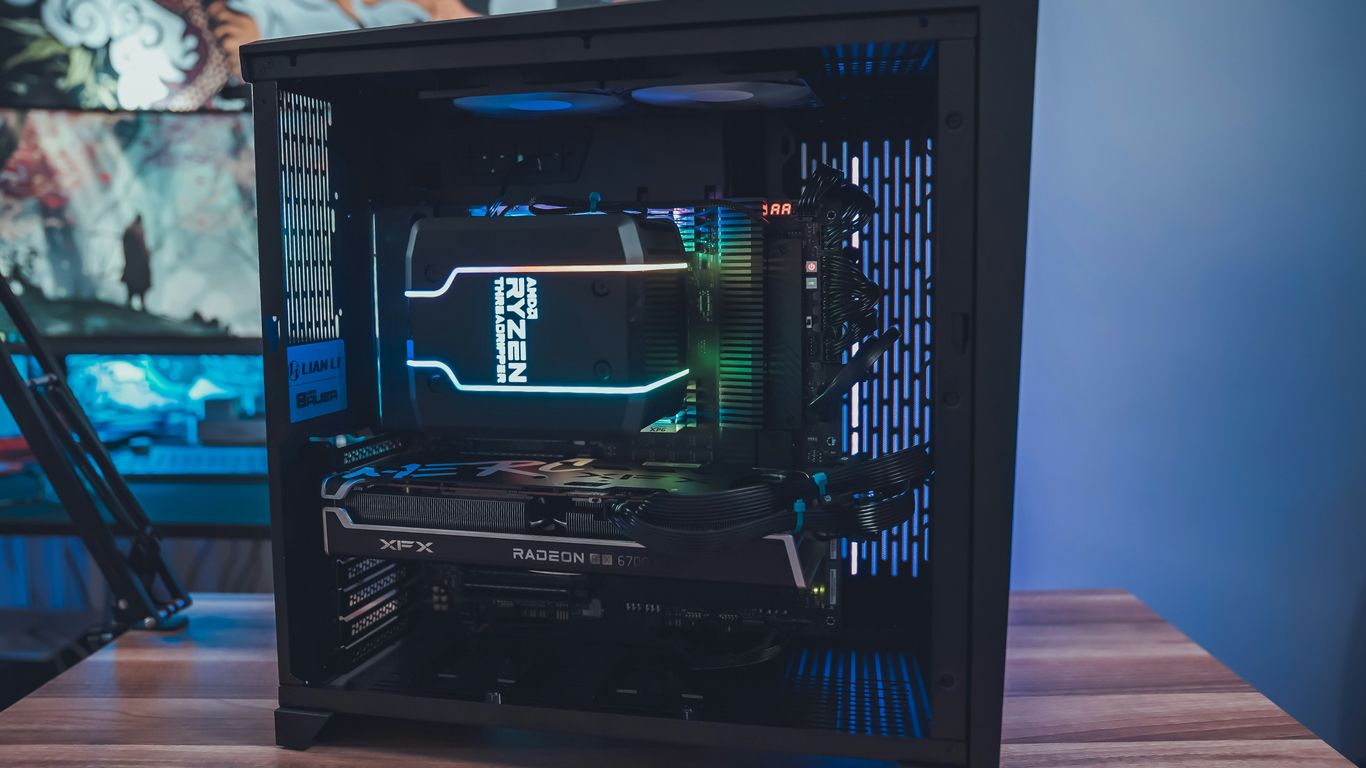
So, you want to get into PC gaming but your wallet is feeling a little light? Don’t sweat it. It’s totally possible to put together a machine that can handle most games at 1080p without breaking the bank. We’re talking about playing games at decent settings, maybe not everything on ultra, but definitely playable and enjoyable. The key is smart component selection and knowing where to find value. It might not be a powerhouse for the absolute newest, most demanding titles at max settings, but for a lot of popular games and older favorites, it’ll do the job just fine.
Essential Components for a Sub-$500 Rig
Building a PC under $500 means making some careful choices. You’ll want a CPU that’s capable but not overkill, a graphics card that’s good enough for 1080p, and enough RAM and storage to keep things running smoothly. Here’s a look at what you might find in a build like this:
- CPU: Look for something like an Intel Core i3 or an AMD Ryzen 3. These offer good performance for the price, often with enough cores for gaming and everyday tasks. For example, an Intel Core i3-14100F is a solid pick that comes with a cooler, saving you a bit more cash.
- GPU: This is where a lot of the budget goes. You’ll likely be looking at entry-level cards like the AMD Radeon RX 6500 XT or maybe an older Nvidia option. These cards can push 1080p resolution at medium settings in many games.
- RAM: Aim for 16GB of DDR4 RAM. While DDR5 is newer, DDR4 is still perfectly fine for budget builds and usually cheaper. 16GB is the sweet spot for most gaming right now.
- Storage: A 1TB NVMe SSD is ideal. It’s fast enough to make your system boot quickly and load games without long waits. Prices have come down, making this a realistic option.
- Motherboard: A basic B760 or A520 chipset motherboard will work. Look for one that has the features you need, like Wi-Fi if you don’t use Ethernet, but don’t overspend on fancy extras.
- Power Supply (PSU): A reliable 500W to 550W unit from a reputable brand should be sufficient. Don’t skimp here; a bad PSU can cause problems.
- Case: Pick a simple, well-ventilated case. You don’t need anything flashy; just something that fits your parts and keeps them cool.
Balancing Performance and Price in Low-Cost Builds
When you’re trying to hit that sub-$600 mark, every dollar counts. It’s all about finding that sweet spot where you get the most gaming power for your money. This often means looking at components that offer great bang for your buck, even if they aren’t the absolute latest or greatest. For instance, sticking with DDR4 memory instead of DDR5 can save you a good chunk of change, and the performance difference in gaming at this level is often minimal. You might also find that an older generation CPU, like an Intel 12th or 13th Gen, can offer similar performance to a newer one for less money. It’s a constant trade-off, but with a bit of research, you can build a capable 1080p gaming machine without emptying your pockets. If you’re looking for some specific component ideas for a build around this price point, this guide can help you select top-tier parts.
Here’s a quick look at how component choices can affect your budget:
| Component | Budget Option Example | Mid-Range Option Example |
|---|---|---|
| CPU | Intel Core i3-14100F | Intel Core i5-14400F |
| GPU | AMD RX 6500 XT | AMD RX 7600 |
| RAM | 16GB DDR4 | 16GB DDR4 |
| Storage | 1TB NVMe SSD | 1TB NVMe SSD |
| Motherboard | Basic B760/A520 | Basic B760/A520 |
| PSU | 500W Bronze | 550W Bronze |
| Case | Basic ATX Mid-Tower | Basic ATX Mid-Tower |
Mid-Range Cheap Gaming PC Options Around $800
So, you’ve got a bit more cash to play with, maybe around $800. That’s a sweet spot for gaming PCs, honestly. You can really start playing most modern games at 1080p without having to turn all the settings down to low. It’s a noticeable jump from the sub-$600 builds, and you get a lot more bang for your buck.
Stepping Up Performance for Modern Titles
At this price point, we’re looking at components that offer a solid step up. Think CPUs that can handle more demanding tasks and graphics cards that can push higher frame rates or allow for better visual settings. This budget allows for a really capable 1080p gaming machine that can even dabble in 1440p on less demanding titles. It’s about finding that balance where you’re not overspending but still getting a machine that feels snappy and can keep up with newer games for a good while.
Component Choices for an $800 Gaming Machine
Putting together a rig around $800 means making smart choices. You’re not aiming for the absolute top-tier parts, but rather the best value options that still pack a punch. Here’s a look at what you might find in a build like this:
- CPU: Look for something like an Intel Core i5 (12th or 13th gen) or an AMD Ryzen 5 (5000 or 7000 series). These offer a good mix of cores and threads for gaming and general use.
- GPU: This is where you’ll see a significant upgrade. Cards like the AMD Radeon RX 7600 or an NVIDIA RTX 3060/4060 are often in this range. They’re great for 1080p gaming at high settings and can even handle some 1440p gaming. You can find a gaming PC build for under $800 that features an RTX 4060, which is a fantastic card for this budget.
- RAM: 16GB of DDR4 or DDR5 RAM is pretty standard here. DDR5 is faster, but DDR4 can still be a good budget saver if the rest of the build benefits more from the savings.
- Storage: A 1TB NVMe SSD is becoming the norm, which is great for fast load times in games and applications.
- Motherboard & PSU: You’ll find reliable motherboards that support your chosen CPU and a power supply unit (PSU) with enough wattage and a good efficiency rating (like 80+ Bronze) to keep everything stable.
Upgrade Paths for Future-Proofing
Even with a budget build, thinking ahead is smart. For an $800 PC, you can often choose components that allow for easier upgrades down the line. For instance:
- CPU Socket: Picking a motherboard with a socket that supports newer CPUs means you might be able to drop in a more powerful processor later without replacing the motherboard.
- Power Supply: Getting a PSU with a bit more wattage than you strictly need right now can save you from having to replace it when you eventually upgrade your graphics card to something more power-hungry.
- RAM Slots: Ensure your motherboard has at least two RAM slots, and ideally four, so you can easily add more memory later if needed. Starting with 16GB and adding another 16GB down the road is a common and cost-effective upgrade.
The Sweet Spot: Building a $1,000 Gaming PC
Alright, so you’ve got about a grand burning a hole in your pocket and you want to build a gaming PC. This is where things get interesting, because $1,000 is often seen as the sweet spot for getting a really solid machine without completely breaking the bank. You’re not just aiming for basic 1080p anymore; you’re looking at smoother frame rates, higher settings, and maybe even dipping your toes into 1440p gaming. It’s a budget that lets you pick some genuinely good parts that will last you a while.
Maximizing Value for 1080p and 1440p Gaming
Hitting that $1,000 mark means we can start thinking about components that offer a better balance of price and performance. We’re not scraping the bottom of the barrel here. The goal is to get a rig that can handle most modern games at 1080p with high settings and still be capable of playing games at 1440p, even if you have to dial back a few settings. It’s about getting the most bang for your buck, making smart choices so you don’t overspend on one part while skimping on another. This budget allows for a decent graphics card and a capable processor that won’t bottleneck each other. Plus, you can start looking at faster storage and more RAM, which really makes a difference in how snappy your system feels.
CPU and GPU Selections for a $1,000 Build
For a $1,000 build, you’re typically looking at mid-range CPUs that offer great gaming performance. Think along the lines of AMD’s Ryzen 5 or Ryzen 7 series, or Intel’s Core i5 processors. These chips have enough cores and threads to handle gaming and other tasks without breaking a sweat. On the graphics card front, this is where a good chunk of your budget will go. You can realistically aim for something like an NVIDIA GeForce RTX 4060 or 5060, or an AMD Radeon RX 7600 XT. These cards are well-suited for 1080p gaming at high refresh rates and can manage 1440p gaming in many titles. It’s a balancing act; you want a GPU that’s powerful enough for your gaming needs but doesn’t blow your entire budget. Finding a good deal on a graphics card is key here.
Leveraging DDR5 Memory and Faster Storage
At this price point, DDR5 RAM is becoming the standard, and it’s worth the investment. While DDR4 is still around, DDR5 offers higher speeds and better bandwidth, which can give your system a noticeable boost, especially in CPU-intensive games. Aiming for 32GB of DDR5 RAM is a good idea for a $1,000 build. This gives you plenty of headroom for multitasking and future games that might require more memory. When it comes to storage, a 1TB NVMe SSD is pretty much a must-have. These drives are significantly faster than traditional SATA SSDs and HDDs, meaning faster game load times and quicker system boot-ups. You can often find good deals on 1TB NVMe drives that fit comfortably within the budget, making your entire PC feel much more responsive.
Component Deep Dive for Budget Builders
Alright, let’s talk about the actual parts that make up your gaming rig. When you’re trying to keep costs down, every single component choice matters. It’s like building with LEGOs, but way more expensive and with more tiny screws. You can’t just grab whatever looks cool; you gotta be smart about it.
CPU Considerations: Intel vs. AMD on a Budget
So, the brain of your PC, the CPU. For budget builds in 2026, both Intel and AMD have options that won’t break the bank. AMD’s Ryzen series, especially their older but still capable chips like the Ryzen 5 5500 or even a Ryzen 5 3600 if you can find one cheap, often offer a good number of cores for the price. This is great for multitasking and can help with games that use more cores. Intel has its Core i3 and i5 lines, which can also be solid choices. The key is to look for CPUs that offer at least four cores and eight threads if possible, as this really helps maintain smoother frame rates in modern games. Don’t get too caught up in the absolute latest generation if it means sacrificing other parts; a slightly older, well-chosen CPU can be a real money-saver.
GPU Selection: Finding Affordable Graphics Power
This is usually the biggest chunk of your budget, and for good reason. The graphics card (GPU) is what actually makes your games look good and run smoothly. In 2026, finding a decent GPU for under $300 can be tough, but not impossible. Look at cards like AMD’s Radeon RX 6600 or NVIDIA’s RTX 3050 if you can snag them at a good price. Sometimes, Intel’s Arc GPUs, like the A580 or A750, are surprisingly competitive in the budget space, especially if you’re playing games that run well on them. Keep an eye out for sales, and don’t be afraid to consider cards from the previous generation; they often offer fantastic value.
The RAM and Storage Conundrum in 2026
RAM, or memory, is what your PC uses to quickly access data. For gaming, 16GB is pretty much the standard now, and you’ll want it to be DDR4 or DDR5, depending on your motherboard. DDR5 is faster, but it’s also more expensive, so DDR4 is still a great option for budget builds. Storage is where you keep your games and files. A fast NVMe SSD is a must for your operating system and frequently played games. You can often find 1TB NVMe drives for a reasonable price these days. If you need more space for a huge game library, consider a larger, slower SATA SSD or even a traditional hard drive for less-used games, though prices for SSDs have been a bit wild lately.
Here’s a quick look at what to aim for:
- RAM: 16GB (2x8GB) DDR4 3200MHz or DDR5 5200MHz (if budget allows)
- Storage: 1TB NVMe SSD (PCIe Gen3 or Gen4)
- Operating System: Windows 11 Home (or consider Linux for savings)
Motherboard, Case, and PSU Essentials
These are the parts that hold everything together and keep it running. For motherboards, you don’t need the fanciest one. A solid B550 board for AMD or a B660/B760 for Intel will usually do the trick. Just make sure it has the slots and ports you need. Cases are mostly about airflow and looks; pick one that fits your components and has decent ventilation. Don’t forget the power supply unit (PSU). You don’t need a super high-wattage one for a budget build, but get a reputable brand with at least an 80+ Bronze rating to keep things stable and safe. Aim for around 550W to 650W for most budget gaming PCs.
Smart Shopping Strategies for Cheap Gaming PCs
So, you’re looking to build a gaming PC without emptying your wallet. That’s totally doable, but you’ve got to be smart about where you spend your cash. It’s not just about picking the cheapest parts; it’s about finding the best bang for your buck. This means keeping an eye out for deals, knowing when to maybe consider something not brand new, and understanding when a pre-built system might actually be the smarter move.
Finding Deals and Discounts on Components
This is where you can really save some money. Prices for PC parts can change pretty quickly, sometimes daily. You’ve got to be a bit of a bargain hunter.
- Watch Retailer Sales: Keep an eye on big online stores like Newegg, Amazon, and even Best Buy. They often have weekly or monthly sales, especially around holidays. Sometimes you can snag a CPU or GPU for a good chunk off its usual price.
- Price Tracking Tools: Websites and browser extensions can help you track prices over time. If a part you want suddenly jumps up in price, these tools can alert you, and more importantly, they can show you when it dips back down.
- Bundle Deals: Occasionally, retailers will bundle components together, like a CPU and motherboard combo, for a lower price than buying them separately. It’s worth checking these out, but make sure you actually need both parts.
- Manufacturer Rebates: Some companies offer mail-in rebates. These can be a bit of a hassle to deal with, but if you’re patient, they can knock a decent amount off the final cost of a component.
The Role of Used Parts in Budget Builds
Buying used parts can be a fantastic way to cut costs, but it does come with a bit more risk. You just need to be a little careful.
- Where to Look: eBay is a big one, but also check out local marketplaces like Facebook Marketplace or Craigslist. Sometimes you can find people selling parts they’ve upgraded from. PCPartPicker also has a used parts marketplace section.
- What to Buy Used: Graphics cards and CPUs are often the best candidates for buying used. People upgrade these frequently. RAM and storage drives can also be good, but be a bit more cautious with power supplies and motherboards, as they tend to fail more often.
- Check Seller Reputation: If you’re buying online, always check the seller’s reviews and ratings. Look for sellers with a long history of positive feedback.
- Test When Possible: If you’re buying locally, see if you can test the part before you buy it. Even a quick boot-up test can tell you a lot.
When Pre-Built Might Make Sense
Now, I know we’re all about building your own PC for the best value. But honestly, sometimes the market gets a bit weird, and a pre-built machine can actually be a good deal. This is especially true if you’re not super comfortable with putting parts together yourself or if you need a system right now and don’t have time to hunt for deals.
- Component Shortages or Price Spikes: If certain parts, like RAM or GPUs, are suddenly super expensive or hard to find, a pre-built system might have secured those parts at a better price before the spike. You might end up paying a bit more than a DIY build would have cost a few months ago, but it could be cheaper than buying those inflated parts individually today.
- Included Operating System: Most pre-built PCs come with Windows already installed. If you don’t have a way to get Windows for free or cheap, factor that cost into your DIY build. It can add a significant amount.
- Warranty and Support: A pre-built PC usually comes with a warranty. If something goes wrong, you have a company to call. With a DIY build, you’re often dealing with individual component warranties, which can be more complicated.
- Time Savings: Let’s be real, building a PC takes time. If your time is more valuable than the money you might save, a pre-built system can be a good option. You can often get one up and running in minutes, not hours.
Wrapping It Up
So, building a gaming PC in 2026 doesn’t have to break the bank. We’ve shown you that even with tight budgets, you can still put together a machine that plays the games you want. It might mean making some smart choices about parts, keeping an eye out for deals, or maybe even considering a few used components. But the payoff is a custom rig that fits your needs and your wallet. Don’t let the fancy, expensive builds fool you; a solid gaming experience is totally within reach if you’re willing to do a little homework and get your hands dirty.
Frequently Asked Questions
Why is building my own PC cheaper than buying a pre-built one?
When you build your own PC, you get to pick out every single part. This means you can find the best deals and avoid paying extra for parts you don’t need or for someone else’s labor. Stores that sell pre-built PCs often mark up the price to make a profit, so you usually end up paying more for the same components.
What’s the most important part of a gaming PC for playing new games?
The graphics card, also known as the GPU, is super important for gaming. It’s what makes all the visuals in your games look good and run smoothly. A powerful GPU lets you play games at higher settings and resolutions, making your gaming experience much better.
Can I really play modern games on a PC that costs less than $600?
Yes, you absolutely can! While you might not be able to play the newest, most demanding games on the highest settings, a PC under $600 can still handle many popular games at 1080p resolution with decent settings. It’s all about choosing the right parts that give you the best bang for your buck.
Is it worth it to buy used parts for a budget gaming PC?
Buying used parts can be a smart way to save money, especially for components like cases or sometimes even graphics cards. However, it’s a good idea to be a bit careful. CPUs and RAM are generally safer to buy used than, say, a power supply, where a failure could damage other parts. Always try to buy from trusted sellers.
How much RAM do I need for a budget gaming PC in 2026?
For most gaming PCs today, 16GB of RAM is a good starting point. It’s enough for many games and general use. If your budget allows, bumping up to 32GB can provide a smoother experience, especially if you tend to have many programs or browser tabs open while gaming. RAM prices have been a bit wild lately, so 16GB is often the sweet spot for budget builds.
Do I need to buy Windows, or can I get an operating system for free?
You don’t always have to pay full price for Windows. There are ways to get Windows 11 for free or at a very low cost. Alternatively, you could consider using a free operating system like Linux, which works well with gaming, especially if you have an AMD graphics card. This can save you a good chunk of money.