So, you’re looking to snag a new gaming PC in 2026? It can feel like a jungle out there, right? With so many options and tech jargon flying around, finding the best place to buy a gaming PC can be a real headache. Don’t sweat it, though. We’ve dug through the options to give you a clearer picture of where to look for your next rig, whether you’re after something top-of-the-line or a solid budget option. Let’s get you gaming.
Key Takeaways
- Prebuilt gaming PCs are getting better, with less bloatware and easier upgrades than before.
- DDR5 motherboards and components are becoming the standard, even though DDR4 can sometimes be cheaper right now.
- Building your own PC used to be cheaper, but now prebuilts can offer better value, especially for high-end systems.
- Consider brands like Maingear, HP Omen, Corsair, and Lenovo for reliable gaming PCs.
- When choosing, look at the graphics card first, then ensure the processor and RAM are a good match for balanced performance.
1. Maingear Zero Ruby
Alright, let’s talk about the Maingear Zero Ruby. This PC is pretty neat, honestly. What really sets it apart is the super clean look inside. They use a special motherboard that hides the connections on the back, so you don’t see a bunch of wires messing up the view of the good stuff. It makes for a really tidy build, which is nice.
The Maingear Zero Ruby is a standout choice for gamers who appreciate both aesthetics and performance. It’s not just about looks, though. Inside, you’re getting solid parts like an RTX 4070 Super and a Ryzen 7 7800X3D. This combo handles 1440p gaming really well, and you can even push into 4K with some settings tweaks, hitting at least 60fps in most games. It’s also surprisingly capable for things like video editing, thanks to that AMD CPU.
One thing I really liked was that Maingear didn’t skimp on the storage. They put in a good quality NVMe SSD, which is way better than some other companies that try to save a buck there. Plus, there’s no annoying bloatware pre-installed, which is a huge relief. It feels like a PC that’s ready to go right out of the box.
Here’s a quick look at what you get:
- CPU: AMD Ryzen 7 7800X3D
- GPU: RTX 4070 Super
- RAM: 16GB DDR5
- Storage: 1TB NVMe SSD
- Cooling: Liquid cooling (a Maingear specialty)
It’s not the absolute most powerful rig out there if you’re chasing the highest possible 4K frame rates, and the chassis is a bit on the larger side. But for a balanced, great-looking, and well-performing gaming machine, the Zero Ruby is definitely worth a look. It’s a PC that feels thoughtfully put together, and Maingear’s reputation for good customer service is a big plus too. You can find out more about their award-winning PCs if you’re curious.
2. HP Omen 35L
HP’s Omen 35L has been a pretty solid choice for gamers looking for a good balance of performance and price. It’s not always the cheapest, but you often get a well-built machine with decent parts from brands you recognize, which is nice. They’ve updated the chassis from older models, and this new one looks a bit cleaner, which I appreciate. It’s also supposed to be quieter than the older Omen cases, which is a big plus if you game in a shared space.
When you look at configurations, you’ll find a lot of variety. Some come with powerful AMD Ryzen processors, like the 7 9800X3D, paired with strong graphics cards. Others might have Intel chips and Nvidia’s latest GPUs. It’s this flexibility that makes the Omen 35L a strong contender, as you can often find a setup that fits your specific needs and budget. You can even customize some options directly from HP, which is pretty neat.
Here’s a look at what you might find inside:
- CPU: Options often include AMD Ryzen 7 series or Intel Core Ultra chips.
- GPU: Expect to see cards like the NVIDIA GeForce RTX 4070 Super or even newer 50-series cards.
- RAM: Typically 32GB of DDR5 memory, which is plenty for most games.
- Storage: Usually a 1TB NVMe SSD, though some configurations might offer more or a secondary drive.
One thing to keep in mind is the storage. While the included WD Blue SSDs are okay, they aren’t the fastest out there. If you’re a serious gamer, you might want to consider upgrading the SSD or adding a second drive down the line for faster load times. It’s good to know that upgrading is pretty straightforward on these machines, which is always a bonus. Overall, the Omen 35L is a reliable pick, especially if you catch it on sale. You can check out some of the latest deals on HP gaming desktops.
3. Corsair Vengeance A7500
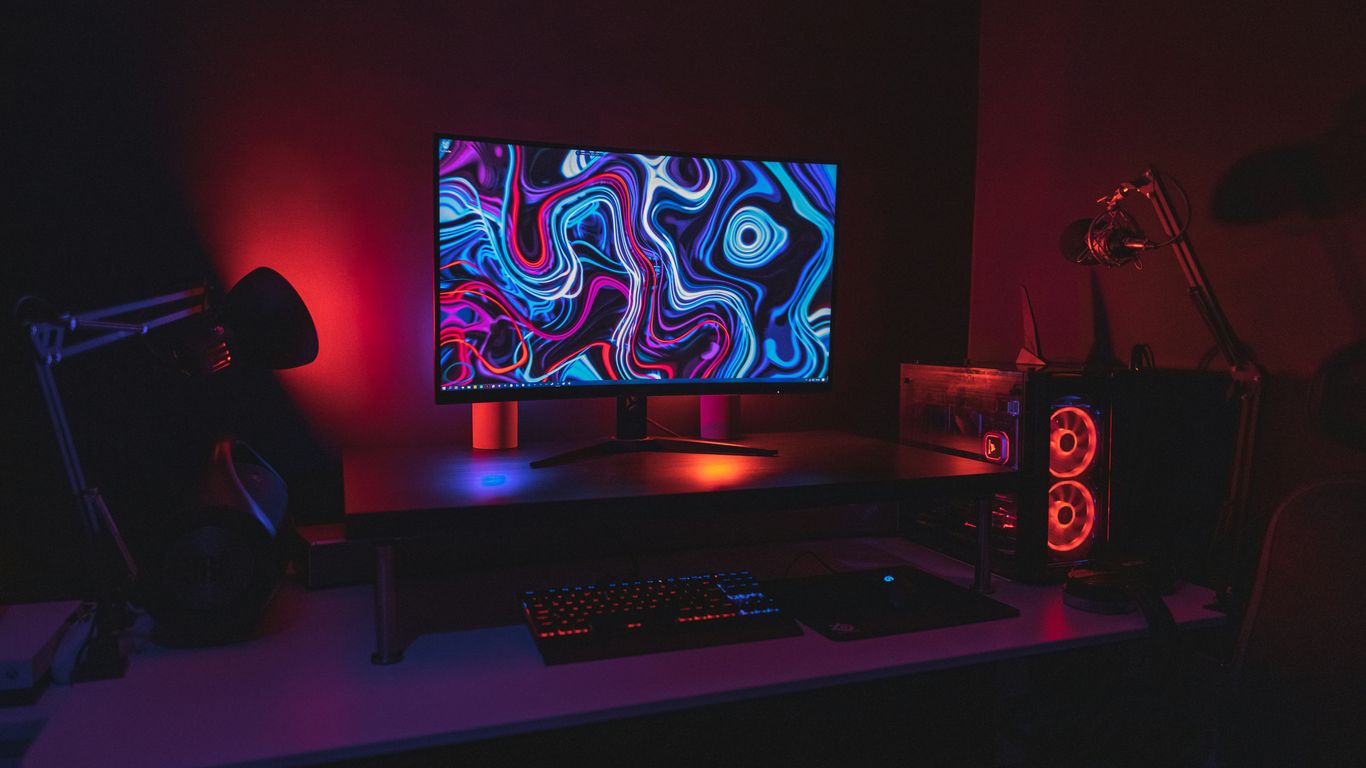
Corsair’s Vengeance A7500 is a pretty slick-looking machine, and honestly, it feels like a premium build right out of the box. It uses the Corsair 3500X case, which has a good amount of glass on the front and sides, letting you see all the glowing bits inside. When you power it on, with the lit-up fans and RAM, it really beams.
This PC is built for serious gaming, and it shows. Inside, you’ll typically find a powerful setup like an RTX 5080 paired with an AMD Ryzen 7 9800X3D. While the RTX 5080 might not be a massive leap over the previous generation, it still offers really solid performance, often matching or beating the RTX 4080 Super. The Ryzen 7 9800X3D, on the other hand, is widely considered one of the best CPUs for gaming right now. It just chews through games.
When it comes to performance, this rig handles demanding titles well. For example, it can push out around 85 fps in Cyberpunk 2077 at 1440p with RT Ultra settings, and it manages to stay relatively cool while doing it. It comes with a decent 750W power supply, 2 TB of SSD storage, and 32 GB of DDR5 RAM. It’s definitely a high-end machine, and while it’s not cheap, you get a lot of power for your money. If you’re looking for something that’s powerful but doesn’t quite hit those sky-high RTX 5090 prices, the A7500 is a strong contender. You can check out the Corsair Vengeance A7500 for more details.
One thing to note is that while it’s great for gaming, it’s not the absolute best for productivity work. You can find cheaper options if your main focus isn’t gaming. Also, it comes with no bloatware, which is a nice change, though you’ll probably want to install Corsair’s own software pretty quickly after booting it up. The warranty is only for two years, which isn’t the longest out there, but overall, it’s a very capable gaming PC that looks good doing it.
4. Lenovo Legion Tower 5i
When you’re looking for a solid gaming PC that doesn’t break the bank, the Lenovo Legion Tower 5i often pops up. It’s a pretty straightforward machine, focusing on giving you good performance for your money, especially if you can snag it when it’s on sale.
This PC is a great choice if you want a reliable gaming rig from a big brand without all the flashy extras that can drive up the cost. It uses standard parts, which is a big plus for anyone thinking about upgrades down the line. You won’t find a ton of proprietary bits in here, unlike some other brands.
Here’s a quick look at what you can generally expect:
- Performance: It’s usually kitted out to handle 1080p gaming really well. With the right configuration, you might even push into 1440p with some settings tweaks, especially with features like DLSS.
- Cooling: One thing that stands out is its cooling. Even with a basic CPU cooler and a smaller GPU, the case has good airflow, keeping temperatures in check during gaming sessions.
- Upgradability: While it’s not the most spacious case, it does offer some room for upgrades. There’s usually an extra slot for another SSD, which is handy. However, the power supply (often around 500W) might limit you if you’re thinking about a major graphics card upgrade later on. It uses an mATX motherboard, so keep that in mind for future motherboard swaps.
It’s not always the absolute cheapest option if you compare every single component, but for a pre-built system from a known name, the Legion Tower 5i offers a dependable gaming experience for the price, especially when you catch it on a good deal. It’s a sensible pick for many gamers looking for a balanced machine.
5. Alienware Aurora R16
Alienware has always been known for its distinctive, almost otherworldly designs, but the Aurora R16 takes a bit of a different approach. It’s still got that signature Alienware flair, but the chassis is more conventional, which honestly makes it feel a bit more grounded. This new design is also smaller than its predecessors, which is a nice change if you’re tight on desk space. Inside, you can pack some serious power, with options for up to the latest Intel processors and Nvidia’s top-tier graphics cards, like the RTX 4090. It’s not the cheapest option out there, mind you, Alienware usually commands a premium, but if you want cutting-edge components without building it yourself, it’s a solid contender.
One thing to keep in mind with Alienware, and the R16 is no exception, is that upgrading down the line can be a bit of a headache. They tend to use proprietary parts, which can make swapping out components a bit tricky. So, if you’re someone who loves to tinker and upgrade their PC regularly, this might not be the best fit. However, if you’re looking for a powerful machine that’s ready to go out of the box and you don’t plan on changing much, the Aurora R16 is definitely worth a look.
Here’s a quick rundown of what you can expect:
- Performance: Top-tier gaming performance with options for the latest Intel CPUs and Nvidia RTX GPUs.
- Design: A more conventional, smaller chassis compared to older Alienware models, but still with a distinct look.
- Cooling: Generally runs quieter than previous generations, with improved fan systems.
- Connectivity: Plenty of ports for all your peripherals.
It’s a machine that offers a lot of power and a cleaner aesthetic, but be prepared for that Alienware price tag and potential upgrade limitations. If you’re looking for a high-end prebuilt, the Alienware Aurora 16X is a strong option to consider, especially if you can find it on sale.
6. iBUYPOWER Slate
iBUYPOWER is a name that pops up a lot when you’re looking for a gaming PC in the US. They’re pretty much everywhere, and they usually have some good deals going on. The Slate series is a solid choice if you’re trying to get good parts without spending a fortune.
The iBUYPOWER Slate often comes with up-to-date components, making it a strong contender for gamers who want performance without breaking the bank. You can frequently find these machines on sale, which really adds to their appeal.
When it comes to what’s inside, you’re often looking at processors like Intel’s 14th Gen Core i7 and graphics cards such as the NVIDIA GeForce RTX 4060 or even higher. This kind of setup means you can handle most current games pretty well, even if you’re aiming for higher resolutions.
Here’s a quick look at what you might find:
- CPU: Intel 14th Gen (e.g., i7-14700F)
- GPU: NVIDIA RTX 40 Series (e.g., RTX 4060, RTX 4060 Ti)
- RAM: Up to 32GB DDR5
- Storage: Up to 2TB NVMe SSD
One thing to keep in mind is that while the SSDs are fast enough for general use, some users have noted they aren’t the absolute quickest for game loading times compared to top-tier options. Luckily, there’s usually an extra M.2 slot if you decide to upgrade down the line. The case design itself is pretty neat, often featuring a mix of mesh and clear panels for decent airflow, and it’s usually packed with RGB lighting if that’s your thing. Plus, they’ve made it pretty easy to get inside and swap parts if you need to. It’s a good option if you’re looking for a discounted gaming PC that’s easy to use and offers good value for the money.
7. NZXT Player Three
NZXT’s Player Three is a pretty solid option if you’re looking for a high-end gaming machine. It’s definitely not for the budget-conscious, but you get a lot of power for your money. The cooling on these things is seriously impressive, which is a big deal for keeping your components running smoothly for a long time. I was honestly surprised at how cool the CPU stayed, even when I was pushing it hard.
When it comes to specs, you can get some really beefy configurations. Think top-tier CPUs and GPUs, easily handling games at 4K without breaking a sweat. It’s also a good choice if you do more than just game, like content creation or streaming, because it can handle those demanding tasks too. You can get AMD’s X3D processors in these, which are great for both gaming and other creative work.
Here’s a quick look at what you might find inside:
- CPU: Up to Intel Core i9 or AMD Ryzen 9
- GPU: Up to Nvidia GeForce RTX 5080 or 5090
- RAM: Up to 64GB
- Storage: Up to 2TB SSD
One thing to note is that while NZXT makes a lot of their own parts, the motherboard in my review unit was from Gigabyte. It all worked together well, though, giving a nice balance of thermals and connectivity. If you’re looking for a powerful rig that stays cool under pressure, the Player Three is definitely worth checking out. You can find some great configurations available right now.
8. Velocity Micro Raptor ES40
Velocity Micro has been around for a bit, and their Raptor ES40 is still a solid choice if you’re looking for a compact gaming rig. It’s not the flashiest box on the market, but it packs a punch, especially for its size. The tool-less side panels make getting inside a breeze, which is great if you like to tinker or just want to do some quick upgrades.
Inside, you’ll typically find a capable setup. We’re talking about something like an AMD Ryzen 7 9700X CPU paired with an Nvidia RTX 4070 Super. This combo is pretty sweet for 1440p gaming, especially when you turn on features like DLSS. It handles most games really well at that resolution, giving you smooth frame rates.
Here’s a look at a common configuration:
| Component | Specification |
|---|---|
| CPU | AMD Ryzen 7 9700X |
| GPU | Nvidia RTX 4070 Super |
| RAM | 32 GB DDR5-5200 |
| Storage | 2 TB SSD |
Now, it’s not all perfect. The motherboard choice, often a Gigabyte A620I AX, is a bit of a budget pick for a PC in this price range. It means you only get one M.2 slot for storage, so expanding your SSD options means replacing your main drive or adding slower SATA drives. Also, the VRM setup on these boards isn’t the most robust, which could be a concern if you’re thinking about dropping in a much more powerful CPU down the line. Still, for what it is, the Raptor ES40 is a well-built, compact machine that offers great gaming performance. It even has a carry handle, which is a nice touch if you plan on moving your PC around. If you’re after a powerful small form factor PC, this is definitely worth a look.
9. Origin Chronos V3
Origin PC has a reputation for building some seriously high-end machines, and the Chronos V3 is no exception. This rig is built around an ITX form factor, meaning it’s pretty compact, almost like a console. It’s a great option if you want serious gaming power without taking up a ton of desk space.
Because it’s so small, you can’t just shove any old parts in there. Origin uses a Corsair 2000D case for the Chronos V3, which is tight. This could be a bit of a headache down the road if you’re thinking about major upgrades, especially if future graphics cards get even bigger. But honestly, the components you can get in here are top-notch, like up to 64GB of DDR5 RAM and plenty of storage, so you probably won’t need to upgrade for a while.
One of the cool things about Origin is that you can customize your Chronos V3 build. You’re not stuck with whatever they decide to put in it. You can pick the parts that make sense for you. Just remember, these aren’t budget machines. If you’re trying to save money, there are other options out there with bigger cases and maybe lower price tags. You can check out some of their custom builds on the Origin PC website.
When it comes to performance, this little guy can really throw down. We’re talking about handling demanding games at 4K with all the settings maxed out. Thanks to tech like Nvidia DLSS 3, you can get some seriously high frame rates. We even saw over 100fps in games like Cyberpunk 2077 with everything cranked up, which is pretty wild for a PC this size. It’s a testament to how much power they can pack into a small space. If you’re looking for a powerful, compact gaming setup, the Chronos V3 is definitely worth a look, especially if you’re interested in high-performance gaming.
10. Acer Predator Orion 7000
The Acer Predator Orion 7000 has been a solid choice for gamers looking for serious power, and the 2023 refresh really pushed it forward. This machine is built for those who want top-tier components without the hassle of building it themselves. It can pack some serious heat, with configurations that include high-end Intel CPUs and Nvidia’s RTX graphics cards. We’re talking about the kind of hardware that makes modern games look amazing and run super smooth.
However, it’s not all sunshine and rainbows. This PC can get pretty loud, especially when it’s working hard. And while it’s got a lot of power, keeping those hot components cool can sometimes be a challenge, even with all the fans going. It’s a big machine, too, so make sure you’ve got the desk space for it. If you’re eyeing up a powerful build and don’t mind a bit of noise, the Orion 7000 is definitely worth a look. You can often find it in configurations that balance price and performance, making it a strong contender in the high-end prebuilt market. For those interested in the latest tech, keep an eye out for newer models that might address some of the cooling and noise issues. You can check out Acer’s gaming lineup for current options.
Key features to consider:
- Powerful Processors: Often equipped with Intel’s latest Core i7 or i9 processors.
- High-End Graphics: Can be found with Nvidia GeForce RTX cards, ready for demanding titles.
- DDR5 RAM: Utilizes modern DDR5 memory for faster data access.
- Ample Storage: Typically includes a mix of fast NVMe SSDs and larger HDDs.
While it’s a beast, remember that its substantial size and weight mean it’s not the most portable option. It’s more of a ‘set it and forget it’ kind of rig, designed to sit in one place and dominate your games. If you’re looking for a powerful, no-fuss gaming setup, the Predator Orion 7000 is a strong contender, but be prepared for its noise levels and consider its overall dimensions before buying.
Wrapping It Up
So, finding the right gaming PC in 2026 still comes down to a few key things. Whether you’re leaning towards a big name brand like Alienware or HP for that polished feel and warranty, or a boutique builder like Maingear for something a bit more custom, there are solid options out there. Remember, prices might be a bit wild, especially with RAM, so keep an eye out for deals. Don’t forget that even pre-builts are getting easier to upgrade these days, so you don’t have to worry too much about getting locked into something you’ll outgrow next year. Ultimately, it’s about balancing what you can afford with the performance you really need for the games you want to play. Happy gaming!
Frequently Asked Questions
Should I buy a gaming PC or build one myself in 2026?
Buying a pre-built gaming PC can be easier and sometimes cheaper, especially for high-end systems. Companies often have deals, and you get support and a warranty for the whole system. Building it yourself gives you more control over parts but can be more complex and time-consuming.
Will gaming PCs be more expensive in 2026?
It’s likely that gaming PCs might get more expensive. Prices for parts like RAM have been going up, and newer technologies like DDR5 memory are also pricier. However, sometimes pre-built PCs can offer good value, especially if they go on sale.
What are the most important parts of a gaming PC?
The graphics card (GPU) is super important for how well games run. The processor (CPU) also matters a lot because it feeds information to the GPU. You also need enough RAM (memory) so your computer doesn’t slow down, and a fast storage drive (SSD) for quick loading times.
What is ‘futureproofing’ a gaming PC?
Futureproofing means choosing parts that will still be good for new games in a few years. This often means getting newer technology like DDR5 RAM and motherboards that can handle future upgrades, even though they cost more now.
Are prebuilt gaming PCs easy to upgrade later?
Yes, most prebuilt gaming PCs today are designed so you can easily swap out parts like RAM and storage. Upgrading the graphics card and processor is also usually possible, making it easier to keep your PC up-to-date.
What’s the difference between boutique builders and big brands for gaming PCs?
Boutique builders often use standard parts and offer more customization with less extra software. Big brands like HP or Alienware might have unique designs and manufacturer warranties, but sometimes use proprietary parts which can make upgrades harder.