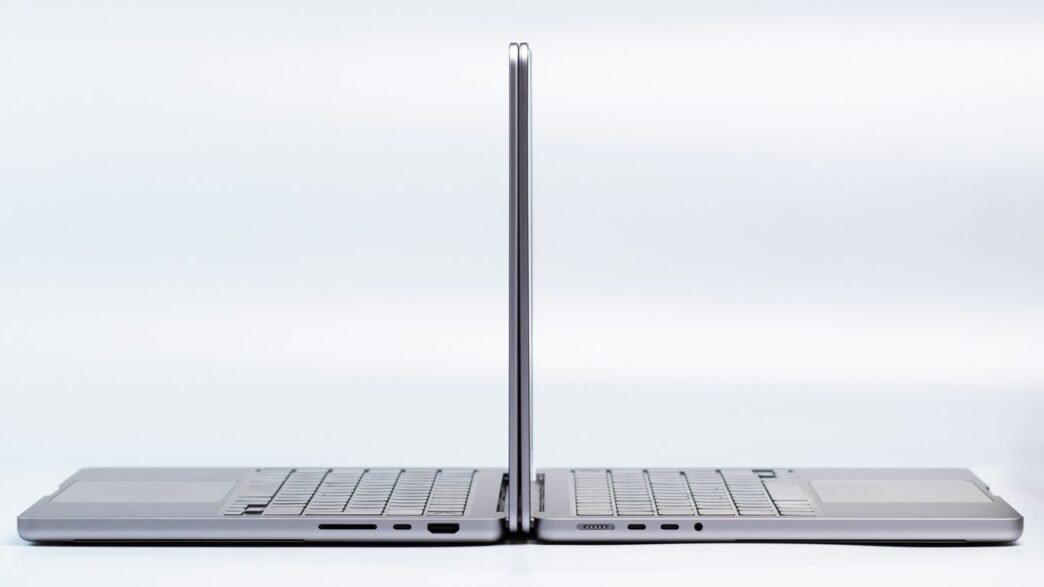
Alright, let’s talk laptops. If you’re in the market for a new machine in 2026, chances are you’re looking at either a Dell or an HP. These two brands are everywhere, and for good reason. They both make a ton of different computers, from fancy ones to basic ones. But trying to figure out which dell laptop versus hp laptop is the right one for you can be a real headache. So, we’re going to break down what each brand is good at, and where they might fall a little short, to help you make a smarter choice.
Key Takeaways
- Dell often gives you more control to pick exactly the parts you want when you order online, while HP tends to offer more pre-set configurations.
- HP has simplified its main laptop lines to OmniBook for regular folks and EliteBook/ProBook for work, while Dell now uses Dell, Dell Pro, and Dell Pro Max.
- For gaming, Dell has its dedicated Alienware brand, and HP offers the Omen and Victus lines, which can sometimes be a more budget-friendly choice.
- When it comes to design, HP’s Spectre and Envy lines are often praised for their sleek, modern look, while Dell’s XPS series also offers a premium feel.
- Neither brand is a clear winner across the board; the best dell laptop versus hp laptop really depends on what you need most, like customization, battery life, or specific features.
Navigating Dell And HP Laptop Lineups
Alright, let’s talk about figuring out which Dell or HP laptop is actually right for you. It can feel like a maze sometimes, with all the different names and series they roll out each year. But don’t worry, we’ll break it down.
Dell’s Evolving Product Naming Conventions
Dell has been shaking things up with how they name their laptops. For a while, you had the premium XPS line, the everyday Inspiron, and the business-focused Latitude. Now, things are a bit different, especially starting in 2025. They’ve moved towards a simpler structure: just ‘Dell’ for consumer models, ‘Dell Pro’ for business, and ‘Dell Pro Max’ for workstations. You might see ‘Plus’ and ‘Premium’ suffixes too, like the Dell 14 Premium, which basically takes the place of what used to be an XPS 14. It’s a bit of a shift, and honestly, you’ll still find older models with the old names floating around, so keep an eye out.
HP’s Streamlined Consumer And Business Offerings
HP has also been tidying up its act. In May 2024, they really simplified things. For regular folks, there’s the OmniBook line. For businesses, it’s now the EliteBook and ProBook series. You’ll still see older, well-known names like Spectre, Envy, and Dragonfly, but the main push is towards these newer, cleaner categories. This makes it a little easier to see what’s what at a glance, though you’ll still need to check the specific model number to know exactly what you’re getting.
Understanding Specific Model Comparisons
When you’re actually trying to pick one, it’s all about comparing apples to apples, or in this case, laptop to laptop. Don’t just look at the brand name; dive into the specs. For example, if you need a 2-in-1 that flips around, you might look at the HP OmniBook X Flip 14 or the Dell Plus 14 2-in-1. Both brands have solid options, but the specific features and build can vary a lot. It’s worth noting that while both brands make good machines, neither is the absolute best in every single category. Sometimes, a specific model from one brand might beat out a similar model from the other, and that can change year to year. So, always check reviews for the exact model you’re considering. For instance, Dell often offers superior value for power users and gamers, while HP tends to be a better pick for students and general use [c000].
Here’s a quick look at how some lines generally stack up:
- Dell:
- XPS (now often ‘Dell Premium’): High-end, premium build, great displays.
- Inspiron (now often ‘Dell’): Everyday use, good value, wide range.
- Latitude (now ‘Dell Pro’/’Pro Max’): Business-focused, durable, reliable.
- Alienware: Dedicated gaming machines.
- HP:
- OmniBook: Consumer-focused, often stylish, good for general tasks.
- Spectre/Envy: Premium consumer, sleek design, good performance.
- ProBook/EliteBook: Business-focused, durable, security features.
- Omen/Victus: Gaming options, balancing performance and price.
Remember, these are general categories. The best laptop for you will depend on your specific needs and budget. It’s always a good idea to compare specific models side-by-side before making a final decision. HP generally excels in style and offers a wider variety of models, while Dell is known for its durability and long-term reliability [53db].
Performance And Configurability Showdowns
When you’re looking at laptops, how they perform and how much you can tweak them is a big deal, right? Both Dell and HP have their own ways of handling this, and it’s not always a clear win for one over the other. It really depends on what you need.
Dell’s Customization Advantage At Point Of Sale
Dell has long been a go-to for folks who want to build their machine exactly how they want it, right from the start. When you’re on their website, you can often pick and choose everything from the processor and RAM to the graphics card and storage. This is super handy if you have specific software that needs a beefy graphics card or if you just want a ton of storage space without paying for stuff you don’t need. This level of detail means you can often get more bang for your buck if you know what you’re looking for. For example, if you’re a video editor, you can load up an XPS with a top-tier CPU and a dedicated GPU, making sure your editing software runs smoothly. It’s like ordering a custom-built PC, but in a laptop form factor.
HP’s Optimization For Battery Life And Efficiency
HP, on the other hand, often focuses on making their laptops run for a long time on a single charge. They tend to optimize their hardware and software to work together really well, which is great if you’re always on the move and don’t always have a power outlet nearby. Think students in lectures or business travelers hopping between meetings. While you might not get the same granular control over every single component as with Dell, HP’s pre-configured setups are usually well-balanced for everyday tasks and offer impressive battery longevity. Their Envy and Spectre lines, for instance, are known for striking a good balance between sleek design and practical, all-day power. It’s less about building from scratch and more about picking a smart, efficient package.
Processor And Hardware Choices Across Brands
Both companies use the latest processors from Intel and AMD, so you’ll find similar CPU options across comparable models. Where they sometimes differ is in the specific configurations and the overall system tuning. Dell might push the absolute highest-end components in their premium lines, aiming for raw power, especially in their gaming laptops like the Alienware series, which are built for serious performance and offer greater upgrade potential [f331]. HP, while also offering powerful machines, might lean towards configurations that prioritize a smoother, more efficient user experience, especially in their consumer and business lines. It’s worth checking out specific model reviews to see how each brand implements the same hardware, as thermal management and software optimization can make a noticeable difference in real-world performance.
Design Aesthetics And Build Quality
When you’re looking at laptops, how they look and feel is a big deal, right? It’s not just about what’s inside. Both Dell and HP have been putting a lot of thought into this, trying to hit different notes for different people.
Dell’s Premium XPS Versus Budget Inspiron
Dell really separates its lines here. On one end, you’ve got the XPS series. These are the ones that feel really premium. Think sleek metal, nice finishes, and just an overall solid feel in your hands. They often get praised for looking professional and feeling sturdy, like they can handle being tossed in a bag day after day. The keyboards are usually pretty comfortable to type on, too, with a good amount of key travel.
On the other side, there’s the Inspiron line. These are more budget-friendly, and you can usually tell. They tend to use more plastic, and while they’re not flimsy, they don’t have that same high-end feel as the XPS. They’re built to be functional and affordable, which is great if you’re not trying to break the bank.
HP’s Sleek Aluminum Builds In Spectre And Envy
HP has its own way of doing things, often focusing on a more modern, stylish look. Their Spectre and Envy lines are where you’ll find a lot of that. These laptops often sport aluminum bodies, giving them a cool, smooth feel and a look that’s pretty sharp. They’re designed to be eye-catching, with thin bezels around the screen that make the display feel bigger than it is.
- HP’s Spectre and Envy lines often feature:
- Aluminum chassis for a premium feel.
- Thin screen bezels for a more immersive visual experience.
- Attention to detail in finishes and overall design.
These are the kinds of laptops that look good in a coffee shop or a boardroom. They aim for a balance between looking good and being practical.
Minimalist Professionalism Versus Modern Appeal
So, what’s the big difference? Dell, especially with its XPS line, often leans towards a kind of understated, professional look. It’s clean, it’s functional, and it doesn’t scream for attention, but it definitely looks high-quality. It’s the kind of design that says, “I mean business.”
HP, on the other hand, seems to be pushing for a more modern, sometimes even a bit flashy, appeal with its higher-end models. They’re not afraid of a bit of flair. This can be great if you want a laptop that stands out.
Ultimately, both brands offer solid build quality, but they cater to different tastes in aesthetics. If you prefer a more classic, robust feel, Dell might be your go-to. If you’re after something that looks a bit more contemporary and stylish, HP often hits that mark. It really comes down to what vibe you’re going for with your tech. For general everyday users, HP often provides a good mix of style and function [3131].
Display Technology And User Experience
When you’re looking at laptops, the screen is pretty important, right? It’s what you’ll be staring at for hours. Both Dell and HP have been putting a lot of effort into their displays, and by 2026, things have gotten even better. It’s not just about how bright a screen gets anymore; it’s about color, clarity, and how it feels to interact with it.
Dell’s High-Resolution Display Options
Dell has really pushed the envelope with high-resolution screens, especially in their premium XPS line. You’ll find a lot of models boasting sharp, detailed visuals that make text super crisp and images pop. If you’re someone who works with photos, videos, or just appreciates a really clear picture, Dell’s higher-end options are definitely worth a look. They often pack in more pixels, which means you can fit more on your screen without everything looking tiny. This is great for multitasking, letting you have multiple windows open side-by-side without feeling cramped. For a lot of users, this level of detail makes a big difference in daily use, making everything from reading documents to watching movies a more enjoyable experience. You can find some really impressive panels on their XPS laptops.
HP’s Edge In Color Accuracy And Touchscreens
HP, on the other hand, has often been a leader when it comes to color accuracy and making touchscreens feel responsive. If your work involves graphic design, photo editing, or anything where true-to-life colors are a must, HP often has an advantage. Their displays tend to be calibrated well right out of the box, meaning what you see is what you get. Plus, their touchscreens, particularly on models like the Spectre and Envy lines, feel really smooth and intuitive. It’s not just about tapping; it’s about the whole interaction feeling natural, which is a big plus if you’re used to using a tablet or smartphone. This makes HP a strong contender for creative professionals and anyone who likes the flexibility of a 2-in-1 device.
Comparing Visual Fidelity And Responsiveness
So, how do you pick? Well, it really comes down to what you prioritize. If you want the absolute sharpest, most detailed image possible, Dell’s high-resolution panels are hard to beat. They offer a level of clarity that can make a real difference for detailed work. On the flip side, if vibrant, accurate colors and a super-responsive touchscreen are more your jam, HP often takes the crown. They’ve really honed in on making their displays not just look good, but feel good to use, too. It’s a bit of a trade-off, but both brands provide excellent options that cater to different needs. Ultimately, checking out the specs for resolution, color gamut coverage, and refresh rates will help you make the best choice for your visual needs. For a good balance, you might want to check out HP’s consumer laptops.
Gaming Laptop Capabilities
When you’re looking for a laptop that can handle some serious gaming, both Dell and HP have some interesting options. It’s not just about slapping in the fastest parts; it’s about how they put it all together. Dell’s big name in gaming is Alienware, and they’ve been doing this for a while. They tend to go all out with performance, often packing in top-tier processors and graphics cards. Think of Alienware as the enthusiast’s choice, usually with a distinct look that screams ‘gamer.’ They’re built for pushing frame rates and handling demanding titles, but that often comes with a higher price tag and sometimes a bulkier design. You can find some really powerful machines in their lineup, like the Alienware 16 Area 51, which is practically a desktop replacement. It’s a beast, but you’re definitely paying for that power and the brand name.
HP, on the other hand, has its Omen and Victus lines for gaming. Omen is generally their more premium gaming brand, aiming for a balance of performance and a slightly more refined aesthetic than some competitors. Victus is usually positioned as a more budget-friendly option, trying to hit a sweet spot for gamers who don’t want to break the bank but still need decent gaming chops. HP often focuses on creating a solid all-around experience, sometimes with better thermal management or a more understated design compared to Alienware. They’re trying to make gaming laptops accessible without sacrificing too much on the gaming front. For example, the HP Omen series often gets praise for its display quality and keyboard feel, making it a good choice for extended play sessions.
Here’s a quick look at what you might find:
- Dell Alienware: Known for extreme performance, unique designs, and often higher prices. Great for those who want the absolute best and don’t mind the cost or size.
- HP Omen: A strong contender balancing performance with a more mature design. Good for serious gamers who want a capable machine without an overly flashy look.
- HP Victus: Targets gamers looking for good value. It offers solid gaming performance at a more accessible price point, making it a popular choice for many.
When you’re picking a gaming laptop, it’s not just about the CPU and GPU. You’ll want to pay attention to the screen’s refresh rate – higher is better for smoother visuals. Also, consider the amount of RAM (16GB is a good starting point, 32GB is better for future-proofing) and storage (an SSD is a must for fast loading times). Ultimately, the best gaming laptop for you depends on how much you want to spend and what games you plan to play. If you’re aiming for the highest settings in the latest AAA titles, you’ll need to invest more. For less demanding games or if you’re okay with slightly lower settings, you can find great options from both brands that won’t empty your wallet. Checking out reviews for specific models, like those that focus on CPU and graphics performance, can really help narrow down your choices.
Business And Productivity Laptop Comparisons
When it comes to getting work done, both Dell and HP have solid options. For business users, Dell has shifted its lineup. What used to be split between Latitude and Inspiron is now more streamlined into Dell Pro and Dell Pro Max models. These are designed with professional needs in mind, offering different tiers of performance and features for everyday tasks to more demanding workloads. Dell often gives you more control over the exact specs when you order directly from them, which can be a big plus if you know precisely what you need. You can pick your processor, RAM, and storage, tailoring the machine to your specific job.
HP, on the other hand, has its business machines neatly organized under the EliteBook and ProBook banners. The EliteBook line is generally positioned for high-end business needs, often rivaling top-tier consumer laptops in terms of build and features. For instance, the HP EliteBook X G1i is a strong contender, packing a lot of power into a portable design, though its screen might not be as sharp as some competitors. The ProBook series usually offers a good balance of performance and price, making it a popular choice for many companies.
Here’s a quick look at what to expect:
- Dell Pro/Pro Max:
- Focus on business-grade features and durability.
- Often more customizable at the point of sale.
- Covers a range from everyday office tasks to workstation-level performance.
- HP EliteBook/ProBook:
- EliteBooks are premium, often with advanced security and build quality.
- ProBooks offer a solid mix of performance and value.
- HP sometimes prioritizes sleek design alongside durability.
When you’re comparing specific models, it’s always a good idea to look at the specs side-by-side. For example, if you need a laptop that can handle pretty much anything you throw at it and you want to configure it exactly to your liking, checking out Dell’s direct sales might be your best bet. If you’re looking for a premium business machine that’s already well-specced and ready to go, an HP EliteBook could be the ticket. Remember, neither brand is universally "better"; it really comes down to the specific model and what features matter most to your daily grind.
Chromebook Offerings And Budget Options
When you’re looking for a laptop that won’t break the bank, both Dell and HP have some interesting choices, especially in the Chromebook and general budget categories. It’s not always about the most powerful specs; sometimes, you just need something that works well for everyday stuff like checking email, browsing the web, or doing homework. And honestly, for a lot of people, that’s exactly what a Chromebook is good for. They offer a budget-friendly alternative to Windows laptops, capable of handling most everyday school and work needs.
HP’s Wider Range Of Chromebook Choices
HP seems to have a bit of an edge when it comes to the sheer variety of Chromebooks available. They offer models that cater to different needs, from super basic to something a bit more capable. For instance, HP has the mid-range HP Chromebook Plus, which often comes with an Intel Core i3 processor. This gives you a nicer experience if you’re thinking of using your Chromebook as your primary computer. They even have some neat 2-in-1 convertible options, like the HP Chromebook Plus x360, which is a solid choice if you like the flexibility of a tablet and laptop combined. It’s a pretty good deal for what you get.
Dell’s Focused Chromebook For Education
Dell, on the other hand, has taken a more focused approach with its Chromebook lineup. As of now, they really only have one main Chromebook model, and it’s pretty much aimed at the education market. Think of it as a no-frills, low-cost option designed for students and schools. It gets the job done for basic tasks, but you won’t find the same breadth of features or configurations as you might with HP’s offerings. It’s a straightforward device for straightforward needs.
Comparing Value-Oriented Laptop Selections
Beyond Chromebooks, both brands have budget-friendly Windows laptops. HP has its Victus line for more affordable gaming, which is a good spot since Dell’s comparable budget gaming series isn’t really around anymore. These Victus laptops tend to be more plastic and less flashy than their higher-end counterparts, but they can offer good gaming performance for the price. On the flip side, if you’re just looking for a general-purpose laptop that’s easy on the wallet, you’ll find plenty of options from both manufacturers. It really comes down to looking at specific models and what features matter most to you. Sometimes a sale can make a slightly more expensive model a great deal, so it’s worth keeping an eye out.
Here’s a quick look at how some budget options stack up:
| Feature | HP Chromebook Plus x360 | Dell Chromebook (Education Model) |
|---|---|---|
| Type | 2-in-1 Convertible | Standard Laptop |
| Target Audience | General Consumer, Students | Education, Budget Users |
| Processor Options | Typically Intel Core i3 or similar | Basic Intel Celeron or similar |
| Build Material | Mixed (Plastic/Metal) | Primarily Plastic |
| Price Range | Mid-Range Budget | Entry-Level Budget |
When you’re shopping in this price bracket, remember that trade-offs are common. You might get better battery life on one model and a slightly better screen on another. It’s all about finding that sweet spot for your personal use. For example, if you need a reliable machine for everyday tasks and don’t want to spend a fortune, exploring the HP Chromebook Plus is a good starting point.
So, Which One Should You Pick?
Alright, so we’ve looked at Dell and HP for 2026, and honestly, it’s not a simple ‘this one is better’ situation. Dell really shines if you want to tweak every little thing about your laptop, from the processor to the storage, and if raw power for demanding tasks or gaming is your main goal. They’ve got those new simplified names like Dell Pro and Dell Pro Max, but the idea of customization is still strong. On the flip side, HP has really streamlined its lineup with OmniBook and EliteBook, and they often win when it comes to a slick design and getting through a whole day without hunting for an outlet. Neither brand is perfect for everyone, though. You really need to look at the specific model you’re interested in, compare it to a similar one from the other brand, and see what kind of deals are out there. It all comes down to what you need your laptop to do and what you’re willing to spend.
Frequently Asked Questions
What’s the main difference between Dell and HP laptops?
Think of Dell as the tinkerer’s choice – they often let you pick and choose exactly what parts go inside your laptop, making them super customizable. HP, on the other hand, usually focuses on making their laptops look really sleek and stylish, and they’re often great at lasting a long time on a single battery charge.
Which brand is better for gaming?
For serious gamers, Dell’s Alienware line is usually the go-to for top-notch performance, though it can be pricey. HP has its Omen and Victus lines, which offer good gaming power, sometimes at a more affordable price, especially the Victus for those on a tighter budget.
Are Dell or HP laptops better for schoolwork?
Both brands have great options for students. HP often shines with its stylish designs and long battery life, perfect for carrying around campus. Dell’s Inspiron or newer ‘Dell’ branded laptops can also be excellent choices, especially if you want to customize them for specific tasks.
Which brand has better screens?
Dell often packs really sharp, high-resolution screens into its premium models like the XPS. HP sometimes has an edge when it comes to showing colors very accurately and making touchscreens feel super responsive, especially in their Spectre and Envy series.
Are HP or Dell laptops more durable?
Both brands build solid laptops that can last. Dell has a strong reputation for toughness, especially in their business lines like Latitude (now Dell Pro). HP also makes very durable laptops, particularly their EliteBook series, but sometimes they might lean more towards design.
Which brand offers more choices for Chromebooks?
HP generally offers a wider variety of Chromebooks, including some more capable ‘Plus’ models that give you a better overall experience. Dell’s Chromebook offerings tend to be more focused on basic, affordable options, often for schools.