Thinking about cloud computing but not sure where to start? It’s a big topic, and honestly, it can feel a bit overwhelming at first. This guide is here to break down the essentials. We’ll cover what cloud computing really is, why it’s become so popular, and the different ways you can use it. No fancy tech talk, just the plain facts to get you up to speed on cloud computing fundamentals.
Key Takeaways
- Cloud computing means using services over the internet instead of your own hardware. Think of it like renting computing power or storage.
- There are three main types of cloud services: IaaS (infrastructure), PaaS (platforms), and SaaS (software). Each offers different levels of control and convenience.
- You can run cloud services in public clouds (like AWS or Azure), private clouds (just for you), or a mix of both (hybrid).
- Keeping your cloud stuff safe is a big deal. This involves managing who can access what and protecting your data.
- Managing cloud resources means watching performance, controlling costs, and making sure the service you get meets your needs.
Understanding Core Cloud Computing Fundamentals
So, what exactly is this ‘cloud computing’ everyone keeps talking about? Think of it like this: instead of owning a bunch of physical servers in your office closet, you’re essentially renting computing power, storage, and software over the internet. It’s a pretty big shift from how things used to be done, where every company had to buy and maintain all their own hardware. This whole idea has been around for a while, but it really took off with the internet’s growth.
Defining Cloud Computing and Its Evolution
At its heart, cloud computing is about accessing computing resources – like servers, storage, databases, networking, software, and analytics – on demand, usually over the internet, and typically on a pay-as-you-go basis. It’s not just a buzzword; it’s a fundamental change in how we use technology. The evolution started with mainframes, then moved to personal computers, and now we’re in the era of distributed computing and the cloud. Companies like Amazon, Google, and Microsoft have built massive data centers, and they let us use parts of them without us having to worry about the physical machines. This makes it easier for businesses of all sizes to get access to powerful technology without a huge upfront investment. You can get started with cloud services pretty easily, even if you’re just exploring Google Cloud’s core infrastructure.
Key Principles and Real-World Benefits
There are a few main ideas that make cloud computing work so well. One is on-demand self-service, meaning you can get what you need, when you need it, without a lot of back-and-forth. Another is broad network access, so you can connect from pretty much anywhere with an internet connection. Then there’s resource pooling, where the provider shares their resources among many customers. This leads to some pretty great benefits:
- Cost Savings: You pay for what you use, which can be way cheaper than buying and maintaining your own gear.
- Scalability: Need more power for a busy season? You can get it. Things slow down? Scale back. It’s flexible.
- Speed and Agility: Get new applications and services up and running much faster.
- Reliability: Cloud providers often have built-in redundancy, meaning your stuff is less likely to go down.
- Global Reach: Easily deploy applications closer to your users around the world.
Service Models: IaaS, PaaS, and SaaS Explained
When people talk about cloud services, they usually mean one of three main types:
- Infrastructure as a Service (IaaS): This is like renting the basic building blocks – servers, storage, and networking. You manage the operating system and applications. Think of it as renting the land and building your own house.
- Platform as a Service (PaaS): Here, the provider gives you the infrastructure plus the operating system, middleware, and development tools. You focus on building and deploying your applications. This is like renting a plot of land with a foundation and utilities already in place.
- Software as a Service (SaaS): This is the most common one for end-users. You’re basically renting a complete software application over the internet, like email (Gmail, Outlook) or CRM software (Salesforce). You don’t manage anything technical; you just use the software. It’s like renting a fully furnished apartment.
Understanding these models is the first step to figuring out how cloud computing can work for you. It’s all about making computing resources more accessible and manageable, which is a big part of what cloud computing offers.
Exploring Cloud Deployment Models
So, you’ve got a handle on what cloud computing is and why it’s a big deal. Now, let’s talk about where all this cloud stuff actually lives and how you access it. This is where cloud deployment models come into play. Think of it like choosing where to build your house – you’ve got different options, each with its own pros and cons. A cloud deployment model basically defines the setup, ownership, and how you get to your cloud resources. It’s the blueprint for your cloud environment.
Public Cloud Environments
This is probably what most people think of when they hear "cloud." With a public cloud, a third-party provider owns and operates the infrastructure – think servers, storage, networks – and makes it available over the internet. You share these resources with other users, kind of like living in an apartment building. It’s usually the most cost-effective and easiest to get started with. You just sign up, pay for what you use, and the provider handles all the maintenance and upgrades. Companies like Amazon Web Services (AWS), Microsoft Azure, and Google Cloud Platform (GCP) are the big players here.
Private Cloud Architectures
Now, a private cloud is different. It’s infrastructure dedicated solely to one organization. This could be physically located in your own data center, or it could be hosted by a third-party provider but still exclusively for your use. This gives you a lot more control over your environment and security, which is great for businesses with strict compliance needs or sensitive data. It’s like owning your own house – more privacy, more control, but also more responsibility and usually a higher upfront cost. You can find some interesting options for private cloud solutions if this sounds like your jam.
Hybrid and Multi-Cloud Strategies
This is where things get really interesting for many businesses. Hybrid cloud means you’re using a mix of public and private clouds, and they can talk to each other. So, you might keep your sensitive customer data in your private cloud but use the public cloud for your website or development projects. Multi-cloud is similar but involves using services from more than one public cloud provider. Why do this? It’s all about flexibility and avoiding vendor lock-in. You can pick the best services from different providers for different tasks. It’s a bit more complex to manage, sure, but the benefits in terms of resilience and cost optimization can be huge. Understanding what a cloud deployment model is helps you figure out which path is best for your specific needs.
Mastering Cloud Infrastructure and Architecture
Alright, so you’ve got a handle on what the cloud is and how it works, but what about the nuts and bolts? This section is all about the actual building blocks – the infrastructure and how we put it all together. Think of it like understanding the foundation and framework of a building before you start decorating.
Virtualization Technologies and Hypervisors
At the heart of cloud computing is virtualization. It’s basically the magic that lets one physical machine act like many separate computers. You’ve got your hardware, and then you have a layer called a hypervisor. This hypervisor is the software that creates and manages these virtual machines (VMs). It carves up the physical resources – like CPU, memory, and storage – and doles them out to each VM. There are two main types of hypervisors:
- Type 1 (Bare-metal): These run directly on the hardware, like VMware ESXi or Microsoft Hyper-V. They’re generally more efficient and are what you’ll find in most data centers and cloud environments.
- Type 2 (Hosted): These run on top of an existing operating system, like VirtualBox or VMware Workstation. They’re good for desktop use or testing, but not typically for production cloud setups.
Understanding how these work is key because it’s what allows cloud providers to offer you resources on demand without needing a dedicated physical server for every single customer. It’s a pretty neat trick, honestly. You can explore how to build scalable and secure cloud systems with insights into emerging trends for 2026 here.
Cloud Storage and Database Solutions
Once you’ve got your virtual machines running, you need somewhere to put your data and how to manage it. Cloud storage comes in a few flavors:
- Object Storage: Think of this like a massive, scalable hard drive for unstructured data like photos, videos, or backups. Services like Amazon S3 or Azure Blob Storage are prime examples. It’s super cost-effective and can grow almost infinitely.
- File Storage: This is more like a traditional network drive, where you have folders and files. It’s good for shared access and applications that expect a file system.
- Block Storage: This is like a raw hard drive that you can attach to a single VM. It’s fast and ideal for databases or applications that need high-performance storage.
Then there are databases. You can run traditional databases on VMs, or you can use managed database services. These managed services handle a lot of the heavy lifting, like patching, backups, and scaling. You’ll find SQL databases (like relational ones) and NoSQL databases (which are more flexible for certain types of data). Choosing the right storage and database solution really depends on what your application needs.
Designing Scalable and Resilient Systems
This is where things get interesting. You don’t want your application to crash when a lot of people start using it, right? That’s where scalability and resilience come in. Scalability means your system can handle more load by adding resources, either by making existing machines more powerful (vertical scaling) or by adding more machines (horizontal scaling). Horizontal scaling is usually preferred in the cloud because it’s more flexible.
Resilience is about making sure your system can keep running even if something goes wrong. This means designing it so that if one part fails, others can take over. Think about:
- Redundancy: Having multiple copies of everything – servers, databases, network connections.
- Fault Tolerance: Designing systems that can continue operating even with component failures.
- High Availability: Aiming for minimal downtime, often through automatic failover mechanisms.
Building systems that are both scalable and resilient is a core goal of cloud architecture. It often involves using load balancers to distribute traffic, auto-scaling groups to add or remove servers automatically, and designing applications to be stateless where possible. It’s a bit like building a bridge that can handle heavy traffic and still stand if one of its supports has an issue. Following best practices for developing cloud applications is a good way to align your designs here.
Securing Your Cloud Environment
Alright, let’s talk about keeping your stuff safe in the cloud. It’s not just about setting things up and walking away; you’ve got to be mindful of security from the get-go. Think of it like locking your house – you wouldn’t just leave the door wide open, right? The cloud is no different. Protecting your data and applications is a shared job, not just the cloud provider’s responsibility. Understanding this shared responsibility model is the first step. You handle what’s in the cloud, and they handle the infrastructure of the cloud.
Identity and Access Management (IAM)
This is all about controlling who gets to do what. You don’t want just anyone poking around your sensitive files or changing critical settings. IAM systems let you define users, groups, and roles, and then assign specific permissions to each. It’s like giving out keys to different parts of your building – some people get a master key, others only get access to their own office.
- Principle of Least Privilege: Give users only the access they absolutely need to do their job, and nothing more. This limits the damage if an account gets compromised.
- Role-Based Access Control (RBAC): Group users by their job function (like ‘developer’ or ‘finance’) and assign permissions to those roles. It’s way easier to manage than assigning permissions to each person individually.
- Regular Audits: Periodically review who has access to what. People change roles, leave the company, or their needs change. Keeping access lists current is super important.
Authentication and Access Control Policies
Once you know who should have access, you need to make sure it’s really them and that they’re following the rules. Authentication is how you verify someone’s identity. Think passwords, but also more advanced stuff.
- Multi-Factor Authentication (MFA): This is a big one. Requiring more than just a password – like a code from your phone or a fingerprint – makes it much harder for unauthorized people to get in. It’s a really solid way to safeguard contemporary cloud infrastructures.
- Strong Password Policies: Even with MFA, enforce good password practices. No ‘password123’ allowed!
- Session Management: How long should a user stay logged in? What happens if their connection drops? Setting clear policies here prevents lingering, unsecured sessions.
Mitigating Cloud Security Risks and Compliance
There are a bunch of things that can go wrong in the cloud, from accidental misconfigurations to deliberate attacks. You need a plan to deal with them. This also ties into following industry rules and regulations, which can be a headache but are non-negotiable.
- Data Encryption: Make sure your data is encrypted, both when it’s stored (at rest) and when it’s being sent back and forth (in transit). Most cloud providers offer tools for this.
- Network Security: Use firewalls and security groups to control traffic coming into and going out of your cloud resources. It’s about building digital fences.
- Regular Backups: Stuff happens. Having reliable backups means you can recover your data if something goes wrong. It’s a basic but vital safety net.
Staying on top of security isn’t a one-time task; it’s an ongoing process. By focusing on IAM, strong authentication, and actively managing risks, you can build a much more secure cloud environment. Remember, securing the cloud involves understanding the shared responsibility model and implementing robust controls.
Managing and Optimizing Cloud Resources
Alright, so you’ve got your cloud stuff set up, which is awesome. But now comes the part where you actually have to keep an eye on it and make sure it’s not costing you an arm and a leg, or running slower than molasses. It’s like owning a car; you can’t just drive it forever without checking the oil or getting it serviced, right?
Monitoring and Performance Optimization
First off, you gotta know what’s happening. You can’t fix what you don’t see. This means keeping tabs on how your applications and services are performing. Are they speedy, or are they lagging? Are there any weird spikes in usage that don’t make sense? Tools that watch your cloud resources can alert you to problems before they become big headaches. Think of it as a dashboard for your cloud. Keeping an eye on metrics like CPU usage, memory, network traffic, and response times is super important. If something looks off, you can then dig in and figure out why. Sometimes it’s a simple fix, like adjusting a setting, and other times it might mean looking at the underlying architecture. Getting a handle on performance is key to making sure your users are happy and your business runs smoothly. For some good pointers on how to boost your cloud performance, check out this guide on optimizing cloud resources.
Cloud Cost Management Strategies
This is where things can get a bit hairy if you’re not careful. Cloud bills can sneak up on you. It’s not just about paying for what you use; it’s about paying for what you actually need to use. You might have resources running that nobody is using anymore, or maybe you’ve over-provisioned things just in case. That’s wasted money. A big part of managing costs is understanding your spending patterns. Look at where the money is going – is it compute, storage, data transfer? Then, you can start making smart choices. This might involve shutting down unused servers, using smaller instances when possible, or looking into reserved instances if you know you’ll need something for a while. It’s all about getting the most bang for your buck. Learning about cloud cost optimization can really save you a lot of headaches and cash.
Service Level Agreements (SLAs) in the Cloud
Finally, let’s talk about SLAs. These are basically contracts between you and your cloud provider that spell out what level of service you can expect. It covers things like uptime – how often will their service be available? What happens if it goes down? They usually have guarantees, and if they don’t meet them, you might get some credits back. It’s good to know what your SLA says so you understand the commitments. Here’s what you should generally look for:
- Uptime Guarantees: What percentage of the time is the service guaranteed to be available?
- Performance Metrics: Are there specific performance targets mentioned, like response times?
- Support Response Times: How quickly will the provider respond if you have an issue?
- Remedies for Failure: What happens if they don’t meet the SLA? (e.g., service credits)
Understanding these agreements helps set expectations and gives you a basis for discussion if things aren’t working as promised.
Advanced Cloud Computing Concepts
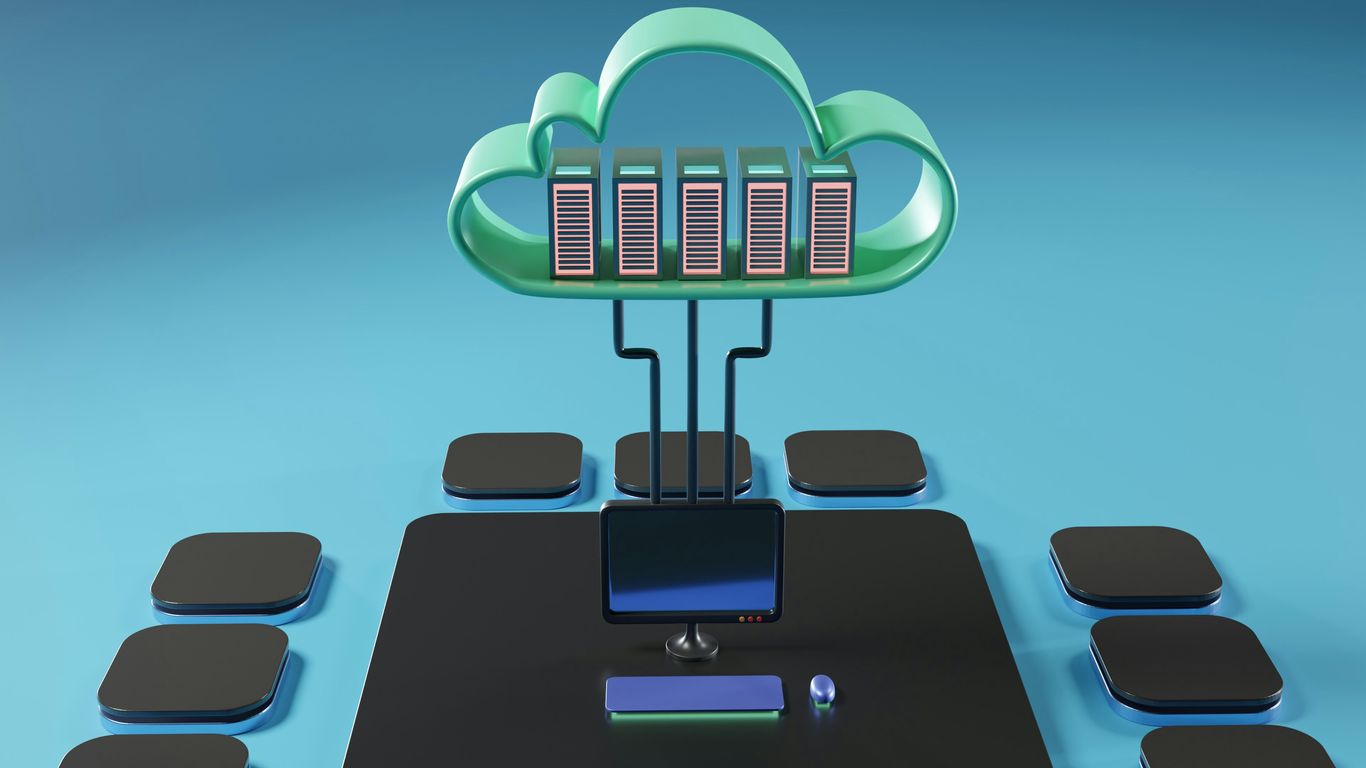
Alright, so we’ve covered the basics, the deployment models, and how to build and secure your cloud setup. Now, let’s talk about what’s next, the stuff that really makes cloud computing hum and evolve. We’re diving into some of the more cutting-edge ideas that are shaping how we use cloud resources today and tomorrow.
Serverless Computing and Event-Driven Architectures
This is a big one. Serverless doesn’t mean there are no servers, obviously. It means you, as the developer or operator, don’t have to worry about managing them. You write your code, and the cloud provider handles all the underlying infrastructure – scaling, patching, all that jazz. It’s all about functions that run in response to events. Think of it like this: a file gets uploaded to storage, and bam, a function spins up to process it. Or a new message hits a queue, and another function takes over. This makes development faster and can be super cost-effective because you’re only paying for the compute time when your code is actually running. It’s a pretty neat way to build applications that are both responsive and efficient. You can find out more about how these services work on cloud computing resources.
Big Data Frameworks in the Cloud
Handling massive amounts of data used to be a huge headache, requiring specialized hardware and complex setups. Now, with the cloud, it’s become much more accessible. Frameworks like Apache Hadoop and Spark are readily available as managed services. This means you can spin up clusters to process petabytes of data without buying a single server. These tools are designed to distribute data and processing across many machines, making it possible to analyze information that would otherwise be impossible to handle. Whether it’s for machine learning, business intelligence, or scientific research, the cloud provides the scale and flexibility needed for big data tasks.
Emerging Trends in Cloud Technology
The cloud isn’t static; it’s always changing. We’re seeing a lot of movement in areas like Artificial Intelligence (AI) and Machine Learning (ML) services becoming more integrated and easier to use. Think about pre-trained models you can just call via an API. Then there’s the continued push towards edge computing, where processing happens closer to where the data is generated, which is important for things like IoT devices. Containerization, with tools like Kubernetes, is also maturing, making it easier to deploy and manage applications consistently across different cloud environments. And let’s not forget about the ongoing focus on sustainability and green computing within data centers. It’s a dynamic space, and staying updated is key. The way cloud services interact is also evolving, with technologies like API virtualization playing a role in how different components communicate.
Wrapping Up Your Cloud Journey
So, we’ve covered a lot of ground, right? From the basic ideas of what cloud computing even is, to how you can actually use it and keep it safe. It might seem like a lot at first, but think of it like learning to drive. You start with the basics, then get more comfortable with different roads and situations. The cloud is similar. You’ve learned about different ways to use it, like renting computing power or storage, and how to make sure your stuff stays secure. The important thing now is to keep practicing and learning. The cloud world changes fast, so staying curious and trying things out is key. You’ve got the building blocks now to go out there and do some cool things.
Frequently Asked Questions
What exactly is cloud computing?
Imagine using computers and storage that aren’t physically in front of you, but are accessed over the internet. That’s cloud computing! It’s like renting computing power and services from big companies instead of buying and managing all your own equipment.
What are the main types of cloud services?
There are three main types: IaaS (Infrastructure as a Service) is like renting the basic building blocks like servers and storage. PaaS (Platform as a Service) gives you tools to build and run apps without worrying about the underlying hardware. SaaS (Software as a Service) is ready-to-use software you access online, like email or online document editors.
What’s the difference between public, private, and hybrid clouds?
A public cloud is shared by many users, like a big apartment building. A private cloud is just for one organization, like owning your own house. A hybrid cloud mixes both, giving you the flexibility to use what works best for different tasks.
Why is cloud security so important?
When you use the cloud, you’re trusting companies with your data. Security is super important to make sure only the right people can access your information and that it’s protected from hackers or loss.
How do companies manage and pay for cloud resources?
Companies use special tools to watch how much computing power and storage they’re using. They often pay for what they use, kind of like a utility bill. This helps them avoid wasting money and make sure they have enough resources when they need them.
What’s ‘serverless’ computing?
Serverless computing means you can run your code without even thinking about managing servers. The cloud provider handles all the server stuff behind the scenes. You just focus on writing your code, and it runs when needed.