So, you’re thinking about building a PC in 2026 and wondering if that AMD Ryzen 5 3600 is still a good idea? You’re not alone! This processor has been a solid choice for budget builders for a while now, and honestly, it still holds its own. We’re going to break down why this chip remains a smart pick for an affordable amd ryzen 5 3600 gaming pc, what parts you should pair it with, how to put it all together, and what kind of performance you can actually expect. Let’s get this done.
Key Takeaways
- The Ryzen 5 3600 is still a capable CPU for 1080p gaming in 2026, especially for budget builds.
- Pairing the Ryzen 5 3600 with a mid-range GPU like the RX 6600 or GTX 1660 Super offers good value for 1080p performance.
- A total build cost of around $450-$650 is realistic for a solid amd ryzen 5 3600 gaming pc.
- Upgrading the CPU to a Ryzen 5000 series chip on the AM4 platform is a viable path for future performance gains.
- Careful component selection, especially for the motherboard and power supply, is important to avoid common build issues.
Understanding The Ryzen 5 3600’s Enduring Appeal
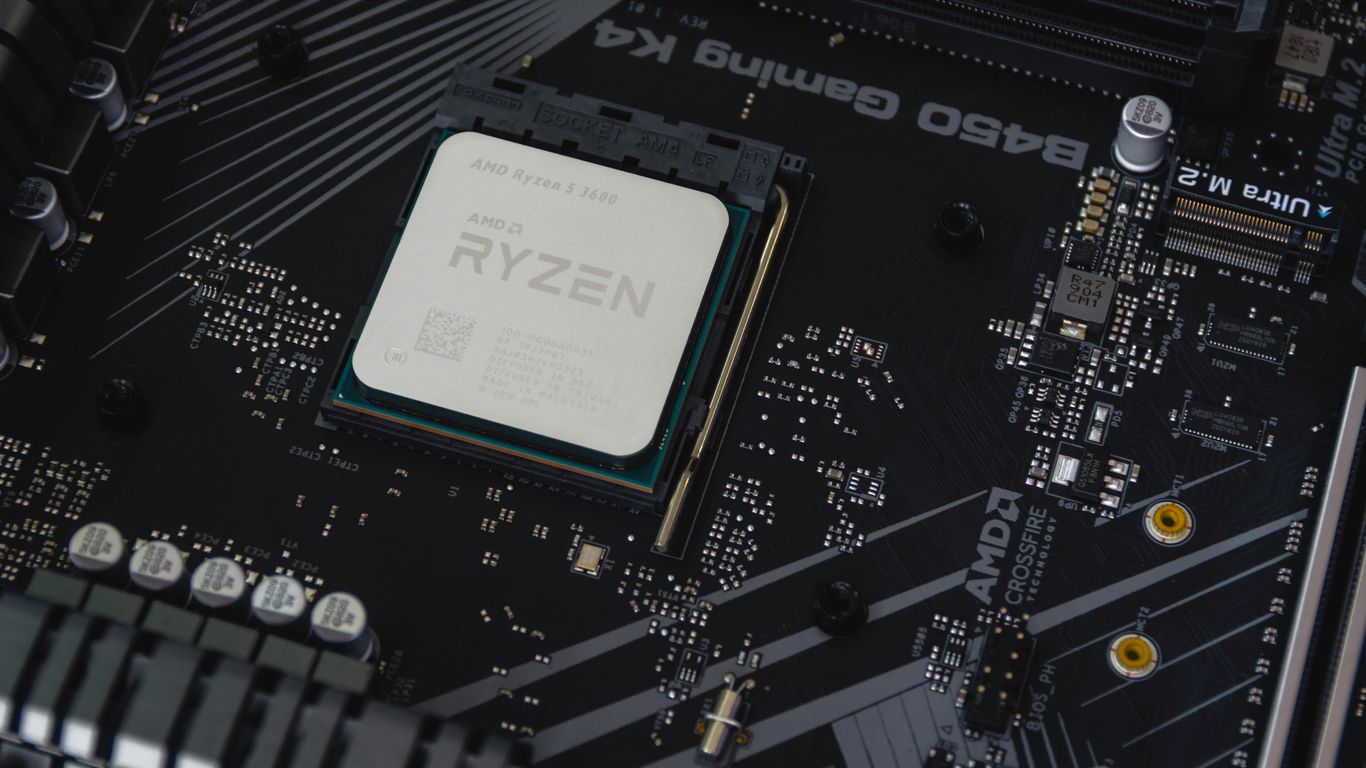
Even in 2026, the AMD Ryzen 5 3600 is still a pretty solid choice if you’re trying to build a gaming PC without spending a fortune. It’s one of those components that just keeps on giving, you know? When it first came out, it was a big deal, and honestly, it still holds its own for a lot of games.
Why The Ryzen 5 3600 Remains A Top Budget Choice
So, why is this older chip still hanging around as a top pick for budget builds? A big part of it is the sheer availability and the price. You can find these processors pretty easily, especially on the used market, and they don’t cost an arm and a leg. Plus, AMD really nailed the whole platform thing with the AM4 socket. This meant people could upgrade their CPUs without needing a whole new motherboard, which was a huge deal for keeping costs down over time. It’s a legacy that’s still talked about today.
Key Strengths for Modern Gaming
What makes the Ryzen 5 3600 still capable for gaming today? Well, it’s got six cores and twelve threads. That’s enough horsepower to handle most modern games at 1080p, especially when you pair it with a decent graphics card. It’s not going to break any speed records in the newest, most demanding titles, but for a lot of popular games, it provides a smooth experience. Think about games like:
- Esports titles (Valorant, CS2)
- Popular online games (GTA V, Apex Legends)
- Many single-player adventures
It really hits a sweet spot for performance per dollar.
Budget Gaming Landscape in 2026
Looking at the budget gaming scene in 2026, the focus is still very much on getting the best bang for your buck, especially for 1080p gaming. New graphics cards and processors are out, sure, but they come with a hefty price tag. That’s where components like the Ryzen 5 3600 shine. They let you build a capable machine without emptying your wallet. You might have to turn down a few settings in the absolute latest AAA games, but for the vast majority of what people play, it’s more than enough. Just be mindful of where you source your parts; buying used can save cash, but it also comes with risks, like potentially getting a component that’s seen better days or a less reliable power supply.
Core Components For Your Ryzen 5 3600 Gaming PC
Alright, let’s talk about what actually goes inside your new Ryzen 5 3600 gaming rig. Picking the right parts is key, and thankfully, for this build, we’re focusing on getting you solid performance without breaking the bank. It’s all about finding that sweet spot.
CPU Overview: The Ryzen 5 3600
So, the Ryzen 5 3600. Yeah, it’s been around for a bit, but honestly, it’s still a champ for budget gaming in 2026. This processor packs six cores and twelve threads, which is plenty to handle most modern games and even some streaming on the side. It’s not the newest kid on the block, but its price-to-performance ratio is just fantastic. You get a lot of bang for your buck here, making it a smart choice for anyone building on a tighter budget. It’s compatible with a wide range of AM4 motherboards, which keeps things flexible.
Essential GPU Pairings for 1080p Performance
Your graphics card (GPU) is probably the most important piece for gaming, and you want to pair it smartly with the Ryzen 5 3600. For smooth 1080p gaming, which is the sweet spot for this CPU, we’re looking at cards that offer great value. Think along the lines of the AMD Radeon RX 6600 or the NVIDIA GeForce GTX 1660 Super. These cards are well-matched to the 3600, meaning you won’t have one component holding the other back too much. You should be able to hit good frame rates in most popular titles without needing to crank every setting to ultra.
RAM and Storage Considerations
When it comes to memory, 16GB of DDR4 RAM is the standard for a good gaming experience right now. Make sure it’s running at a decent speed, ideally 3200MHz or higher, as Ryzen CPUs really appreciate faster RAM. For storage, an NVMe SSD is a must. Load times in games and your operating system will be way faster compared to older SATA drives. A 1TB NVMe SSD is a good starting point; it gives you enough space for your OS, a good chunk of your game library, and other files. If you can stretch the budget a bit, 2TB is even better, but 1TB is perfectly fine for a budget gaming PC.
Power Supply and Case Selection
Don’t skimp on the power supply (PSU). A 550W unit with an 80+ Bronze rating is generally sufficient for a build like this. It provides enough clean power for all your components and leaves a little headroom. Always go for a reputable brand; a cheap, unreliable PSU can cause all sorts of problems. For the case, you want something with good airflow. This means looking for cases with mesh front panels and plenty of fan mounts. Keeping your components cool is super important for performance and longevity. A mid-tower ATX case usually offers a good balance of space and affordability.
Building Your Ultimate Ryzen 5 3600 Gaming Rig
Alright, so you’ve got your Ryzen 5 3600, and now it’s time to actually put this thing together. It’s not as scary as it looks, honestly. Think of it like adult LEGOs, but with more tiny screws and a higher chance of static shock if you’re not careful.
Complete Parts List Recommendations
Putting together a parts list can feel like a puzzle, but here’s a solid lineup that works well with the Ryzen 5 3600 for 1080p gaming. We’re aiming for a good balance of performance and price, keeping things budget-friendly.
| Component | Recommendation | Estimated Price (USD) |
|---|---|---|
| CPU | AMD Ryzen 5 3600 | $90 – $110 |
| Motherboard | B450 or B550 Chipset | $60 – $80 |
| GPU | AMD Radeon RX 6600 or NVIDIA GTX 1660 Super | $150 – $250 |
| RAM | 16GB (2x8GB) DDR4 3200MHz or faster | $40 – $60 |
| Storage | 1TB NVMe SSD | $60 – $80 |
| Power Supply | 550W 80+ Bronze Certified | $40 – $60 |
| Case | ATX Mid-Tower with good airflow | $40 – $70 |
This list gives you a strong foundation. For example, pairing the Ryzen 5 3600 with a Radeon RX 7600 offers great bang for your buck at 1080p.
Step-By-Step Assembly Guide
Here’s a general rundown of how to put it all together. Take your time, read your manuals, and don’t force anything.
- Prep Your Workspace: Find a clean, well-lit area. Ground yourself to avoid static discharge – touching a metal object before you start usually does the trick.
- CPU Installation: Carefully open the CPU socket lever on the motherboard, align the triangle on the CPU with the one on the socket, and gently place the CPU in. Close the lever.
- RAM Installation: Open the clips on the RAM slots, align the notch on the RAM stick with the notch in the slot, and push down firmly on both ends until the clips snap into place.
- Motherboard Mounting: Install the motherboard standoffs in your case if they aren’t pre-installed. Then, carefully place the motherboard onto the standoffs and screw it in.
- GPU Installation: Open the latch on the PCIe slot, remove the corresponding expansion slot covers on your case, and firmly push the graphics card into the top PCIe x16 slot until it clicks.
- Storage Installation: Mount your NVMe SSD directly onto the motherboard’s M.2 slot and secure it with the provided screw. If you have a 2.5" SATA SSD or HDD, mount it in the designated drive bay.
- Power Supply Installation: Mount the PSU in its bay in the case and screw it in. Then, connect the necessary power cables to the motherboard (24-pin ATX and 8-pin EPS), GPU, and storage drives.
- Cable Management: This is where you tidy up. Route cables behind the motherboard tray and use zip ties or Velcro straps to keep things neat. Good airflow depends on this!
Post-Build System Setup and Verification
Once everything is physically connected, it’s time to get the software side sorted.
- Initial Boot-Up: Connect your monitor, keyboard, and mouse. Power on the system. You should see the motherboard’s BIOS screen. If not, double-check all your connections.
- BIOS Configuration: Enter the BIOS (usually by pressing DEL or F2 during boot). Make sure your RAM is running at its rated speed (enable XMP/DOCP profile) and that your storage drives are recognized. Set your boot order to prioritize your USB drive for OS installation.
- Operating System Installation: Boot from your Windows or Linux installation media and follow the on-screen prompts to install your OS onto the NVMe SSD.
- Driver Installation: After the OS is installed, install the latest drivers for your motherboard chipset, GPU, and any other peripherals. You can usually get these from the manufacturer’s websites. For example, AMD’s Ryzen 7 7600X3D has specific driver needs, and your GPU will too.
- System Verification: Run some stress tests (like Prime95 for CPU and FurMark for GPU) and monitor temperatures using software like HWMonitor. Ensure everything is stable and running as expected before diving into gaming.
Budgeting and Cost Analysis
Alright, let’s talk about the money side of things. Building a PC, even with a solid CPU like the Ryzen 5 3600, can feel a bit daunting when you look at the price tags. But honestly, it’s totally doable to put together a really capable gaming machine without emptying your wallet. We’re aiming for a sweet spot where you get great performance for your cash.
Estimated Total Build Cost
When you’re piecing together a system around the Ryzen 5 3600, you’re looking at a pretty reasonable total. For a complete setup focused on 1080p gaming, you can expect to spend somewhere in the ballpark of $600 to $800. This range is pretty solid for getting a reliable gaming PC that won’t break the bank. It’s a bit more than some super-basic builds from a couple of years ago, but with current component prices, it’s a realistic figure for good performance. Building a reliable gaming PC typically costs between $500 and $800. This price range allows for a capable CPU, a good GPU, and enough RAM to ensure excellent gaming experiences. Remember, this estimate usually doesn’t include the operating system or peripherals like your monitor and keyboard, so keep those in mind too.
Strategies for Saving Money
Want to shave a few bucks off the total? There are definitely ways to do it.
- Shop Smart for Deals: Keep an eye out for sales, especially on components like RAM and storage. Sometimes you can find bundles that offer a better price than buying parts individually. Checking out combo deals can really cut down the cost.
- Consider Used Parts (Carefully): For some components, like a CPU or even a GPU if you’re brave, buying used can save a good chunk of change. Just make sure you’re buying from a reputable seller and that there’s some kind of return policy.
- Prioritize Your Spending: Decide what’s most important for your gaming. If you’re mostly playing esports titles, you might not need the absolute top-tier graphics card, allowing you to put more money towards a faster SSD or more RAM.
Value Proposition of This Build
So, why is this Ryzen 5 3600 build such a good deal in 2026? It really comes down to balance. You’re getting a CPU that’s still got plenty of life left in it for modern games, paired with components that offer solid performance without costing a fortune. It’s a build that lets you play most current titles at 1080p with good frame rates, and it’s built on the AM4 platform, which means you have some decent upgrade options down the line if you decide to boost performance later. It’s a smart way to get into PC gaming or upgrade an older system without spending a ton of cash. Building a good value gaming PC is still achievable. Key considerations for a budget build include M.2 storage support and PCIe 4.0 compatibility for graphics cards, ensuring modern component integration and performance.
Performance Expectations and Benchmarks
So, you’ve got your Ryzen 5 3600 build ready, or you’re thinking about it. The big question is, what can you actually expect when you fire up your favorite games in 2026? Let’s break it down.
1080p Gaming Performance Overview
The Ryzen 5 3600, paired with a decent modern GPU, is still a solid performer for 1080p gaming. We’re not talking about pushing every setting to ultra in the most demanding new titles, but you can absolutely get a smooth, enjoyable experience in most games. This CPU punches above its weight for its price point, especially when paired correctly. It handles high refresh rates well, which is great if you’ve got a fast monitor.
Popular Game Performance Examples
Here’s a look at what you might see in some popular games. Keep in mind these are estimates and can vary based on your specific GPU, RAM speed, and game settings. We’re assuming a good mid-range GPU from 2025 or 2026, something like an RTX 4070 Super equivalent or an RX 7800 XT equivalent.
| Game Title (Hypothetical 2026 Release) | Average FPS (1080p High Settings) |
|---|---|
| Cyberpunk 2077: Phantom Liberty (with updates) | 70-90 FPS |
| Starfield (Optimized) | 60-80 FPS |
| Elden Ring (with DLC) | 80-100 FPS |
| Call of Duty: Modern Warfare IV | 100-140 FPS |
| Baldur’s Gate 3 | 75-95 FPS |
Real-World Gaming Scenarios
What does this mean for your actual playtime? Well, for most games, you’ll be looking at a very playable experience. You might need to dial back a few of the fancier graphical options in the absolute bleeding-edge titles to maintain a consistent 60 FPS or higher. But for the vast majority of games, including esports titles and many AAA releases, the Ryzen 5 3600 will keep up without breaking a sweat. It’s also important to remember that while the CPU is important, the graphics card often plays a bigger role in overall frame rates, especially at higher resolutions. If you’re looking to compare how different graphics cards stack up, checking out a GPU benchmark hierarchy can be really helpful.
When considering a CPU upgrade path, AMD’s AM4 platform still has some interesting options, though sticking with the 3600 is often the most budget-friendly choice. For those looking for the absolute best gaming CPUs, you might want to explore newer architectures, but the 3600 remains a strong contender for budget builds. You can find more info on top gaming CPUs if you’re curious about what’s out there.
Future-Proofing Your Build: Upgrade Paths
So, you’ve put together a sweet Ryzen 5 3600 rig. That’s awesome! But what happens when newer games start to push it a little too hard, or you just want a bit more oomph? The good news is that the AM4 platform, which the Ryzen 5 3600 calls home, is pretty flexible. You’ve got options.
CPU Upgrade Options on the AM4 Platform
The Ryzen 5 3600 is a solid CPU, but AM4 has some real powerhouses on it. If you’re looking for a significant performance jump without changing your motherboard, you can often step up to some of the later Ryzen 5000 series chips. Think about something like the Ryzen 7 5700X or even a Ryzen 7 5800X3D if you want top-tier gaming performance on the AM4 socket. Just remember to check your motherboard’s compatibility list and update the BIOS before you swap CPUs. It’s a pretty straightforward process, but it’s important to get it right.
Here are some popular upgrade choices:
- Ryzen 5 5600/5600X: A good step up in gaming performance with more modern architecture.
- Ryzen 7 5700X/5800X: More cores and threads for better multitasking and demanding games.
- Ryzen 7 5800X3D: Often considered the king of AM4 gaming CPUs due to its large 3D V-Cache, which really helps in many games.
Enhancing Graphics and Memory
Beyond the CPU, your graphics card (GPU) and RAM are the next big areas for upgrades. A better GPU will let you crank up the graphical settings or play at higher resolutions. For 1080p gaming, pairing your Ryzen 5 3600 with something like an RX 6600 or an RTX 3060 is great, but you could easily step up to an RX 7700 XT or an RTX 4070 if your budget allows and your power supply can handle it. More RAM can also help, especially in games that are becoming more memory-hungry. While 16GB is usually fine, bumping up to 32GB can smooth out performance in certain titles and scenarios, particularly if you multitask while gaming. Upgrading to faster RAM, if your motherboard supports it, can also give a small boost. For those looking to future-proof, considering a move to DDR5 memory is an option, though this usually requires a new motherboard and CPU [5a03].
Considering Future Component Compatibility
When planning upgrades, always think about how new parts will work with your existing ones. Your motherboard’s chipset and socket type are the biggest factors for CPU compatibility. For GPUs, you’ll need to consider the power supply wattage and available PCIe slots. Storage is usually less of an issue, as most modern motherboards support NVMe SSDs. It’s always a good idea to check the specifications of your current motherboard and power supply before buying new components. This helps avoid compatibility headaches down the line. Remember, the goal is to make your PC better, not to create a new set of problems!
Avoiding Common Pitfalls
Building a PC can feel like a puzzle, and sometimes, you end up with a few extra pieces or a wobbly corner. Let’s talk about some common mistakes people make so you can avoid them with your Ryzen 5 3600 build.
Motherboard Compatibility and BIOS Updates
This is a big one. Not all motherboards play nice with every CPU out of the box. For the Ryzen 5 3600, you’ll want a motherboard with an AM4 socket, obviously. But here’s the catch: older motherboards might need a BIOS update to recognize the 3600. If you buy a motherboard that’s been sitting on a shelf for a while, it might have an older BIOS. You’ll need a compatible CPU to boot into the BIOS and update it, or a motherboard with a "BIOS Flashback" feature that lets you update without a CPU installed. Always check the motherboard manufacturer’s CPU support list online before buying. It’s a pain, but it saves you a headache later. Getting this wrong means your new CPU just won’t work.
The Importance of Quality Power Supplies
Don’t skimp on the power supply unit (PSU). It’s the heart of your PC, feeding electricity to everything. A cheap, unreliable PSU can cause all sorts of problems, from random shutdowns to outright component damage. For a Ryzen 5 3600 build, a 550W to 650W unit from a reputable brand with at least an 80+ Bronze rating is usually a good bet. Think of it like this: you wouldn’t power a race car with a tiny battery, right? You need enough stable power for your components, especially when they’re under load during gaming. Check out reviews for PSUs; they often detail how well they handle power delivery under stress.
Ensuring Optimal Airflow and Cooling
Your Ryzen 5 3600, while not a super high-end chip, still generates heat. If your case is crammed full of components with no clear path for air to move, things can get toasty. Overheating can lead to performance throttling (your CPU slows down to protect itself) and, in extreme cases, shorten component lifespan. Make sure your case has decent airflow, usually meaning intake fans at the front and exhaust fans at the back or top. The stock cooler that comes with the 3600 is okay for basic use, but if you live in a warm climate or plan on pushing your CPU a bit, an aftermarket cooler can make a big difference. It doesn’t have to be a massive, expensive one; even a budget tower cooler is often a step up. Proper cooling is key to keeping your Ryzen 5 3600 running smoothly for years to come.
Wrapping It All Up
So, there you have it. Building a solid gaming PC around the Ryzen 5 3600 in 2026 is totally doable, especially if you’re watching your wallet. We’ve gone over why this chip still holds its own and how to pair it up for great 1080p gaming without breaking the bank. It’s not the newest thing out there, sure, but it gets the job done for most games you’ll want to play. Plus, the AM4 platform gives you room to grow later on if you decide to upgrade. It’s a smart way to get into PC gaming or upgrade an older rig without spending a fortune. Happy building!
Frequently Asked Questions
Is the Ryzen 5 3600 still a good choice for gaming in 2026?
Absolutely! Even in 2026, the Ryzen 5 3600 is a fantastic processor for budget gaming. It offers a great balance of power for playing most modern games at 1080p without breaking the bank. Think of it as a reliable workhorse that still has plenty of life left in it for gaming.
What graphics card (GPU) works best with the Ryzen 5 3600?
For playing games at 1080p, graphics cards like the AMD RX 6600 or the NVIDIA GTX 1660 Super are excellent partners for the Ryzen 5 3600. These cards are powerful enough to run most games smoothly without being held back by the processor, giving you a great gaming experience.
Can a PC built with the Ryzen 5 3600 handle today’s newest games?
Yes, it certainly can! While you might not be able to crank every single setting to ultra in the most demanding new games, a well-built Ryzen 5 3600 PC can play most modern titles at 1080p with good details and smooth frame rates. It’s a solid choice for staying current with your game library.
Is 16GB of RAM enough for this gaming PC?
For most gaming and everyday tasks, 16GB of RAM is definitely enough. It allows you to play games smoothly and have other applications running in the background without issues. You’ll find it handles the demands of modern gaming quite well.
Can I upgrade this PC build later on?
You bet! The motherboard platform that the Ryzen 5 3600 uses (AM4) is known for its upgrade potential. You can later swap out the CPU for a more powerful one from the same family, or add a better graphics card or more RAM to boost performance even further.
Is it a good idea to buy used parts for this build?
Buying used parts can be a smart way to save money, especially for components like the CPU or graphics card. Just be sure to buy from trusted sellers and check if there are any warranties or return policies. It’s a good strategy if you’re really trying to keep costs down.