So, what does it take to build the most expensive PC in 2026? We’re talking about a machine that pushes the limits, a true beast for anyone who wants the absolute best, no compromises. It’s a wild ride of top-tier components, eye-watering prices, and a whole lot of power. This isn’t your average gaming rig; this is a statement piece, a peek into the future of computing, and honestly, a bit of a flex. Let’s see what goes into making a PC that’s truly beyond belief.
Key Takeaways
- Building the most expensive PC in 2026 centers around the unobtainable RTX 5090, paired with powerful processors like AMD’s Ryzen 9 9950X, and massive storage solutions.
- Aesthetics and cooling are just as important as raw power, with components like the Tryx Panorama AIO and NZXT H9 chassis contributing to a visually stunning and well-cooled system.
- Powering such a high-end build requires robust components, including a high-wattage PSU like the NZXT C1500, and ample memory, though capacity might be prioritized over extreme speed for certain tasks.
- Acquiring the components for the most expensive PC build, especially the RTX 5090, involves dealing with extreme scarcity and inflated prices, making availability a major hurdle.
- While this kind of setup offers unparalleled performance, the question of whether the extreme cost is justified for gaming or other tasks, especially considering the required supporting ecosystem, remains a point of discussion.
The Pinnacle Of PC Performance: Unveiling The Most Expensive PC
Alright, let’s talk about building a PC that costs more than a decent used car. We’re not just talking about a few upgrades here; we’re aiming for the absolute top of the line, the kind of machine that makes your wallet weep. This is about pushing boundaries, even if it means some components are harder to find than a quiet moment in a toddler’s playroom.
The Unobtainable RTX 5090: A Scalper’s Dream
Let’s face it, the star of any ridiculously expensive build right now is the Nvidia RTX 5090. Getting your hands on one is the real challenge. Prices are through the roof, with scalpers asking for sums that would make your eyes water. We’re seeing figures well over $5,000, which is a massive jump from the suggested retail price. It’s a card with a significantly larger die size than its predecessor, packing more cores and a whopping 32GB of GDDR7 VRAM. This means it can handle an insane amount of memory bandwidth, but it also means it’s incredibly power-hungry. Nvidia suggests a 1000W power supply, but honestly, for a system like this, you’ll want more.
AMD’s Ryzen 9 9950X: The Core Of The Beast
To keep up with that powerhouse GPU, you need a CPU that won’t hold it back. The AMD Ryzen 9 9950X is a solid choice. With 16 cores and 32 threads, plus a boost clock hitting 5.7 GHz, it’s a beast for both gaming and heavy productivity tasks like rendering or streaming. While some might consider chips with AMD’s V-Cache technology, the 9950X’s naturally high clock speeds offer a more consistent experience across all sorts of software. It’s built on a 4nm process, making it efficient for its performance.
Storage Solutions For A Digital Hoard
When you’re spending this much, you don’t skimp on storage. We’re looking at a dual-drive setup. For the operating system and critical applications, a 2TB Crucial T705 M.2 PCIe 5.0 SSD is the way to go. It’s blazing fast. Then, for all your games and other large files, a 4TB Crucial T500 PCIe 4.0 SSD provides ample space. This setup keeps your OS snappy and your games readily accessible without needing to re-download them every time you refresh Windows. It’s a practical approach to managing a massive digital library, and frankly, 6TB of storage is just the start for some enthusiasts.
Beyond Raw Power: Aesthetics And Cooling In Extreme Builds
So, you’ve got the absolute beast of a CPU and the graphics card that makes grown men weep. Awesome. But what’s the point if your rig looks like a tangled mess of wires and overheats faster than a cheap toaster? This is where the ‘wow’ factor comes in, and honestly, it’s half the fun of building something this over-the-top. We’re talking about making your PC look as good as it performs.
The Tryx Panorama AIO: Displaying System Stats
Forget boring old heatsinks. We’re looking at the Tryx Panorama AIO, a 360mm liquid cooler that’s got this wild curved OLED screen right on top. It’s like a tiny TV for your CPU! You can throw pretty much any image or video on it, or just keep an eye on your system’s vitals. It’s a bit pricey, sure, but for a build like this, it just fits. It’s a neat way to show off what your machine is doing without needing a second monitor just for temps. Plus, the tubing is nice and long, and it comes in black or white to match your vibe.
NZXT H9 Chassis: A Canvas For Components
Choosing the right case is huge. It’s basically the house for all your expensive toys. I ended up going with the NZXT H9 Elite. It’s got this ‘fishbowl’ look with tons of glass, which is great for showing off everything inside. It also has a ton of room for fans and radiators, which you’ll absolutely need. This case is designed to let your components breathe and be seen. It’s a dual-chamber design, meaning there’s a separate spot for your power supply and cables, which keeps things looking super clean. I even used one of their vertical GPU brackets to really make that RTX 5090 stand out. Just a heads-up, though: if you’re planning on putting this on your desk, you might want to consider the ‘Flow’ version of this case. The glass top panel looks cool, but it really traps heat. I learned that the hard way – my office got ridiculously hot during testing! Getting a replacement top panel from NZXT was a good move.
RGB Illumination: A Symphony Of Light
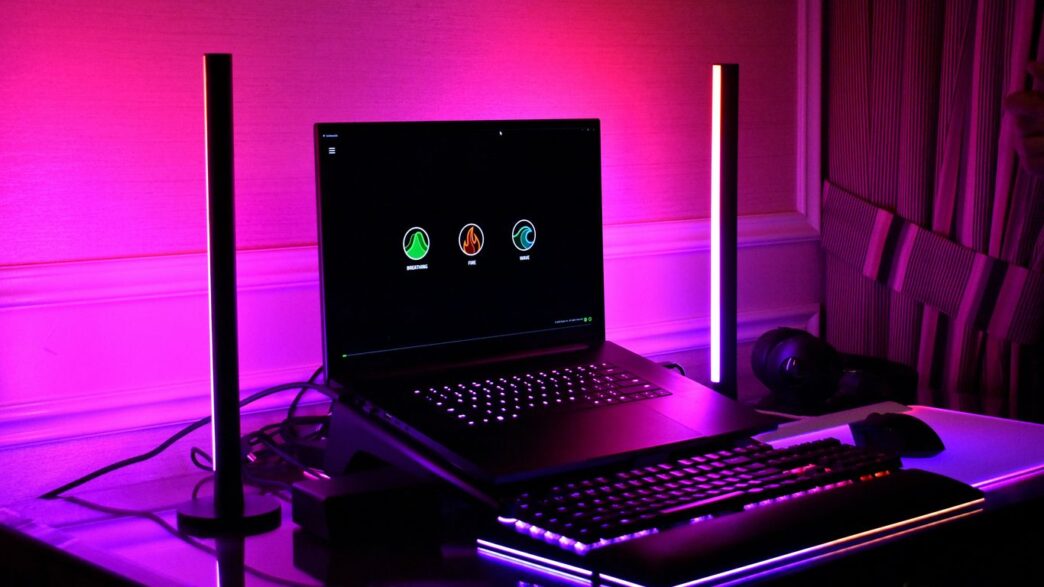
Okay, let’s talk lights. You can’t have a super-expensive PC build in 2026 without some serious RGB action, right? I’ve packed this thing with ten NZXT F120 RGB Duo fans. They look amazing, and they actually move a good amount of air. It’s not just about slapping in as many lights as possible, though. It’s about making it look cohesive. You want the lights to complement the components, not just blind everyone. Think of it like a light show for your hardware. It adds that extra layer of personality to what is otherwise just a collection of very powerful, very expensive parts. It’s the cherry on top of a seriously impressive custom PC build.
Powering The Unprecedented: PSU And Memory Considerations
Alright, so we’ve talked about the flashy bits, the CPU, the GPU, all that good stuff. But what about the stuff that keeps it all running? You can’t just plug a monster like the RTX 5090 and a Ryzen 9 9950X into any old power strip and expect magic. We need serious juice, and the right kind of memory to keep up.
NZXT C1500 PSU: Ensuring Stable Power Delivery
This beast of a machine is going to drink power like it’s going out of style. Nvidia suggests a 1000W PSU for the RTX 5090, but honestly, that feels a bit optimistic when you pair it with a high-end CPU. I’ve opted for the NZXT C1500. Yeah, it’s probably more wattage than strictly necessary, but when you’re pushing this kind of hardware, peace of mind is worth a lot. You don’t want your system to suddenly go dark because of a power hiccup. A robust power supply unit is key to keeping everything stable, especially during those intense gaming sessions or heavy workloads. It’s not just about having enough watts; it’s about consistent, clean power delivery. If you’re looking for top-tier PSUs, checking out reviews for units like the be quiet! Dark Power 13 can give you a good idea of what to aim for.
Teamgroup T-Create Expert DDR5: Capacity Over Speed
When it comes to memory for a build like this, the conversation often swings towards insane speeds. But for a system that’s likely going to be handling massive datasets, complex simulations, or just a ridiculous number of browser tabs while gaming, sheer capacity takes the lead. We’re looking at 64GB of Teamgroup’s T-Create Expert DDR5. While it’s not the absolute fastest DDR5 kit out there, its 6000MHz speed is plenty for this setup, and the massive capacity means you’re unlikely to hit any memory bottlenecks, no matter what you throw at it. It’s about having the headroom to multitask without a second thought.
The Importance Of A Robust Power Supply Unit
Let’s be clear: the PSU is the heart of your PC. It’s not the most glamorous component, but it’s arguably the most important. A cheap or underpowered PSU can cause all sorts of problems, from random shutdowns to component damage. For a system that costs as much as this one, skimping on the PSU is just asking for trouble. You need a unit that’s not only powerful enough but also built with quality components to handle the load reliably. Think of it like this:
- Efficiency Ratings: Look for 80 PLUS certifications (Gold, Platinum, Titanium) to know you’re getting good power conversion.
- Modularity: Fully modular PSUs make cable management a breeze, which is nice for airflow and aesthetics.
- Brand Reputation: Stick with well-known brands that have a track record of producing reliable power supplies.
Choosing the right PSU isn’t just about wattage; it’s about stability, efficiency, and longevity for your entire system.
Navigating The Market For High-End PC Components
Alright, so you’ve got your eye on the absolute best PC money can buy in 2026. That’s awesome, but let’s be real, getting your hands on these top-tier parts can feel like a quest in itself. It’s not just about having the cash; it’s about knowing where to look and what to expect.
The Elusive RTX 5090: Availability and Pricing
This is the big one, isn’t it? The RTX 5090. Finding one at its actual retail price is, well, a bit of a unicorn situation right now. Scalpers are definitely having a field day, slapping on prices that are frankly wild. We’re talking markups that make your eyes water. If you see one listed for MSRP, grab it immediately. It’s a gamble, for sure, but if you’re set on this card, you’ll likely have to pay a premium, or get incredibly lucky.
Component Selection For The Most Expensive PC
When you’re building a machine like this, it’s not just about grabbing the flashiest parts. You need to think about how everything works together. Sure, you want that Ryzen 9 9950X and a beastly GPU, but what about the motherboard? Does it have the right chipset? Is the RAM fast enough, or is it just a lot of capacity? Storage is another thing – you’ll want fast NVMe drives, probably a couple of them, to keep up with all that data. It’s a balancing act, even at the highest end.
Here’s a quick look at what you might be aiming for:
- CPU: AMD Ryzen 9 9950X (or whatever the absolute top-tier AMD/Intel chip is)
- GPU: NVIDIA RTX 5090 (if you can find it!)
- RAM: 64GB or even 128GB DDR5 (capacity over raw speed here)
- Storage: Multiple high-speed PCIe 5.0 NVMe SSDs
- Motherboard: A high-end X870E or Z790 chipset board
Balancing Performance and Cost in Custom Builds
Look, nobody building a PC like this is really worried about saving a few bucks. But that doesn’t mean you should just throw money at the wall. Even with the most expensive components, you can still make bad choices. For instance, is the absolute fastest RAM going to make a noticeable difference over a slightly slower, but much larger, kit when you’re gaming at 4K or doing heavy video editing? Probably not as much as you’d think. It’s about getting the most bang for your buck, even if that buck is, like, five thousand dollars. You want a system that’s powerful, sure, but also one that’s stable and doesn’t have weird bottlenecks because you skimped on the power supply or the motherboard VRMs. It’s a complex puzzle, and sometimes, the ‘best’ part isn’t always the most expensive one.
The Future Of Gaming: Pushing Boundaries With Top-Tier Hardware

4K Gaming Viability With The RTX 5090
So, you’ve got this beast of a graphics card, the RTX 5090. What does it actually mean for playing games? Well, it finally makes 4K gaming feel truly smooth, even without needing all the fancy upscaling tricks like DLSS. We’re talking about hitting those high frame rates at resolutions that used to make even the best cards sweat. It’s a big deal if you’ve been dreaming of a crystal-clear, buttery-smooth experience on a big 4K monitor. This card is the key to unlocking that level of visual fidelity. It’s not just about playing games; it’s about experiencing them as the developers intended, with all the details and smooth motion you can handle.
The Ecosystem Required For Extreme Performance
But here’s the thing: you can’t just slap an RTX 5090 into any old PC and expect magic. It’s like buying a supercar but only putting regular gas in it. You need the right supporting cast. That means a CPU that can keep up, like the Ryzen 9 9950X we talked about, so it doesn’t hold the GPU back. Then there’s the power supply – you need something beefy, like a 1500W unit, to make sure everything stays stable when the card is working its hardest. Don’t forget about the monitor, either. A high-refresh-rate 4K display is pretty much a must to actually see what this GPU can do. It’s a whole system working together.
Longevity Versus Ridiculous Power
Now, the big question: is all this power worth it in the long run? It’s a tough one. On one hand, having the absolute best means you’re set for years. Games will come out, and you’ll likely be able to play them at high settings for a good while. On the other hand, these super-high-end components draw a ton of power and run hot. Does that mean they’ll wear out faster? It’s something to think about. Maybe a slightly less extreme setup, like an RTX 5080 with a more modest CPU, would last just as long, if not longer, and use less electricity. But then again, you wouldn’t have this level of performance. It’s a trade-off between having the ultimate experience right now and potentially having a system that’s just as capable, but maybe a bit more sensible, down the line.
So, What’s the Takeaway?
Look, building a PC that costs as much as a decent used car is… a lot. We saw some seriously powerful parts in these builds, especially that RTX 5090, which is basically a beast. But is it for everyone? Probably not. For most of us, a rig that costs a fraction of these examples will still handle pretty much anything we throw at it, especially at 1440p. These super-expensive setups are more like dream machines, showing off what’s possible when money isn’t really an object. If you’ve got the cash and the need for absolute top-tier performance, then sure, go for it. But don’t feel like you need this kind of setup to enjoy gaming or get work done. There’s a sweet spot out there for everyone, and it’s probably a lot more affordable than you think.
Frequently Asked Questions
Is it really worth spending so much on a PC?
Building a PC like this is like buying a supercar. It’s not for everyone, and it’s definitely not the most practical choice for daily driving. But if you want the absolute best performance and don’t mind the price tag, then yes, it can be worth it for the ultimate gaming or creative experience.
Can I actually get an RTX 5090 easily?
Getting your hands on the RTX 5090 is currently the biggest challenge. It’s super hard to find, and when you do, prices are often much higher than the original suggested price. It’s like trying to find a rare collectible – you might have to search a lot and be prepared to pay extra.
Do I need all these fancy lights and a cool screen on the cooler?
The RGB lights and the fancy screen on the cooler are mostly for looks. They make the PC look awesome and can show off system information, but they don’t really add to the computer’s speed. You can skip them if you want to save some money.
Is 64GB of RAM too much for gaming?
For most games right now, 64GB of RAM is more than enough. While some games might use a lot, you likely won’t need all of it. However, if you do other demanding tasks like video editing or running virtual machines, having that much RAM is super helpful and makes your PC feel faster.
What’s the deal with the power supply? Do I really need such a big one?
Yes, you absolutely need a strong power supply, especially with powerful parts like the RTX 5090 and a high-end CPU. These parts use a lot of electricity. A bigger power supply ensures everything runs smoothly and safely, without causing problems or damaging your components.
Can a regular person build a PC like this?
Building a PC might seem complicated, but modern parts are designed to be put together more easily than before. With good instructions and a bit of patience, even someone who hasn’t built a PC before can put together a high-end machine. There are also lots of online guides and videos to help you out.