The world of virtual reality keeps changing, and companies are always trying to make things better. Bigscreen VR made a splash with their first Beyond headset, known for being super light and having a great picture. Now, they’re back with the Bigscreen Beyond 2, aiming to take things even further with a new level of immersion and comfort. This new headset has a lot of people talking, and it could really change the game for PC VR. Let’s take a closer look at what the Bigscreen Beyond 2 brings to the table.
Key Takeaways
- The Bigscreen Beyond 2 keeps the same sharp micro-OLED screens as the original but adds new pancake lenses for a wider view.
- It’s even lighter than before, weighing only 107 grams, making it comfortable for long VR sessions.
- Adjustable IPD is now included, allowing more people to use the headset comfortably and making it shareable.
- While it offers great visuals and comfort, it still requires a wired connection to a PC and doesn’t come with controllers.
- The Bigscreen Beyond 2e version includes eye-tracking, which is particularly useful for social VR experiences like VRChat.
Bigscreen Beyond 2: A Leap Forward
Alright, so Bigscreen VR is back with the Beyond 2, and they’re really trying to push things forward. Remember the first Beyond? It was super tiny and light, which was pretty wild. Now, they’ve taken that idea and apparently made it even better. It feels like they’re aiming for people who want the absolute best PC VR experience without feeling like they’re wearing a brick on their face.
Redefining Immersion with Next-Generation Optics
They’re sticking with those great micro-OLED screens from the first one, which is good because they looked amazing. The big news here is the new pancake lenses. These are supposed to give you a much wider view, making it feel more like you’re actually in the virtual world instead of just looking through binoculars. Plus, they say the picture should be clearer all the way to the edges, which is something a lot of VR headsets struggle with. It’s all about making what you see feel more real.
Enhanced Comfort Through Lighter Design
This is where Bigscreen really seems to shine. The original Beyond was already incredibly light, but the Beyond 2 apparently shaves off even more weight. We’re talking about something that weighs less than a can of soda. This is a huge deal for anyone who’s spent hours in VR and started feeling the strain. They’ve also added adjustable IPD (that’s the distance between your pupils), which is a big deal. It means more people can use it comfortably, and you can actually share it with someone else without everything looking blurry.
The Beyond 2e: Integrated Eye-Tracking Capabilities
For the folks who really want the cutting edge, there’s the Beyond 2e. This version throws in eye-tracking. Why is that cool? Well, it can make things look sharper where you’re actually looking, which can help with performance. It also means more natural interactions in virtual spaces, especially for social VR apps like VRChat. Imagine your avatar’s eyes moving realistically when you talk to someone – that’s the kind of thing eye-tracking enables. It’s a pretty neat addition for those who want that extra layer of realism.
Visual Fidelity and Optical Advancements
When we talk about VR headsets, the display panels get a lot of attention, and for good reason. But honestly, the lenses and how the image is presented through them matter just as much, if not more. The Bigscreen Beyond 2 really leans into this, trying to give you the best possible view.
Retaining Micro-OLED Excellence
Bigscreen is sticking with those sweet micro-OLED displays, and I’m totally here for it. If you’ve ever experienced them, you know what I’m talking about – the colors are just so vibrant, and the blacks are black. It makes watching movies or just being in a virtual space feel way more real. Plus, with the headset blocking out all the light, you get this private cinema vibe that’s hard to beat. It’s a big part of why this headset feels so good for long sessions, especially if you’re just kicking back to watch something.
Pancake Lenses for Wider Field of View
They’ve gone with pancake lenses here, which is a pretty big deal. These allow for a much slimmer profile, but more importantly for us users, they help push the field of view wider. We’re talking about a diagonal field of view that’s competitive with, and in some cases even beats, other big names out there. This means you can see more of the virtual world without having to turn your head as much. It really helps with that feeling of being in the environment rather than just looking at a screen.
Edge-to-Edge Clarity and Reduced Glare
One of the common complaints with VR headsets is that the image can get a bit fuzzy or distorted around the edges. Bigscreen seems to have put a lot of work into fixing that with the Beyond 2. They’re aiming for clarity all the way to the edges of your vision, which makes a huge difference. While there might still be a tiny bit of chromatic aberration compared to some other headsets, it’s gotten a lot better with software updates. They’ve also worked on reducing glare, so you’re not seeing those annoying light blooms that can pull you out of the experience. The goal is a sharp, clear image no matter where you’re looking within the headset’s view.
Ergonomics and User Experience
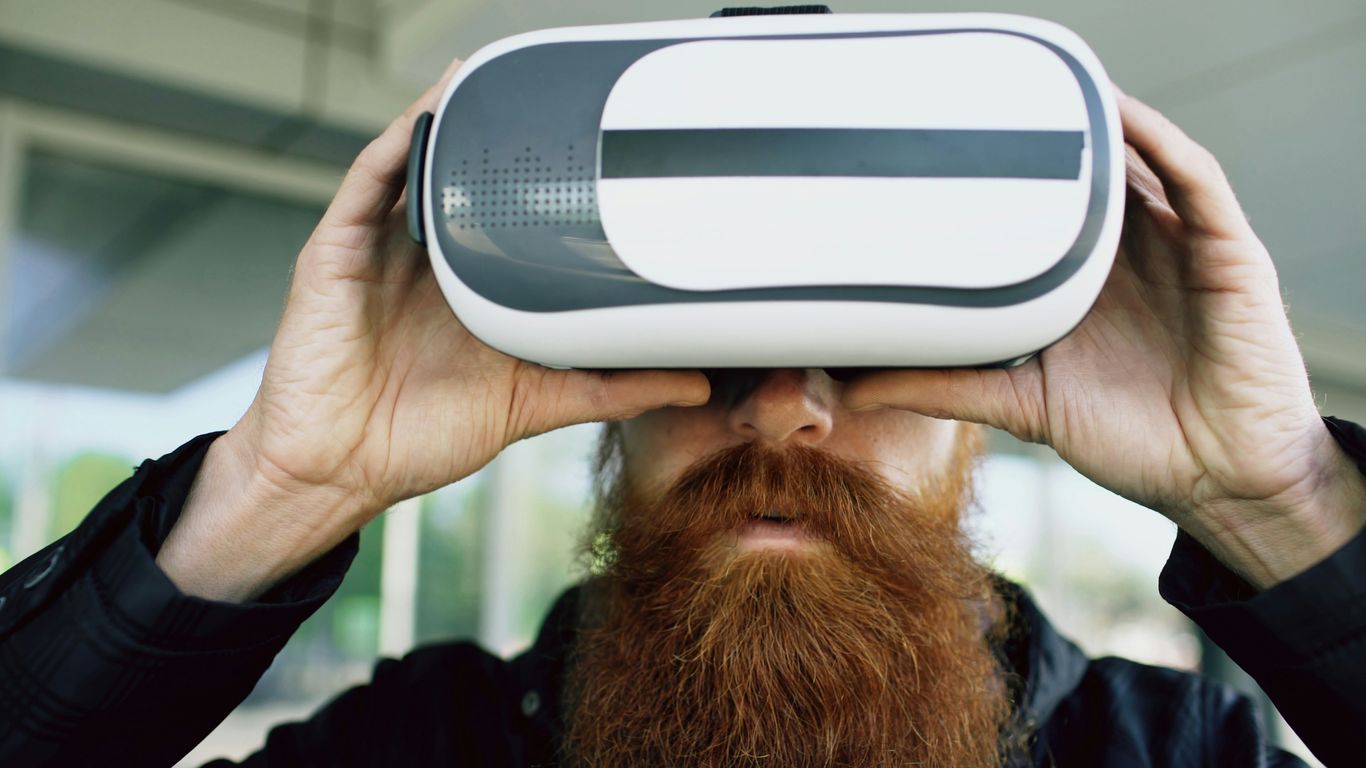
When you’re spending hours lost in a virtual world, whether it’s for a movie marathon, a long gaming session, or just hanging out with friends, comfort is king. Bigscreen Beyond 2 really leans into this, aiming to make the headset feel like it’s barely there.
Featherlight Construction for Extended Sessions
This headset is seriously light. We’re talking about a design philosophy where every gram counts. The Beyond 2 tips the scales at a mere 107 grams. To put that in perspective, that’s significantly lighter than many other high-end VR headsets out there. For instance, the Meta Quest 3 is over five times heavier, and some other premium options can weigh close to a kilogram. This drastic weight reduction means less strain on your neck and face, making those multi-hour VR adventures much more enjoyable. You can finally forget you’re wearing a headset and just get lost in the experience.
Adjustable IPD for Wider Accessibility
Getting the visuals just right is key to comfort and preventing eye strain. The Beyond 2 features adjustable Interpupillary Distance (IPD). This means you can physically move the lenses closer together or further apart to match the distance between your pupils. It’s a simple but important adjustment that helps ensure a clear, focused image for a wider range of users. No more blurry or doubled images – just a crisp view tailored to you.
Ultra-Lightweight Fiber Optic Cable
Even the cable has been thought about. Instead of using standard, heavier copper cables, the Beyond 2 opts for an ultra-lightweight fiber optic cable. This might seem like a small detail, but when you’re moving around, a lighter, more flexible cable makes a noticeable difference. It reduces drag and the feeling of being tethered, contributing to that overall sense of freedom and comfort during use.
Bigscreen Beyond 2 vs. The Competition
So, how does the Bigscreen Beyond 2 stack up against the other big players in the VR space? It’s a bit of a mixed bag, honestly. While the Beyond 2 is aiming for a super premium, PC-focused experience, other headsets offer different strengths.
Wired Connection Limitations
One of the most noticeable differences is that the Beyond 2 sticks to a wired connection. This means you’re tethered to your PC, which is fine for sitting down or staying put, but it definitely limits your freedom of movement compared to wireless options. Think about trying to dodge in a fast-paced game – that cable can get in the way. While wired connections usually mean a more stable signal and higher data speeds, the lack of wireless capability, like what you get with the Meta Quest 3, is a trade-off for convenience and a less cluttered setup.
SteamVR Ecosystem Integration
The Beyond 2 is all-in with SteamVR. This is great because you get access to a massive library of games and apps. However, it also means you’re pretty much locked into that ecosystem. Some other headsets, like the Quest 3 or even the PlayStation VR2, have their own stores and platforms, offering a different kind of curated experience or broader compatibility.
Controller and Standalone Operation Differences
Here’s another point: the Beyond 2 doesn’t come with its own controllers. You’ll need to pair it with something like Valve Index Controllers, which adds to the overall cost if you don’t already have them. Many competitors, on the other hand, bundle their own controllers, giving you a complete package right out of the box. Plus, unlike headsets that can run on their own, the Beyond 2 absolutely needs a powerful PC to do anything. This makes it less flexible for quick sessions or if you don’t have a top-tier gaming rig ready to go.
A Specialized Headset for Enthusiasts
Designed for Movies, Sims, and Social VR
Look, the Bigscreen Beyond 2 isn’t really trying to be an all-in-one gadget for everyone. It’s built with a specific kind of user in mind – the folks who really want to get lost in VR. Think about it: if you’re spending hours watching movies in Bigscreen, or doing those super detailed flight sims, you need visuals that just pull you in. The micro-OLED screens here are great for that, giving you bright colors and really deep blacks. Plus, that whole "screen door effect" thing, where you can see the pixels? It’s pretty much gone, which is a big deal for feeling like you’re actually there. The optics are sharp from edge to edge, and the field of view is pretty wide, hitting about 116 degrees diagonally. It really stacks up well against other high-end headsets out there.
The Beyond 2e: Integrated Eye-Tracking Capabilities
Now, for the VRChat crowd, there’s something extra special. Bigscreen has teamed up with VRChat itself to create the Beyond 2e. This version is really tuned for social VR experiences. While the eye-tracking in the standard Beyond 2 is more for things like spatial computing, the 2e edition is looking to make your avatar feel more alive. It’s not quite ready for super advanced facial expressions like some other headsets might aim for, but it’s a step in that direction for VRChat users. They’re working on making it work better for avatar input, so your virtual self can be a bit more expressive. It’s a partnership that shows they’re serious about catering to the social VR community.
Compatibility with Full-Body Tracking Accessories
If you’re into VRChat or other social VR apps, you probably know that full-body tracking (FBT) can really change the game. It makes your avatar move more naturally, which is pretty cool. The Beyond 2 is built to play nice with the SteamVR ecosystem. This is good news if you’ve already invested in FBT gear like Vive Trackers or Tundra Trackers. You won’t have to ditch your old accessories and buy new ones. You can just plug them in and keep using them, which is a nice touch for people upgrading their setup. It means you can get right into those immersive social experiences without a whole lot of extra hassle.
Comparing Premium VR Offerings
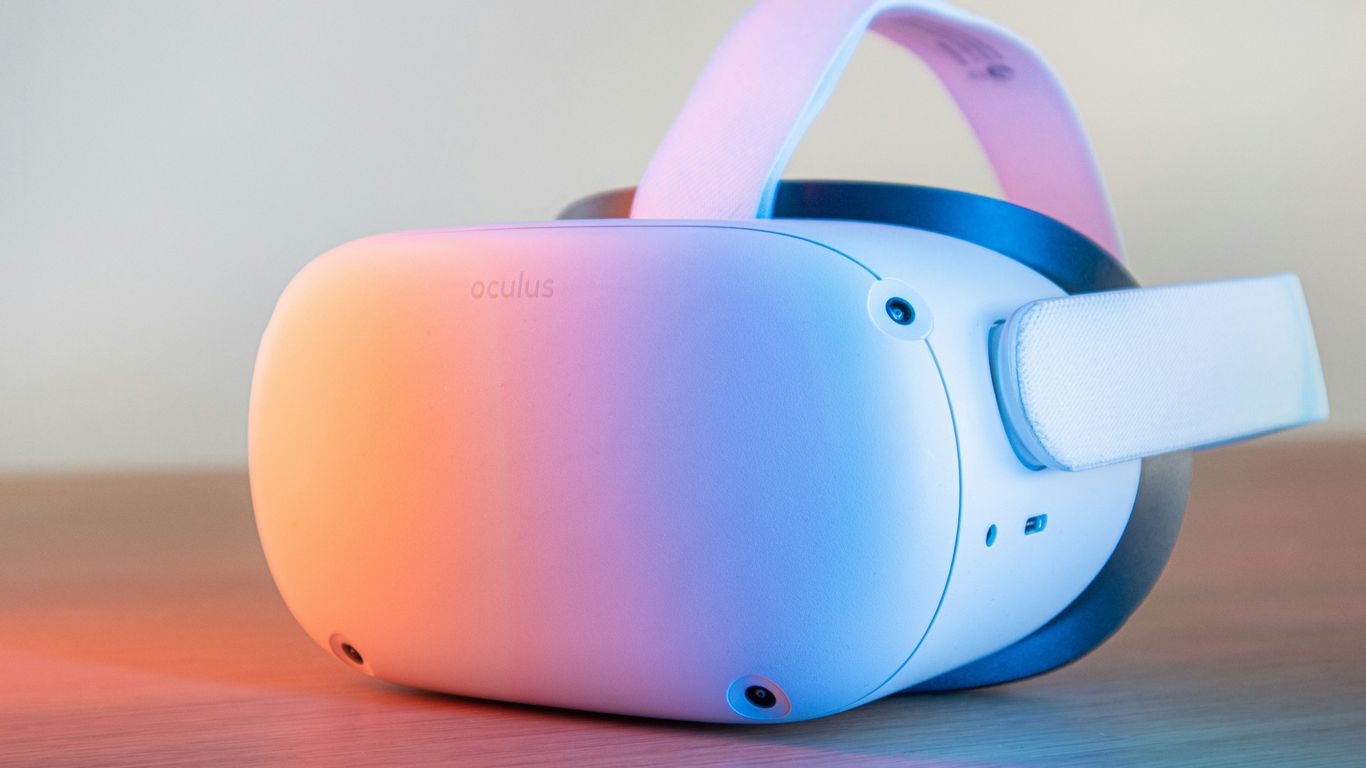
Alright, so we’ve talked a lot about the Bigscreen Beyond 2, but how does it stack up against the other big players out there? It’s a crowded market, and honestly, each headset has its own thing going for it. It’s not really a simple ‘better or worse’ situation, you know?
Apple Vision Pro: Spatial Computing vs. Pure VR
First up, the Apple Vision Pro. This thing is definitely a looker, and its dual micro-OLED screens are pretty wild, offering super high resolution and great colors. It’s really pushing this idea of ‘spatial computing,’ which is kind of a fancy way of saying it blends the digital world with your real one. But, and it’s a big ‘but,’ it costs a pretty penny, starting at $3499. Plus, it’s really tied into Apple’s whole ecosystem. If you’re deep in the Apple world, maybe it makes sense, but for pure VR experiences, especially those tied to PC gaming, it’s a different beast than the Beyond 2. The Beyond 2 is all about that PC VR immersion, while the Vision Pro is aiming for something broader.
PlayStation VR2: Console Gaming Focus
Then there’s the PlayStation VR2. If you’re a PlayStation 5 owner, this is a solid choice for gaming. The OLED screens are sharp, and the 120Hz refresh rate makes things feel really smooth. It can technically work with a PC, but it’s not as straightforward or as compatible as a headset built from the ground up for PC VR, like the Beyond 2. Also, it’s a bit of a chonker, weighing in at around 560 grams. That might not sound like much, but after a few hours, you’ll probably feel it. The Beyond 2, with its focus on being super light, is definitely aiming for longer, more comfortable sessions.
Meta Quest 3: Standalone Versatility
The Meta Quest 3 is a really popular option, and for good reason. It’s a standalone headset, meaning you don’t need a PC to use it, which is a huge plus for a lot of people. You can jump into games and apps right out of the box. It also does a decent job with mixed reality. However, when you compare its visual fidelity and optics directly to something like the Bigscreen Beyond 2, the Beyond 2 generally pulls ahead, especially in terms of clarity and field of view. The Quest 3 is a great all-rounder, but the Beyond 2 is more of a specialist, built for those who prioritize the absolute best visual experience for PC VR. You can find some great deals on the Meta Quest 3 if you’re looking for a more accessible entry point.
Pimax Crystal Light: Resolution and Field of View
Now, Pimax has always been about pushing the boundaries, and the Crystal Light is no exception. They often pack in incredibly high resolutions and wide fields of view, which is fantastic for immersion. However, Pimax headsets can sometimes be a bit more complex to set up and might not always have the same polish in terms of software and user experience as some of the more mainstream options. They’re definitely for the enthusiast who wants the absolute maximum specs, even if it means a bit more tinkering. The Bigscreen Beyond 2 aims for that enthusiast market too, but perhaps with a slightly more refined user experience focused on its specific strengths.
Wrapping Up the Bigscreen Beyond 2
So, what’s the final word on the Bigscreen Beyond 2? It’s clear this headset is aiming for a very specific kind of user – someone who prioritizes a super light, comfortable, and visually sharp PC VR experience above all else. The improvements like the wider field of view and adjustable IPD are big steps forward, especially for those who found the original a bit limiting. It’s not trying to be everything to everyone, and that’s okay. If you’re deep into PC VR, love movies or sims, and want something that feels almost like it’s not even there, the Beyond 2 is definitely worth a close look. Just remember to factor in the need for a powerful PC and separate controllers if you don’t already have them. It’s a niche product, but for that niche, it looks pretty darn good.
Frequently Asked Questions
What makes the Bigscreen Beyond 2 different from the first one?
The Bigscreen Beyond 2 is lighter, weighing only 107 grams, and has new pancake lenses that give you a wider view, making it feel more like you’re really there. It also lets you adjust the distance between your eyes, which the first one couldn’t do.
Is the Bigscreen Beyond 2 wireless?
No, the Bigscreen Beyond 2 still needs to be plugged into a computer with a wire to work. This means you have more freedom to move around without worrying about battery life, but you can’t use it completely wirelessly like some other headsets.
Does the Bigscreen Beyond 2 come with controllers?
The Bigscreen Beyond 2 doesn’t include its own controllers. You’ll need to use controllers that work with SteamVR, like the Valve Index Controllers. This is great if you already have them, but it means buying extra gear if you don’t.
What is the ‘Beyond 2e’ version?
The Beyond 2e is a special version that includes eye-tracking technology. This means the headset can follow where your eyes are looking, which can make games and social VR experiences feel more real and help improve performance.
Who is the Bigscreen Beyond 2 for?
This headset is mainly for people who really love VR and want the best experience for watching movies, playing simulation games, or hanging out in social VR apps like VRChat. It’s designed for comfort and amazing visuals when connected to a powerful PC.
How does the Bigscreen Beyond 2 compare to other VR headsets like Meta Quest 3 or Apple Vision Pro?
The Bigscreen Beyond 2 is super light and focuses on top-notch visuals for PC VR. The Meta Quest 3 is more versatile because it can be used without a PC and has mixed reality. The Apple Vision Pro is more about ‘spatial computing’ and is very expensive. The Beyond 2 is for those who prioritize comfort and pure VR immersion.