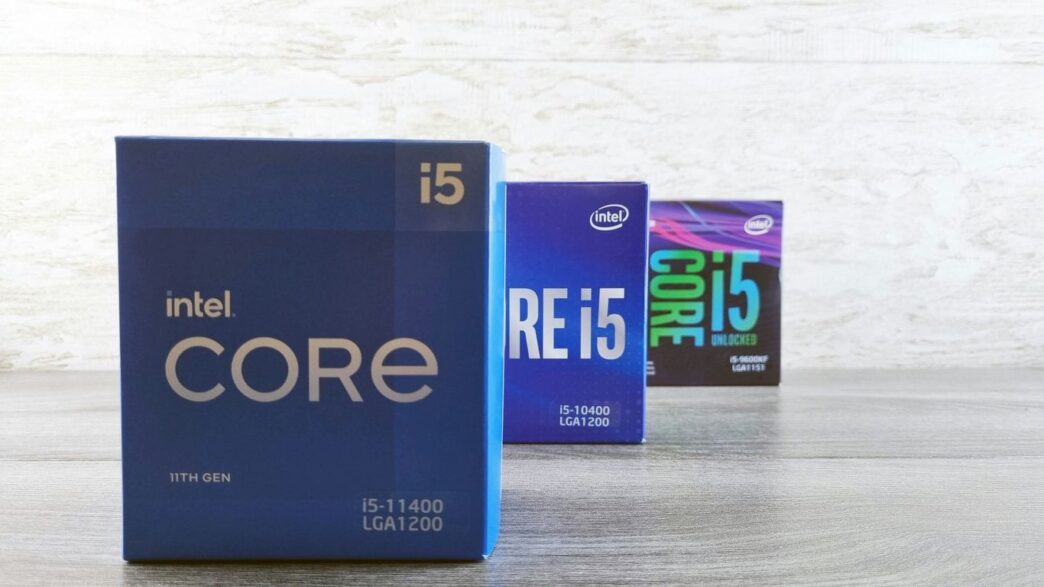
So, you’re building a new PC and staring down the barrel of all those processor options. Intel’s Core i3, i5, and i7 lines can seem pretty similar at first glance, but they actually pack different levels of punch for your money. Figuring out which one fits your needs and budget is key to getting a rig that runs just right, whether you’re mostly gaming, doing some heavy lifting with work stuff, or just want a smooth experience for everyday tasks. Let’s break down what makes them tick and help you pick the right one.
Key Takeaways
- The main difference between Core i3, i5, and i7 processors comes down to their performance capabilities, which are influenced by factors like clock speed, the number of cores and threads, and cache size. Generally, i3 is for basic tasks, i5 offers a good balance for gaming and general use, and i7 is for more demanding applications and high-end gaming.
- When choosing a CPU, consider your primary use case. For entry-level gaming and everyday computing, an i3 might suffice. For mid-range gaming and multitasking, an i5 is often the sweet spot. For high-end gaming, content creation, or heavy workloads, an i7 provides more power.
- Don’t forget about the rest of your system. A powerful CPU paired with a weak graphics card won’t give you the best gaming performance. Aim for a balanced build where your CPU and GPU complement each other based on your budget and intended use.
- AMD and Intel are the two main players. While Intel often leads in raw single-core performance, AMD frequently offers better value, especially in the budget and mid-range segments. AMD processors are also noted for their strong performance in video encoding and livestreaming.
- Pay attention to specifications like clock speed (especially turbo speed for gaming), core and thread count, and L3 cache size, as these directly impact how your processor performs. Also, ensure your chosen CPU’s Thermal Design Power (TDP) is compatible with your cooling solution.
Understanding the Core i3 vs i5 vs i7 Landscape
Alright, let’s talk about the heart of your next PC build: the processor. It’s the brain, the engine, the whole shebang that makes everything happen. When you’re looking at Intel CPUs, you’ll see these numbers – i3, i5, i7 – and they’re not just random letters and numbers. They actually tell you a lot about what the chip can do. Think of it like car models: a basic sedan, a sporty coupe, and a powerful SUV. Each has its place, and each is built for different kinds of driving.
Intel vs. AMD: The Brand Battle
First off, you’ve got two main players in the CPU game: Intel and AMD. It’s kind of like Coke vs. Pepsi, or Ford vs. Chevy. Both make great processors, but they have their own strengths. Historically, Intel has often been the go-to for top-tier gaming performance, while AMD has been known for offering a bit more bang for your buck, especially on a tighter budget. Recently though, AMD has really stepped up its game, especially with their Ryzen chips, and the lines have gotten blurrier. For most people, picking between them comes down to what you want to do with your PC and how much you’re willing to spend. We’ll mostly focus on Intel’s i-series here, but keep in mind AMD has its own similar lineup (Ryzen 3, 5, 7, etc.) that follows a lot of the same logic.
Core i3, i5, i7: The Tiered Structure
So, what do these numbers actually mean? Intel uses a tiered system, and it’s pretty straightforward once you get the hang of it:
- Core i3: These are your entry-level processors. They’re good for basic tasks like browsing the web, checking email, and light office work. If you’re building a PC on a really tight budget or just need something for everyday use, an i3 can get the job done. They’re usually the most affordable option.
- Core i5: This is often the sweet spot for many PC builders, especially gamers. An i5 offers a solid balance of performance and price. It can handle most modern games well, run productivity software without breaking a sweat, and is generally a great all-around chip for a mid-range build.
- Core i7: Stepping up, the i7 processors are for those who need more power. They’re great for demanding tasks like high-end gaming, video editing, streaming, and running complex simulations. If you want a PC that can handle pretty much anything you throw at it, an i7 is a strong contender.
There are also i9 processors, which are even more powerful, but for this comparison, we’re focusing on the i3, i5, and i7 tiers as they represent the most common choices for a wide range of users.
Current Generation Processors to Consider
When you’re shopping, you’ll want to look at the latest generations. For Intel, this generally means checking out their 12th, 13th, or 14th generation processors (sometimes called Alder Lake, Raptor Lake, or Meteor Lake). These generations brought significant improvements in performance and efficiency. For example, Intel started using a mix of ‘Performance-cores’ (P-cores) and ‘Efficient-cores’ (E-cores) in their newer chips. The P-cores handle the heavy lifting for demanding tasks, while the E-cores manage background processes and less intensive work, saving power. It’s a smart way to get good performance without draining your battery or racking up a huge electricity bill.
- 12th Gen (Alder Lake): Introduced the hybrid architecture with P-cores and E-cores.
- 13th Gen (Raptor Lake): Refined the hybrid architecture, offering more cores and higher clock speeds.
- 14th Gen (Raptor Lake Refresh): Further boosts in clock speeds and minor tweaks over the 13th gen.
Always try to aim for the most recent generation you can afford, as they typically offer the best performance and features for the money.
Key Specifications for Core i3 vs i5 vs i7
Alright, so you’re looking at CPUs and seeing all these numbers and letters, and it can get a bit confusing, right? Let’s break down what actually matters when you’re comparing an i3, i5, and i7. It’s not just about the name; there are some technical bits that make a real difference in how your computer performs.
Clock Speed: Base vs. Turbo
Think of clock speed like the engine’s RPMs on a car. It’s how fast the processor can do its work. You’ll see two numbers: base clock speed and turbo clock speed. The base speed is what the CPU runs at normally. But when you ask it to do something demanding, like playing a game or editing a video, the turbo speed kicks in. This turbo speed is usually the more important one for performance-heavy tasks like gaming. It’s the maximum speed the CPU can hit when it needs that extra power.
Cores and Threads Explained
Cores are like the individual workers inside your CPU. More cores mean the CPU can handle more tasks at the same time. These days, CPUs often have multiple cores, and you’ll see anywhere from 4 up to 24 or even more in high-end chips. Threads are a bit like virtual workers. Technologies like Intel’s Hyper-Threading or AMD’s SMT let one physical core act like two logical threads. This helps when running programs that can use lots of threads, making things smoother.
Some CPUs, like Intel’s, have different types of cores: Performance-cores (P-cores) for heavy lifting and Efficient-cores (E-cores) for background tasks to save power. Others, like AMD’s, tend to have all cores that are pretty much the same.
The Importance of CPU Cache
CPU cache is like a tiny, super-fast notepad right next to the processor. It stores information the CPU uses a lot, so it doesn’t have to go all the way to the main memory (RAM), which is slower. There are different levels of cache (L1, L2, L3), but L3 cache is generally the biggest and has the most impact on gaming. Some AMD CPUs even have special tech called 3D V-Cache that puts even more cache right on top of the cores, which can really boost gaming performance.
Understanding TDP and Cooling Needs
TDP stands for Thermal Design Power. Basically, it’s a measure of how much heat a CPU can produce when it’s working hard, measured in watts. A higher TDP means the CPU uses more power and gets hotter. This is super important because you need a CPU cooler that can handle that heat. If your cooler isn’t good enough, your CPU might slow itself down to avoid overheating, or worse, get damaged. Always check your CPU’s TDP and make sure your cooler can handle it.
Here’s a quick look at how these specs generally scale:
| Specification | Core i3 | Core i5 | Core i7 |
|---|---|---|---|
| Clock Speed | Lower | Medium | Higher |
| Cores/Threads | Fewer | Moderate | More |
| Cache (L3) | Smallest | Medium | Largest |
| TDP | Lower | Medium | Higher |
Performance Benchmarks for Core i3 vs i5 vs i7
So, you’re wondering how these different Intel Core processors actually stack up when you put them to the test, right? It’s not just about the numbers on the box; it’s about what they can do in the real world, especially when you’re gaming. We’ll break down how the i3, i5, and i7 lines generally perform across different gaming scenarios.
Entry-Level Gaming Performance
For those just getting into PC gaming or sticking to less demanding titles, an Intel Core i3 can be a solid choice. It’s usually enough to get you into the game without breaking the bank. You’ll likely be looking at base clock speeds that are decent, and while they might not have the highest turbo speeds, they can handle many popular games at respectable frame rates, especially when paired with a capable graphics card. Think of it as the reliable starter option. For example, comparing older generations like the i3-7100 against newer budget options shows how far entry-level has come.
Mid-Range Gaming Capabilities
This is where things get really interesting for a lot of people. The Core i5 processors really hit a sweet spot. They offer more cores and threads than the i3, and often higher clock speeds. This means they can handle more complex games, multitask better if you’re doing other things while gaming, and generally provide a smoother experience. You’ll see better performance in games that are more CPU-intensive. If you’re aiming for a balanced build that can play most modern games well without going overboard on cost, the i5 is often the go-to.
High-End Gaming Powerhouses
When you want the absolute best, or you’re pushing the highest resolutions and refresh rates, the Core i7 processors come into play. These chips typically boast the most cores, highest clock speeds, and largest caches within their respective generations. This translates to top-tier performance, especially in demanding titles and scenarios where every frame counts. While an i7 might be overkill for some, if you’re building a no-compromise gaming rig or planning on heavy multitasking alongside gaming, like streaming, it’s definitely worth considering.
Here’s a general idea of how they stack up in gaming:
- Core i3: Good for esports titles, older games, and general use. Might struggle with very demanding new releases at high settings.
- Core i5: Excellent for most modern games at 1080p and 1440p. Offers a great balance of performance and price.
- Core i7: Ideal for high-refresh-rate gaming, 4K gaming, and demanding simulation or strategy games. Also great for streaming while gaming.
Keep in mind that the graphics card is still a huge part of the gaming equation. A powerful CPU paired with a weak GPU won’t give you the best results, and vice-versa. It’s all about finding that right balance for your specific needs and budget.
Beyond Gaming: Other Use Cases
So, you’ve got your gaming rig sorted, but what if your PC needs to do more than just crunch frames? Turns out, the processor you pick can make a big difference in other areas too. It’s not all about frame rates, you know.
Livestreaming and Video Encoding
If you’re thinking about streaming your gameplay or editing videos, the CPU really steps into the spotlight. For tasks like video encoding, which is basically how your computer compresses video files, some processors are just better suited. AMD’s Ryzen processors, especially their higher-end models, have a reputation for handling this kind of work really well. They seem to have a knack for video encoding, which means you might get smoother streams or faster export times compared to some Intel chips. For serious streamers and video editors, an AMD Ryzen 7 or Ryzen 9 is often a solid choice.
Here’s a quick look at how different tiers might handle these tasks:
- Core i3 / Ryzen 3: Okay for basic streaming or light video editing, but you might notice some stuttering or longer render times. Best for casual users.
- Core i5 / Ryzen 5: A good middle ground. Can handle decent quality streams and moderate video editing without too much fuss. A popular choice for many creators.
- Core i7 / Ryzen 7: Excellent for high-quality streaming and more demanding video editing. You’ll see faster encoding and smoother multitasking.
- Core i9 / Ryzen 9: Top-tier performance. Ideal for professional video editing, 4K content creation, and running multiple demanding applications simultaneously.
Productivity Software Optimization
When you’re working with productivity software, like the Adobe Creative Suite (think Photoshop, Premiere Pro, After Effects) or even complex spreadsheets, the CPU choice can matter. Some software is actually built to take better advantage of specific processor architectures. Intel has historically had some strong optimizations for certain professional applications. This doesn’t mean AMD can’t handle them, but if your daily grind involves heavy use of specific Intel-optimized programs, it might be worth looking into. Always check the recommended system requirements for the software you use most often. It’s a bit like picking the right tool for the job – you want one that’s designed to do it well.
General Computing Tasks
For everyday stuff – browsing the web, checking emails, writing documents, watching videos – most modern CPUs will do a perfectly fine job. An Intel Core i3 or an AMD Ryzen 3 is usually more than enough. You probably won’t notice a huge difference between an i3 and an i7 when you’re just surfing the web. However, if you tend to have a ton of browser tabs open, run multiple applications at once, or switch between tasks frequently, a more powerful CPU like an i5 or i7 will make things feel snappier and more responsive. It’s about how smoothly you can juggle all those open windows without the computer slowing down.
Budgeting Your Processor Choice
Alright, let’s talk about the money side of things. Picking a CPU isn’t just about picking the fastest chip you can find; it’s about making smart choices so your whole PC build works well together. Spending too much on a processor can actually hurt your gaming performance because you’ll have less cash for the graphics card, which is usually the real workhorse for games.
Balancing CPU with Graphics Card
Think of it like building a team. You don’t want one superstar player who hogs all the attention and leaves the rest of the team struggling. The same goes for your PC. A super powerful CPU paired with a weak graphics card is like having a race car engine in a bicycle frame – it just doesn’t make sense. You need a balance. For example, if you’re looking at a mid-range graphics card like an NVIDIA RTX 3060, an Intel Core i5 or AMD Ryzen 5 is usually a sweet spot. Trying to pair that same card with a top-tier Core i9 or Ryzen 9 might be overkill for the CPU and leave you wishing you’d put that extra money into a better GPU.
Here’s a rough guide to help you match things up:
| Graphics Card | Recommended CPU Tier (Intel/AMD) |
|---|---|
| NVIDIA GTX 1650 | Core i3 / Ryzen 3 |
| NVIDIA GTX 1660 Super | Core i3/i5 / Ryzen 3/5 |
| NVIDIA RTX 3060 | Core i5 / Ryzen 5 |
| NVIDIA RTX 3070 | Core i5/i7 / Ryzen 5/7 |
| NVIDIA RTX 3080 | Core i7 / Ryzen 7 |
| NVIDIA RTX 4080 | Core i7/i9 / Ryzen 7/9 |
| NVIDIA RTX 4090 | Core i9 / Ryzen 9 |
This is a general guideline, and specific game or application needs can change these recommendations.
Value Proposition of Each Tier
So, what do you get with each tier, budget-wise?
- Core i3 / Ryzen 3: These are your entry-level chips. They’re great for basic tasks, light gaming, and if you’re really trying to keep costs down. You won’t be pushing the latest games at ultra settings, but they get the job done for everyday use and casual gaming.
- Core i5 / Ryzen 5: This is often the sweet spot for most people. You get a solid performance boost over the i3/Ryzen 3 without breaking the bank. They handle mid-range gaming, multitasking, and general productivity really well. For many builds, this is where you get the most bang for your buck.
- Core i7 / Ryzen 7: Stepping up here means more cores, more threads, and generally higher clock speeds. These are for gamers who want higher frame rates, people doing more demanding tasks like video editing or streaming, or those who just want a bit more headroom for the future.
- Core i9 / Ryzen 9: These are the top dogs. If you need the absolute best performance for heavy-duty tasks, professional workloads, or extreme gaming, these are your chips. However, they come with a premium price tag and often require more robust cooling solutions.
Long-Term Investment Considerations
When you’re buying a CPU, you’re not just buying something for today. You want it to last, right? Think about how long you plan to keep this PC. If you’re someone who upgrades every couple of years, maybe a mid-tier chip is fine. But if you’re hoping this build will see you through the next five or more years, it might be worth stretching for a slightly more powerful CPU now. This way, it’s less likely to feel outdated when newer games or software come out. Also, consider what you might want to do with the PC down the line. Planning to get into streaming next year? Maybe an i7/Ryzen 7 makes more sense now than an i5/Ryzen 5, even if you don’t stream today. It’s about future-proofing your investment a little bit.
Advanced Processor Features
So, we’ve talked about the basics like clock speed and cores, but there are a few more things to consider when picking your CPU, especially if you’re looking to squeeze every last drop of performance out of your system or just want to make sure everything fits together right.
Overclocking Potential and Risks
Overclocking is basically pushing your CPU to run faster than its factory settings. Think of it like giving your engine a tune-up to get a bit more horsepower. You can often get a decent performance boost, sometimes 5-20%, without spending extra cash on a new chip. It’s done by tweaking settings like the clock multiplier and voltage. However, it’s not all sunshine and rainbows. Running your CPU faster generates more heat, uses more power, and can shorten its lifespan if you’re not careful. Plus, you might run into stability issues, meaning your computer could crash unexpectedly. It’s definitely something to approach with caution and good cooling.
CPU Socket Compatibility
This one’s pretty straightforward but super important. The CPU socket is the physical slot on your motherboard where the processor sits. Intel and AMD use different socket designs, and even within those brands, sockets change over the years. If you buy a CPU and a motherboard with incompatible sockets, the CPU simply won’t fit, or worse, it might not work at all. Always double-check that your chosen CPU’s socket type matches the socket on your motherboard. It’s a common mistake for beginners, and it means your PC won’t even boot up.
The Role of Hyper-Threading and SMT
Hyper-Threading (Intel) and SMT (Simultaneous Multi-Threading, AMD) are technologies that let a single CPU core handle multiple tasks at once. It’s like giving each worker a second pair of hands. This can really help out in applications that are designed to use lots of threads, like video editing or complex simulations. For gaming, the impact can vary. While more threads can be beneficial, especially in newer titles, having strong individual cores is often more important for raw gaming performance. It’s a bit of a balancing act, and you’ll see it mentioned alongside the core count, often doubling the number of ‘logical processors’ you have compared to physical cores.
Wrapping It Up: Your CPU Choice Matters
So, we’ve gone over the ins and outs of Intel’s i3, i5, and i7 processors. Honestly, picking the right one isn’t some super complicated puzzle. For everyday stuff and light gaming, an i3 is usually fine and won’t break the bank. If you’re into more serious gaming or multitasking, an i5 hits a sweet spot, offering good performance without costing a fortune. And for the power users, streamers, or those who just want the absolute best, the i7 is there, but make sure you’ve got the budget and the rest of your PC can keep up. Remember, it’s all about balancing your needs with your wallet. Don’t overspend on a CPU if it means skimping on your graphics card, because that’s usually where you’ll see the biggest difference in games. Think about what you’ll actually be doing with your PC, and choose accordingly. Happy building!
Frequently Asked Questions
What’s the main difference between Intel Core i3, i5, and i7 processors?
Think of them like different gears in a car. The i3 is like first gear – good for basic tasks. The i5 is like second or third gear – great for everyday use and most games. The i7 is like fourth or fifth gear – it’s faster and better for demanding jobs like video editing or high-end gaming.
Should I pick Intel or AMD for my PC build?
Both Intel and AMD make great computer brains! Intel often costs a bit more but can be super fast for gaming. AMD usually gives you more bang for your buck, meaning you get good performance for a lower price. If you plan to stream games, AMD is often recommended because it’s good at handling video tasks.
How do clock speed and cores affect my PC’s performance?
Clock speed is like how fast the processor can think, measured in GHz. A higher number means it can do more things quicker. Cores are like having multiple brains working together. More cores mean your computer can handle more tasks at once, which is great for multitasking and complex games.
What is CPU cache and why does it matter?
CPU cache is a tiny, super-fast memory right on the processor. It stores information the CPU uses a lot, so it doesn’t have to fetch it from slower memory. More cache, especially L3 cache, usually means better performance, particularly in games. AMD has a special type called 3D V-Cache that’s really good for gaming.
How important is the graphics card (GPU) compared to the CPU?
For gaming, the graphics card is usually more important than the CPU. It’s the part that actually draws the pictures on your screen. Spending too much on a super-powerful CPU and not enough on the GPU can actually make your games run slower. It’s best to have a balanced setup where both parts work well together.
Do I need a special cooler for my CPU?
Most CPUs come with a basic cooler, called a stock cooler, which is usually fine for everyday tasks. But if you get a more powerful CPU (like an i7 or i9) or plan to push it hard with gaming or other demanding tasks, you might need a better cooler. These can be bigger air coolers or liquid coolers (AIOs) to keep things from getting too hot.