So, NVIDIA’s new 5090 graphics card is out, and it’s a big deal. People have been talking about it for ages, and now we’re finally seeing what it can do. It’s supposed to be super powerful for games and all sorts of AI stuff. But, like most new tech releases, it’s not without its quirks. Let’s break down what you need to know about this new 5090 graphics card.
Key Takeaways
- The 5090 graphics card uses NVIDIA’s new Blackwell architecture and the GB202 chip, packing 32GB of GDDR7 memory for serious speed.
- Expect big performance jumps in games thanks to DLSS 4 and AI features like neural rendering, though real-world gains can vary by game.
- This card is a beast for AI and professional work, with enhanced Tensor cores and plenty of memory to speed up tasks.
- There have been some early reports of issues, including connector problems and a minor defect affecting a small percentage of cards, plus general stock shortages.
- Pricing is high, starting around $1,999, and demand from both gamers and AI users is pushing availability and prices further.
Unveiling the 5090 Graphics Card: Core Specifications
Alright, let’s get down to brass tacks with the NVIDIA 5090. This card is built around some seriously beefy tech, and understanding the core specs is key to figuring out what it can actually do. It’s a beast, plain and simple.
Blackwell Architecture Powerhouse
At its heart, the 5090 is powered by NVIDIA’s latest Blackwell architecture. This isn’t just a minor update; it’s a whole new foundation designed for more complex calculations and better efficiency. Think of it as the engine that lets everything else run faster and smoother. It’s the reason we’re seeing such big jumps in performance across the board.
Next-Generation GB202 Gaming Chip
This card sports the brand-new GB202 chip. It’s the silicon brain that handles all the graphics processing. NVIDIA has packed it with a massive number of cores – we’re talking 21,760 CUDA cores, to be exact. This chip is the main reason the 5090 can crunch through demanding games and complex AI tasks without breaking a sweat. It’s a big step up from previous generations.
Massive GDDR7 Memory and Bandwidth
Memory is where the 5090 really shines. It comes equipped with a whopping 32GB of GDDR7 memory. This isn’t just a lot of memory; it’s also incredibly fast. We’re looking at a memory bandwidth of 1,792 GB/s, thanks to a wide 512-bit memory interface. This means the GPU can access data much quicker, which is vital for high-resolution textures and complex scenes. For a look at how this compares, you can check out the RTX 5090 specs.
Expanded L2 Cache for Efficiency
NVIDIA also bumped up the L2 cache size to 98MB. Why does that matter? A bigger cache means the GPU can store more frequently used data closer to its processing cores. This reduces the need to fetch data from the main VRAM, cutting down on latency and improving overall efficiency. It’s one of those behind-the-scenes improvements that makes a big difference in how smoothly everything runs, especially in demanding applications.
Performance Expectations for the 5090 Graphics Card
So, what can you actually expect when you fire up the NVIDIA 5090? Well, it’s designed to be a beast, plain and simple. NVIDIA is pushing this card as the ultimate solution for both gamers and professionals, and the specs certainly back that up. We’re talking about a massive leap in raw power, especially when you look at its memory capabilities. The new GDDR7 memory, paired with that wide 512-bit bus, gives it an incredible memory bandwidth of around 1.79 TB/s. That’s a huge jump from previous generations, meaning it can chew through data much faster. This is key for handling complex game worlds and massive datasets in AI work. You can check out some of the official specs for this card here.
AI-Driven Rendering Capabilities
This card is really built with AI in mind, and that translates into some pretty cool stuff for graphics. NVIDIA’s new Blackwell architecture and the GB202 chip are packed with more Tensor Cores – 680 of them, to be exact. These are specialized for AI tasks, and they’re what make things like AI-driven rendering so much faster. Think about games that can use AI to create more realistic lighting, textures, or even generate parts of the scene on the fly. The 5090 is supposed to handle all of that with ease, making visuals look more lifelike than ever before. It’s not just about pushing more polygons; it’s about making those polygons and the scenes they form smarter and more detailed.
Next-Gen Gaming Features Explained
When it comes to gaming, the 5090 is all about pushing the boundaries. NVIDIA is heavily promoting features like DLSS 4 and Multi Frame Generation (MFG). DLSS 4 uses AI to upscale lower-resolution images to higher resolutions, making games look sharper without a huge performance hit. MFG, on the other hand, generates extra frames between traditionally rendered frames. This can dramatically boost your frame rates, making games feel incredibly smooth. However, it’s important to remember that the effectiveness of these features can vary. Some games will see massive gains, while others might show minor improvements or even introduce slight visual quirks. It really depends on how well the game developers implement these technologies. Raw performance still matters, especially in games that don’t support DLSS or Frame Generation, or in situations where the CPU is the bottleneck.
Real-World Performance vs. Benchmarks
It’s easy to get caught up in the benchmark numbers, but real-world performance is what truly counts. While the 5090 is showing some seriously impressive scores in synthetic tests, especially in AI and compute tasks, its gaming performance will depend a lot on the specific games you play and how they utilize the new features. For instance, games that heavily rely on ray tracing and AI upscaling will likely show the biggest differences. You might see frame rates that were previously impossible. However, don’t expect every game to suddenly run at 4K 240Hz. Some older titles or games with less optimization might not see as dramatic an improvement. It’s also worth noting that some early reports have pointed out potential issues, like a small percentage of cards having fewer Render Output Units (ROPs) than expected, which can affect gaming performance. NVIDIA has stated they will replace affected cards, but it’s something to be aware of when looking at performance claims. The sheer power is there, but how it translates to your favorite games is the real question.
Advanced Features of the 5090 Graphics Card
Alright, let’s talk about what makes the NVIDIA 5090 tick beyond just raw power. This card packs some seriously cool tech that’s designed to push graphics and AI forward. It’s not just about faster frame rates; it’s about making things look and behave more realistically.
DLSS 4 and Multi Frame Generation
So, DLSS 4 is a big deal. It’s an AI-powered way to boost your frame rates, and the star here is Multi Frame Generation (MFG). Basically, the card can create extra frames between the ones your game is actually rendering. NVIDIA says it can generate up to three extra frames for every one it renders. This means smoother gameplay, especially in demanding titles. However, it’s important to remember that this tech works best when you already have a decent base frame rate. If a game is struggling to even hit 30 FPS, MFG might not help as much, and sometimes it can introduce weird visual glitches or a bit of lag. Plus, not every game will support it, as developers have to add it in themselves. You can check out some of the latest advancements in AI upscaling on Vast.ai.
Neural Rendering for Enhanced Realism
This is where things get really interesting for visuals. Neural rendering uses AI to make games look way more lifelike. Think about things like textures and lighting. NVIDIA’s Neural Shaders are supposed to improve how textures are compressed and make lighting look like it’s from a movie, all in real-time. Then there’s Neural Faces, which uses AI to create incredibly realistic skin, hair, and facial expressions. It’s all about making characters and environments pop.
Mega Geometry for Detailed Scenes
Ever notice how sometimes in games, especially with ray tracing, things can look a bit… flat? Mega Geometry is NVIDIA’s answer to that. It uses the card’s RT cores to pack way more triangles into scenes that use ray tracing. What does that mean for you? It means game worlds can have much more intricate details without the game slowing to a crawl. You’ll see more realistic depth in objects, sharper shadows, and finer details that just weren’t possible before without a massive performance hit.
Professional and AI Workloads on the 5090 Graphics Card
Okay, so we’ve talked a lot about gaming, but the RTX 5090 isn’t just for playing the latest titles. This thing is a beast for serious work too, especially if you’re into AI or professional creative stuff. It’s built to handle some really heavy lifting.
Accelerating Deep Learning and Training
If you’re doing deep learning or training AI models, you’ll notice a big difference. The 5090 packs a serious punch with its cores, and that massive amount of GDDR7 memory means it can handle much larger datasets without breaking a sweat. This translates to faster training times, which is pretty huge when you’re waiting for models to learn. The sheer number of CUDA cores and the expanded L2 cache really help speed up data processing. It’s not just a little faster either; we’re seeing significant gains over previous generations, making complex AI tasks more manageable.
Boosting 3D Rendering and Content Creation
For folks working in 3D rendering, animation, or video editing, the 5090 is a game-changer. The improved ray tracing capabilities mean you can get more realistic lighting and reflections in your scenes, and render times should be way down. Plus, with all that memory, you can work with much more complex scenes and higher-resolution textures. Think smoother playback in your editing software and quicker exports. It makes a real difference when you’re on a deadline.
Fifth-Gen Tensor Cores for Inference
NVIDIA’s Tensor Cores have always been good for AI, but these new fifth-gen ones are something else. They’re specifically designed to make AI inference – that’s when a trained model makes predictions – much faster and more efficient. This is great for real-time AI applications, whether that’s in games or professional software. You’ll find these cores are optimized for popular AI frameworks, so your software should just work better with them. It’s all about getting those AI tasks done quicker and with less power.
Potential Issues and Considerations for the 5090 Graphics Card
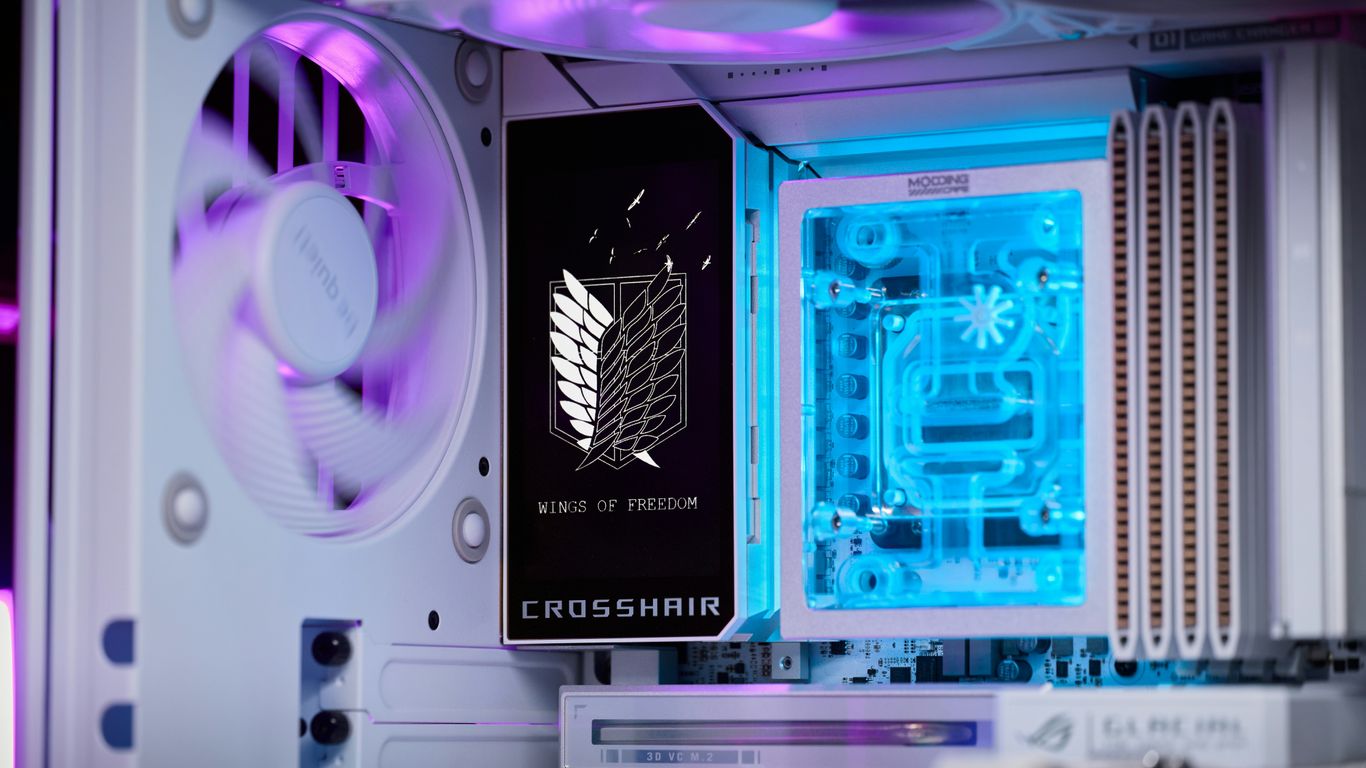
So, you’re eyeing the new NVIDIA 5090, huh? It’s a beast, no doubt about it. But like any cutting-edge tech, it’s not without its quirks and potential headaches. Let’s talk about what you might run into.
Early Reports of Melting Connectors
This is a big one, and frankly, a bit worrying. We’ve seen reports, starting around February 2025, of the 16-pin power connector on some 5090 cards getting seriously hot, even melting. NVIDIA did update the connector for the 50-series, calling it 12V-2×6, to try and fix issues from the previous generation. It’s supposed to be more reliable. However, the 5090 can pull up to 575 watts, which is really close to the 600-watt limit of these cables. Even with PSU makers adding safety features, it seems like a tight spot. It’s really important to make sure your power cables are fully seated and not bent too sharply. If you’re concerned, checking out NVIDIA RTX 5090 16-pin connector melting incidents might give you a better idea of what’s happening.
Understanding the ‘Missing ROPs’ Defect
This is a bit of a head-scratcher. NVIDIA confirmed that a small batch of 5090 cards (and some other models) shipped out with fewer Render Output Units (ROPs) than they should have. ROPs are pretty key for 3D graphics performance. Having fewer means your gaming might not be as smooth as it should be, with reports of about a 4% performance drop in games. The good news? It doesn’t seem to affect AI tasks at all, and NVIDIA is replacing affected cards. Tools like GPU-Z can help you check if your card has the right number of ROPs (176 is the target). It’s a hardware thing, so no software fix, but replacements are available.
Navigating Shipping Delays and Stock Shortages
Getting your hands on a 5090 right now can feel like a quest. Between the production hiccups and just plain high demand from both gamers and folks doing AI work, stock is tight. This means you might be looking at some pretty long waits. Some retailers have mentioned lead times stretching out for weeks, even months, for pre-orders. This scarcity is also fueling talk about price increases, so if you see one available, you might want to grab it, but be prepared for the wait or the premium.
| Issue Type | Description |
|---|---|
| Power Connector | Reports of melting/overheating on the 16-pin connector. |
| ROP Defect | Small percentage of cards shipped with fewer ROPs, impacting gaming. |
| Availability | Significant shipping delays and low stock levels across retailers. |
| Potential Price Hikes | Scarcity and high demand suggest prices may continue to climb. |
The 5090 Graphics Card: Pricing and Market Dynamics
High Demand from Gamers and AI Developers
So, you’ve heard about the NVIDIA 5090, huh? It’s the new king of the hill, and everyone wants a piece. Gamers are lining up, dreaming of maxed-out settings, but it’s not just them. AI folks are also eyeing this beast. Turns out, these cards are pretty good at crunching numbers for AI models, especially with some of the export rules out there. This means there’s a double whammy of demand – from people who want to play the latest games and from those building the next big AI breakthrough.
Impact of DeepSeek Popularity on Pricing
Speaking of AI, there’s been a lot of buzz around something called DeepSeek. This AI model has gotten super popular, particularly in China. The thing is, people are finding that NVIDIA’s gaming GPUs, like the 5090, can be repurposed to run these DeepSeek models. This has sent demand through the roof, creating a bit of a workaround for certain restrictions on advanced GPUs. When you have both gamers and AI developers scrambling for the same hardware, prices tend to go up. Some folks are even predicting that the 5090 could hit prices of $5,000 or more, which is pretty wild.
Anticipated Price Increases and Availability
Given all this, it’s no surprise that getting your hands on a 5090 isn’t exactly easy, and it’s definitely not cheap. The official sticker price is around $1,999, but good luck finding it at that price. We’re seeing significant shipping delays and stock shortages, partly due to production hiccups and partly because everyone wants one. It’s a classic case of high demand meeting limited supply. Some reports suggest wait times could be anywhere from 3 to 16 weeks, even for pre-orders. It’s a tough market right now, but if you’re set on getting one, now might be an opportune moment to purchase an NVIDIA GPU, even with the elevated prices. Keep an eye out, though, as prices are expected to keep climbing. It might be worth considering renting one if you need immediate access to its power.
Display and Power Requirements for the 5090 Graphics Card
So, you’re thinking about getting the new NVIDIA 5090? That’s awesome! But before you hit that buy button, let’s talk about what you’ll need to actually run this beast. It’s not just about plugging it in and hoping for the best, you know.
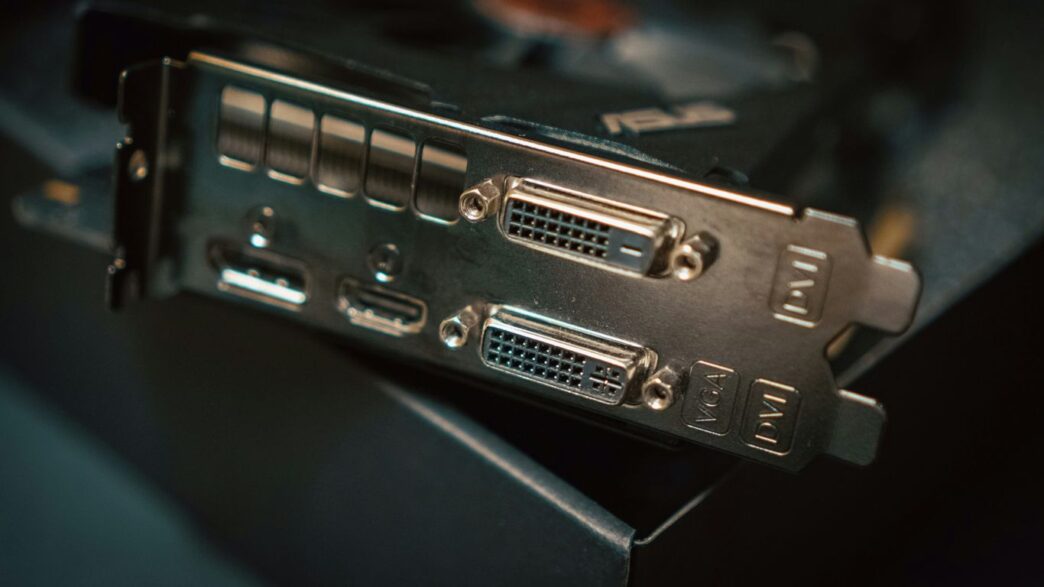
PCIe Gen 5 and DisplayPort 2.1b Support
First off, this card is built for the latest and greatest. It uses the PCIe Gen 5 interface, which means you’ll need a motherboard that supports it to get the full speed. If your current setup is older, you might be leaving some performance on the table. On the display side, the 5090 is rocking DisplayPort 2.1b. This is pretty neat because it lets you push some seriously high resolutions and refresh rates. We’re talking about potentially running games at 8K with a smooth 165Hz. This is a big deal for future-proofing your setup and getting the most out of those super-high-resolution monitors. Of course, you’ll need a monitor that also supports these advanced features to really see the difference.
Understanding Total Graphics Power (TGP)
Now, let’s get down to the nitty-gritty: power. The 5090 has a Total Graphics Power (TGP) rating of 575 watts. That’s a lot of juice! This number tells you the maximum amount of power the card is designed to draw under heavy load. It’s important to understand this because it directly impacts what kind of power supply you’ll need. Don’t skimp here; an underpowered PSU can lead to all sorts of problems, from instability to actual hardware damage. We’ve heard some early reports about connector issues, so making sure you have a solid power delivery system is key.
Recommended Power Supply Unit
Given that 575W TGP, NVIDIA is recommending a 1000W power supply unit (PSU) for the 5090. This gives you plenty of headroom, not just for the card itself but also for your CPU and all the other components in your PC. Trying to run this card on a lower-wattage PSU is just asking for trouble. It’s better to have a bit more power than you need than not enough. Here’s a quick rundown of what to consider:
- Wattage: Aim for at least 1000W. More is generally fine, but make sure it’s from a reputable brand.
- Efficiency Rating: Look for 80 Plus Gold or higher. This means the PSU is more efficient at converting AC power to DC power, generating less heat and saving a little on your electricity bill.
- Connectors: Ensure your PSU has the necessary connectors. The 5090 typically uses a 16-pin power connector (or an adapter for multiple 8-pin connectors). Double-check compatibility with your chosen PSU or adapter.
- Quality: Don’t buy the cheapest PSU you can find. A good quality PSU is an investment in the stability and longevity of your entire system.
So, What’s the Verdict on the RTX 5090?
Alright, so the NVIDIA 5090 is out there, and it’s definitely a beast when it comes to raw power, especially for AI stuff. It’s got all these new features like DLSS 4 and neural rendering that sound pretty amazing for games down the road. But, let’s be real, getting one hasn’t been easy. There have been some bumps, like those power connector worries and a few chip issues, plus the whole supply and demand thing is making prices crazy. It’s not exactly a simple plug-and-play upgrade for everyone right now. If you absolutely need the top-tier performance and have the cash, maybe it’s worth it. Otherwise, it might be smart to wait and see how things shake out, or maybe even check out renting one if you just want to try it without the headache.
Frequently Asked Questions
What’s so special about the NVIDIA 5090?
The NVIDIA 5090 is like the superhero of graphics cards right now! It uses a super-advanced design called the Blackwell architecture and has a powerful new chip. It’s built to handle the most demanding games and complex tasks, like creating amazing graphics or training AI programs, with incredible speed and detail.
How much faster is the 5090 compared to older cards like the 4090?
NVIDIA says the 5090 can be up to twice as fast as the 4090, especially when using its fancy new AI features like DLSS 4. But, this big jump in speed really depends on the game or program you’re using. Sometimes, the difference might not be that huge if those special features aren’t used.
Are there any problems with the new 5090 cards?
Yes, a few issues have popped up. Some people have reported that the power connectors can get hot or even melt, which is a bit scary. Also, a very small number of cards were accidentally made with fewer parts needed for graphics, which can slow down games. NVIDIA is working on fixing these problems and replacing cards if needed.
Is the 5090 hard to buy right now?
Getting your hands on a 5090 has been tough! There’s a lot of demand from people who love gaming and those who work with AI, plus some delays in getting them made and shipped. This means they can be really hard to find in stores, and the prices might be higher than expected.
What kind of computer setup do I need for the 5090?
This card is a real power hog! It needs a strong power supply, at least 1000 watts, to work correctly. It also uses the latest connection type for graphics cards, called PCIe Gen 5, and supports new display standards like DisplayPort 2.1b, so make sure your computer and monitor can handle it.
What are DLSS 4 and Neural Rendering?
DLSS 4 is like a smart helper for games. It uses AI to create extra frames between the ones the game normally draws, making the game run much smoother. Neural Rendering is another AI trick that makes game graphics look way more real, like making characters’ faces and skin look incredibly lifelike and improving how light and shadows work.